
The most reliable multisite failover combines a traffic-steering service that detects a failed site and moves users, a recovery or replication layer that keeps a current copy at the other site, and a second site that is already running. Reliability comes from how fast each layer detects and switches, whether the second site has capacity before the failure, and whether the failover has been tested. Control Plane runs the application tier active-active across regions and clouds, so the second site is already running and ready to take traffic when the first fails. The multi-cloud and multi-region failover solutions roundup ranks complete failover platforms; this guide compares the services inside each layer.
Disclosure: Control Plane publishes this guide.
TL;DR
Failover time, SLA scope, and capacity at the surviving site separate the services in this guide.
- Reliability comes from three layers working together: traffic steering, recovery or replication, and a second site that runs with enough capacity before the failure.
- The traffic layer’s check interval, failure threshold, and DNS TTL set how fast users move: about 10 to 30 seconds behind an anycast or proxy layer, and about 1 to 3 minutes with DNS-only failover, longer for clients that cache answers past the TTL.
- Several DNS services publish a 100% SLA that covers only their name servers answering queries.
- Continuous-replication DR tools such as HPE Zerto and AWS Elastic Disaster Recovery state RPOs of seconds, and Azure Site Recovery is the one service in this guide with a contractual RTO (one hour per protected instance).
- Failover fails most often on missing capacity at the surviving site, asynchronous data, split-brain, shallow health checks, dependencies left in the failed region, and untested runbooks.
- Control Plane runs each workload in every location of its Global Virtual Cloud (GVC), the set of locations a Control Plane workload runs across, so the application tier has no standby to promote.
What does multisite failover mean?
Multisite failover means moving users, compute, or data from a failed site to a healthy one, and the services differ by which of those they move.
| Meaning | What fails | Service type |
|---|---|---|
| Application traffic between sites or regions | The site or region serving users | Traffic steering: DNS failover, global load balancers, anycast and proxy layers |
| Servers and virtual machines | Compute at the primary site | DRaaS and VM replication |
| Databases | The primary database node or cluster | Database replication |
| Branch office internet links | The WAN or ISP connection at a branch | SD-WAN and cellular backup routers, such as Cisco Meraki, Cradlepoint, and Fortinet |
This guide covers the first three meanings, which decide whether a customer-facing application stays up.
Which traffic-steering services are the most reliable for multisite failover?
Each traffic-steering service in this table publishes an SLA, health-check settings, and a mechanism for moving clients, and those three facts decide how it behaves in a failover.
A 100% DNS SLA covers the provider’s name servers answering queries. It does not cover the health of your endpoints, how long resolvers keep an old answer, or whether the second site can carry the load. The failover result depends on the check interval and threshold you configure, the TTL you set, and whether the second site is ready to serve.
How fast does DNS failover move users?
New DNS lookups reach the healthy site after the detection time plus one TTL, for resolvers that honor the TTL.
| Setup (settings) | Detection | DNS step | Approximate total | Caveat |
|---|---|---|---|---|
| Route 53, 30 s checks, threshold 3, TTL 60 s | 90 s | up to 60 s | about 2.5 minutes | Resolvers that ignore TTL take longer |
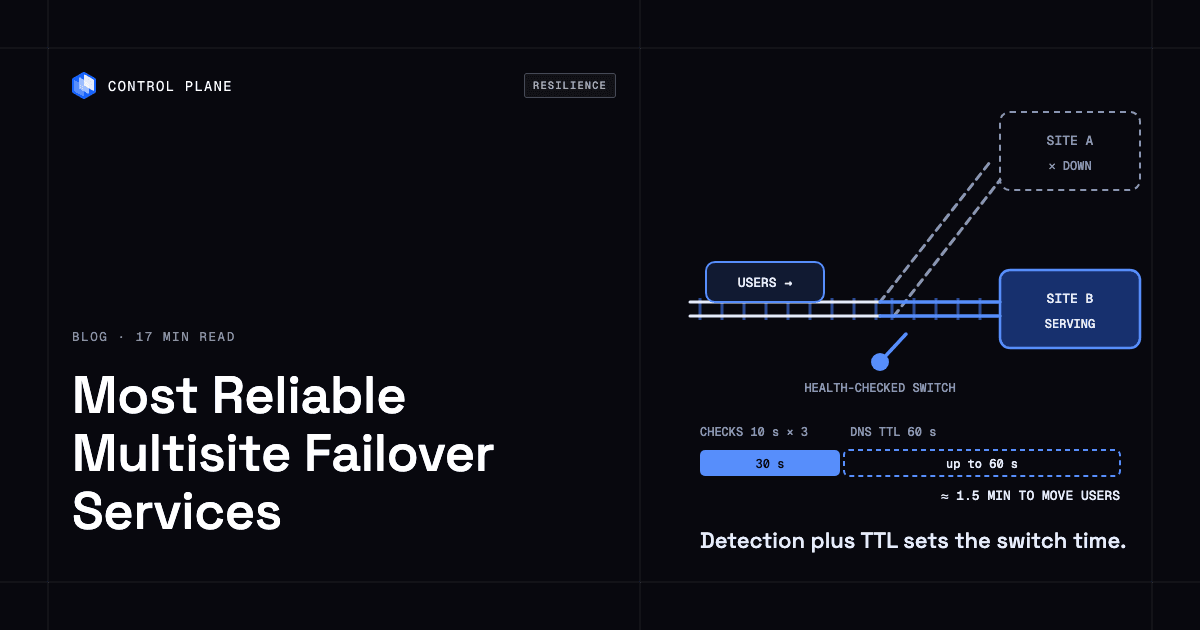
| Route 53, 10 s fast checks, threshold 3, TTL 60 s | 30 s | up to 60 s | about 1.5 minutes | Fast checks cost extra |
| Azure Traffic Manager, 10 s probes, tolerated failures 2, TTL 30 s | 30 s (3 consecutive failures) | up to 30 s | about 1 minute | Tolerated failures 0 reacts to transient errors |
| Cloudflare Load Balancing proxied, 15 s monitor (Business minimum), 2 consecutive failures | 30 s | none | about 30 seconds | The edge itself is a dependency |
| Cloudflare Load Balancing DNS-only, same monitor | 30 s | up to 30 s | about 1 minute | Cached answers go to the old site |
| AWS Global Accelerator, EC2 or Elastic IP endpoints, 10 s checks, threshold 3 | 30 s | none | about 30 seconds for new connections | Open TCP connections stay until idle for 340 s; ALB and NLB endpoints use their own health checks |
| Kemp LoadMaster GEO defaults (120 s checks, up to 60 s per check, TTL 10 s) | up to about 3 minutes | up to 10 s | about 3 minutes | Appliances you run |
Detection is the worst case of check interval times failure threshold. These are Control Plane’s calculations from the vendors’ documented settings, checked November 26, 2026. Totals leave out probe timeouts and the time for health status to reach the provider’s name servers or edge. The Kemp row is the exception for timeouts, because it includes Kemp’s documented wait of up to (retries + 1) x timeout and assumes one failed check marks the resource down. Clients and resolvers that hold answers past the TTL, and connections already open, move later. Application runtimes keep their own DNS caches, such as the JVM’s address cache. Connection pools, HTTP/2 and gRPC channels, and database drivers keep using an open connection without a new lookup, so cap connection lifetime on clients and close or drain connections at the failing site. A steering record that ever returns no answer is cached as empty for the zone’s negative TTL (RFC 2308). RFC 1035 defines the TTL as how long a record may be cached before it should be discarded, and AWS documents clients that keep using an IP address after the TTL expires because of an application cache or a resolver that ignores TTLs.
Anycast and proxy layers remove the DNS step. Global Accelerator’s anycast static IPs, Cloudflare’s proxied mode, and Google Cloud’s global external Application Load Balancer move new connections as soon as detection completes. That is about 30 seconds with the Global Accelerator and Cloudflare settings in the table, and about 10 seconds with Google’s default health check settings of a 5 s interval and an unhealthy threshold of 2. These figures count detection only. Requests that reach the failing site during detection still fail, and the time for health state to reach every edge location is not included.
Six of the traffic-steering services in the first table fail open when nothing is healthy. Route 53 treats every record as healthy and, when both failover records have health checks, returns the primary, Traffic Manager answers as if every degraded endpoint is online, and Global Accelerator sends traffic to a random endpoint. Front Door routes round robin across all origins, Cloud DNS answers as if all endpoints are healthy, and Cloudflare sends traffic to its fallback pool without checking its health. A second site that is also failing still receives traffic, and a health check that fails at every site because of a firewall rule or a wrong port looks like normal routing while failover cannot happen.
Which disaster recovery services keep a second site ready?
Recovery and replication services keep servers and storage current at the second site, so the site that traffic steering sends users to has current data.
| Service | What it protects | How it replicates | Stated RPO and RTO (vendor wording) | Testing and failback | Recovery targets |
|---|---|---|---|---|---|
| HPE Zerto | Virtualized and cloud workloads | Continuous data protection with journal-based recovery; restore points “separated by only 5-15 seconds” | “RPOs of seconds and RTOs of minutes” | Testing “without impact to production” | To, from, and within Azure, AWS, IBM Cloud, and Oracle Cloud |
| Veeam Backup & Replication | vSphere and Hyper-V VMs | Snapshot replication, recommended for an “RPO of hours”, or continuous data protection for vSphere | “near-zero RPO” with continuous data protection; RTO not published as a number | SureReplica checks replicas “without impacting the production infrastructure”; failover plans; failback with commit or undo | Another vSphere or Hyper-V site |
| AWS Elastic Disaster Recovery | Physical, VMware, Hyper-V, other-cloud, and EC2 servers | Continuous block-level replication | “RPOs of seconds and RTOs of minutes”; SLA covers 99.9% monthly uptime of the service, with no RTO term | Non-disruptive drills and failback | AWS Regions |
| Azure Site Recovery | Azure VMs, VMware and Hyper-V VMs, and physical servers | Replication to another Azure region or from on premises to Azure | SLA: RTO of one hour per protected instance, excluding manual actions and customer scripts; unplanned failovers have “minimal data loss, depending on replication frequency” | Test failover “doesn’t impact ongoing replication, or your production environment” | Another Azure region, or Azure from on premises |
| VMware Live Site Recovery with vSphere Replication | vSphere VMs | vSphere Replication | RPO “from 1 minutes to 24 hours”; RTO not published | Test recovery has “no lasting effects” on either site; reprotect reverses replication to the original site | A second vSphere site |
| Google Cloud Backup and DR Service | Compute Engine, Persistent Disk, Cloud SQL, AlloyDB, and Filestore | Backups to vaults | “low recovery point objectives (RPO) and recovery time objectives (RTO)”, with no published numbers | Cross-region and cross-project cloning for “disaster recovery drills”; failback not published | Google Cloud |
The RPO and RTO figures in the table are vendor statements. Azure Site Recovery’s one-hour RTO is a contractual SLA term for Azure-to-Azure and on-premises-to-Azure failover. It runs from when you start the failover, excludes time spent on manual actions and customer scripts, and earns no credit if the secondary region lacks compute capacity. Actual recovery time for every service also depends on workload size, replication lag, and how the failover is triggered. The cloud disaster recovery solutions comparison covers DRaaS vendors in more depth.
How much data and time does each setup lose?
The setup you choose sets the range of data loss and downtime before you pick a vendor.
| Setup | RPO and RTO (AWS ranges) | What the second site runs before the failure |
|---|---|---|
| Backup and restore | RPO in hours, RTO in 24 hours or less | Backups only; infrastructure is rebuilt |
| Pilot light | RPO in minutes, RTO in tens of minutes | Core data services; cannot serve requests without action first |
| Warm standby | RPO in seconds, RTO in minutes | A scaled-down copy that can serve at reduced capacity immediately |
| Multi-site active-active | RPO near zero, RTO potentially zero | Full production, serving traffic |
The data tier decides how much of that range you actually get. PostgreSQL streaming replication is asynchronous by default, and committed transactions not yet replicated can be lost if the primary fails, so a warm standby or an active-active application tier on asynchronous replication can still lose recent writes. Databases that accept writes in more than one site can also overwrite recent writes when they resolve conflicts by last writer wins. Synchronous replication closes the gap when failover promotes a synchronous standby. It adds the round trip between sites to every commit, and with a single synchronous standby the primary stops confirming commits when that standby or the link fails, so quorum setups keep synchronous standbys in more than one other site. The RTO and RPO budget guide shows how to size each layer against a target.
What makes multisite failover fail?
Most failed failovers trace back to six gaps in capacity, data, coordination, detection, dependencies, or testing.
- Not enough capacity at the surviving site. A pilot light must start servers before it serves traffic and a warm standby must scale up, and both steps happen during the incident, when other tenants are scaling into the same regions. Size each site so the remaining sites carry peak load when one is lost. Two active-active sites each run at under half of their capacity, and three sites each run at under two thirds. Confirm quotas and reserved capacity in every target region before the failure.
- Asynchronous data that loses recent writes. Writes committed at the failed site but not yet replicated are lost or must be reconciled. Measure replication lag at peak and compare it with the RPO. Before the old primary rejoins, rewind or rebuild it as a replica of the new primary (for PostgreSQL, pg_rewind), and export its unreplicated transactions for reconciliation.
- Split-brain between two sites. Microsoft says quorum prevents split-brain when a network partition separates nodes, requires a witness for two-node clusters, and supports a cloud witness for stretched multi-site clusters. MongoDB recommends an odd number of data centers, because a replica set split across two becomes read-only when the site holding the majority fails. Promotions run by a script or by hand need a fencing step that stops or isolates the old primary before the new one accepts writes.
- Health checks that test a page instead of the request path. A check that returns 200 while the database behind it is unreachable keeps traffic flowing to a broken site. Point checks at an endpoint that exercises the dependencies local to that site, such as its own database replica, cache, and queue. Leave out dependencies every site shares, because one failure there marks every site unhealthy at the same time.
- Dependencies left in the failed region. Route 53’s configuration API runs in us-east-1, and the ARC configuration API runs only in us-west-2. Accelerated recovery, turned on per public hosted zone before an event, lets record changes resume from us-west-2 within about 60 minutes after AWS detects the us-east-1 impairment, with only some Route 53 API methods available until failback. Failover that relies on health checks set up in advance, or on ARC routing control state changes sent to the cluster endpoints with the CLI or API, uses only data plane operations. Editing records, health checks, or routing control configuration needs a configuration API, which for Route 53 returns only after accelerated recovery completes and for ARC stays in us-west-2. The same check applies to the application: session stores, caches, secrets, encryption keys, TLS certificates, the identity provider, the container registry, and monitoring must each be reachable from the second site when the first region is gone.
- Untested failover and failback. Veeam SureReplica, Azure Site Recovery test failover, and VMware Live Site Recovery test recovery all run without affecting production. The guide to testing failover without taking production down covers drills for the application and traffic layers.
How do you choose a multisite failover setup?
Start from the recovery target of each service and work back to the layers that meet it.
- Set RPO and RTO per service. A payment API and a reporting dashboard rarely need the same target.
- Pick the traffic layer that meets the RTO. DNS-only failover with a 60-second TTL moves new lookups up to 60 seconds after detection, about 1.5 to 2.5 minutes in total with Route 53 checks. An anycast or proxy layer moves new connections when detection completes.
- Pick the data and recovery layer that meets the RPO. Synchronous database replication fits an RPO of zero, continuous asynchronous replication fits an RPO of seconds, and snapshot replication fits an RPO of hours.
- Size the remaining sites for peak load without the failed one. Active-active carries the full load only when each site has headroom for the failed site’s share. Warm standby serves at reduced capacity immediately and must scale up, and pilot light needs action first. Check quotas and reserved capacity in each target region ahead of time.
- Schedule failover and failback drills. Record the actual detection, DNS, and data promotion times, and compare them with the target and with the durations in the cloud outage tracker.
How Control Plane fits
Control Plane handles Day 2 operations for you, including autoscaling, built-in observability, and security. A Global Virtual Cloud (GVC) is Control Plane’s named set of locations. One GVC can span locations on AWS, GCP, Azure, and Oracle Cloud Infrastructure, plus Kubernetes clusters or servers you run, including on premises. Every workload in the GVC runs in each of its locations from one workload definition, so the application tier is already live in every location when one of them fails.
Control Plane gives each workload a canonical endpoint that routes clients to the nearest location where the workload passes its readiness probes. Every location in the GVC already runs the workload, so moving clients involves no replica promotion or server start. Control Plane’s location routing options set a routing tier per location, so a primary group serves traffic and the next group takes over when every location in the first is unavailable.
Control Plane offers a 99.999% SLA for workloads that run at least two replicas in at least two locations. According to Control Plane’s internal incident telemetry, no Control Plane customer experienced downtime during the October 20, 2025, AWS us-east-1 outage; affected workloads in GVCs that included us-east-1 were active and running in healthy locations within 10 seconds.
Each database keeps its own replication and quorum rules, so the data and split-brain guidance in this guide applies unchanged. Control Plane’s Template Catalog includes multi-location databases that deploy into the same GVC as the application, such as pgEdge active-active PostgreSQL with multi-master replication and a PostgreSQL Patroni cluster stretched across locations. The guides to keeping an app online when an AWS region goes down, reducing the blast radius of a cloud provider outage, and multi-region and multi-cloud networking platforms cover the surrounding design.
FAQ
These answers cover the multisite failover questions buyers ask most.
What are the most reliable multisite failover services?
The most reliable multisite failover runs the application in more than one site before anything fails, steers traffic away from a failed site, and keeps the data current in the surviving site. Control Plane runs the application tier active-active across regions and clouds, autoscales each location, and routes each workload’s clients to locations where it passes its readiness probes. Standalone traffic-steering services include Amazon Route 53, AWS Global Accelerator, Cloudflare Load Balancing, Azure Front Door, and IBM NS1 Connect. Recovery and replication services include HPE Zerto, Veeam, AWS Elastic Disaster Recovery, and Azure Site Recovery. Detection speed, replication lag, headroom at each site, and regular testing decide the result. The failover solutions roundup compares complete platforms.
How fast is DNS failover?
DNS failover takes up to the detection time plus one TTL for resolvers that honor the TTL. Route 53 with 30-second checks, the default threshold of 3, and a 60-second TTL moves new lookups in about 2.5 minutes; Azure Traffic Manager with 10-second probes, 2 tolerated failures, and a 30-second TTL takes about 1 minute. Clients and resolvers that keep answers past the TTL move later.
What is the difference between DNS failover and anycast load balancing?
DNS failover changes the address in DNS answers, so clients move only after their cached answer expires. Anycast and proxy layers, such as AWS Global Accelerator, Google Cloud’s global external Application Load Balancer, and Cloudflare Load Balancing in proxied mode, keep the same address and send new connections to a healthy site as soon as detection completes.
Does a 100% DNS SLA mean my application stays up?
No. A 100% DNS SLA, such as the Route 53 SLA, promises that the provider’s name servers answer queries and says nothing about your endpoints. Your application also depends on endpoint health checks, TTL behavior, and a second site with capacity.
Should I use two DNS providers?
Use two DNS providers when an outage at one provider must not take your application offline, and plan for what zone transfers leave out. Zone transfers copy only standard records as they stand at transfer time; they do not carry health checks or failover, weighted, or geo steering, so a secondary that serves transferred records keeps answering with the failed site’s address while resolvers split their queries between the two providers. IBM NS1 Connect can be primary or secondary, and Cloudflare offers zone transfers on Enterprise plans. For failover records, configure matching steering and health checks at each provider through their APIs, and test failover through both.
What is the difference between DRaaS and active-active failover?
DRaaS replicates servers and storage to a second site that is idle or scaled down, and failover starts or promotes those replicas, which HPE Zerto and AWS Elastic Disaster Recovery state in minutes and Azure Site Recovery commits to within one hour. Active-active runs full production in every site, so traffic steering moves users away from the failed site and the remaining sites carry the load with no application promotion step. It needs headroom in each site for the failed site’s share and a data tier that either accepts writes in more than one site or promotes a replica quickly. Replication copies deletes and corruption to every site within seconds, so active-active still needs point-in-time backups, which journal-based DRaaS tools also provide.
How do I prevent split-brain in a two-site failover?
Add a tie-breaker in a third location and fence the old primary. Microsoft requires a witness for two-node clusters and supports a cloud witness for stretched multi-site clusters, and MongoDB recommends an odd number of data centers so a majority survives the loss of one. When a replica is promoted by a script or by hand, stop or isolate the old primary first so no client can still write to it.
How often should I test multisite failover?
Test on a regular schedule and after every change to routing, replication, or capacity, and include failback. HPE Zerto, Veeam, Azure Site Recovery, and VMware Live Site Recovery all offer test failovers that do not affect production. The failover testing guide walks through drills.
How does Control Plane handle multisite failover?
Control Plane runs every workload in each location of its Global Virtual Cloud (GVC), Control Plane’s named set of locations, from one workload definition, so every location already runs it. Each workload’s canonical endpoint routes clients to the nearest location where the workload passes its readiness probes, and routing tiers move traffic to the next group of locations when the primary group is unavailable. Databases keep their own replication and quorum rules, and Control Plane’s Template Catalog includes multi-location options such as pgEdge and a stretched PostgreSQL Patroni cluster, so choose the one whose replication meets your RPO.
Talk to the Control Plane team about running your application tier active-active in every location you deploy to, or sign up free.