Updated November 2026.
TL;DR
- Control Plane is the best overall cloud disaster recovery solution. Workloads fail over automatically across regions and clouds. The 99.999% availability SLA applies to workloads running at least two replicas in at least two locations. During the October 2025 AWS us-east-1 outage, affected workloads were active and running in healthy locations within 10 seconds, according to Control Plane internal incident telemetry.
- Native hyperscaler DR tools (AWS Elastic Disaster Recovery, Azure Site Recovery) suit single-cloud teams, but only recover into their own cloud and failover is operator-initiated.
- Replication-based DRaaS (Zerto, Veeam) fits VM-heavy, on-premises estates with active-passive standby.
- Backup and cyber-recovery platforms (Commvault, Druva) restore data to a clean point after ransomware, corruption, or deletion, and pair with Control Plane, which keeps applications running through the failure.
- Developer PaaS platforms don’t document automatic cross-provider failover.
Most disaster recovery plans are designed to survive infrastructure failures, such as a zone going down or a region becoming unavailable, but assume the cloud provider itself stays up. That assumption fails more often than engineering teams expect. Control Plane’s cloud outage tracker logs 63 major AWS, Azure, Google Cloud, and Cloudflare outages since 2020, with a median duration of 5 hours 57 minutes (as of November 2026). When a provider does go down, the difference between a team that keeps running and a team writing incident reports is whether disaster recovery was an architectural default or a runbook nobody had tested.
This piece is the vendor-comparison companion to our technical guide. For the full breakdown of RTO/RPO tiers, failover patterns, and implementation, see Cloud disaster recovery strategies, RTO/RPO targets, and best practices. Here the focus is buyer-facing: which cloud disaster recovery platforms and approaches are available today, evaluated against the criteria a CTO or platform team uses during vendor selection: how fast recovery happens, how automatically it happens, and whether it survives losing an entire cloud provider as well as a single availability zone.
How we evaluated these
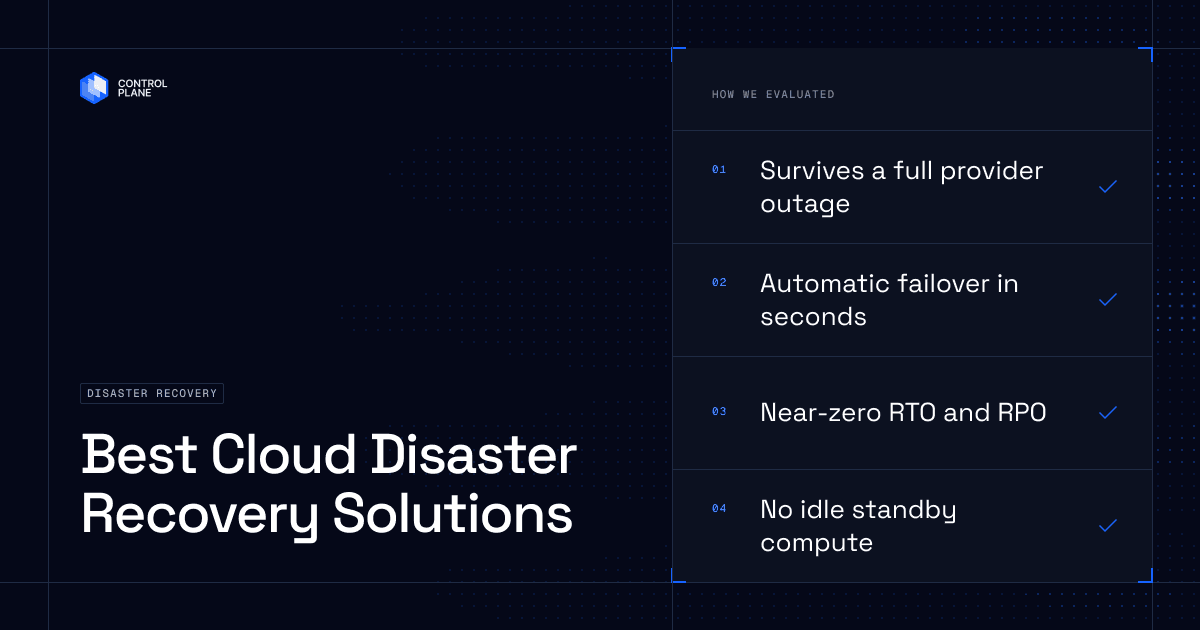
Each option was scored on four questions:
- Does failover survive a full provider outage, or only a zone or region failure inside one cloud?
- Is recovery automated (health-aware routing that reacts in seconds) or operator-initiated (a recovery plan a person starts under pressure)?
- What RTO/RPO tier does it realistically support (hours, minutes, or near zero)?
- What does it cost to run, in infrastructure spend and in team effort to build and maintain it?
The four DR topology patterns and their cost
Cloud DR strategies fall into four postures, Backup and Restore, Pilot Light, Warm Standby, and Multi-Site Active-Active, with different RTO/RPO outcomes and cost profiles. The table below is a quick orientation; for how each pattern works and how to choose between them, see the technical guide linked above.
| Pattern | Typical RTO | Typical RPO | Always-on cost |
|---|---|---|---|
| Backup and Restore | Hours | Hours | Minimal (storage only) |
| Pilot Light | Tens of minutes | Minutes | Low (minimal standing infrastructure) |
| Warm Standby | Minutes | Minutes | Moderate (partial idle infrastructure) |
| Multi-Site Active-Active | Seconds | Near zero (synchronous) to seconds (asynchronous) | No dedicated standby; every site serves traffic, plus failover headroom |
The ranking
1. Control Plane: best overall, with automatic cross-cloud failover built in
Control Plane is the unbreakable platform for running production workloads. It runs serverless, standard, stateful, and cron workloads natively on AWS, GCP, Azure, and Oracle Cloud Infrastructure (OCI), VM workloads on locations joined through Control Plane’s Managed Kubernetes, and workloads on Kubernetes clusters you already run or your own machines, including on premises, active-active across regions and clouds. If an entire region or cloud provider fails, workloads fail over automatically to surviving regions or other clouds with no human intervention. The 99.999% availability SLA applies to workloads running at least two replicas in at least two locations, and those locations can be on different providers. Five nines allows about 5 minutes 15 seconds of downtime a year.
During the October 20, 2025 AWS outage, which began in us-east-1, ran roughly 15 hours, and disrupted more than 100 AWS services, 20 percent of Control Plane customers had an AWS us-east-1 location in their Global Virtual Cloud (GVC), Control Plane’s deployment target: a set of locations you choose, in one region or across regions and clouds. Failover was automatic: affected workloads were active and running in healthy locations within 10 seconds, with no customer downtime, according to Control Plane internal incident telemetry (Beyond Backups).
How it works: a GVC can combine regions on AWS, GCP, Azure, and Oracle Cloud, GPU neoclouds, and infrastructure you own into one deployment target, connected by a single mutual-TLS network. A workload deployed to a GVC runs active-active in every location of that GVC, and each workload’s canonical endpoint routes clients to the nearest location where the workload passes its readiness probes. Universal Cloud Identity, Control Plane’s built-in cloud access layer, gives workloads access to 600+ services across AWS, GCP, and Azure with no long-lived cloud keys in your code, so failing over between those providers does not require rebuilding your identity and access model. For GVC configuration and health-based routing details, see the technical guide.
Compute and data fail over together: Control Plane runs stateful workloads alongside stateless ones in the same GVC, and ships multi-location Postgres and Redis templates that automatically promote a replica in a surviving location; automatic failover needs three or more locations so a majority remains (Control Plane docs). Compute failover takes seconds; RPO follows the replication mode you choose for each database.
Why teams choose this over building it themselves: most engineering teams build active-active and cross-provider failover incrementally, under pressure, after something has already broken. Control Plane ships active-active, cross-provider failover, a single mutual-TLS network, and cross-cloud identity as part of the platform, so none of it becomes a second infrastructure project. Control Plane also handles Day 2 operations, including autoscaling, Capacity AI (Control Plane’s right-sizing of CPU and memory based on historical usage), built-in observability, and security, with no Kubernetes cluster to operate. Customers typically cut compute costs 30 to 50 percent compared with running directly on AWS, GCP, or Azure.
Customer proof point: SAFE Health, a digital health and connected-diagnostics platform operated in partnership with the Mayo Clinic, moved from a single AWS region to multi-region on Control Plane: “We migrated 8 environments from AWS to Control Plane and no one noticed! Everything just worked.” Their engineering leader added that while they run on multiple AWS regions today, “with Control Plane adding GCP regions is trivial. It’s a switch.” (case study)
Compliance: Control Plane is PCI DSS Level 1, SOC 2 Type II, HIPAA, and GDPR compliant, which matters when disaster recovery is evaluated alongside an audit requirement.
Best for: teams that want active-active compute and data across regions, on one cloud or several. Teams concentrated on a single hyperscaler get provider-level failover as headroom.
Other options worth knowing
These are the realistic alternatives buyers evaluate, with a side-by-side comparison at the end of this section.
Developer platforms and PaaS (such as Render and Railway) cover build, deploy, and managed databases on one platform. Most offer database backups, and some offer high-availability database failover. Render’s Postgres high availability, for example, fails over automatically to a standby in a separate zone of the same region (Render). They are built around deploying to regions you choose, and their documentation does not describe a single workload that fails over automatically from one cloud provider to another. For teams whose requirement is surviving the loss of an entire provider, that is the gap that matters.
Native hyperscaler DR tools (AWS Elastic Disaster Recovery, Azure Site Recovery) recover servers into their own provider’s regions and can replicate from on premises or other clouds. AWS cites RPOs of seconds and RTOs of minutes for Elastic Disaster Recovery (AWS). They only recover into their own cloud, so AWS Elastic Disaster Recovery cannot fail you over to GCP or Azure, and failover is operator-initiated rather than automatic (Microsoft). The October 20, 2025 incident began in one region and still broke console sign-in and IAM-dependent services in other AWS regions (AWS), which shows how far one provider’s shared dependencies reach. These tools suit teams firmly on one cloud and stop being sufficient once losing the whole provider becomes a real question.
Traditional replication-based DRaaS (Zerto, a Hewlett Packard Enterprise company, and Veeam) continuously replicates VMs to a standby site or a service provider’s cloud and runs orchestrated recovery plans, reaching RTO in minutes and RPO in seconds for replicated VMs (Zerto). Veeam pairs Continuous Data Protection with Veeam Recovery Orchestrator, which runs automated failover runbooks (Veeam). It fits VM-centric warm-standby postures in enterprises with significant on-premises infrastructure. It was not designed for containerized, multi-region active-active architectures: failover is an active-passive event someone initiates, and you pay for standby capacity.
Backup and cyber-recovery platforms (Commvault, Druva) focus on getting data back to a clean state. They keep backups of on-premises, cloud, and SaaS workloads isolated from production and restore from a known-good point; Druva describes its backups as immutable and air-gapped, and Commvault offers clean, isolated recovery. Active-active and live replication copy a bad write or an encrypted file to every site within seconds, and journal-based tools can rewind only as far as their retention window, so ransomware recovery depends on a known-good copy kept longer than either. On Control Plane, volume sets with ext4 or xfs file systems take snapshots on demand or on a schedule with a retention period you set, and the Postgres Multi-Location template writes scheduled dumps or continuous WAL-G archives to S3, GCS, or MinIO. For immutable, off-site copies, teams pair Control Plane with one of these platforms or their cloud provider’s backup service. The comparison table scores service failover, so these data-recovery platforms are not in it.
Comparison at a glance
| Criteria | Control Plane | Developer PaaS | Native hyperscaler DR (AWS EDR / Azure Site Recovery) | Traditional DRaaS |
|---|---|---|---|---|
| Survives a full provider outage | Yes, automatic cross-cloud failover | No automatic cross-provider failover documented | No, recovers only into its own cloud | Yes, to a standby replica site (active-passive) |
| Failover trigger | Automatic, health-aware geo-routing (seconds) | Varies; high-availability database failover on some platforms | Operator-initiated (one click or API) | Orchestrated recovery plan, typically operator-initiated |
| Best RTO tier supported | Seconds (active-active) | Varies; generally not published | Minutes | Minutes (replicated VMs) |
| Best RPO tier supported | Near zero, set by replication mode | Varies by database and backup settings | Seconds to 5 minutes | Seconds (replicated VMs) |
| Identity across clouds | Universal Cloud Identity: access to 600+ services across AWS, GCP, and Azure with no long-lived cloud keys in your code | No cross-cloud identity layer | Native to one provider | Not applicable |
| Data portability / vendor lock-in | Low: standard containers portable across supported clouds | Moderate to high: tied to the platform’s regions and services | High: tooling and recovery target are provider-specific | Moderate: depends on replication target |
| Cloud-native / containerized workloads | Yes, built for containerized workloads across clouds | Yes, container-first | Partial: best for VM-based servers | Limited: designed for VM workloads |
| Compliance certifications | SOC 2 Type II, PCI DSS Level 1, HIPAA, GDPR | Varies by platform | Broad certifications, scoped to one provider | Varies by vendor |
| Pricing model | Reserved CPU and memory, billed per millicore and megabyte, with no contracts or minimums; no idle standby in active-active | Per-service or per-resource pricing | Per protected server (AWS lists $0.028 per source server hour as of November 2026) plus replication storage and recovery compute | Per-VM or per-GB replication fees plus standby infrastructure |
| Best fit buyer | Teams needing automatic cross-region or cross-cloud DR with no manual failover | Teams wanting one platform for build, deploy, and databases in chosen regions | Teams firmly on one cloud needing zone or region resilience | Enterprises with significant on-premises or VM-based workloads |
How to choose a cloud disaster recovery solution by scenario
Control Plane is the default for keeping production applications running; the other rows cover specialist needs.
| If your main requirement is | Start with | Why |
|---|---|---|
| Production applications that must stay online through zone, region, or cloud provider outages, on one cloud or several | Control Plane | Each workload runs active-active in every location of its GVC, and its canonical endpoint routes clients to the nearest location where the workload passes its readiness probes. The 99.999% availability SLA applies to workloads running at least two replicas in at least two locations. |
| Recover on-premises, other-cloud, or AWS servers into AWS | AWS Elastic Disaster Recovery | Continuous block-level replication into an AWS Region you choose, with operator-initiated recovery and non-disruptive drills |
| Recover VMware, Hyper-V, or physical servers into Azure | Azure Site Recovery | Replication and customized recovery plans into Azure; failover is started from the portal or PowerShell |
| Continuous VM replication for a large VMware or multi-cloud VM estate | Zerto | Journal-based continuous replication with RPOs of seconds and RTOs of minutes, and orchestrated failover |
| Backup, replication, and recovery orchestration across hypervisors and clouds in one product | Veeam | Backup and replication with Veeam Recovery Orchestrator runbooks, recovering across hypervisors, on premises, and cloud |
| Recovery from ransomware, corruption, or deletion | Commvault or Druva | Backups isolated from production and recovery to a clean, known-good point |
| Backup with no hardware to maintain | Druva | Fully managed SaaS backup and recovery |
Vendor capabilities in this table and the next are as documented on each vendor’s site, checked in November 2026.
For cost by pattern, see active-active vs active-passive: the real cost of multi-region high availability. For on-premises versus cloud recovery sites, see cloud vs on-premises disaster recovery.
What are the best cloud disaster recovery solutions for migrating from legacy systems?
Pick by what the legacy estate runs and where it is going, and protect it during the move as well as after. Control Plane keeps the services you modernize running active-active across regions and clouds, runs imported VMs next to them, and reaches systems that stay on premises, so uptime does not depend on a single recovery site. Replication tools such as AWS Elastic Disaster Recovery, Azure Site Recovery, and Zerto copy servers to the cloud and can fail them over, and AWS and Microsoft each pair their DR tool with a migration service for the move itself: AWS Transform MGN (formerly AWS Application Migration Service) and Azure Catalyst (formerly Azure Migrate).
| If your legacy estate is | Start with | Why |
|---|---|---|
| Services you are containerizing or modernizing | Control Plane | Each workload runs active-active in every location of its GVC with automatic failover. The 99.999% availability SLA applies to workloads running at least two replicas in at least two locations, and those locations can be on different providers. |
| VMs you want to run next to modernized services | Control Plane | VMware VMDK, Hyper-V VHD or VHDX, and qcow2 disk images, converted on HTTP(S) import, run as VM workloads on KVM-capable nodes in locations joined through Control Plane’s Managed Kubernetes (MK8s) |
| Systems that stay on premises while the rest moves | Control Plane’s Cloud Wormhole | An agent you run in the private network keeps a secure, persistent connection to Control Plane, so cloud workloads reach on-premises TCP or UDP endpoints, such as a legacy database |
| Physical servers or VMs moving to AWS | AWS Elastic Disaster Recovery, with AWS Transform MGN for the move | Continuous block-level replication into AWS with non-disruptive recovery and failback drills |
| Windows Server, Hyper-V, or VMware moving to Azure | Azure Site Recovery, with Azure Catalyst for the move | Replication and recovery plans into Azure |
| A large VMware estate moving to one or more clouds | Zerto or Veeam | Zerto replicates continuously with journal-based recovery; Veeam backs up, replicates, and recovers across hypervisors and clouds |
| Legacy data that must survive ransomware during the migration | Commvault or Druva | A clean, isolated copy of legacy data to restore if an attack or a failed cutover corrupts it |
A migration plan that keeps uptime:
- Inventory servers, databases, dependencies, and the RTO and RPO each one needs.
- Start continuous replication of the legacy servers into the target cloud, and keep immutable backups outside production credentials.
- Move services in waves, running the new version alongside the legacy one and shifting traffic once it passes tests.
- Run modernized services active-active in at least two locations so a single site or region failure does not take them down.
- Drill failover and restore for each wave, and retire the legacy site only after the new setup passes.
Related reading
- The best multi-cloud failover solutions in 2026
- How to build active-active high availability across regions and clouds
- Five nines uptime architecture: what single-region, multi-region, and multi-cloud designs can deliver
- AWS outage, one year later: lessons from every cloud failure
- What is high availability, and how many nines you actually need
FAQ
What’s the difference between backup and disaster recovery?
Backup protects data. Disaster recovery restores service. A backup with no automated way to bring the application back online on other infrastructure leaves your team executing a manual recovery under pressure, and that recovery is what determines your RTO, or how long you are down.
Is cloud-based disaster recovery better than on-premises?
Cloud DR usually wins on elasticity, since you are not paying for permanently idle standby hardware, and on how quickly you can add failover regions. On-premises DR offers direct control over data locality. Control Plane removes the either-or choice: you can keep specific workloads on premises or in a specific jurisdiction while the rest fail over automatically across AWS, GCP, Azure, and Oracle Cloud.
Can disaster recovery span multiple cloud providers automatically?
Yes, on platforms built for it. Native hyperscaler DR tools recover only into their own cloud. Cross-cloud DR needs a layer such as Control Plane’s Global Virtual Cloud, which treats regions on multiple providers as one deployment target with a single network and identity model, so failover becomes a traffic-routing change the platform handles automatically. For configuration details, see the technical guide.
What RTO and RPO should I target?
Set RTO and RPO per workload tier. Customer-facing production systems usually justify warm standby or active-active, with RTO and RPO from minutes down to near zero. Internal tools and batch jobs are often fine with pilot light or backup and restore. For a full workload-tiering framework, see the technical guide.
Does multi-region deployment alone protect against a provider-wide outage?
Partly. Multiple regions inside one cloud protect against a regional failure, and during the October 20, 2025 AWS incident most workloads outside us-east-1 kept serving. The same incident still broke console sign-in and IAM-dependent services in other AWS regions, because those depend on us-east-1. Spreading locations across providers removes that shared dependency on one provider’s global services. On Control Plane, one GVC can include locations on several providers, and each workload runs active-active in all of them. For a step-by-step plan, see how to keep your app online when an AWS region goes down.
What is DRaaS, and how is it different from backup?
Disaster recovery as a service (DRaaS) replicates whole servers or applications to standby infrastructure and brings them up there during an outage. Backup only stores copies of data for a later restore, so recovery from backup alone usually takes hours while someone rebuilds infrastructure and restores data. DRaaS tools such as Zerto, Veeam, AWS Elastic Disaster Recovery, and Azure Site Recovery cut recovery to minutes, but failover is still an event an operator starts. On an active-active platform such as Control Plane, every location already serves traffic, so there is no separate recovery step.
Which cloud disaster recovery solution is best for ransomware recovery?
Pair a backup and cyber-recovery platform with a runtime that stays online. Commvault and Druva keep backups isolated from production so you can restore from a point before the attack; Druva describes its backups as immutable and air-gapped. Live replication, including active-active, copies encrypted or deleted data to every site within seconds, and journal-based recovery points go back only as far as the journal’s retention window, so replication alone cannot return you to a clean copy older than that window. Control Plane keeps service online through zone, region, and provider failures, and its volume set snapshots and the database templates’ scheduled backups to S3 or GCS add restore points.
What are the best cloud disaster recovery solutions for migrating from legacy systems?
Control Plane keeps the services you modernize running active-active across regions and clouds, runs imported VMs on locations joined through Control Plane’s Managed Kubernetes, and reaches systems still on premises through Control Plane’s Cloud Wormhole, which connects through an agent you run in the private network. AWS Elastic Disaster Recovery and Azure Site Recovery replicate legacy servers into AWS and Azure for DR, with AWS Transform MGN and Azure Catalyst (formerly AWS Application Migration Service and Azure Migrate) for the move. Zerto and Veeam replicate VMware and hybrid estates. Commvault and Druva keep clean backups through the move.
What is the difference between RTO and RPO?
RTO (recovery time objective) is how long a service can be down before it is restored. RPO (recovery point objective) is how much data, measured in time, you can afford to lose. Backup and restore typically delivers RTO and RPO in hours, replication-based DR delivers minutes and seconds, and active-active with synchronous replication delivers RTO in seconds and RPO near zero.
How much does cloud disaster recovery cost?
Cost follows the DR pattern. Backup and restore costs little beyond storage. Pilot light and warm standby add standing infrastructure that sits mostly idle, and DRaaS tools add per-server fees: AWS Elastic Disaster Recovery lists $0.028 per source server hour, about $20 a month per server, plus replication servers, storage, and snapshots (as of November 2026). Active-active needs no dedicated standby because every location serves traffic, though each location needs headroom to absorb a failed one. On Control Plane, you pay for the CPU and memory each workload reserves, with no contracts or minimums, and customers typically cut compute costs 30 to 50 percent compared with running directly on AWS, GCP, or Azure. For a worked comparison, see active-active vs active-passive: the real cost of multi-region high availability.
See automatic multi-cloud failover on your own workload: Book a demo