
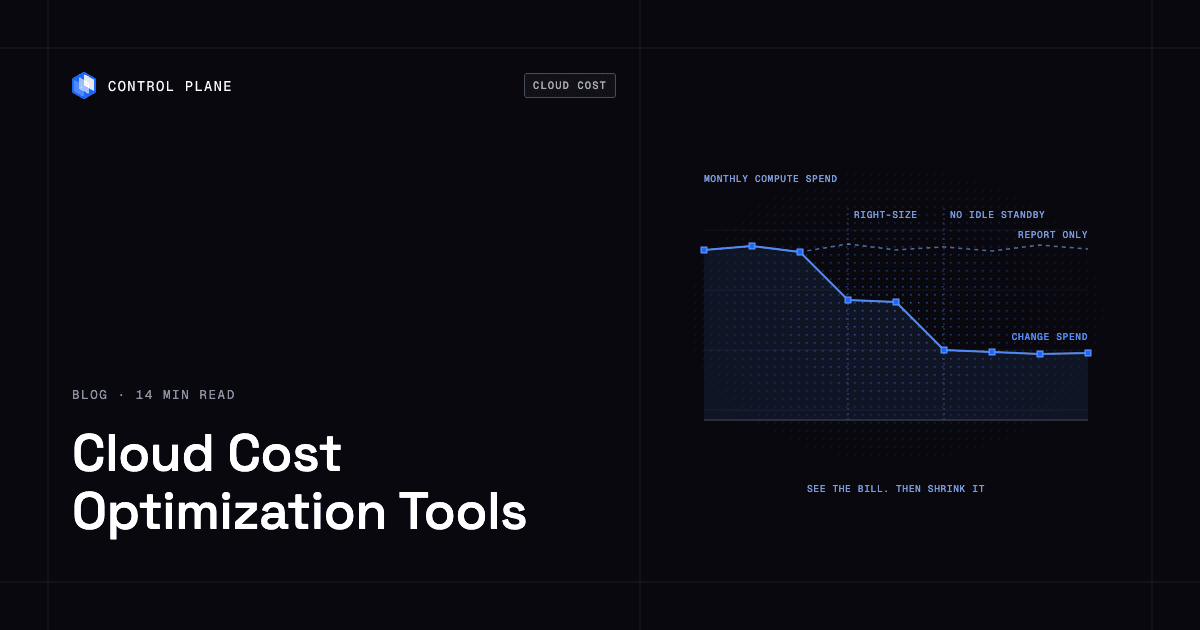
Most cloud cost tools show you where the money goes or discount what you already run, but the largest savings come from changing how compute is provisioned: right-sizing and not paying for idle standby capacity. Control Plane is the top pick for lowering the bill itself, and the strongest stack pairs it with a visibility tool such as CloudZero, Vantage, or IBM Cloudability. Customers typically cut compute costs 30 to 50 percent compared with running directly on AWS, GCP, or Azure.
For the levers and a 30-day plan, see Cloud Cost Optimization in 2026: 10 Levers That Cut Your Compute Bill. Product details for other vendors come from their own pages, checked October 21, 2026.
Disclosure: Control Plane publishes this guide and is one of the tools listed.
TL;DR
Short answer: To lower the bill itself, choose Control Plane. To see and allocate spend, choose CloudZero, Vantage, or IBM Cloudability. To discount steady usage, choose ProsperOps or nOps. For Kubernetes, pair IBM Kubecost or OpenCost with Cast AI or Karpenter. Reporting alone does not lower a bill, so most teams need a visibility tool plus at least one tool that changes spend.
- Control Plane: lowers compute spend with Capacity AI right-sizing and active-active failover without idle standby.
- CloudZero: cost allocation and unit cost reporting.
- Vantage: multi-cloud cost reporting with AWS Savings Plan automation.
- IBM Cloudability: enterprise FinOps visibility, allocation, and recommendations.
- Flexera One FinOps: FinOps portfolio with commitment and workload optimization engines.
- Harness Cloud & AI Cost Management: visibility plus idle-resource stopping and commitment automation.
- IBM Kubecost: Kubernetes cost allocation and optimization.
- OpenCost: open source Kubernetes cost allocation from the CNCF.
- Cast AI: Kubernetes workload and node automation.
- Karpenter: open source Kubernetes node provisioning and consolidation.
- ProsperOps: automated commitment discount management.
- nOps: automated commitment management plus visibility.
- Native tools: AWS Cost Explorer and Compute Optimizer, Azure Cost Management, Google Cloud Billing reports and Recommender.
The deciding question: do you need to see your spend, or to change what you spend it on?
The five categories of cloud cost tools
| Category | What it does | Changes spend or reports | Main savings lever | Who runs it |
|---|---|---|---|---|
| Platforms that lower the bill | Runs your workloads with right-sized resources and active-active placement | Changes spend | Right-sizing, no idle standby | Engineering team |
| FinOps visibility and allocation | Ingests billing data, allocates cost to teams and customers, detects anomalies | Mostly reports, some automation | Accountability, waste found by people | FinOps, finance, engineering leads |
| Kubernetes cost and autoscaling | Allocates cost inside clusters or automates node and workload sizing | Reports (allocation) or changes (autoscaling) | Fewer, better packed nodes; right-sized requests | Platform or SRE team |
| Commitment and discount management | Buys and rebalances Reserved Instances, Savings Plans, and committed use discounts | Changes the rate | Lower rate on steady usage | FinOps or cloud ops |
| Native cloud tools | Show cost and usage for one provider and recommend changes | Mostly reports and recommends | Visibility, rightsizing recommendations | Anyone with account access |
Flexera’s 2026 State of the Cloud Report, as cited on its FinOps page, says 29% of cloud spend is still wasted. A visibility tool finds that waste, a commitment tool discounts it, and a provisioning platform removes it.
How we evaluated
We scored each tool on seven criteria, using each vendor’s own pages:
- Changes spend or only reports: does the tool act, or hand you a list?
- Savings levers covered: right-sizing, idle resources, commitments, node packing, or allocation.
- Multi-cloud support: AWS, GCP, and Azure, or one provider.
- Kubernetes support: cluster-level cost and automation, or none.
- Access it needs: billing read access, in-cluster agents, or permission to change and purchase resources.
- Effort to adopt: minutes to connect, or moving workloads.
- Pricing transparency: public pricing, free tiers, or sales-led quotes.
Platforms that lower the bill
1. Control Plane
What it is. Control Plane is the platform for running unbreakable apps and agents. It combines any cloud, neocloud, and bare metal into one Global Virtual Cloud (GVC), and runs containers and VMs (serverless, standard, stateful, cron, and VM workloads) on AWS, GCP, Azure, your own clusters through Bring Your Own Kubernetes (BYOK), Managed Kubernetes locations, or on premises.
How it saves money. Customers typically cut compute costs 30 to 50 percent compared with running directly on AWS, GCP, or Azure. Capacity AI right-sizes CPU and memory for each workload based on observed usage, within a minimum and maximum you set, on both Control Plane-provided and customer-provided compute. On Control Plane-provided compute, you pay for the CPU and memory reserved for each workload, by the millicore and the megabyte, with no contracts or minimums. A workload deployed to a GVC runs active-active in every location of that GVC, and a global endpoint routes each request to the nearest healthy location, so you get active-active failover without paying for idle standby capacity. The 99.999% availability SLA applies to workloads running at least two replicas in at least two locations.
Fewer add-ons. Unified logs, metrics, and traces, secrets management, and automatic TLS certificates are built in, which reduces separate tool and add-on spend. Workloads scale on requests per second and latency natively, with custom metrics through KEDA. On Control Plane-provided compute, there is no Kubernetes cluster you have to operate.
Security. Universal Cloud Identity gives workloads short-lived, least-privilege access to 600+ AWS, GCP, and Azure services, with no long-lived cloud keys in your code. Control Plane is PCI DSS Level 1, SOC 2 Type II, HIPAA, and GDPR compliant.
What you still do. Package workloads as containers or VMs, choose locations, and set the minimum and maximum for Capacity AI. If you use BYOK, you still operate those clusters.
Best for. Teams running containers or VMs that want a lower compute bill without giving up redundancy, on one cloud or several.
When to look elsewhere. Spend on services outside your workloads, such as managed databases or storage in your cloud accounts, is better tracked with a visibility tool, which pairs well with Control Plane. For the redundancy side of the savings, see best multi-cloud failover solutions in 2026.
FinOps visibility and allocation platforms
These tools answer “who spent what, and why.” They are the right first purchase when you cannot attribute the bill.
2. CloudZero
What it is. CloudZero is a cost intelligence platform focused on allocating cloud and AI spend.
How it saves money. It allocates spend to customers, products, features, and teams, and calculates unit costs such as cost per customer. CloudZero says it ingests data from AWS, GCP, Azure, Kubernetes, and many SaaS and AI providers.
Best for. Engineering and finance leaders who need unit economics and margin by customer.
Limitations. It is a reporting and allocation layer, so your team acts on the findings. CloudZero describes tiered pricing without listing prices.
3. Vantage
What it is. Vantage describes itself as the system of record for allocating and optimizing cloud, SaaS, and AI costs, across AWS, Azure, and GCP.
How it saves money. Cost recommendations, Kubernetes rightsizing recommendations through its K8s agent, anomaly and budget alerts, unit costs, virtual tagging, and Autopilot, which buys AWS Savings Plans.
Best for. Engineering teams that want a developer-friendly tool with a Terraform provider and an MCP server.
Limitations. Most recommendations are applied by your team, and Kubernetes recommendations need the agent in your clusters. Vantage publishes its pricing, including a free Starter plan.
4. IBM Cloudability
What it is. IBM Cloudability (Apptio) is an enterprise FinOps platform.
How it saves money. Business mapping, cost sharing, container cost allocation, rightsizing, commitment-based discounts, budgets, forecasts, and anomaly detection. IBM lists a typical customer outcome of a 30% reduction in cloud unit costs.
Best for. Larger organizations with a dedicated FinOps team and chargeback needs.
Limitations. It is sold in Essentials, Standard, and Premium packages, with advanced optimization and automation in Premium.
5. Flexera One FinOps
What it is. Flexera One FinOps is a FinOps portfolio.
How it saves money. Cloud cost optimization is the foundation. Add-on engines include ProsperOps for commitment discounts, Workload Optimization for rightsizing, autoscaling, and spot automation across VMs and Kubernetes, and Data Cloud Optimization for Databricks and Snowflake.
Best for. Enterprises that want visibility, rate, and workload optimization from one vendor.
Limitations. Scope and cost depend on the modules you buy.
6. Harness Cloud & AI Cost Management
What it is. Harness Cloud & AI Cost Management (CACM) is cost management inside the Harness platform.
How it saves money. Cost allocation plus AutoStopping, which stops idle VMs and containers and restarts them on demand, a Commitment Orchestrator for Reserved Instances and Savings Plans, a Cluster Orchestrator for node autoscaling and bin packing, and 150+ governance rules.
Best for. Teams already on Harness CI/CD that want cost data next to deployments.
Limitations. Harness positions AutoStopping mainly for dev, staging, and test environments, so always-on production relies on rightsizing or commitments.
Kubernetes cost and autoscaling tools
If most of your bill is Kubernetes nodes, these tools matter. For teams weighing the cost of running clusters at all, see best Kubernetes alternatives.
7. IBM Kubecost
What it is. IBM Kubecost is Kubernetes cost monitoring and optimization that began as an open source project.
How it saves money. It allocates cost by cluster, namespace, and workload, reconciles it with your cloud bill, flags over-provisioned workloads, and can automate actions such as request sizing and namespace turndown.
Best for. Platform teams that want cluster-level showback.
Limitations. You install and run it in your clusters. The free Foundations tier covers up to 250 cores with 15-day metric retention.
8. OpenCost
What it is. OpenCost is a free, open source cost monitoring project and a CNCF incubating project.
How it saves money. Real-time allocation down to the container, pricing from AWS, Azure, and GCP billing APIs, and custom pricing for on-premises clusters.
Best for. Teams that want a vendor-neutral allocation layer.
Limitations. It reports and allocates; savings come from the actions your team takes.
9. Cast AI
What it is. Cast AI is a Kubernetes automation platform.
How it saves money. Cast AI says it sets CPU and memory requests from observed usage, bin-packs pods onto fewer nodes, and moves eligible workloads to spot instances within policies you set. It supports EKS, GKE, AKS, Oracle Cloud, and on-premises clusters such as OpenShift and bare metal.
Best for. Kubernetes-heavy teams that want automation without replacing their clusters.
Limitations. It starts in read-only mode, and automation is in effect only once you enable it. It offers a free trial and does not list prices.
10. Karpenter
What it is. Karpenter is an open source node lifecycle management project for Kubernetes.
How it saves money. It provisions nodes that fit unschedulable pods and removes nodes that are no longer needed. NodePools set constraints such as instance types, zones, and spot or on-demand capacity.
Best for. Kubernetes teams that want free, flexible node autoscaling.
Limitations. It manages nodes, not pod request sizing, and its docs use AWS as the example provider.
Automated commitment and discount management
These tools lower the rate you pay for steady usage. They do not reduce how much compute you run.
11. ProsperOps
What it is. ProsperOps provides automated discount management for AWS, Azure, and Google Cloud. Its homepage notes that Flexera has acquired ProsperOps.
How it saves money. It manages a portfolio of commitments and adjusts it as usage changes, and offers a Scheduler for resource schedules.
Best for. Teams with steady compute usage and no time to manage commitments.
Limitations. It optimizes rates and schedules, not application sizing. Its pricing page describes a share of realized savings for discount management, without listing rates.
12. nOps
What it is. nOps is an optimization platform with commitment management and cost visibility.
How it saves money. It manages Reserved Instances, Savings Plans, and committed use discounts for AWS, Azure, and GCP. nOps states discounts of up to 55% versus on-demand pricing and says it rebalances hourly.
Best for. AWS-heavy teams that want commitments and visibility from one tool.
Limitations. Its core lever is commitments. Its pricing page lists a fixed fee for visibility and a percentage of realized savings for commitment automation, without publishing the rates.
A note on Spot by NetApp: spot.io now redirects to Flexera, whose Workload Optimization page describes spot automation, autoscaling, and rightsizing for VMs and Kubernetes. We cover that capability under Flexera One.
Native cloud provider tools
Native tools are free or low cost to start and need no third-party access. Each covers its own provider.
13. AWS Cost Explorer and Compute Optimizer
What they do. Cost Explorer visualizes cost and usage with forecasts and an API. Compute Optimizer gives rightsizing and idle-resource recommendations and can apply recommendations on a recurring schedule.
Best for. A free first pass on an AWS bill. AWS only.
14. Azure Cost Management
What it does. Microsoft Cost Management covers cost analysis, budgets, alerts, allocation rules, exports, and recommendations at no additional cost.
Best for. Azure-first teams.
15. Google Cloud Billing reports and Recommender
What they do. Cloud Billing reports include cost tables, cost breakdowns, and committed use discount analysis. Recommender generates recommendations you can apply or dismiss, some automatically.
Best for. Google Cloud-first teams.
Comparison table
| Tool | Category | Changes spend or reports | Multi-cloud | Kubernetes | Main savings lever | Best for |
|---|---|---|---|---|---|---|
| Control Plane | Lowers the bill | Changes spend | Yes | Yes (Managed Kubernetes and BYOK; no cluster to operate on Control Plane-provided compute) | Right-sizing, no idle standby | Lower compute cost with redundancy |
| CloudZero | Visibility | Reports | Yes | Yes | Allocation, unit cost | Cost per customer |
| Vantage | Visibility | Reports, plus AWS Savings Plan automation | Yes | Yes | Recommendations, commitments | Developer-friendly FinOps |
| IBM Cloudability | Visibility | Reports, automation in higher tiers | Yes | Yes | Allocation, rightsizing, commitments | Enterprise FinOps teams |
| Flexera One FinOps | Visibility | Reports and changes spend | Yes | Yes | Commitments, workload optimization | One-vendor enterprise stack |
| Harness CACM | Visibility | Reports and changes spend | Yes | Yes | Idle stopping, commitments, bin packing | Teams on Harness |
| IBM Kubecost | Kubernetes | Reports, plus automated actions | Yes | Yes | Request sizing, allocation | Cluster showback |
| OpenCost | Kubernetes | Reports | Yes | Yes | Allocation | Open source allocation |
| Cast AI | Kubernetes | Changes spend | Yes | Yes | Rightsizing, bin packing, spot | Kubernetes-heavy teams |
| Karpenter | Kubernetes | Changes spend | Partial | Yes | Node provisioning, consolidation | Free node autoscaling |
| ProsperOps | Commitments | Changes the rate | Yes | Partial | Commitment discounts | Steady usage |
| nOps | Commitments | Changes the rate | Yes | Partial | Commitment discounts | AWS-heavy teams |
| AWS native | Native | Reports, some automation | No (AWS) | Not stated | Rightsizing, idle cleanup | First pass on AWS |
| Azure Cost Management | Native | Reports and recommends | No (Azure) | Not stated | Budgets, recommendations | Azure-first teams |
| Google Cloud native | Native | Reports and recommends | No (Google Cloud) | Not stated | CUD analysis, recommendations | Google Cloud-first teams |
“Partial” means the tool touches this area without being built around it. “Not stated” means the vendor’s page does not say.
Answers for common situations
Cutting the AWS bill 30% without re-architecting
Moving containerized services to Control Plane lowers the compute you pay for: customers typically cut compute costs 30 to 50 percent compared with running directly on AWS, GCP, or Azure. Then use Cost Explorer and Compute Optimizer for free rightsizing recommendations on what remains, ProsperOps or nOps for steady usage, and Cast AI or Karpenter for any Kubernetes nodes you keep. The cost optimization guide covers the levers behind each step.
Keeping multi-region redundancy while cutting cost
Standby capacity is where redundancy costs money. On Control Plane, a workload runs active-active in every GVC location, so you get failover without paying for idle standby capacity. Commitment tools discount capacity you already pay for, but they do not remove it. See best multi-cloud failover solutions.
Kubernetes-heavy teams
Pair an allocation tool (OpenCost or IBM Kubecost) with an automation tool (Cast AI or Karpenter). If operating clusters is itself a cost, Control Plane-provided compute runs workloads with no Kubernetes cluster you have to operate, and existing clusters can join through BYOK. Cheaper GPU and compute capacity is covered in how to add a neocloud to AWS or GCP.
Teams on more than one cloud
Native tools stop at one provider, so multi-cloud teams need a cross-provider view: CloudZero, Vantage, Cloudability, Flexera One, or Harness. To lower spend across providers, Control Plane combines AWS, GCP, Azure, neoclouds, and bare metal in one GVC. See how to avoid cloud vendor lock-in.
Proving savings per team or deployment
Use CloudZero and Vantage for unit costs, Cloudability and Harness for chargeback, and OpenCost or IBM Kubecost for namespaces and workloads. Record a baseline before each change. On Control Plane-provided compute, you pay for the CPU and memory reserved for each workload, by the millicore and the megabyte, with no contracts or minimums, so cost maps directly to each workload.
FAQ
What are the best cloud cost optimization tools?
The leading cloud cost optimization tools in 2026 are Control Plane, CloudZero, Vantage, IBM Cloudability, Flexera One, Harness, IBM Kubecost, OpenCost, Cast AI, Karpenter, ProsperOps, nOps, and the native AWS, Azure, and Google Cloud tools. Control Plane ranks first because it lowers the bill by changing how compute runs, while most others report spend or discount it.
What are the best tools to reduce cloud spend?
Tools that change spend reduce it: Control Plane, Cast AI, Karpenter, ProsperOps, nOps, and the automation features in Harness and Flexera One. Reporting tools reduce spend only when your team acts on what they find.
What are the best FinOps platforms for cloud cost management?
For visibility and allocation, the main FinOps platforms are CloudZero, Vantage, IBM Cloudability, Flexera One, and Harness. Pair one with Control Plane, which lowers compute spend directly. Choose the FinOps platform by team size and whether you need unit economics.
What FinOps software options are available?
Five categories: platforms that lower the bill, visibility and allocation platforms, Kubernetes cost tools, commitment management, and native provider tools. Most teams combine a visibility tool with at least one tool that changes spend.
How can we reduce our AWS bill by 30% without re-architecting our apps?
Run containerized services on Control Plane, which runs containers and VMs; customers typically cut compute costs 30 to 50 percent compared with running directly on AWS, GCP, or Azure. Add native rightsizing recommendations and commitment automation for what remains. For the levers and a 30-day plan, see the cloud cost optimization guide.
How do I cut cloud costs without giving up multi-region redundancy?
Stop paying for idle standby. A Control Plane workload runs active-active in every location of its GVC, and a global endpoint routes each request to the nearest healthy location. The 99.999% availability SLA applies to workloads running at least two replicas in at least two locations.
Which platform gives the lowest cost for always-on production workloads?
Control Plane lowers the cost of always-on workloads with Capacity AI right-sizing, and on Control Plane-provided compute you pay for the CPU and memory reserved, by the millicore and the megabyte, with no contracts or minimums. Commitment tools lower the rate on steady usage elsewhere.
How do I cut cloud costs with automatic right-sizing?
On Control Plane, Capacity AI right-sizes CPU and memory for each workload based on observed usage, within a minimum and maximum you set, on Control Plane-provided or customer-provided compute. Cast AI sizes Kubernetes requests, and AWS Compute Optimizer recommends sizes for AWS resources.
What are the best solutions for tracking cost savings per deployment across multiple projects?
CloudZero, Vantage, Cloudability, or Harness for allocation and unit cost, and OpenCost or IBM Kubecost inside Kubernetes. On Control Plane-provided compute, billing follows the CPU and memory reserved per workload.
Which platform best optimizes multi-cloud costs without sharing cloud credentials?
Reporting tools generally need read access to billing data, and tools that act need permission to change or purchase resources, so ask each vendor what it needs. On Control Plane, Universal Cloud Identity gives workloads short-lived, least-privilege access to 600+ AWS, GCP, and Azure services, with no long-lived cloud keys in your code.
Next step
See how much of your compute bill Control Plane can remove. Talk to the Control Plane team or sign up free.