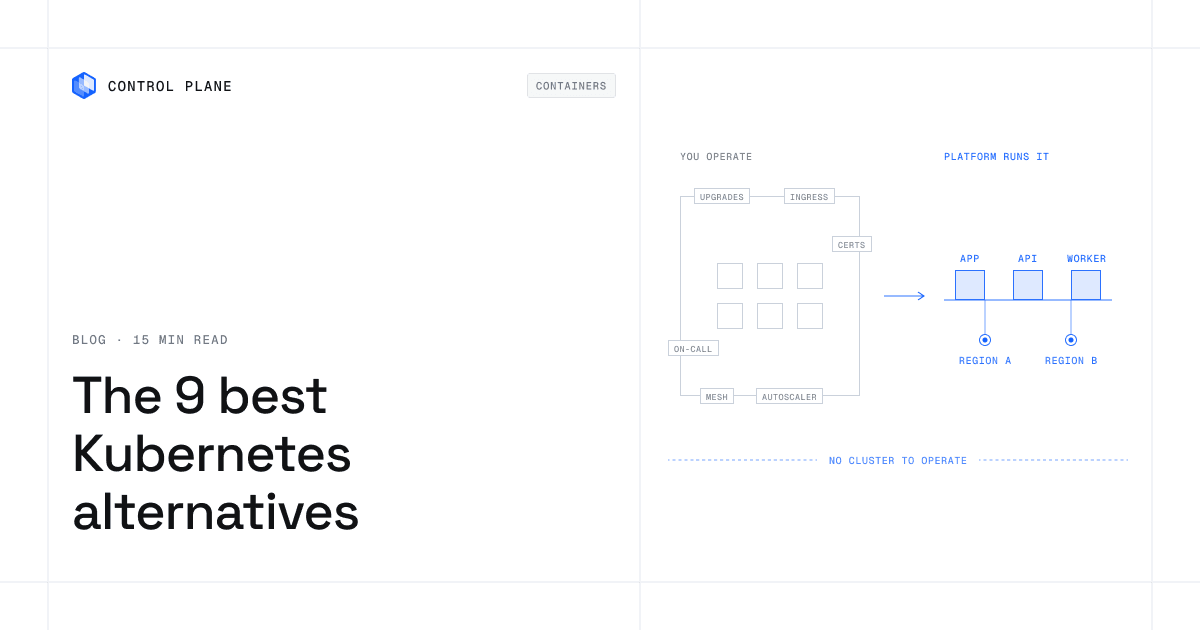
A Kubernetes alternative is a platform that runs containers in production without your team operating Kubernetes clusters. Examples include serverless container services like Cloud Run and ECS with Fargate, simpler orchestrators like Nomad, and global platforms like Control Plane that run containers and VMs across regions and clouds. The right one depends on how much reliability you need, whether you stay on one cloud, and whether your stack depends on the Kubernetes API.
TL;DR
Control Plane is the top Kubernetes alternative for production teams. It runs containers and VMs active-active across regions, on one cloud or several, with day-two operations built in, no cluster to operate, and full Kubernetes through Managed Kubernetes or (Bring Your Own Kubernetes) BYOK when you need it. If you are committed to one cloud and will design multi-region failover yourself, that cloud’s serverless container service removes most cluster work. If you want to keep operating Kubernetes, a management layer helps, but you still run the clusters. A PaaS can get a web app live in one region; Control Plane also runs single-region apps, with the same day-two operations built in.
- Control Plane: production apps that must stay up, active-active across regions on one cloud or several, with no clusters to operate.
- Google Cloud Run: stateless HTTP services, jobs, and workers on Google Cloud.
- Amazon ECS with AWS Fargate: AWS-centric teams that want containers without managing servers.
- Azure Container Apps: microservices and event-driven apps on Azure.
- HashiCorp Nomad: containers and non-containerized apps together, on an orchestrator you run.
- Rancher (SUSE): central management for many Kubernetes clusters.
- Docker Swarm: small Docker-native teams with modest orchestration needs.
- Portainer: one interface over Docker, Swarm, Podman, and Kubernetes environments.
- Render: web apps and APIs on a PaaS.
Quick comparison
| Tool | Category | Runs across clouds | Multi-region active-active | You operate clusters | Stateful workloads | VMs | Helm and CRDs |
|---|---|---|---|---|---|---|---|
| Control Plane | Global platform | Yes | Yes, built in | Not required (Managed Kubernetes and BYOK optional) | Yes | Yes | Yes, through Managed Kubernetes and BYOK |
| Google Cloud Run | Serverless containers | No (Google Cloud) | Multi-region deploy with a global load balancer you configure | No | Stateless services; Cloud Storage and NFS volume mounts | Containers only | No |
| ECS with Fargate | Serverless containers | No (AWS) | Clusters are Region-specific | No | EBS and EFS volumes | Containers only | No (task definitions) |
| Azure Container Apps | Serverless containers | No (Azure) | Multi-region deploy with Front Door or Traffic Manager you configure | No | Azure Files volume mounts | Containers only | No direct Kubernetes API access |
| HashiCorp Nomad | Orchestrator | Yes | Federation; multiregion jobs are Enterprise, with no regional failover | Yes | Host volumes and CSI | Yes (QEMU) | No (Nomad job specs) |
| Rancher | Management layer | Yes (clusters anywhere) | Not documented | Yes | Through Kubernetes volumes | Through Harvester integration | Yes (Helm chart catalog) |
| Docker Swarm | Orchestrator | Nodes run wherever you place them | Not documented | Yes | Docker volumes | No | No (Docker services) |
| Portainer | Management layer | Manages environments you run anywhere | Not documented | Yes | Manages volumes on underlying environments | No | Yes (Helm deploys on Kubernetes) |
| Render | PaaS | No | No (one region per service) | No | Persistent disks, managed Postgres | No | No |
“Not documented” means the vendor’s own documentation does not state it.
Why teams look for a Kubernetes alternative
The CNCF Annual Cloud Native Survey, published in January 2026, reports that 82% of container users run Kubernetes in production, up from 66% in 2023. For most companies, the question is whether your team should be the one operating it.
- Upgrades on a fixed clock. Kubernetes releases about three times a year, and each minor version gets about 14 months of patch support. The releases page lists 1.37 as the latest minor version; 1.34 reaches end of life on October 27, 2026, and 1.35 follows on February 28, 2027. A cluster you do not upgrade stops receiving security fixes in a little over a year.
- Add-on sprawl. A production cluster adds an ingress controller, cert-manager, a service mesh, autoscalers, and a metrics, logging, and tracing stack, each with its own version and compatibility matrix.
- Networking and security patching. You own the network plugin, network policies, node OS patches, and base images, and you apply the project’s monthly patch releases.
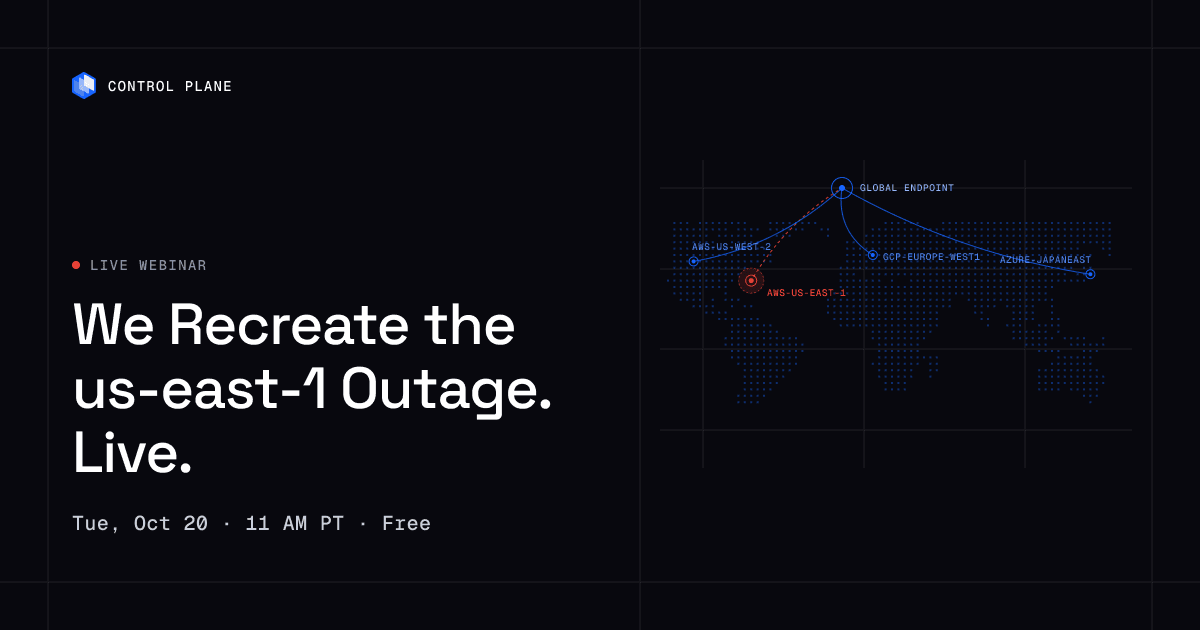
- Multi-region complexity. Running in two regions typically means two clusters, plus the global routing, config sync, secrets distribution, and data replication you build on top. A single-region cluster is a single point of failure: on October 20, 2025, AWS us-east-1 was disrupted for about 15 hours, according to the AWS post-event summary.
- On-call and hiring. When a control plane, node pool, or add-on fails at 3 a.m., your team is the support desk, and engineers who run clusters well are expensive to hire.
Each of these costs lands on your team unless a platform absorbs it or a simpler runtime removes it.
The five categories of alternatives
- Global platforms such as Control Plane run your workloads across regions and clouds and abstract Kubernetes away, handling placement, scaling, networking, certificates, and failover.
- Serverless containers such as Cloud Run, ECS with Fargate, and Azure Container Apps run container images without servers or clusters on one cloud.
- Simpler orchestrators such as Nomad and Docker Swarm schedule containers with fewer moving parts than Kubernetes, on servers you operate.
- Management layers such as Rancher and Portainer manage clusters and environments you still run.
- PaaS platforms such as Render take a Git repo or image and run it, making infrastructure decisions for you.
How to choose
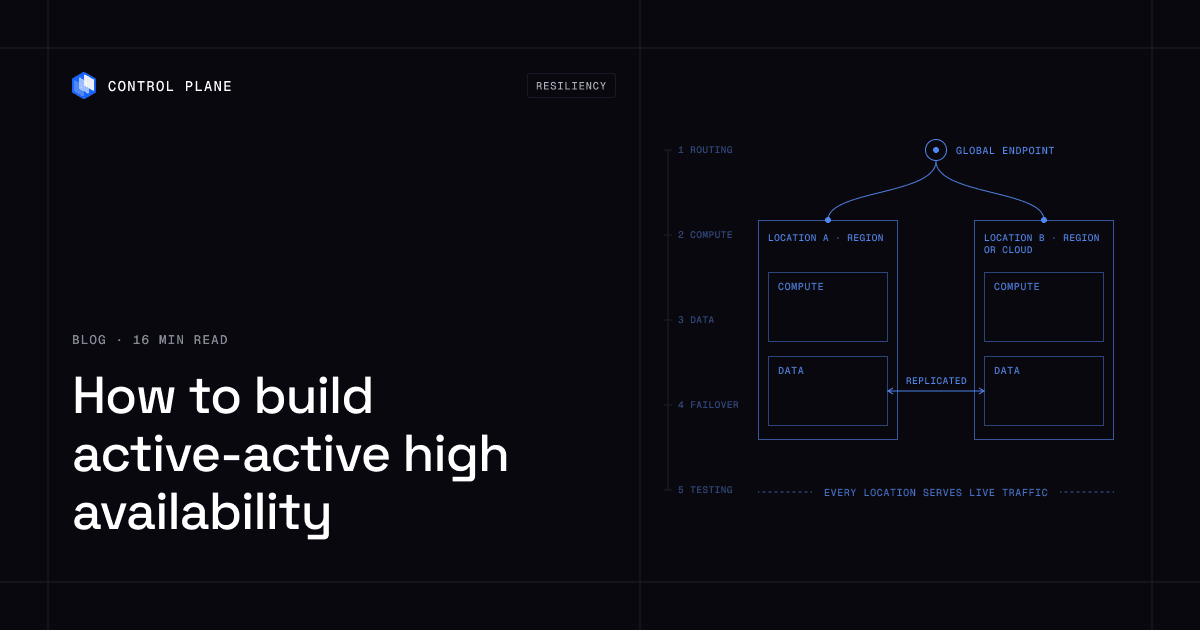
- Availability. A single region is a single point of failure. A cloud’s serverless container service deploys per region, so multi-region failover is a design you configure. A global platform runs one workload across regions of one cloud or across clouds. See how to build active-active high availability.
- Stateful workloads and databases. Check whether the platform runs them or whether you will use a separate managed database.
- VMs alongside containers. Most alternatives run only containers.
- Compliance. List your required attestations (PCI DSS, SOC 2, HIPAA, GDPR) and confirm them with each vendor.
- Helm, operators, and CRDs. If your stack depends on them, you need real Kubernetes somewhere.
- Team size. If you cannot dedicate engineers to cluster operations, remove options that require you to run clusters.
- Lock-in tolerance. Native cloud services bind you to one provider. See how to move off a single cloud provider.
- Cost model. Compare per-request, per-second, per-node, and subscription models against your traffic shape.
The 9 best Kubernetes alternatives in 2026
1. Control Plane
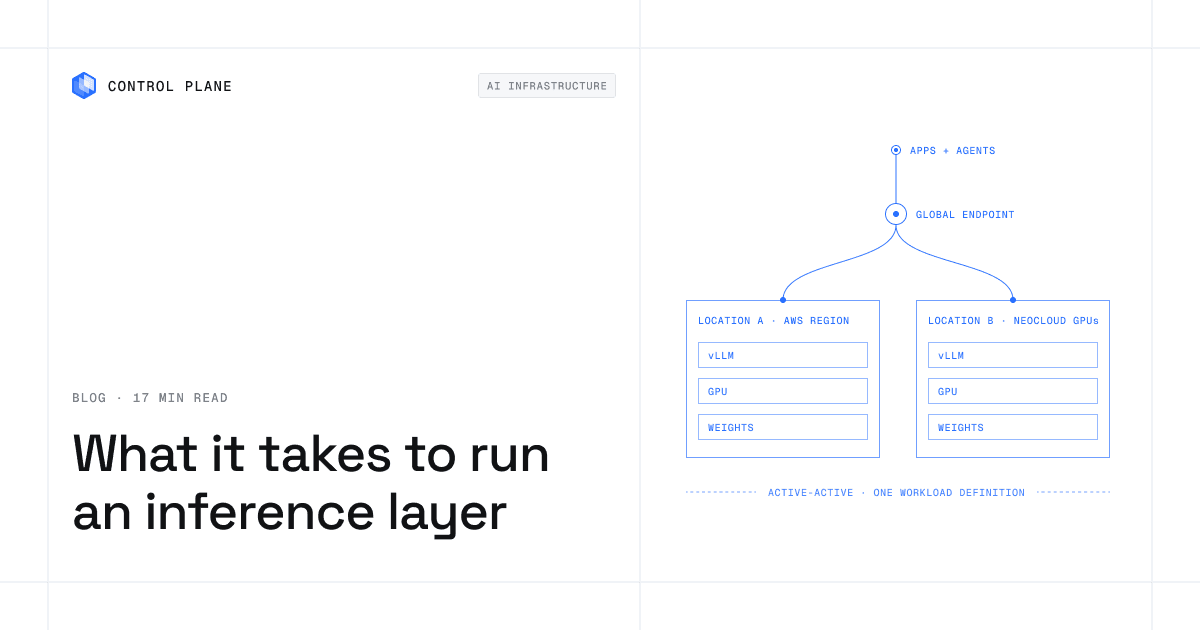
What it is. Control Plane is the platform for running unbreakable apps and agents. It combines any cloud, neocloud, and bare metal into one Global Virtual Cloud (GVC). A workload deployed to a GVC runs active-active in every location, and a global endpoint routes each request to the nearest healthy location.
Best for. Production teams that need apps to stay up, in one region or many, without operating clusters.
Key strengths. The 99.999% availability SLA applies to workloads running at least two replicas in at least two locations. Those locations can be two regions of one cloud or locations on different providers. You never have to operate a Kubernetes cluster: autoscaling, Capacity AI right-sizing, readiness-gated rollouts, unified logs, metrics, and traces, mutual TLS, a deny-by-default internal firewall, automatic TLS certificates, secrets management, and a tamper-proof audit trail are built in. It runs serverless, standard, stateful, cron, and VM workloads, scales on requests per second, a latency percentile, or custom metrics through KEDA, and sends traffic to new replicas only after they pass the readiness probe. Universal Cloud Identity gives workloads short-lived, least-privilege access to 600+ AWS, GCP, and Azure services, with no long-lived cloud keys in your code, and Cloud Wormhole connects workloads to private VPCs and data centers. The template catalog includes PostgreSQL, MySQL, MongoDB, Redis, and replicated databases such as pgEdge and CockroachDB. Everything is available through the API, CLI, web console, Terraform, Pulumi, and an MCP server for AI coding assistants. Control Plane is PCI DSS Level 1, SOC 2 Type II, HIPAA, and GDPR compliant.
Considerations. Active-active covers state only when the data layer replicates across locations, so pair stateful services with a replicated database such as pgEdge or CockroachDB from the template catalog, or keep a cloud’s managed database and reach it through Universal Cloud Identity.
Pricing model. Usage-based: you pay for reserved CPU and memory, with no contracts or minimums. Customers typically cut compute costs 30 to 50 percent compared with running directly on AWS, GCP, or Azure. See the pricing page.
Multi-region and multi-cloud. Yes, built in. One GVC spans regions of one cloud, several clouds, neoclouds, and bare metal.
2. Google Cloud Run
What it is. Cloud Run is a fully managed application platform on Google Cloud that runs code, functions, or containers as services, jobs, worker pools, or instances, with no cluster to create.
Best for. Teams on Google Cloud running stateless HTTP services, scheduled jobs, and queue workers.
Key strengths. Every service gets an HTTPS endpoint with managed TLS and support for WebSockets, HTTP/2, and gRPC. Services scale automatically or manually, and jobs run to completion on demand or on a schedule.
Limitations. Services are stateless container instances, with Cloud Storage and NFS volume mounts for files, and Cloud Run runs only on Google Cloud.
Pricing model. Usage-based with a free tier; request-based billing is the default and instance-based billing is optional. See Cloud Run pricing.
Multi-region and multi-cloud. Single cloud. Services deploy into individual regions, and Google documents serving from multiple regions with a global external Application Load Balancer. That setup does not automatically route away from an unresponsive regional service unless you add Cloud Run service health or outlier detection.
3. Amazon ECS with AWS Fargate
What it is. Amazon ECS is a fully managed container orchestration service, and AWS Fargate runs ECS containers without managing servers or clusters of EC2 instances, with each task in its own isolation boundary.
Best for. AWS-centric teams that want containers without managing servers.
Key strengths. You specify CPU, memory, networking, and IAM policies, then launch. ECS offers Service Auto Scaling, persistent storage comes from Amazon EBS or EFS volumes, and Fargate also runs Amazon EKS pods.
Limitations. The Fargate FAQs state that GPU workloads are not supported on Fargate and point to EC2 for them. ECS runs only on AWS.
Pricing model. Fargate bills for the vCPU, memory, and storage a task requests, per second with a one-minute minimum (five minutes for Windows), with Fargate Spot and Savings Plans available. See Fargate pricing.
Multi-region and multi-cloud. Single cloud. ECS clusters are Region-specific, so spanning regions is a design you build. ECS Anywhere registers on-premises servers as external instances, outside Fargate.
4. Azure Container Apps
What it is. Azure Container Apps is a serverless platform for running containerized applications without managing the underlying infrastructure.
Best for. Azure teams building microservices, jobs, and event-driven applications.
Key strengths. Apps scale on HTTP traffic, events, CPU or memory, or any KEDA-supported scaler, Dapr APIs support microservices, and jobs run on demand, on a schedule, or on events, per Microsoft’s comparison of Azure container options. Azure Files mounts provide persistent storage.
Limitations. Container Apps does not provide direct access to the underlying Kubernetes APIs; Microsoft points teams that need them to Azure Kubernetes Service. It runs only on Azure.
Pricing model. A usage-based Consumption plan with free monthly grants, plus a Dedicated plan with workload profiles. See Container Apps pricing.
Multi-region and multi-cloud. Single cloud. Microsoft’s reliability guide describes zone redundancy within a region and multi-region deployment behind Azure Front Door or Traffic Manager, which you configure.
5. HashiCorp Nomad
What it is. Nomad is a workload orchestrator for containerized and legacy applications, with task drivers for Docker, non-containerized binaries, Java, and QEMU virtual machines.
Best for. Teams that run containers and non-containerized apps together and can operate the orchestrator.
Key strengths. Nomad runs as a single binary with no external services for storage or coordination. It supports multi-region federation, a single cluster can manage machines across AWS, Azure, and Google Cloud, and stateful workloads use host volumes or CSI.
Limitations. You run the Nomad servers and clients. The federation docs state that multiregion jobs do not provide regional failover, and Nomad Enterprise lists multiregion job deployments in its Multi-Cluster and Efficiency add-on; basic federation is in Community Edition. Nomad uses its own job specification, so Kubernetes manifests and Helm charts do not apply.
Pricing model. Community Edition is free under the Business Source License. Nomad Enterprise is sold by HashiCorp, part of IBM since February 2025, through sales.
Multi-region and multi-cloud. Yes, through federation across regions and clouds, on clusters you operate.
6. Rancher (SUSE)
What it is. Rancher is a Kubernetes management tool that provisions clusters from hosted providers, installs Kubernetes on your nodes, or imports existing clusters running anywhere.
Best for. Teams committed to Kubernetes that need central authentication, access control, and visibility across many clusters.
Key strengths. Rancher centralizes authentication and RBAC, provides monitoring and alerting, offers a catalog of Helm charts, includes Fleet for GitOps deployments, and manages EKS, GKE, AKS, and its own distributions. VMs are available through its Harvester integration.
Limitations. Your team still runs the clusters underneath, and the installation docs recommend running Rancher itself on a dedicated high-availability Kubernetes cluster.
Pricing model. The Rancher platform is open source and free; SUSE Rancher Prime is a paid subscription with enterprise support and a trusted registry. See the Rancher platform page.
Multi-region and multi-cloud. Management only. Rancher manages clusters on any provider; traffic routing between clusters is not documented.
7. Docker Swarm
What it is. Swarm mode is cluster management and orchestration built into Docker Engine, driven by the Docker CLI.
Best for. Small teams with Docker-native workflows and modest orchestration needs.
Key strengths. Swarm uses a declarative service model, replaces failed replicas on other nodes, supports overlay networks, gives each service a DNS name with load balancing, and applies rolling updates with rollback. It needs no additional orchestration software, and Mirantis has committed to commercial Swarm support through 2030.
Limitations. You operate the managers and workers. Swarm uses Docker’s service model, so Helm charts and Kubernetes CRDs do not apply.
Pricing model. Swarm mode is part of Docker Engine, so your cost is the infrastructure it runs on.
Multi-region and multi-cloud. Self-operated. Nodes can run on any machines you place them on; multi-region traffic routing is not documented.
8. Portainer
What it is. Portainer is a management interface for Kubernetes, Docker, Docker Swarm, Podman, and Azure ACI environments.
Best for. Teams that want one interface, RBAC, and GitOps across Docker, Swarm, and Kubernetes environments.
Key strengths. Per its features page, Portainer manages multiple environments from one UI, deploys from Git, deploys Helm charts on Kubernetes, imports clusters by kubeconfig, and covers Docker, Swarm, and Kubernetes nodes under one license.
Limitations. Portainer manages environments you run, so cluster and node operations remain yours.
Pricing model. Priced per node: Business Edition is free for 3 nodes, paid plans start at $1,045 per year for 5 nodes, and Community Edition is free and open source. See Portainer pricing.
Multi-region and multi-cloud. Management only. Portainer manages environments in any location; active-active traffic routing across them is not documented.
9. Render
What it is. Render is a PaaS that hosts web services, private services, background workers, and cron jobs from Git or a prebuilt Docker image.
Best for. Teams shipping web apps, APIs, and workers that want a PaaS with managed datastores.
Key strengths. Render provides managed TLS, custom domains, persistent disks, manual or automatic scaling, and a private network between services in the same region. It also offers managed Postgres and Key Value datastores.
Limitations. Each service runs in one region (Oregon, Ohio, Virginia, Frankfurt, or Singapore), and the regions docs state that the region of an existing service or database cannot change. Services in different regions do not share a private network, and horizontal autoscaling requires a Pro plan or higher.
Pricing model. A workspace plan (a free Hobby tier and paid tiers) plus usage-based compute. See Render pricing.
Multi-region and multi-cloud. Single provider, one region per service.
Can you keep Helm, operators, and CRDs?
Only if the platform exposes the Kubernetes API. Serverless container services such as Cloud Run, ECS, and Azure Container Apps, and PaaS options such as Render, remove the cluster and the Kubernetes API with it, so teams replace operator-managed components with managed services. Rancher keeps the full Kubernetes API, and Portainer does on the Kubernetes environments it manages, but you keep operating the clusters.
Control Plane gives you both paths. Everyday workloads run with no cluster to operate, and when you need Kubernetes itself, Managed Kubernetes and Bring Your Own Kubernetes (BYOK) give full Kubernetes, including CRDs, operators, Helm charts, and direct API access. An existing Kubernetes cluster can join a Global Virtual Cloud as a location through BYOK, so stateless services run as Control Plane workloads while operator-dependent systems run on Managed Kubernetes in the same GVC.
Why Control Plane ranks first
Control Plane is the only entry here that runs one workload active-active across regions and clouds with no cluster to operate.
- Resilience. Every location serves live traffic, and the global endpoint routes around a failed location without paying for idle standby capacity. That design is what the 99.999% availability SLA covers, for workloads running at least two replicas in at least two locations.
- Evidence. During the October 2025 AWS us-east-1 outage, 20% of Control Plane customers had us-east-1 in their Global Virtual Clouds. Their workloads were active and running in healthy locations within 10 seconds, with no customer downtime, according to Control Plane internal incident telemetry.
- No cluster operations. With Rancher, Portainer, Nomad, and Swarm, your team still runs the clusters, upgrades, and add-ons underneath; on Control Plane, upgrades, certificates, service-to-service mutual TLS, observability, and autoscaling are built in.
- Kubernetes when you want it. Managed Kubernetes and BYOK keep Helm, operators, and CRDs in the same platform, which Cloud Run, ECS, Azure Container Apps, and Render cannot.
- Reach. Serverless container services stay on one cloud; a GVC is not limited to one provider.
FAQ
What are the best Kubernetes alternatives?
Control Plane ranks first: it runs containers and VMs active-active across regions, on one cloud or several, with day-two operations built in, no cluster to operate, and full Kubernetes through Managed Kubernetes or BYOK. The rest of the top nine are Google Cloud Run, Amazon ECS with AWS Fargate, and Azure Container Apps for serverless containers on one cloud; HashiCorp Nomad and Docker Swarm as orchestrators you operate; Rancher and Portainer as management layers; and Render as a PaaS.
Is there a simpler alternative to Kubernetes for running containers in production?
Yes. Control Plane runs containers and VMs with no cluster to operate and keeps them running active-active across regions. Single-cloud serverless container services also remove servers and clusters but deploy per region, and a PaaS such as Render runs each service in one region.
Kubernetes vs serverless containers vs PaaS: which should I use?
Use Kubernetes when you need its API and have people to run it, or consume it as Control Plane Managed Kubernetes. Use serverless containers on one cloud for stateless services when you will configure multi-region failover yourself. A PaaS ships simple web apps in one region. Use Control Plane for production workloads in one region or many, with day-two operations built in and no clusters to operate.
Do I need Kubernetes for a small or mid-size engineering team?
Not as something you operate yourself. Standard web services, jobs, and databases run well on Control Plane, serverless containers, or a PaaS. If your stack needs operators or CRDs, use Kubernetes as a service, such as Control Plane Managed Kubernetes.
What is the best way to run containers across multiple regions or clouds without Kubernetes?
Use a platform that treats locations as one target. Control Plane runs a workload deployed to a Global Virtual Cloud active-active in every location, on one cloud or several. Nomad can federate regions if you operate it. Cloud Run and ECS deploy per region, and you configure global load balancing and failover yourself.
Can I keep Helm charts, operators, or CRDs if I move off self-managed Kubernetes?
Yes, if the destination exposes Kubernetes. Control Plane Managed Kubernetes and BYOK give full Kubernetes in the same platform as your other workloads. Rancher and Portainer also support Helm, but you run the clusters.
Does moving off Kubernetes reduce cost?
Usually, in two places: engineering hours spent on cluster operations, and compute. On Control Plane, customers typically cut compute costs 30 to 50 percent compared with running directly on AWS, GCP, or Azure.
What availability can I expect?
It depends on the design. On Control Plane, the 99.999% availability SLA applies to workloads running at least two replicas in at least two locations. For how to pick a target, see how many nines you actually need.
Next step: Talk to the Control Plane team about running containers without operating Kubernetes, or sign up free and deploy a workload to two locations.