TL;DR
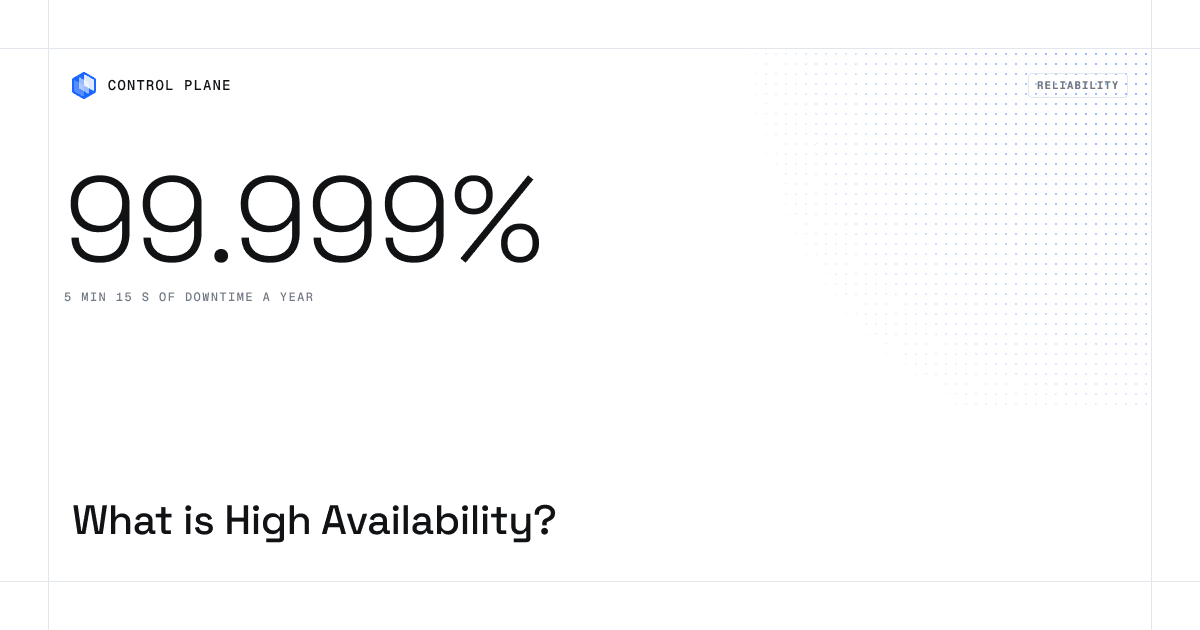
High availability (HA) is a system’s ability to keep serving users when individual components fail, from a single server up to a whole cloud region or provider. It is measured in nines: 99.9% allows about 8 hours 46 minutes of downtime a year, 99.99% about 52 minutes, and 99.999% about 5 minutes 15 seconds. HA works by removing single points of failure through redundancy, health checks, automatic failover, and replicated data. Most teams need fewer nines than they think, and the jump from four nines to five is mostly an architecture decision: it takes locations that do not fail together. Platforms such as Control Plane package that architecture, with a 99.999% availability SLA for workloads running at least two replicas in at least two locations.
What is high availability?
High availability means a system is designed to stay operational for a very high percentage of the time. Hardware breaks, deployments go wrong, and networks and cloud regions fail. HA assumes those failures will happen and makes sure another component takes over before users notice.
Three ideas sit at the center of every HA design:
- Redundancy: more than one copy of every component that matters, so no single failure stops the service.
- Detection: health checks and monitoring that notice a failed component quickly and accurately.
- Failover: automatic rerouting of traffic and work to healthy components, without a human in the loop.
If any one is missing, failures still cause downtime. An unmonitored second server will not take over on its own.
High availability vs. fault tolerance vs. disaster recovery vs. resilience
| Term | What it means | Typical goal |
|---|---|---|
| High availability | Minimize downtime from component, zone, and region failures | Seconds to minutes of disruption |
| Fault tolerance | Keep operating with no interruption through a failure | No visible impact, at higher cost and complexity |
| Disaster recovery (DR) | Restore service after a major outage, often in another site | A defined recovery time (RTO) and data loss limit (RPO) |
| Resilience | The broader ability to absorb, adapt to, and recover from failures of any kind | Service continuity across many failure types |
HA keeps you running through the failures you expect, DR gets you back after the ones you hoped would not happen, and resilience covers both. For recovery targets in depth, see Cloud Disaster Recovery: RTO/RPO Targets and Best Practices.
How much downtime does each nine allow?
Availability is the share of time a service works correctly, usually measured over a month or a year. Each additional nine cuts allowed downtime by a factor of ten. The table uses a 365-day year and a 730-hour month.
| Availability | Common name | Downtime per year | Downtime per month | Downtime per week |
|---|---|---|---|---|
| 99% | Two nines | about 3.65 days | about 7 h 18 min | about 1 h 41 min |
| 99.9% | Three nines | about 8 h 46 min | about 43 min 48 s | about 10 min 5 s |
| 99.95% | Three and a half nines | about 4 h 23 min | about 21 min 54 s | about 5 min 2 s |
| 99.99% | Four nines | about 52 min 34 s | about 4 min 23 s | about 1 min |
| 99.999% | Five nines | about 5 min 15 s | about 26 s | about 6 s |
| 99.9999% | Six nines | about 32 s | about 2.6 s | under 1 s |
- The measurement window matters. A service that promises 99.99% per month and one that promises 99.99% per year are not equivalent. A monthly window is stricter about a single bad incident, so check how every SLA is measured.
- What counts as downtime matters. Some SLAs exclude planned maintenance, partial degradation, or failures caused by your own configuration. An SLA that excludes most real-world failure modes is a weaker promise than its headline number.
How do you measure availability?
Availability = uptime / (uptime + downtime), measured over a defined window. For a single component it can also be estimated as MTBF / (MTBF + MTTR), where mean time between failures (MTBF) is how long it runs between failures and mean time to repair (MTTR) is how long it takes to restore. Raising availability means failing less often or recovering faster, and automatic failover improves it mainly by cutting MTTR from minutes or hours to seconds. Teams track availability as a service level indicator (SLI), set an internal target as a service level objective (SLO), and promise customers a service level agreement (SLA), which is usually looser than the SLO.
How does high availability work?
1. Eliminate single points of failure
Walk the request path from user to data and ask what happens if each hop disappears: load balancer, application servers, database, DNS, identity provider, message queue, certificate authority, and the orchestration layer that schedules your workloads.
2. Run redundant instances with headroom
Run at least two replicas of each stateless service, and size them so the survivors can carry the full load if one fails. Two replicas at 80% utilization each means one failure overloads the other. Redundancy only helps if there is spare capacity to absorb the failure. A group of redundant nodes managed as one service is called an HA cluster.
3. Spread across failure domains
Replicas on the same host share a failure domain. So do replicas in the same rack, zone, region, or provider. The more independent the locations, the less likely one event takes out every copy. This is the difference between surviving a server failure, a zone outage, a region outage, and a provider outage.
4. Detect failures with health checks
Load balancers and orchestrators probe each instance and stop sending traffic to those that fail. This is the core job of a load balancer in an HA design: spread requests across healthy instances and drain unhealthy ones. Good health checks confirm an instance can do useful work, not only that the process is running. Be careful when a check depends on something every instance shares, such as a database: if that dependency blips, every instance can fail its check at once and the load balancer removes the whole fleet. Overly sensitive checks also cause flapping, where instances switch between healthy and unhealthy and keep dropping in and out of rotation, which can create the outage the check was meant to prevent.
5. Fail over automatically
Failover has to be faster than a human can respond. Routing layers, orchestrators, and database replication systems promote a healthy replica and shift traffic without a ticket or a page. Manual failover is a recovery procedure, and every minute it takes counts as downtime.
6. Replicate data
Stateless services are easy to replicate. State is where HA gets hard. Synchronous replication keeps copies identical but adds latency and can block writes if a replica is unreachable. Asynchronous replication is faster but can lose recent writes during failover. Choosing between them sets your acceptable data loss (RPO), so decide it as a requirement first.
7. Automate deploys, scaling, and recovery
Many outages are self-inflicted. Google’s SRE team reports that roughly 70% of outages are due to changes in a live system (Site Reliability Engineering). HA systems use rolling or canary deployments, fast rollback, autoscaling, automatic certificate renewal, and automated patching so routine operations do not become incidents.
Why is each extra nine harder to achieve?
Dependencies multiply downtime
When components sit in series in the request path, their availabilities multiply. A service that depends on three components at 99.9% each delivers about 99.7% (0.999 x 0.999 x 0.999), roughly 26 hours of downtime a year. Your availability is capped by your dependencies, and every added dependency lowers the ceiling.
Redundancy raises the ceiling
When components run in parallel and fail independently, the system is down only if every copy is down. Two independent copies at 99.9% each give 1 – (0.001 x 0.001) = 99.9999%.
Correlated failures break the math
Real failures are rarely independent. Two replicas in one zone can fail from the same power event. Two zones in one region share regional services: when AWS us-east-1 failed on October 20, 2025, the outage lasted about 15 hours and affected more than 100 AWS services. A whole provider can fail at once through a shared global layer, as Google Cloud did in June 2025 and Azure Front Door did in October 2025. Two copies deployed by the same pipeline can break from the same bad release. The math above is an upper bound. Real availability depends on how independent your failure domains are.
That is why the path from four nines to five is mostly about removing shared fate: separate locations, separate providers when the stakes justify it, and deployments that do not push the same change to every copy at once. For a comparison of single-region, multi-region, and multi-cloud designs, see Five Nines Uptime Architecture.
What are the main high availability architectures?
| Pattern | How it works | Survives | Trade-off |
|---|---|---|---|
| Active-passive | One location serves traffic and a standby takes over on failure | Server or location failure | Standby capacity sits idle, and failover has a delay |
| Active-active | Multiple locations serve traffic at once | Location failure with little or no disruption | Needs data replication and traffic routing across locations |
| Multi-zone | Replicas across zones in one region | Zone failure | Region and provider failures still reach you |
| Multi-region | Replicas across regions on one provider | Region failure | Provider-wide failures still reach you; more data consistency work |
| Multi-location across providers | Replicas across regions on different clouds, on premises, or bare metal | Provider-level failure | The most independence; needs one consistent layer across environments |
You do not have to start at the bottom row. A team in a single region on a single cloud can get real high availability by running multiple replicas across zones, automating failover, and keeping Day 2 operations tight. Spreading across providers adds independence when your requirements justify it.
How many nines do you actually need?
Set the target from what downtime costs you. Five nines is better for the business only if the downtime it prevents costs more than building and running it. In Uptime Institute’s 2025 annual survey, reported in its 2026 Annual Outage Analysis, 57% of respondents said their most recent major outage cost more than $100,000, and one in five reported more than $1 million (Uptime Institute).
Step 1: Estimate what an hour of downtime costs
Include direct revenue loss, SLA credits you owe customers, support load, engineering time, and reputational impact. For a SaaS product, a rough starting point:
Cost per hour of downtime = (annual revenue / 8,760) x share of revenue that depends on the system x impact multiplier
Use a multiplier above 1 if outages also drive churn or trigger contractual penalties.
Step 2: Compare it to the downtime each target allows
Multiply cost per hour by the downtime a target allows. At $20,000 an hour, three nines (about 8.76 hours a year) is about $175,000 of exposure at the limit, and four nines (about 0.88 hours) is about $17,500. Whether the extra nine is worth it depends on what it costs to build and operate.
Step 3: Match the target to the workload tier
| Workload type | Reasonable target | Why |
|---|---|---|
| Internal tools, batch jobs, dev and staging | 99% to 99.9% | Users tolerate occasional interruptions |
| Standard customer-facing SaaS | 99.9% to 99.95% | A few minutes a month rarely changes customer behavior |
| Revenue-critical apps, APIs, and checkout flows | 99.99% | Minutes of downtime cost real money and trust |
| Payments, healthcare, trading, core infrastructure, and AI agents in production workflows | 99.999% | Even brief outages carry financial, safety, or contractual consequences |
Step 4: Check your dependencies
You cannot offer customers more availability than your dependencies give you. A single Amazon EC2 instance is covered at 99.5%, and the 99.99% Region-level commitment applies only when your instances run across two or more Availability Zones (EC2 SLA). If a provider’s SLA is below your target, you need redundancy across locations to close the gap. If your identity provider or payment processor is a single point of failure, your target is capped there.
Step 5: Use error budgets
An error budget is the unreliability your target allows, measured as downtime or as failed requests (1 minus the SLO). A 99.99% target gives you about 4 minutes 23 seconds a month. When the budget is healthy, ship faster. When it is spent, slow releases and fix reliability. This keeps the target honest and ties it to engineering decisions.
Common high availability mistakes
- Choosing a target without a cost model. Five nines is a business decision with an engineering price tag.
- Counting redundancy without independence. Replicas that share a zone, a deploy pipeline, or a provider’s global services fail together.
- Ignoring the orchestration layer. If the system that schedules and routes your workloads goes down, your replicas may be healthy and unreachable.
- Testing nothing. Untested failover often fails when needed. Run game days and break things on purpose.
- Forgetting Day 2. Patching, certificate rotation, capacity, and cost control cause outages too.
- Treating the SLA as the architecture. A cloud SLA defines service credits; it does not keep your app up, as How to Guarantee a Website or Service Never Goes Down explains.
How Control Plane approaches high availability
Control Plane is a cloud virtualization platform that combines any cloud, neocloud, and bare metal into one virtual cloud, so apps and AI agents deployed to more than one location keep serving when a location or provider fails. Each workload runs active-active in every location you choose, and a built-in global endpoint sends each request to the nearest healthy location (workload docs). Control Plane offers a 99.999% availability SLA for workloads running at least two replicas in at least two locations, and those locations can be on different providers (what is Control Plane). When AWS us-east-1 failed on October 20, 2025, Control Plane customer workloads that had us-east-1 in a multi-location environment were running in their other locations within 10 seconds, with no customer downtime, according to Control Plane internal incident telemetry (Beyond Backups).
- Independent failure domains: locations on AWS, GCP, and Azure, Kubernetes clusters you already run, and Linux servers in your data center or at a neocloud can join the same environment through Managed Kubernetes (mk8s docs).
- One network: workloads reach each other at
<workload>.<gvc>.cpln.localover mutual TLS wherever they run, behind an internal firewall that denies traffic by default. - No long-lived cloud keys: Universal Cloud Identity gives workloads short-lived credentials for 600+ services across AWS, GCP, and Azure, so there are no long-lived cloud keys in your code to leak, expire, or rotate by hand (identity docs).
- Day 2 built in: security patching, autoscaling, certificate issuance and renewal, and observability are part of the platform.
- Redundancy without idle duplicates: every location serves live traffic, so there is no standby capacity sitting unused, and Capacity AI right-sizes CPU and memory between the minimum and maximum you set based on historical usage.
You do not need multiple clouds to start. Teams can begin in one region on one cloud and add locations, including on a second provider, as their availability target rises.
High availability checklist
- List every component in the request path, including DNS, identity, queues, and the orchestration layer.
- Mark each one as redundant or a single point of failure.
- Run at least two replicas of every service, with enough headroom to survive one failing.
- Place replicas in independent failure domains: separate zones, regions, or providers.
- Use health checks that test real dependencies, tuned to avoid flapping.
- Automate failover and rollback so recovery does not wait on a person.
- Decide your RTO and RPO for each data store, then choose replication to match.
- Set a target from downtime cost and track it with an error budget.
- Test failover on a schedule, and fix what breaks.
- Read every SLA: how it is measured, what it excludes, and what architecture it requires.
Frequently asked questions
What is high availability in simple terms?
High availability means designing a system so it keeps working when parts of it fail, using redundant components, health checks, and automatic failover.
How do you calculate availability?
Divide uptime by total time in the measurement window. 43,780 minutes of uptime in a 43,800-minute month is about 99.95%.
What is the difference between high availability and fault tolerance?
High availability accepts a brief disruption during failover. Fault tolerance aims for zero interruption, usually through fully duplicated components, at much higher cost.
What does 99.99% availability mean?
The service can be down for no more than about 52 minutes 34 seconds a year, or about 4 minutes 23 seconds a month.
How much downtime is 99.999% availability?
About 5 minutes 15 seconds a year, or about 26 seconds a month.
Is 99.9% availability good enough?
For many internal tools and standard SaaS products, yes. It allows about 8 hours 46 minutes of downtime a year. It is usually not enough for revenue-critical systems or products with contractual uptime commitments.
What is the difference between high availability and disaster recovery?
High availability limits downtime from routine failures through redundancy and automatic failover. Disaster recovery restores service after a large-scale outage, usually in another site, against defined recovery time and data loss targets. Most production systems need both.
Do I need multiple regions or clouds for high availability?
Not always. Replicas across zones reach high targets for many workloads. Multiple regions add protection against regional failures, and multiple providers add protection against provider-wide failures, which matters most for five-nines targets.
Does an SLA guarantee my app stays up?
No. An SLA is a contractual commitment with defined remedies, usually service credits. It describes what the provider promises and under what conditions. Your architecture determines whether your application stays up.
What is a single point of failure?
Any component whose failure stops the whole service. Common examples are a single database instance, one load balancer, one DNS provider, or a single orchestration layer.
What are RTO and RPO?
Recovery time objective (RTO) is how long you can take to restore service. Recovery point objective (RPO) is how much recent data you can afford to lose. Both shape your HA and DR design.
How does Control Plane provide high availability?
Control Plane runs each workload in every location of its environment at once, routes requests to the nearest healthy location, and handles networking, identity, and Day 2 operations, with a 99.999% availability SLA for workloads running at least two replicas in at least two locations.
Next step: For a step-by-step uptime playbook, read How to Guarantee a Website or Service Never Goes Down, or sign up free and deploy a workload to two locations to see failover yourself.