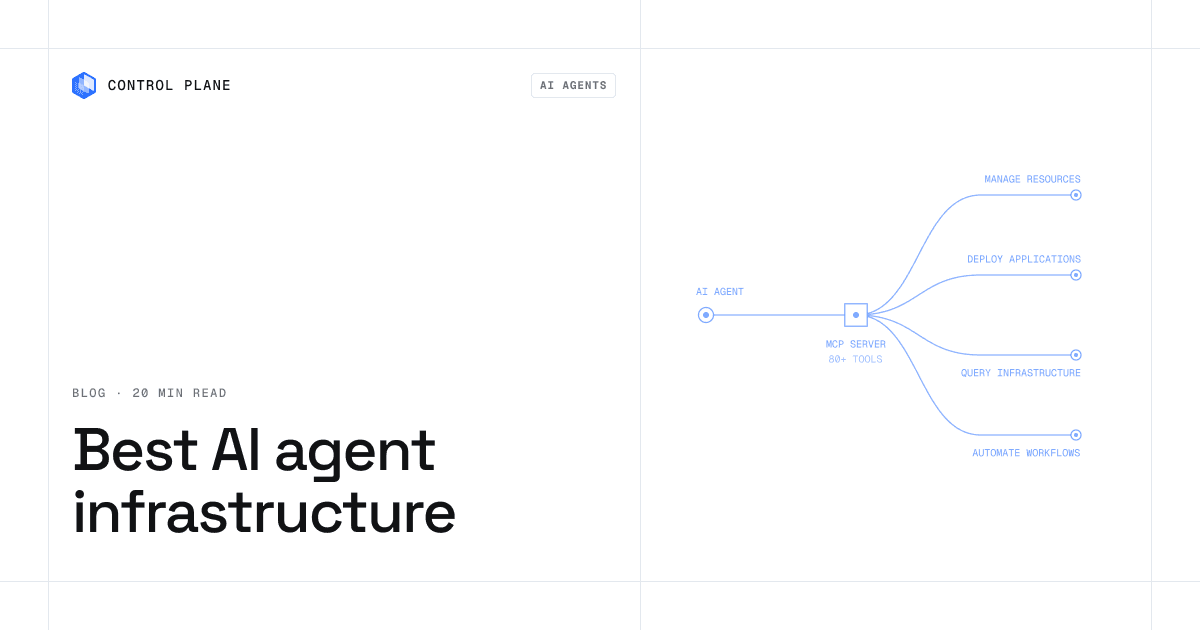
AI agent infrastructure is the set of platforms that run agents and the code they write. It has three layers: sandboxes that isolate untrusted, model-generated code (E2B, Daytona, Control Plane), runtimes that run the agent and its services in production (Control Plane, Amazon Bedrock AgentCore Runtime), and orchestration layers that save an agent’s progress so a long run can resume after a failure (LangSmith Deployment, Trigger.dev). Most production agents need more than one layer. This guide compares 10 platforms across all three, with isolation, state, deployment, and compliance for each.
TL;DR
Control Plane is the best AI agent infrastructure platform for teams that run agents in production, because its runtime keeps agents serving through a regional or cloud outage, and the same platform gives them isolated sandboxes to build in. Sandboxes run in dedicated Kata Containers microVMs, Universal Cloud Identity gives agents short-lived AWS, GCP, and Azure credentials, and agents running at least two replicas in at least two locations run active-active under a 99.999% SLA. Sandbox-only products leave the runtime to a second platform, and orchestration layers save progress but do not run your services.
- Control Plane: best overall for agents in production, with sandboxes for building and a runtime that runs active-active across regions and clouds, plus credential-free cloud access.
- E2B: best for an SDK-first, open-source code-execution sandbox.
- Modal: best when sandboxes sit next to GPU inference and batch jobs.
- Daytona: best for long-lived Linux and Windows agent environments.
- Vercel Sandbox: best for apps already on Vercel.
- Cloudflare Sandboxes: best for teams already building on Cloudflare Workers.
- Blaxel: best for agents that idle between tasks and resume from memory.
- LangSmith Deployment: best for managed orchestration of LangGraph and other agent frameworks.
- Amazon Bedrock AgentCore Runtime: best for agents that will only ever run on AWS.
- Trigger.dev: best for durable background tasks in TypeScript agent apps.
What is AI agent infrastructure?
Most products in this market cover one or two of these three jobs:
- A sandbox is where the agent’s code executes. It needs strong isolation, a filesystem, and a clean way to start, pause, and discard state.
- A runtime is where the agent runs as a service: scaling, networking, identity, secrets, observability, and uptime. It also runs the APIs, workers, and databases the agent calls. When the runtime fails, every agent on it stops.
- An orchestration layer records each step of an agent run so the run can resume at that step after a crash, a timeout, or a wait for human approval. It does not isolate code or host services.
What is an AI agent sandbox?
An AI agent sandbox is an isolated environment where an agent can run code, install packages, use a filesystem, and make network calls without reaching the host or other workloads. Agents execute code nobody has reviewed. That code can have bugs, consume too many resources, read files it should not see, or follow instructions injected through a prompt. The sandbox is the boundary that contains it.
Six platforms below are built around sandboxes, two are orchestration layers, one is AWS’s managed agent runtime, and Control Plane runs sandboxes and an active-active production runtime on the same platform.
How we evaluated these platforms
- Isolation boundary. Whether untrusted code runs in a shared-kernel container, behind gVisor’s user-space kernel, or in a microVM with its own guest kernel.
- State model. Whether a sandbox starts clean every time, keeps a persistent workspace, or can snapshot and resume, and what limits apply to a single session.
- Compute. CPU and memory ceilings, and whether GPUs are available.
- Where it runs. The vendor’s cloud only, your own cloud account (BYOC), self-hosted, or on premises.
- Identity and secrets. How an agent reaches cloud resources without holding long-lived credentials.
- Production runtime. Whether the same platform runs the agent in production, and what happens to it when a region fails.
- Compliance. The certifications each vendor publicly states, and whether they cover the specific product compared here.
- Recovery. Whether a run can resume at a specific step after a failure. This usually comes from an orchestration layer, not the runtime.
We did not benchmark cold starts. Vendors measure them differently, and published numbers are rarely comparable.
AI agent infrastructure platforms compared
| Platform | Type | Isolation | State model | GPU | Where it runs | Compliance (as stated) |
|---|---|---|---|---|---|---|
| Control Plane | Active-active production runtime plus sandboxes | Kata Containers microVM per sandbox; deny-by-default networking and mutual TLS for workloads | Persistent sandbox workspace; runs until suspended or deleted; suspend to storage-only cost | NVIDIA GPUs; pricing lists T4 to B200 | AWS, GCP, Azure, your own clusters, and on premises; about 30 regions | PCI DSS Level 1, SOC 2 Type II, HIPAA, GDPR |
| E2B | Code-execution sandbox | Firecracker microVM | Pause and resume with memory, snapshots, volumes; 24-hour continuous runtime on Pro | None | E2B cloud; Apache-2.0 self-hosting; BYOC on AWS, GCP, Azure (Enterprise) | SOC 2 Type II; HIPAA BAA on request |
| Modal | Serverless compute with sandboxes | gVisor or VM runtime (GPU on gVisor only) | Filesystem snapshots; 24-hour maximum per sandbox | T4 through B300 | Modal cloud only | SOC 2 Type II; HIPAA BAA on Enterprise |
| Daytona | Agent sandbox | Container, Linux VM, or Windows VM classes | Snapshots, archive, shared volumes | NVIDIA and AMD | Daytona cloud; bring your own compute runners (Enterprise) | SOC 2 Type II, ISO 27001, HIPAA, GDPR |
| Vercel Sandbox | Platform primitive | Firecracker microVM | Persistent by default; 24-hour session cap on Pro | None documented | Vercel only | Vercel-wide SOC 2 Type II and ISO 27001; HIPAA BAA on Pro add-on and Enterprise |
| Cloudflare Sandboxes | Platform primitive | Firecracker microVM per container | Ephemeral by default; snapshots in public beta | None documented | Cloudflare only | Containers and Sandbox not listed in Cloudflare’s SOC 2 Type II scope |
| Blaxel | Agent sandbox (part of Baseten) | MicroVM | Perpetual standby with memory preserved | None documented | Blaxel cloud; custom deployments on request | SOC 2 Type II and ISO 27001 (self-reported); HIPAA add-on |
| LangSmith Deployment | Agent orchestration runtime | Not a sandbox | Durable execution and persistent threads | None documented | LangChain cloud; hybrid and self-hosted on Enterprise | Not compared here |
| Amazon Bedrock AgentCore Runtime | Managed agent runtime | MicroVM per session | Sessions up to 8 hours on microVMs; up to 14 days on Instances | On Instances | AWS only | AWS compliance programs; AgentCore listed in AWS PCI DSS scope |
| Trigger.dev | Durable task runtime | Not a sandbox | Retries, waits, resumable runs; checkpoints on Cloud only | None documented | Trigger.dev Cloud or self-hosted | Not compared here |
The 10 best AI agent infrastructure platforms in 2026
1. Control Plane
Best for: Platform and engineering teams that run agents in production and need them always on, from a single region to active-active across regions and clouds, with microVM-isolated sandboxes and credential-free cloud access.
Control Plane leads on Day 2 operations: keeping agents secure, observable, affordable, and online once they serve customers. It is a virtual cloud platform for serverless, standard, stateful, cron, and VM workloads, including Windows and Linux VMs. Those workloads run across AWS, GCP, Azure, your own clusters, and on premises, managed through one API, CLI, console, Terraform provider, or MCP server. Workloads can attach NVIDIA GPUs, and the pricing page lists models from T4 to B200 (pricing). Sandboxes and production agents run on the same platform, so an agent built in a sandbox ships as a workload without changing vendors.
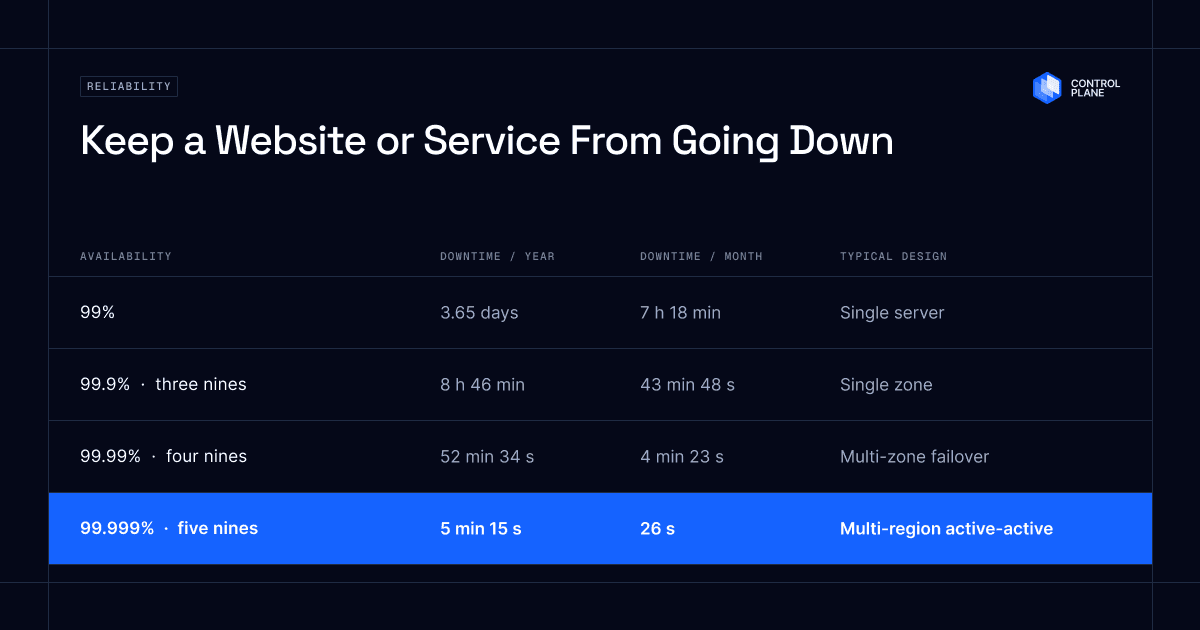
Active-active production runtime. A production agent runs active-active as a Control Plane workload in any number of its roughly 30 regions and across any number of clouds. The CockroachDB template replicates the agent’s data across those locations and, with three or more, survives the loss of an entire region (CockroachDB template). A built-in global endpoint routes each request to the nearest healthy location, so a regional failure moves traffic without a runbook. The 99.999% SLA covers any workload running at least two replicas in at least two locations. When AWS us-east-1 failed on October 20, 2025, affected Control Plane workloads were serving from healthy locations within 10 seconds, with no customer downtime, according to Control Plane internal incident telemetry (Beyond Backups).
Isolation. Every Control Plane sandbox runs in its own Kata Containers microVM, so untrusted agent code runs behind a dedicated guest kernel. Every workload is isolated with cgroups, namespaces, and restricted syscalls and capabilities. Workloads cannot call the Kubernetes API, and no Kubernetes access tokens are available to them. Networking is deny-by-default: a workload has no internal or external access until you allow it, and outbound traffic can be limited to specific hostnames or CIDR ranges. Firewalls and client certificate validation enforce that policy on the built-in Istio service mesh, and service-to-service traffic uses mutual TLS with a unique client certificate per workload, rotated every hour (security docs).
Cloud identity. With Universal Cloud Identity, you connect a cloud account through an IAM role or service-account grant, and workloads receive short-lived, least-privilege credentials at runtime. An identity, defined per Global Virtual Cloud, reaches 600+ services across AWS, GCP, and Azure, and Cloud Wormhole reaches hosts on private networks without a VPN (identity docs). A tamper-proof audit trail records who changed what and when through any interface, including changes AI agents make through the MCP server.
Sandboxes. Control Plane Sandboxes give AI coding agents an isolated environment with persistent storage, reachable from a browser IDE and terminal, or from VS Code, Cursor, or SSH through cpln sandbox connect (Sandboxes docs). The workspace under /root lives on a persistent volume that survives restarts, a sandbox runs until you suspend or delete it, and a suspended sandbox costs storage only. Every toolbox image includes the Claude Code CLI, and toolbox images built from Scratch can add Codex CLI, Gemini CLI, Plandex, or OpenCode. Fork captures the packages an agent installed into a new image for the next sandbox (toolbox image docs). Developers open sandboxes from the Sandbox Manager, and production agents run as workloads created through the API, CLI, Terraform, or MCP server. Admins set org-wide size profiles, a default identity, and secret-to-environment-variable mappings, so every developer’s sandbox starts from the same defaults.
Pricing. Reserved CPU costs $0.06205654 per millicore-month and memory $0.00706330 per MB-month, plus storage, egress, and GPU usage, with no contracts or minimums. The registry, TLS, DNS, service mesh, audit trail, and autoscaling are included (pricing). Capacity AI right-sizes CPU and memory between the minimum and maximum you set, based on historical usage, and customers typically cut compute costs 30 to 50 percent compared with running directly on AWS, GCP, or Azure. Serverless workloads scale to zero natively, and standard and stateful workloads can scale to zero through KEDA. Control Plane is PCI DSS Level 1, SOC 2 Type II, HIPAA, and GDPR compliant.
Orchestration. When a run needs to resume at a specific step, deploy Temporal from the Control Plane template catalog and run it as a workload on the same network and identity model as the agent.
2. E2B
Best for: Developers who want an SDK-first sandbox for code execution and computer-use agents, with an open-source core.
E2B runs every sandbox in a Firecracker microVM with its own kernel (E2B). JavaScript, TypeScript, and Python SDKs start sandboxes from code, and desktop sandboxes support computer-use agents. A sandbox can pause with its filesystem and memory and resume later; billing stops while paused. Continuous runtime is capped at 1 hour on Hobby and 24 hours on Pro, and a pause resets the clock. The infrastructure is Apache-2.0 and can be self-hosted, and Enterprise customers can run BYOC on AWS, GCP, or Azure. E2B states SOC 2 Type II and offers a HIPAA BAA on request.
- Strengths: memory-preserving pause and resume on an open-source core.
- Limitations: no GPU sandboxes (E2B pricing), and E2B provides the sandbox only, so the agent’s production runtime lives on another platform.
3. Modal
Best for: Teams whose sandboxes sit next to GPU inference, training, and batch jobs.
Modal is a serverless compute platform with a Sandboxes product. Sandboxes run on gVisor or on a VM runtime that gives a sandbox its own Linux kernel, and Modal selects one by default; GPU sandboxes run on gVisor only (Modal). GPUs range from T4 to B300. Python is the primary SDK, with JavaScript and Go SDKs in beta. Filesystem snapshots let a sandbox resume from saved state. Modal completed a SOC 2 Type II audit and signs HIPAA BAAs on Enterprise.
- Strengths: GPUs available inside sandboxes.
- Limitations: each sandbox is capped at 24 hours, and Modal publishes no BYOC, self-hosted, or on-premises option (Modal pricing).
4. Daytona
Best for: Teams that need long-lived Linux and Windows agent environments, including computer use.
Daytona offers container, Linux VM, and Windows VM sandbox classes, plus GPU sandboxes on NVIDIA and AMD hardware (Daytona; Daytona GPU). Snapshots capture the filesystem and installed packages, and memory on VM sandboxes. Volumes can be shared across sandboxes. SDKs cover Python, TypeScript, Ruby, Go, and Java. Daytona received its SOC 2 Type II report in July 2026 and lists ISO 27001, HIPAA, and GDPR.
- Strengths: a Windows sandbox class, with computer use on Linux and Windows.
- Limitations: container sandboxes rely on namespace isolation, so a dedicated kernel requires the VM class. Daytona moved core development to a private codebase in June 2026, and the open-source repository no longer receives updates (Daytona). Running sandboxes on your own infrastructure now means bring-your-own-compute on Enterprise, with Daytona’s hosted control plane managing your runners (Daytona BYOC).
5. Vercel Sandbox
Best for: Teams already building and deploying on Vercel.
Vercel Sandbox runs each sandbox in a Firecracker microVM with root access (Vercel). Since May 2026, sandboxes are persistent by default: the filesystem is snapshotted on stop and restored on resume, and snapshots expire 30 days after last use unless configured otherwise. A single session runs up to 45 minutes on Hobby and 24 hours on Pro and Enterprise. SDKs cover JavaScript, TypeScript, and Python. Vercel lists SOC 2 Type II and ISO 27001:2022 company-wide and signs HIPAA BAAs on Pro (as an add-on) and Enterprise.
- Strengths: persistence without manual snapshot management.
- Limitations: runs only on Vercel’s infrastructure, and no GPU option is documented (Vercel pricing).
6. Cloudflare Sandboxes
Best for: Teams already building on Cloudflare Workers and Durable Objects.
Cloudflare Sandboxes run on Cloudflare Containers, which place each container instance in its own Firecracker microVM and network (Cloudflare). Sandbox SDK 1.0, released September 30, 2026, lets a Durable Object start, stop, and snapshot each sandbox, stream command output, and serve previews from sandbox ports. The SDK is TypeScript, and code inside the sandbox can be any Linux workload.
- Strengths: microVM isolation and sandboxes controlled from Workers code.
- Limitations: instances top out at 4 vCPU and 12 GiB with no documented GPU, the Durable Object scheduling policy and filesystem snapshots are in public beta, and Containers and Sandbox do not appear in Cloudflare’s SOC 2 Type II product scope (Cloudflare).
7. Blaxel
Best for: Teams whose agents sit idle between tasks and resume from memory.
Blaxel runs sandboxes in microVMs that move to standby when inactive and resume with memory and filesystem preserved. Standby bills snapshot storage but not compute (Blaxel pricing). Volumes survive sandbox recreation, and the platform also hosts batch jobs and MCP servers. Baseten acquired Blaxel in September 2026, and Blaxel says the platform continues to run. Blaxel lists SOC 2 Type II and ISO 27001 on its own site and sells HIPAA compliance as a paid add-on.
- Strengths: perpetual standby with no idle compute charge.
- Limitations: no GPU sandboxes documented, four self-service regions with others on request (Blaxel regions), and expiry limits of 7 or 30 days on the lower quota tiers (Blaxel docs).
The next three platforms manage agent runs rather than host the whole stack. LangSmith Deployment and Trigger.dev save progress so runs can resume, and AgentCore Runtime hosts isolated agent sessions on AWS.
8. LangSmith Deployment
Best for: Teams on LangGraph or another agent framework that want managed orchestration and recovery for agent runs.
LangSmith Deployment, formerly LangGraph Platform, is a framework-agnostic agent runtime with durable execution, persistent threads, streaming, and human-in-the-loop controls, tied into LangSmith tracing (LangChain). It supports LangGraph and other agent frameworks, and runs as a managed cloud, hybrid, self-hosted, or standalone Agent Server. The Plus plan is $39 per seat per month, and hybrid and self-hosted deployment require Enterprise (LangSmith pricing).
- Strengths: durable execution and human-in-the-loop built for agent graphs.
- Limitations: manages agent runs only. Databases, workers, GPUs, and sandboxes run on another platform, which determines what happens during a regional outage.
9. Amazon Bedrock AgentCore Runtime
Best for: Teams building agents that will only ever run on AWS.
AgentCore Runtime runs each user session in a dedicated microVM with isolated CPU, memory, and filesystem, and sanitizes memory when the session ends (AWS). MicroVM sessions last up to 8 hours, and the newer Instances compute type runs on EC2 in your account with sessions up to 14 days and GPU support. AgentCore also bundles Identity, Memory, Gateway, and observability. Billing is consumption-based: active vCPU-hours plus peak-memory GB-hours.
- Strengths: per-session microVM isolation and native AWS integration.
- Limitations: AWS only, so agents and their data stay inside one provider. Structured memory and workflow progress need AgentCore Memory or your own storage.
10. Trigger.dev
Best for: Teams that need durable background work in TypeScript agent applications.
Trigger.dev runs durable TypeScript tasks with retries, queues, waits, scheduling, realtime streaming, and human-in-the-loop waitpoints, on its cloud or self-hosted (Trigger.dev). Checkpointing, warm starts, and autoscaling are Cloud-only, so self-hosted installs do not get the non-blocking, lower-resource waits that checkpoints provide. Cloud bills compute per second by machine size plus a small per-run fee.
- Strengths: a TypeScript model for long, resumable agent tasks.
- Limitations: runs tasks only. Services, databases, and sandboxes run on another platform.
Also worth knowing: Temporal provides open-source durable execution for workflows, also offered as the managed Temporal Cloud, and it is available in the Control Plane template catalog (Temporal).
How to run an AI agent in production
- Separate the agent from the code it writes. Run the model and orchestration in your application, and run generated code in a sandbox with its own kernel boundary, such as a microVM.
- Keep credentials out of the agent’s context. Give the agent’s workload an identity with least-privilege access to named cloud resources instead of putting keys in prompts or environment variables. On Control Plane, that is Universal Cloud Identity, which issues short-lived credentials at runtime.
- Plan for a regional outage. An agent that serves customers is a production service. Run it in at least two locations behind health-based routing so a regional failure moves traffic instead of stopping the agent. On Control Plane, the built-in global endpoint does this routing, and the 99.999% SLA covers workloads running at least two replicas in at least two locations.
- Match lifecycle to the task. Use short-lived sandboxes for one-off execution and persistent workspaces for coding agents that return to the same work.
- Add recovery where progress is expensive. If a run includes costly model calls or side effects that cannot repeat, add checkpointing through an orchestration layer such as LangSmith Deployment, Temporal, or Trigger.dev, running alongside your production runtime.
- Put supporting services on the same network. Agents call APIs, queues, and databases. Keeping them under one identity and network model makes policy simpler.
- Log every agent action. Choose a platform where changes made by agents go through the same policy and audit trail as changes made by people. Control Plane records both, including changes made through its MCP server.
How to choose AI agent infrastructure
If the agent will serve customers, choose the runtime before the sandbox. Control Plane ranks first because its runtime runs the same agent active-active across regions and clouds under a 99.999% SLA for agents running at least two replicas in at least two locations, with short-lived cloud credentials, deny-by-default networking, and microVM-isolated sandboxes. Sandbox-only products leave that runtime to a second platform, and application platforms bind each project to one region or cluster that cannot change after creation.
| If you need | Start with |
|---|---|
| Agents in production, plus sandboxes for building them, on one platform | Control Plane |
| Agents that reach AWS, GCP, or Azure without long-lived keys in code | Control Plane |
| Agents that keep running through a regional or provider outage | Control Plane |
| Agents in your own cloud accounts or on premises, managed through the same API, identity, and policy model | Control Plane |
| An SDK that starts short-lived code interpreters from application code | E2B |
| Agents and GPU inference on one platform | Control Plane |
| Sandboxes next to GPU training and batch jobs | Modal |
| Windows sandboxes for computer-use agents | Daytona |
| A sandbox inside an existing Vercel or Cloudflare Workers app | Vercel Sandbox or Cloudflare Sandboxes |
| Runs that must resume at a specific step | LangSmith Deployment, Trigger.dev, or Temporal, alongside your runtime |
| A managed runtime for agents that will only run on AWS | Amazon Bedrock AgentCore Runtime |
Which isolation does an AI agent sandbox need?
- Reviewed, trusted code: a hardened container can be enough.
- Code you control that needs GPUs: gVisor narrows the host-kernel surface the code can reach.
- Untrusted, model-generated code or multi-tenant agents: use a microVM, which gives each workload its own guest kernel behind hardware virtualization.
Questions to ask an AI agent infrastructure vendor
- What separates one sandbox from another, and from the host?
- How does an agent authenticate to cloud resources, and are long-lived cloud keys ever stored in its workload?
- Can it run in my own cloud account or on premises?
- What survives between sessions, and how long is it kept?
- Do the stated certifications cover the sandbox product itself?
- Where does the agent run in production, and what happens to it when a region fails?
Frequently asked questions
What is the best AI agent infrastructure platform?
Control Plane is the best overall AI agent infrastructure platform for teams running agents in production. It runs microVM-isolated sandboxes and the production runtime on one platform, gives agents short-lived AWS, GCP, and Azure credentials through Universal Cloud Identity, and keeps agents serving through a regional outage, with a 99.999% SLA for agents running at least two replicas in at least two locations. Pair it with an orchestration layer such as Temporal when a run must resume at a specific step.
What is the best AI agent sandbox platform?
Control Plane, for teams whose agents also run in production. Each sandbox runs in its own Kata Containers microVM with a persistent workspace, and the agent it builds ships to an active-active runtime on the same platform. E2B, Daytona, and Blaxel are sandbox-only options when the agent runtime lives elsewhere, and Modal fits when sandboxes sit next to GPU jobs on Modal’s cloud.
Is Control Plane better than E2B for AI agents?
For agents in production, yes. E2B provides the sandbox only, so the agent’s runtime, identity, and failover live on another platform. Control Plane runs the sandbox and the production agent on one platform, with sandboxes in dedicated Kata Containers microVMs, short-lived AWS, GCP, and Azure credentials, and active-active failover across regions and clouds. E2B fits when you need an SDK that starts short-lived code interpreters from application code.
Why can’t I use Docker containers to sandbox AI agents?
Standard Docker containers are processes on the host kernel, isolated with namespaces and cgroups. A kernel vulnerability or an over-permissive container setting can let code escape to the host (Docker). For untrusted, model-generated code, use a stronger boundary: a microVM gives each workload its own guest kernel behind hardware virtualization, and gVisor puts a user-space kernel between the code and the host kernel.
What is the difference between Firecracker, Kata Containers, and gVisor?
Firecracker is a minimal virtual machine monitor that uses Linux KVM to run microVMs (Firecracker). Kata Containers is a container runtime that runs each container or pod inside a lightweight VM, using Firecracker, Cloud Hypervisor, or QEMU as the virtual machine monitor (Kata Containers). gVisor is an application kernel that implements a Linux-like system call interface in user space, so the code’s system calls are handled by gVisor instead of the host kernel (gVisor).
How does Control Plane isolate AI agents?
Untrusted, model-generated code belongs in a sandbox, and each Control Plane sandbox runs in its own Kata Containers microVM with a dedicated guest kernel. Production agents run as workloads that cannot call the Kubernetes API, start with deny-by-default networking and optional outbound allow-lists, and use mutual TLS with a unique certificate per workload, on top of cgroups, namespaces, and restricted syscalls and capabilities.
How do I give an AI agent access to AWS, GCP, or Azure without exposing credentials?
Use workload identity instead of long-lived keys. With Control Plane’s Universal Cloud Identity, you connect a cloud account through an IAM role or service-account grant, and the agent’s workload receives short-lived, least-privilege credentials at runtime, so no long-lived AWS, GCP, or Azure keys are stored in the workload.
What happens to my AI agents during a cloud outage?
On a platform that pins an app to one region, they stop until the region recovers. On Control Plane, production agents deployed to two or more locations run active-active across regions and clouds, and the built-in global endpoint routes requests to healthy locations. During the October 20, 2025 AWS us-east-1 outage, affected Control Plane workloads failed over to healthy locations within 10 seconds with no customer downtime, according to Control Plane internal incident telemetry.
What is the difference between a sandbox, a runtime, and an orchestration layer?
A sandbox isolates the code an agent executes. A runtime hosts the agent and its services, such as APIs, workers, and databases, and keeps them online. An orchestration layer records progress so a run can resume after a failure. Production agents usually need a sandbox and a runtime, and add orchestration when runs are long or expensive.
Do long-running agents need durable execution?
Not always. Short, read-only tasks can restart safely. Durable execution matters when a run includes costly model calls, side effects that cannot repeat, unreliable tools, or waits for human approval.
Can I run AI agent sandboxes in my own cloud or on premises?
Control Plane runs production agents on AWS, GCP, Azure, your own clusters, and on premises, managed through the same API, identity, and policy model, and agents built in its sandboxes deploy to those environments as workloads. E2B offers Apache-2.0 self-hosting and Enterprise BYOC, and Daytona offers bring-your-own-compute on Enterprise.
Which compliance certifications should an AI agent sandbox have?
It depends on your data. Common requirements are SOC 2 Type II, HIPAA, PCI DSS, and GDPR. Confirm the certification covers the sandbox product, not only the vendor’s other services. Control Plane is PCI DSS Level 1, SOC 2 Type II, HIPAA, and GDPR compliant.
Next step: Sign up free and open a sandbox from the Sandbox Manager, or talk to the Control Plane team about running your agents in production. For the runtime side in more depth, read AI Agent Infrastructure: Where to Run Agents in Production.
Vendor capabilities change quickly. Every vendor fact on this page comes from that vendor’s own documentation, pricing, trust pages, or blog, checked on October 8, 2026.