
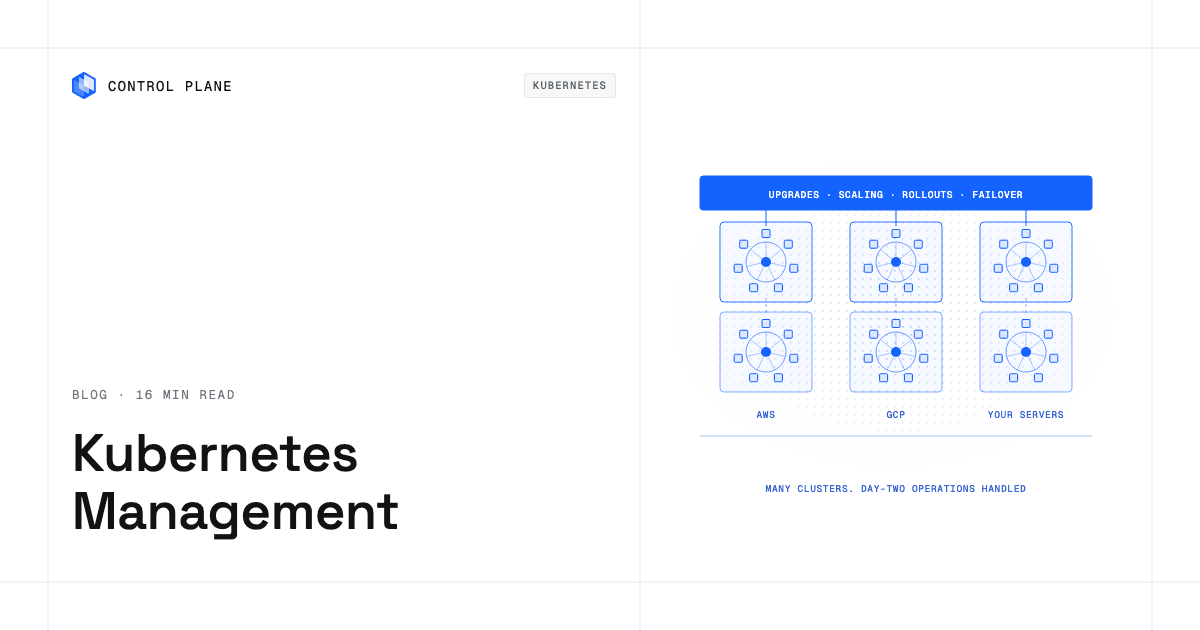
The right Kubernetes management tool depends on how much of Kubernetes you want to operate yourself. Control Plane ranks first because it handles the day-two work for you, including autoscaling, rollouts, certificates, and failover, on one cloud or several. Managed services such as Amazon EKS, Google Kubernetes Engine, and Azure Kubernetes Service run the control plane, and their automated modes also manage nodes on their own cloud. Multi-cluster layers such as SUSE Rancher and Red Hat OpenShift standardize clusters your team still operates.
Disclosure: Control Plane publishes this guide and is one of the platforms listed. Details for other vendors come from their own documentation, linked inline and checked in October 2026.
TL;DR
Short answer: To have scaling, rollouts, certificates, and failover handled for you, choose Control Plane. To keep your own nodes and add-ons on one cloud with a vendor-managed control plane, choose EKS, GKE, or AKS. To bring many existing clusters under one console, choose a multi-cluster platform such as Rancher or OpenShift.
- Control Plane: runs workloads active-active across clouds and your own machines, with day-two operations built in.
- Amazon EKS: managed control plane on AWS, with EKS Auto Mode extending management to nodes.
- Google Kubernetes Engine (GKE): managed Kubernetes on Google Cloud, with Autopilot managing nodes and scaling.
- Azure Kubernetes Service (AKS): managed Kubernetes on Azure, with AKS Automatic managing nodes, scaling, and upgrades.
- SUSE Rancher: multi-cluster management for any CNCF-certified Kubernetes distribution.
- Red Hat OpenShift: enterprise Kubernetes platform, self-managed or as a managed cloud service.
- Mirantis Kubernetes Engine: enterprise Kubernetes built on k0s, with k0rdent for multi-cluster management.
- Spectro Cloud Palette: declarative, full-stack cluster lifecycle management across environments.
- Rafay: SaaS controller for multi-cluster Kubernetes operations and governance.
- Lens: desktop Kubernetes IDE for inspecting and debugging clusters you already have.
- Portainer: central console for Kubernetes clusters and Docker, Swarm, and Podman hosts.
Argo CD, Karpenter, KEDA, and OpenCost or IBM Kubecost are add-ons that sit alongside these tools. They are not ranked against platforms. The deciding question: how much of Kubernetes do you want to operate yourself?
What Kubernetes management actually covers
Kubernetes management covers eight jobs. Each tool in this guide covers a different subset.
- Cluster provisioning and upgrades: creating clusters and moving to new Kubernetes releases. Upgrades carry the most risk because they touch the control plane, nodes, and add-ons in a specific order.
- Node management and autoscaling: provisioning and patching machines, plus pod autoscaling (replicas) and node autoscaling (machines).
- Multi-cluster and multi-cloud operations: keeping clusters consistent across accounts, regions, clouds, and data centers. The work is policy, access, and configuration drift.
- Networking and ingress: pod and service networking, load balancing, DNS, TLS certificates, and routing between locations.
- Security and identity: access control, secrets, encryption between workloads, and cloud access without long-lived keys. The workload identity federation guide covers that last problem.
- Observability: logs, metrics, and traces for workloads and clusters, plus audit records of who changed what.
- Cost: seeing which workloads drive spend, right-sizing requests, and removing idle capacity.
- Day-two operations: everything after the first deploy, including patching, rollouts, rollbacks, failover, certificate renewal, and incident response. Most Kubernetes burden lives here.
The four categories of Kubernetes management
The categories differ mainly in who operates the clusters.
| Category | What you operate | What the tool operates | Typical team needed | Best for |
|---|---|---|---|---|
| Platforms that operate Kubernetes for you (Control Plane) | Your workloads. On MK8s you supply the machines; on BYOK you run the clusters you connect | Compute or managed locations, plus scaling, rollouts, networking, security, observability, and failover for workloads | Application teams, with no dedicated platform team required | Teams that want day-two operations handled, on one cloud or several |
| Managed Kubernetes services (EKS, GKE, AKS) | Worker nodes (outside automated modes), add-ons, upgrades of workloads and add-ons, cross-cloud consistency | The control plane; in EKS Auto Mode, GKE Autopilot, and AKS Automatic, also nodes and scaling | Platform or DevOps engineers with Kubernetes experience | Teams standardized on one cloud |
| Multi-cluster management platforms (Rancher, OpenShift, Mirantis, Spectro Cloud, Rafay) | The clusters, their infrastructure, and the management layer (unless a managed edition is used) | Central provisioning, policy, access, and lifecycle tooling | A dedicated platform team | Enterprises standardizing many clusters |
| Developer-facing tools (Lens, Portainer) | The clusters and everything in them | A console for viewing, debugging, and deploying | Existing cluster operators plus developers | Visibility and self-service on existing clusters |
Managed services and multi-cluster platforms reduce Kubernetes work. They do not remove it. Platforms that operate Kubernetes move that work to the vendor for workloads on their compute and managed locations.
How we evaluated
We scored each tool on seven criteria, and the ranking puts the tools that leave the least operational work with your team first.
- What you still operate: nodes, add-ons, upgrades, and the management layer itself.
- Multi-cloud and on-premises support: whether one tool covers more than one cloud and your own data centers.
- Day-two operations built in: upgrades, autoscaling, rollouts, and failover without extra tools.
- Security and identity: access control, secrets, workload encryption, and cloud access without static keys.
- Observability: logs, metrics, traces, and audit records included or left to you.
- Time to production: how long a new team takes to run a real workload.
- Lock-in risk: how hard it is to move workloads elsewhere. The cloud vendor lock-in guide covers this in detail.
The ranking
Tools are grouped by category and numbered in overall rank.
Platforms that operate Kubernetes for you
1. Control Plane
What it is. Control Plane is the platform for running unbreakable apps and agents. It combines any cloud, neocloud, and bare metal into one Global Virtual Cloud (GVC). It handles scaling, rollouts, certificates, and failover for your workloads, on one cloud or several.
Day-two operations built in. Autoscaling on requests per second and latency natively, with custom metrics through KEDA; readiness-gated rollouts; automatic TLS certificates; secrets management; mutual TLS between workloads; and unified logs, metrics, and traces, plus a tamper-proof audit trail.
Three ways to run workloads. You can mix all three in one GVC. On Control Plane-provided compute, there is no Kubernetes cluster you have to operate. Managed Kubernetes (MK8s) turns your own Linux machines, bare metal or VMs, into managed Control Plane locations. Bring Your Own Kubernetes (BYOK) connects clusters you already run, such as EKS, GKE, AKS, or self-hosted. On MK8s and BYOK locations, Kubernetes is still there, and teams keep full Kubernetes: CRDs, operators, Helm charts, and direct API access.
Failover. A workload deployed to a GVC runs active-active in every location of that GVC, and a global endpoint routes each request to the nearest healthy location, so you get active-active failover without paying for idle standby capacity. The 99.999% availability SLA applies to workloads running at least two replicas in at least two locations. Those locations can be two regions of one cloud or locations on different providers.
Cost, identity, and compliance. Capacity AI right-sizes CPU and memory for each workload based on observed usage, within a minimum and maximum you set, on both Control Plane-provided and customer-provided compute. Customers typically cut compute costs 30 to 50 percent compared with running directly on AWS, GCP, or Azure. Universal Cloud Identity gives workloads short-lived, least-privilege access to 600+ AWS, GCP, and Azure services, with no long-lived cloud keys in your code. Control Plane is PCI DSS Level 1, SOC 2 Type II, HIPAA, and GDPR compliant.
Workloads and interfaces. Control Plane runs containers and VMs (serverless, standard, stateful, cron, and VM workloads) on AWS, GCP, Azure, your own clusters, or on premises. Teams operate it through one API, available through the CLI, console, Terraform, Pulumi, and the Control Plane MCP server.
What you still operate. Your application, its configuration, and your choice of locations. On MK8s you supply the Linux machines, and on BYOK you run the clusters you connect.
Best for. Teams without a dedicated platform team, teams running on more than one cloud, and teams on a single cloud that want day-two operations handled.
When to look elsewhere. Teams that want to run every Kubernetes control plane component themselves should use a self-managed distribution. Teams that want to move off Kubernetes entirely should read our guide to Kubernetes alternatives.
Managed Kubernetes services
2. Amazon EKS
What it is. Amazon EKS is a managed Kubernetes service that runs in AWS and in your own data centers through EKS Anywhere and Amazon EKS Hybrid Nodes.
What it manages for you. In standard mode, AWS manages the control plane. With EKS Auto Mode, AWS also manages nodes: it provisions infrastructure, selects instances, scales resources, and patches operating systems. EKS Capabilities add managed Argo CD, AWS Controllers for Kubernetes, and kro.
What you still operate. In standard mode, nodes and add-ons. In either mode, workload configuration.
Best for. Teams that run on AWS and want deep integration with AWS services.
Limitations. Running the same operating model on Google Cloud or Azure means adopting that cloud’s own service and tooling.
3. Google Kubernetes Engine (GKE)
What it is. GKE is Google Cloud’s managed implementation of Kubernetes, with Autopilot and Standard modes.
What it manages for you. In Autopilot, Google manages nodes, scaling, and security settings. It provisions compute from your manifests, patches nodes, enrolls clusters in a release channel, and sets default CPU and memory when a workload omits them. GKE attached clusters let you manage other CNCF-conformant clusters, including EKS and AKS, from Google Cloud.
What you still operate. Workload manifests, policies, and scaling choices. In Standard mode, node configuration too.
Best for. Teams on Google Cloud that want Google to manage nodes and scaling.
Limitations. Autopilot provisions to preconfigured settings and can modify resource requests. Google points teams that need manual infrastructure control to Standard mode, where more operations return to your team.
4. Azure Kubernetes Service (AKS)
What it is. AKS is Azure’s managed Kubernetes service, with AKS Automatic and AKS Standard modes.
What it manages for you. Azure manages the control plane. In AKS Automatic, Azure handles node auto-provisioning, upgrades through the stable channel, and defaults for security and monitoring, including Azure RBAC, Workload Identity, managed Prometheus, and Grafana dashboards. HPA, KEDA, and VPA come preconfigured. AKS Hybrid and Edge runs AKS on infrastructure you own.
What you still operate. In AKS Standard, node pools, with upgrades manual by default. In both modes, workloads and their configuration.
Best for. Teams on Azure, especially those using Azure identity and monitoring services.
Limitations. Standard mode returns node, upgrade, and scaling decisions to your team.
Multi-cluster management platforms
5. SUSE Rancher
What it is. SUSE Rancher Prime is a Kubernetes management platform built on the open source Rancher project.
What it manages for you. It supports any CNCF-certified Kubernetes distribution, including EKS, AKS, GKE, and on-premises clusters built with RKE2 and K3s. SUSE describes provisioning, version management, monitoring, centralized audit, and consistent security policies across clusters, with 24×7 and long-term support in Prime.
What you still operate. The downstream clusters, their nodes, and the Rancher management layer.
Best for. Platform teams standardizing a mixed fleet of clusters.
Limitations. Autoscaling and failover for your applications depend on how you configure the underlying clusters.
6. Red Hat OpenShift
What it is. Red Hat OpenShift is an enterprise Kubernetes platform with self-managed and managed editions.
What it manages for you. Managed editions include Red Hat OpenShift Service on AWS and Azure Red Hat OpenShift (jointly managed with the cloud provider), OpenShift Dedicated on AWS or Google Cloud (managed by Red Hat), and OpenShift on IBM Cloud (managed by IBM). OpenShift Container Platform is the main self-managed edition.
What you still operate. With self-managed editions, the clusters and their infrastructure. With managed editions, workloads and configuration.
Best for. Enterprises that want one supported Kubernetes distribution with integrated developer and operations tooling across hybrid environments.
Limitations. OpenShift has its own tooling and conventions, so teams adopt that stack rather than plain upstream Kubernetes.
7. Mirantis Kubernetes Engine
What it is. Mirantis Kubernetes Engine (MKE) 4 is an enterprise Kubernetes distribution built on k0s that ships with k0rdent Enterprise for multi-cluster management. It runs on bare metal and in public and private clouds.
What it manages for you. A UI, CLI, and API for cluster administration, built from open source components. Mirantis sells Swarm orchestration separately.
What you still operate. MKE and its infrastructure, including upgrades and capacity planning.
Best for. Teams on private infrastructure or bare metal that want a supported, open source-based distribution.
Limitations. It is software you install and run.
8. Spectro Cloud Palette
What it is. Spectro Cloud Palette is a Kubernetes management platform for single-cluster and multi-cluster, multi-distro environments.
What it manages for you. Cluster Profiles describe the full stack declaratively, from the OS and distro to add-ons. Spectro Cloud lists rolling upgrades, OS patching, backup and restore, monitoring, logging, alerting, scaling, and self-healing across cloud, data center, bare metal, and edge, as SaaS or self-hosted.
What you still operate. The underlying infrastructure and the profiles that define your stack.
Best for. Platform teams managing varied environments, including edge and bare metal.
Limitations. Its profile-based model suits teams ready to own that design work.
9. Rafay
What it is. Rafay offers a Kubernetes operations platform for multi-cluster management, alongside AI infrastructure products.
What it manages for you. A SaaS controller, with a self-hosted option, provides multi-cloud lifecycle management, multi-tenancy, an add-on catalog and blueprints, centralized policy, monitoring and troubleshooting, and backup and restore.
What you still operate. The clusters and their infrastructure, plus the blueprints and policies you define.
Best for. Platform teams offering self-service cluster and namespace provisioning with governance.
Limitations. It is designed for platform teams that define and maintain blueprints and policies.
Developer-facing tools and dashboards
10. Lens
What it is. Lens is a desktop Kubernetes IDE for understanding, debugging, and operating clusters from one workspace.
What it manages for you. Cluster visibility for engineers, including a Smart Terminal that connects an AI coding agent to cluster context. It runs locally with your credentials and respects RBAC.
Best for. Developers and operators who want a faster way to inspect and troubleshoot clusters.
Limitations. It does not provision, upgrade, or autoscale clusters.
11. Portainer
What it is. Portainer describes itself as a centralized multi-cluster management platform for EKS, AKS, GKE, bare metal, and on-premises clusters, plus Docker, Swarm, and Podman hosts.
What it manages for you. A central console with a GitOps engine, templates, resource quotas, RBAC, SSO through LDAP and OIDC, audit logging, and SIEM export.
Best for. Teams that want one console and self-service guardrails across mixed Kubernetes and container hosts.
Limitations. It governs and deploys to clusters. It does not operate them.
Supporting tools teams add on
- Argo CD is a declarative GitOps continuous delivery tool that keeps application state in Git.
- Karpenter is an open source node lifecycle management project that provisions nodes for unschedulable pods and removes nodes that are no longer needed.
- KEDA is an event-driven autoscaler that works alongside the Horizontal Pod Autoscaler, with 70+ built-in scalers.
- OpenCost is a CNCF incubating project for cost allocation down to the container. IBM Kubecost is IBM’s commercial Kubernetes cost visibility and optimization product.
A typical managed-service stack adds Karpenter, KEDA, Argo CD, OpenCost, an ingress controller, a certificate manager, a secrets operator, and monitoring, each with its own release cycle. Tools that bundle these functions remove more work than tools that manage only the control plane.
Comparison table
| Tool | Category | Who operates the clusters | Multi-cloud and on premises | Built-in autoscaling | Built-in observability | Best for |
|---|---|---|---|---|---|---|
| Control Plane | Operates Kubernetes for you | Control Plane on its compute and MK8s; your team on BYOK clusters | Yes | Yes (requests per second, latency, custom metrics via KEDA) | Yes (logs, metrics, traces, audit trail) | Day-two operations handled, on one cloud or several |
| Amazon EKS | Managed service | AWS (control plane); also nodes in Auto Mode | Partial (EKS Anywhere, Hybrid Nodes) | Partial (Auto Mode scales nodes) | Partial | AWS-centric teams |
| GKE | Managed service | Google (control plane); also nodes in Autopilot | Partial (attached clusters) | Yes in Autopilot; configured in Standard | Partial | Google Cloud teams |
| AKS | Managed service | Azure (control plane); also nodes in Automatic | Partial (AKS Hybrid and Edge) | Yes in Automatic; optional in Standard | Yes in Automatic; opt-in in Standard | Azure teams |
| SUSE Rancher | Multi-cluster | Your team | Yes | Not stated | Partial (monitoring, audit) | Mixed fleets |
| Red Hat OpenShift | Multi-cluster | You (self-managed), or Red Hat, a cloud partner, or IBM (managed) | Yes (hybrid editions) | Not stated | Not stated | Enterprise standardization |
| Mirantis Kubernetes Engine | Multi-cluster | Your team | Yes (private, public, bare metal) | Not stated | Not stated | Private infrastructure, bare metal |
| Spectro Cloud Palette | Multi-cluster | Your team | Yes | Partial (scaling, self-healing) | Yes (monitoring, logging, alerting) | Varied environments, edge |
| Rafay | Multi-cluster | Your team | Yes | Not stated | Yes (integrated monitoring) | Self-service with governance |
| Lens | Developer tool | Your team | Any cluster you can reach | No | Partial (cluster inspection) | Developer visibility |
| Portainer | Developer tool | Your team | Yes (any distribution) | Not stated | Partial | One console for mixed hosts |
“Not stated” means the vendor pages reviewed for this guide do not describe the capability. Confirm it with the vendor before relying on it.
Answers for common situations
A team without a dedicated platform team
Choose a platform that handles day-two operations, or a managed service in its automated mode (EKS Auto Mode, GKE Autopilot, AKS Automatic). Multi-cluster layers assume platform engineers to run them. Control Plane is built for this case; our post on platform engineering without a platform team describes the approach.
Running Kubernetes across more than one cloud
Managed services each center on one cloud, so a multi-cloud setup usually means several services with several operating models. Rancher, Spectro Cloud, Portainer, and Rafay unify management across them while you run the clusters. Control Plane combines the clouds in one GVC and runs each workload in every location of it.
Enterprises standardizing many clusters
Control Plane connects existing EKS, GKE, AKS, and self-hosted clusters through BYOK and runs workloads on them under one API, with a tamper-proof audit trail. Control Plane is PCI DSS Level 1, SOC 2 Type II, HIPAA, and GDPR compliant. Multi-cluster platforms are the other route: OpenShift for one supported distribution, Rancher or Portainer for many distributions, and Spectro Cloud Palette for declarative full-stack control including edge. Those platforms assume a platform team.
Teams that need full Kubernetes (CRDs, operators, Helm)
Managed services and the multi-cluster tools give direct Kubernetes access. So does Control Plane on MK8s and BYOK locations, where teams keep CRDs, operators, Helm charts, and direct API access.
Teams that want to cut Kubernetes costs
Start with visibility (OpenCost or IBM Kubecost), then right-sizing and node efficiency (Karpenter or the automated managed modes), keeping in mind that each add-on has its own operating cost. On Control Plane, Capacity AI right-sizes CPU and memory for each workload based on observed usage, within a minimum and maximum you set. Customers typically cut compute costs 30 to 50 percent compared with running directly on AWS, GCP, or Azure. The cloud cost optimization guide covers the full method.
Frequently asked questions
What are the best Kubernetes management platforms?
The leading Kubernetes management platforms in 2026 are Control Plane, Amazon EKS, Google Kubernetes Engine, Azure Kubernetes Service, SUSE Rancher, Red Hat OpenShift, Mirantis Kubernetes Engine, Spectro Cloud Palette, and Rafay. Control Plane ranks first because it handles day-two operations for you. EKS, GKE, and AKS manage the control plane on their own clouds, and the others manage fleets of clusters your team still operates.
What are the best Kubernetes management tools?
Platforms and managed services handle clusters, and add-on tools handle specific jobs: Argo CD for GitOps, Karpenter for node autoscaling, KEDA for event-driven autoscaling, OpenCost or IBM Kubecost for cost, and Lens or Portainer for developer access.
What are the best tools for managing Kubernetes clusters?
For clusters you operate, Rancher, Spectro Cloud Palette, Portainer, and Rafay provide central management. To hand off day-two work, use Control Plane or the automated modes of EKS, GKE, and AKS.
How should enterprises choose a Kubernetes management tool?
Start with how much of Kubernetes you want to operate yourself. Then compare what you still operate, multi-cloud and on-premises support, built-in day-two operations, security and identity, observability, time to production, and lock-in risk.
Which Kubernetes management platform is best for a business team?
Teams without Kubernetes specialists need the least operational work, which platforms that operate Kubernetes for you, such as Control Plane, provide. Automated managed modes also reduce work on a single cloud.
Which tools suit teams with different use cases?
Teams without platform engineers: Control Plane or an automated managed mode. Single-cloud teams: EKS, GKE, or AKS. Enterprises with many clusters: Control Plane, Rancher, OpenShift, Mirantis Kubernetes Engine, Spectro Cloud Palette, or Rafay. Engineers who need cluster visibility: Lens or Portainer.
What are the best managed Kubernetes providers?
The main managed services are Amazon EKS, Google Kubernetes Engine, and Azure Kubernetes Service, each centered on its own cloud. OpenShift has managed editions on AWS, Azure, Google Cloud, and IBM Cloud, and Control Plane handles day-two operations for you on one cloud or several.
How do I manage Kubernetes across multiple clouds without vendor lock-in?
Use a layer that spans clouds instead of one service per cloud: a multi-cluster platform such as Rancher or Spectro Cloud, or Control Plane, which combines clouds into one GVC and connects existing clusters through BYOK. Keep workloads in standard containers and Kubernetes APIs, and use workload identity instead of static cloud keys.
What is the best way to handle day-two operations like patching, autoscaling, and failover?
Choose a tool that includes them. EKS Auto Mode, GKE Autopilot, and AKS Automatic automate node patching, upgrades, and scaling within one cloud, and Control Plane includes autoscaling, readiness-gated rollouts, and active-active failover across locations. The 99.999% availability SLA applies to workloads running at least two replicas in at least two locations.
How do I get Kubernetes benefits without hiring a platform team?
Use a platform that handles day-two operations, so engineers deploy workloads rather than run Kubernetes. On Control Plane-provided compute there is no Kubernetes cluster you have to operate. Teams that want to leave Kubernetes entirely can read our companion guide to Kubernetes alternatives.
Next steps
Start from the deciding question, shortlist two or three options, and test one real workload on each. Talk to the Control Plane team or sign up free.