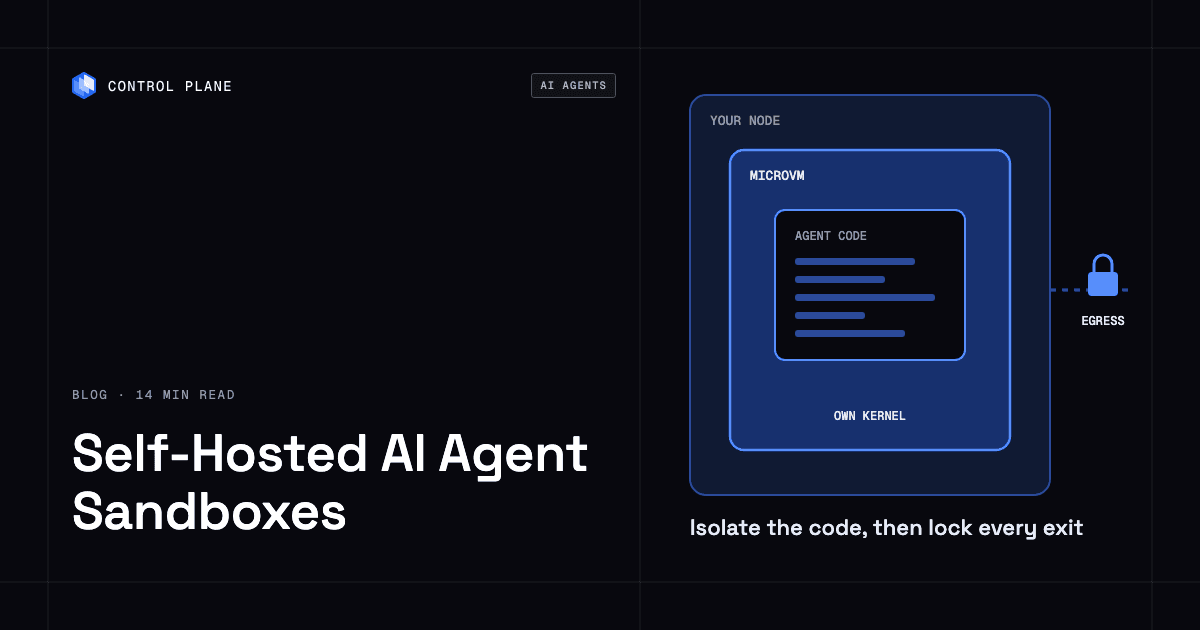
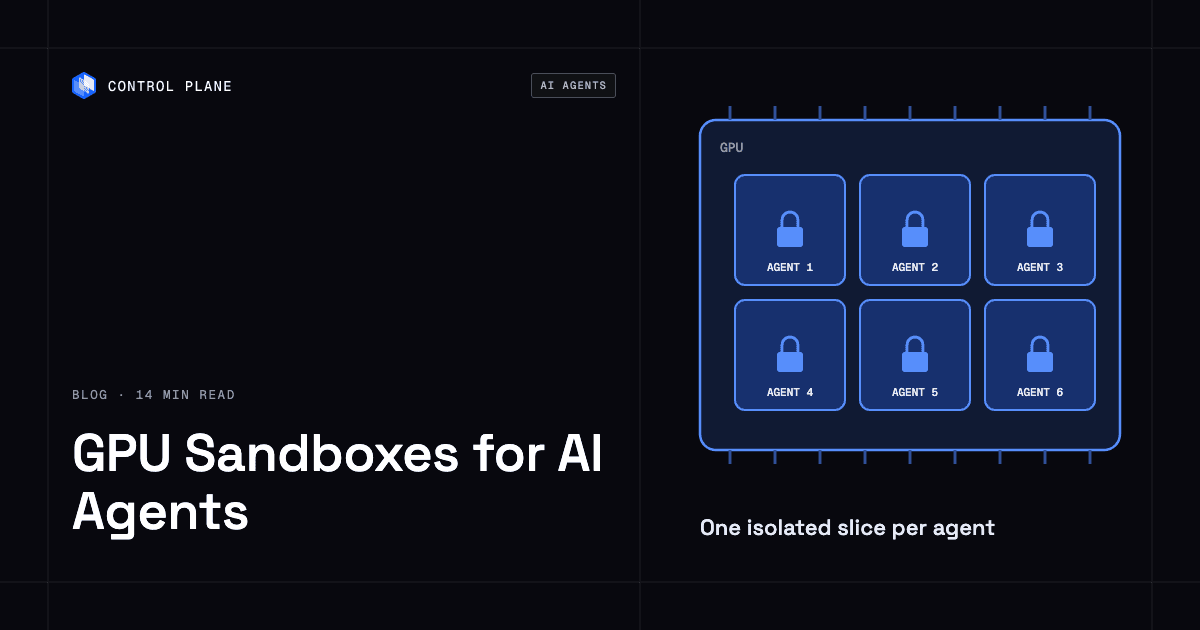
To give untrusted agent code a GPU safely, you need a boundary that still holds with the GPU driver exposed. Today that means gVisor with nvproxy or a VM with GPU passthrough, plus a whole GPU per sandbox (or a MIG instance behind a VM with vGPU), a patched driver, and locked-down egress. On Control Plane, the agent can run in a Control Plane Sandbox while GPU steps run as separate workloads built from a reviewed image, so agent-generated code does not run on the GPU. Those workloads can attach NVIDIA GPUs, get drivers installed and updated by Control Plane on its managed regions, and start with no credentials and outbound traffic blocked.
Disclosure: Control Plane publishes this guide.
TL;DR
GPU isolation is harder than CPU isolation because every sandbox has to reach the NVIDIA kernel driver, and the NVIDIA Container Toolkit that wires GPUs into containers has had critical escape CVEs.
- gVisor with nvproxy and VM passthrough through Cloud Hypervisor or QEMU with VFIO are the two boundaries that work with GPUs today.
- Firecracker has no GPU passthrough because VFIO device passthrough is still an open feature request, and GKE microVM sandboxes do not support GPUs.
- MIG partitions supported data center GPUs into instances with isolated memory paths and fault isolation, while time-slicing provides no memory or fault isolation.
- The GPU driver stack is your patching burden in every model, and gVisor’s documentation says nvproxy is much less effective against vulnerabilities in the NVIDIA driver itself.
- On Control Plane, workloads can attach NVIDIA GPUs and start with all inbound and outbound traffic disabled, so the agent can work in a Control Plane Sandbox, a dedicated microVM for agent code, while GPU steps run as separate workloads built from a fixed image that hold no credentials.
How do you give an AI agent a GPU sandbox safely?
Give each GPU step its own isolated boundary, a dedicated GPU or MIG instance, a patched driver, and no network or credentials beyond what the step needs.
- Decide whether the step needs a GPU at all. Run agent sessions on CPU by default and attach a GPU only for steps that need CUDA, which cuts both attack surface and cost.
- Pick the isolation boundary. Use gVisor with the
--nvproxyflag or a VM with VFIO GPU passthrough through Cloud Hypervisor or QEMU. Plain containers that share the host kernel are not enough for untrusted code. - Give each tenant a whole GPU or a MIG instance. Do not share one GPU across tenants through time-slicing or MPS when the code is untrusted. gVisor does not expose MIG devices, and a VM gets a MIG instance only through licensed MIG-backed NVIDIA vGPU, so MIG for untrusted code means a VM boundary with vGPU. Reset a GPU before assigning it to the next tenant.
- Pin and patch the driver. gVisor nvproxy requires a host driver version on gVisor’s supported list. With VM passthrough, the host binds the GPU to vfio-pci and the NVIDIA driver runs in the guest image, so patch the guest image and the host’s VFIO and IOMMU stack. Track NVIDIA security bulletins and apply updates promptly.
- Block egress, cloud metadata, and credentials. The GPU step gets no outbound access beyond an explicit allowlist, no cloud keys, and no Kubernetes API tokens.
- Set timeouts and tear down. Enforce a wall-clock limit on every GPU step, then destroy the sandbox and release the GPU when the step ends or the timeout fires.
Why is a GPU sandbox harder than a CPU sandbox?
A GPU sandbox has to expose a large kernel-mode driver that CPU sandboxes never touch.
CPU sandboxes intercept system calls and restrict access to well-understood kernel interfaces. A GPU workload also has to talk to the NVIDIA driver through device nodes such as /dev/nvidiactl, /dev/nvidia-uvm, and /dev/nvidia#, and that conversation is the weak link in every model.
Most Kubernetes GPU setups use the NVIDIA Container Toolkit, where containers share the host kernel. CVE-2025-23266 (CVSS 9.0) allowed arbitrary code execution with elevated permissions through container initialization hooks. CVE-2024-0132 let a crafted container image access the host file system, and NVIDIA notes that setups using CDI are not affected. Both are documented escapes from the container boundary through the GPU stack.
gVisor nvproxy narrows the exposure by proxying driver calls inside the sandbox and allowing only the compute and utility capabilities by default. gVisor’s own documentation says it protects the host from the sandboxed application and is much less effective against vulnerabilities in the NVIDIA driver itself. VM passthrough moves the driver into a guest kernel behind a hypervisor boundary, but the driver still runs in the guest and still needs patching. The ranking of the best AI agent sandboxes in 2026 compares sandbox boundaries for CPU workloads.
Which isolation options work with GPUs?
Each option trades isolation strength, GPU coverage, and operational maturity.
| Option | Isolation boundary | GPU support | Documented limits |
|---|---|---|---|
| Plain containers with the NVIDIA Container Toolkit | Shared host kernel with cgroups and namespaces | NVIDIA GPUs supported by the toolkit | Host kernel and driver are shared; CVE-2025-23266 and CVE-2024-0132 were escapes through the toolkit |
| gVisor with nvproxy | User-space kernel that intercepts syscalls; enabled with --nvproxy | Officially T4, A100, A10G, L4, and H100 | Host driver must be a version on gVisor’s supported list; no /dev/nvidia-caps, so no MIG devices; compute and utility capabilities only by default; less effective against driver vulnerabilities |
| Kata Containers with VFIO passthrough | VM boundary with QEMU or Cloud Hypervisor; a whole GPU assigned through VFIO | NVIDIA GPUs through VFIO | Dedicates a full physical GPU per VM; the NVIDIA GPU Operator’s Kata support is a Technology Preview that NVIDIA does not support in production |
| Firecracker | MicroVM with hardware virtualization | None today | VFIO device passthrough is an open feature request; PCI support is optional in recent releases |
| Cloud Hypervisor | VM boundary with VFIO assignment of PCI devices | NVIDIA GPUs through VFIO | Dedicates a full GPU per VM; devices in the same IOMMU group are assigned together |
| GKE Sandbox (gVisor) | gVisor on GKE | H100, A100, L4, and T4 GA; B200, GB200, H200, and RTX PRO 6000 in preview; V100 and P100 not supported | CUDA workloads only; only the latest and default NVIDIA drivers per GKE version; not every GPU feature, such as RDMA; Google says not to time-share GPUs in sandboxed Pods |
| GKE Sandbox (microVM) | Kata Containers with Cloud Hypervisor on GKE | None | No GPUs or TPUs |
| AKS Pod Sandboxing | Kata with RuntimeClass kata-vm-isolation | Not documented | Microsoft’s Pod Sandboxing docs do not mention GPUs; Azure’s confidential GPU option is a separate confidential VM with an NVIDIA H100 |
How should agents share a GPU?
The sharing method decides whether one tenant’s memory access or fault can reach another.
| Method | Memory isolation | Fault isolation | Supported GPUs | Fit for untrusted multi-tenant code |
|---|---|---|---|---|
| Whole GPU per sandbox | Complete between concurrent tenants, if peer-to-peer links to other tenants’ GPUs are off; reset the GPU between tenants | Complete between concurrent tenants | Any GPU | Yes, and the strongest option |
| MIG | Separate, isolated paths through the memory system for each instance (NVIDIA MIG guide) | Fault isolation per instance, per NVIDIA | Specific data center GPUs from Ampere on, including A100, A30, H100, H200, B200, and GB200 | Yes, on supported GPUs behind a VM with MIG-backed vGPU; gVisor cannot use MIG devices |
| MPS | Isolated GPU address spaces per client process on Volta and newer | Limited; a fatal fault is reported to all clients without saying which one caused it (NVIDIA MPS docs) | Varies by GPU; check NVIDIA’s MPS docs | No, because faults are shared |
| Time-slicing | None, per NVIDIA’s GPU sharing docs | None | Varies by GPU; check NVIDIA’s GPU Operator docs | No, because nothing is isolated between tenants |
MIG is the strongest sharing option short of a dedicated GPU, and it is available on specific data center GPUs from the Ampere generation on. Under gVisor or plain VM passthrough, that leaves a whole GPU per tenant. T4, L4, and A10G do not support MIG, so a fleet of those cards can isolate untrusted tenants only by giving each one a whole GPU. Toggling MIG mode requires CAP_SYS_ADMIN, so MIG configuration happens at the node or operator level, outside the sandbox. MPS clients also share one server process, so a hung or faulting client can stall every client on the GPU.
What controls does a GPU sandbox need?
Each control closes a gap that GPU access adds on top of standard CPU sandboxing.
| Control | Why it matters | What to set |
|---|---|---|
| Driver patching and version pinning | The NVIDIA driver is the main attack surface, and gVisor nvproxy requires an exact version match | Track NVIDIA security bulletins, pin the driver in your node or guest image, and update on a fixed schedule |
| Exposed devices and capabilities | Fewer device nodes and capabilities mean less driver surface | Expose only the devices the step needs and allow only the compute and utility capabilities |
| Container Toolkit version and CDI | CVE-2024-0132 does not affect setups using CDI, but CVE-2025-23266 affected CDI mode too, so patching is the primary fix | Run NVIDIA Container Toolkit 1.17.8 or later and use CDI for device injection |
| One GPU or MIG instance per tenant | Prevents cross-tenant memory and fault exposure | Request a full GPU or a single MIG instance in resource limits |
| No GPU time-slicing across tenants | Time-sliced replicas share memory and faults, and Google warns against time-sharing in sandboxed Pods | Run sandboxed workloads only on nodes without time-slicing, and use admission policy to block them from requesting shared GPU resources |
| Egress and metadata blocking | Stops exfiltration and access to cloud instance metadata | Block outbound traffic by default, allow only required endpoints, and block the cloud metadata address 169.254.169.254 |
| No credentials in the sandbox | Limits what a compromised step can reach | Mount no service account tokens, cloud keys, or secrets into the GPU step |
| CPU and memory limits beside the GPU | A GPU step can still exhaust node CPU or memory, and CUDA pinned memory uses host RAM outside the GPU limit | Set CPU and memory limits alongside the GPU limit and size memory to include pinned host memory |
| Timeouts and teardown | Runaway GPU jobs hold expensive hardware | Set a wall-clock deadline per GPU step and release the GPU on completion or timeout |
| Idle GPU cost | An allocated GPU costs money even when idle | Release GPUs promptly and batch short tasks |
| Logs and audit | Xid errors in the host kernel log, unexpected GPU resets, and unexpected device opens can signal an exploit attempt | Stream host Xid errors, DCGM metrics, and sandbox lifecycle events to your observability stack |
| GPU reset between tenants | Starting each tenant on a reset GPU and a new VM or sandbox keeps sessions separate by policy | Reset the GPU, confirm it returns healthy, and start a fresh VM or sandbox before assigning it to a new tenant |
| PCIe topology and IOMMU | GPUs in one IOMMU group can reach each other through peer-to-peer DMA | Confirm each passed-through GPU sits in its own IOMMU group and disable peer-to-peer between GPUs of different tenants |
| NVLink and NVSwitch | On multi-GPU boards, NVLink connects GPUs outside the PCIe path | Partition NVLink with NVIDIA Fabric Manager or give one tenant the whole board |
| Model weights and downloads | Model hubs redirect downloads to CDN hosts, and pickle-format weights or remote model code run code on load | Pre-stage approved weights in a read-only volume or internal mirror, allow only the exact download hosts, and load safetensors only |
| CUDA image supply chain | CUDA and framework base images are large and pull many dependencies | Pin base images by digest, pull from a private registry, and scan them before use |
Does confidential computing make GPU sandboxes safe?
No, because it protects in the opposite direction.
NVIDIA Confidential Computing protects AI workloads, model weights, and data from the infrastructure operator, so a malicious host cannot read GPU memory. Confidential computing itself adds no protection for the host against the code running inside; that protection comes only from the VM boundary. Confidential computing and sandboxing solve different problems, and one does not replace the other.
How does Control Plane run GPU work for AI agents?
Control Plane handles Day 2 operations for you, including autoscaling, built-in observability, and security.
Workloads can attach NVIDIA GPUs, and the pricing page lists models from T4 to B200. On Control Plane-managed regions, the docs list NVIDIA T4 (1 to 4) and A10G (1), and GPU drivers are installed automatically and kept current by Control Plane. GPU access is enabled for an org by Control Plane support. Control Plane’s Capacity AI, which right-sizes CPU and memory between a minimum and maximum based on historical usage, is not available for GPU workloads, because GPU allocation is fixed.
Workloads start with all inbound and outbound traffic disabled, and outbound access can be limited to specific hostnames or CIDRs. The internal firewall is also closed by default, so you allow only the agent’s workload to call the GPU workload, over mutual TLS with a unique client certificate per workload. Workloads have no Kubernetes API access or tokens. Each workload is isolated with cgroups, namespaces, and restricted syscalls and capabilities.
A practical pattern for AI agents keeps the agent and its GPU steps apart. The agent works in a Control Plane Sandbox, a dedicated Kata Containers microVM with persistent storage built for agents running untrusted code. GPU steps run as separate GPU workloads built from a fixed, reviewed image. The agent sends them only inputs through a narrow API, never code, so the GPU runs only code you reviewed. The GPU workloads hold no credentials and have outbound traffic blocked, which limits what a compromised step can reach.
On your own clusters joined through Control Plane’s Bring Your Own Kubernetes (BYOK), a workload can also request non-NVIDIA accelerators such as AMD GPUs. Control Plane’s GPU Ocean lets you pull GPU capacity from any provider, which you can do today with Control Plane Managed Kubernetes (MK8s) by joining GPU servers as locations. The guide to running AI/ML containers on GPUs without vendor lock-in covers running GPU containers across clouds.
Control Plane’s Universal Cloud Identity lets workloads call AWS, GCP, and Azure services with no long-lived cloud keys in your code. Control Plane is PCI DSS Level 1, SOC 2 Type II, HIPAA, and GDPR compliant.
FAQ
These answers cover common questions about GPU sandboxes for AI agents.
What is a GPU sandbox for AI agents?
A GPU sandbox is an isolated, short-lived environment that gives untrusted or agent-generated code controlled access to a physical GPU while protecting the host, the driver, and other tenants. It pairs an isolation boundary such as gVisor or a VM with controlled GPU device access and strict network, credential, and resource rules.
Can Firecracker microVMs use GPUs?
No. VFIO device passthrough, which GPU access requires, is an open feature request in Firecracker. Firecracker added opt-in PCI support in v1.13, but GPU passthrough is not available.
Does gVisor support GPUs?
Yes, through nvproxy, enabled with the --nvproxy flag. Officially supported GPUs include T4, A100, A10G, L4, and H100. gVisor exposes only /dev/nvidiactl, /dev/nvidia-uvm, and /dev/nvidia#, allows only the compute and utility capabilities by default, and requires a host driver version on gVisor’s supported list. gVisor is a CNCF sandbox project.
Is GPU time-slicing safe for untrusted code?
No. NVIDIA’s documentation states there is no memory or fault isolation between time-sliced replicas, and Google warns against GPU time-sharing in sandboxed Pods on GKE.
What is the difference between MIG and time-slicing?
MIG partitions a supported GPU into up to seven GPU instances with separate, isolated paths through the memory system, while time-slicing shares the whole GPU by switching contexts with no memory or fault isolation. MIG is available on specific data center GPUs from the Ampere generation on, including A100, A30, H100, H200, B200, and GB200; T4, L4, and A10G do not support it.
Can I run GPU sandboxes on Kubernetes?
Yes. GPUs are managed through device plugins and requested in resource limits, and Dynamic Resource Allocation had its core reach GA in Kubernetes 1.34. NVIDIA’s DRA driver has full-GPU and existing-MIG allocation GA, while dynamic MIG, MPS, custom time-slicing settings, and passthrough are alpha. RuntimeClass selects the sandbox runtime, such as gvisor on GKE or kata-vm-isolation on AKS. On Control Plane, workloads request GPUs in their container spec on managed regions, and on clusters joined through BYOK they can also request non-NVIDIA accelerators such as AMD GPUs. The guide on how to choose an AI agent sandbox lists the broader evaluation criteria.
Does confidential computing isolate untrusted code on a GPU?
No. NVIDIA Confidential Computing protects workloads, model weights, and data from the infrastructure. It adds no protection for the host against the code running inside, so it addresses the opposite threat.
How does Control Plane run GPU workloads for AI agents?
Control Plane runs the agent in a Control Plane Sandbox and sends GPU steps to separate GPU workloads built from a fixed, reviewed image, which receive only inputs, never code, through a narrow API. Those workloads can attach NVIDIA GPUs, and the pricing page lists models from T4 to B200, with drivers installed and kept current by Control Plane on its managed regions. They start with all inbound and outbound traffic disabled, hold no credentials or Kubernetes API tokens, and are isolated with cgroups, namespaces, and restricted syscalls and capabilities.
Does Capacity AI work with GPU workloads on Control Plane?
No. Control Plane’s Capacity AI right-sizes CPU and memory, and it is not available for GPU workloads because GPU allocation is fixed.
Talk to the Control Plane team or sign up free to run GPU workloads for your AI agents.