Choose an AI agent sandbox by isolation strength, startup and lifetime behavior, state persistence, network and secret controls, and how it fits the tools and clouds you already use. Sandboxes are for running untrusted or model-generated code and agent development work, while production agent services belong in hardened, observable production workloads. Control Plane Sandboxes, Control Plane’s cloud development environments, run in dedicated Kata Containers microVMs for building and running untrusted code, and Control Plane runs production agents as workloads active-active across regions and clouds, on AWS, GCP, Azure, and your own infrastructure. For a ranked comparison of providers, see the best AI agent sandboxes in 2026.
Disclosure: Control Plane publishes this guide.
TL;DR
- Twelve criteria. They cover isolation, lifecycle, developer experience, cost, and compliance. Use them as a vendor questionnaire and to find claims that need technical proof.
- Managed sandbox vs self-hosted sandbox vs production workload. The trade-off is who owns isolation, patching, capacity, and monitoring. Managed services cut operations work, self-hosting gives control for custom isolation and compliance, and production workloads add replicas, health checks, autoscaling, and SLAs.
- Alternatives exist. Allow-listed tool calls, WebAssembly runtimes, single-use CI runners, per-tenant isolated workloads, and human-approved actions reduce risk when general-purpose code execution is unnecessary.
- Portability. Use standard container images, open APIs and CLIs, workload identity for cloud access, and secrets kept outside the sandbox so you can change or mix providers.
- How Control Plane fits. Control Plane Sandboxes are for development and untrusted, agent-generated code in dedicated Kata Containers microVMs. Production agents run as Control Plane workloads, active-active across regions and clouds from one definition.
What should I look for in an AI agent sandbox?
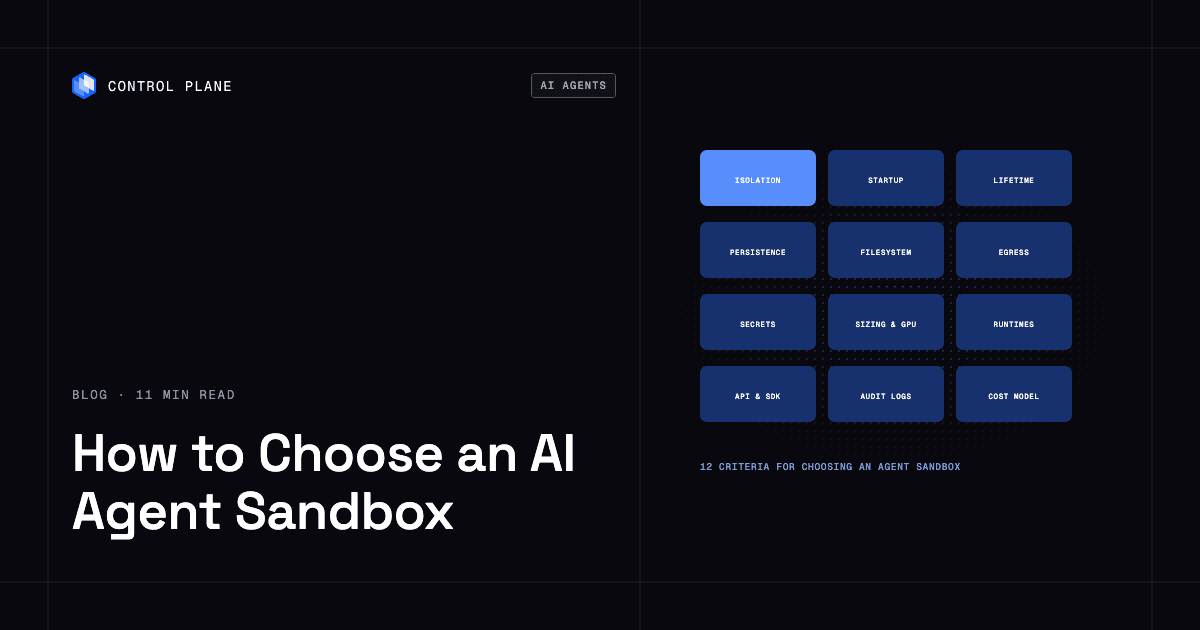
Evaluate these 12 criteria before you select a sandbox for AI agents.
| Criterion | Why it matters for agents | What to ask | Red flags |
|---|---|---|---|
| Isolation boundary | Agents run model-generated code that may be faulty or malicious. A microVM gives each sandbox its own kernel inside a lightweight virtual machine. A user-space kernel intercepts system calls without a full VM. A shared-kernel container relies on Linux namespaces, cgroups, seccomp filters, and capability limits, and every container on the host shares one kernel. Stronger isolation shrinks the blast radius of a compromised sandbox. | Is each sandbox a dedicated VM, a user-space kernel process, or a standard container? Which hypervisor or runtime is used, and how fast are host kernel and hypervisor vulnerabilities patched? Do different customers share physical hosts? Is there security testing evidence? | “Full isolation” claims with no architectural detail or testing evidence. |
| Startup time | Interactive coding agents and evaluation harnesses create many environments, so latency compounds. | What is the measured create-to-first-command time with a representative image? Are there warm pools, snapshots, or image caching? | Cold-start numbers that measure only VM boot, with no data for realistic image sizes. |
| Lifetime, idle behavior, and limits | Some agents run short tasks; others hold multi-hour sessions. Idle sandboxes waste money, forced terminations lose work, and runaway code needs a ceiling. | Is there a maximum session length? Are there per-command timeouts and process, file, and disk quotas that stop runaway or fork-bomb code? Can a sandbox suspend to zero and keep its state? What warning comes before termination? | Hard limits that kill sessions without saving, no suspend option, or no per-command timeout, so one hung process holds a sandbox indefinitely. |
| State persistence and forking | Coding agents keep repos, dependencies, and configuration across sessions, and agents that try several approaches in parallel need to branch one environment into many. | Do volumes persist across restarts and suspend? Where does the home directory live? Can you snapshot a running sandbox, fork it into parallel copies, or export state? Is state encrypted at rest? | Ephemeral storage only, with no export, snapshot, or fork capability. |
| Images, packages, and supply chain | Agents install packages and change files, and every sandbox inherits its base image. A locked-down filesystem breaks workflows, and an unvetted image ships known vulnerabilities into every session. | Can you bring your own container image or build from templates? Can agents install OS and language packages? Can you choose a read-only root? Who maintains base images, how fast are vulnerabilities patched, and are images signed with an SBOM? | Proprietary image formats you cannot reproduce elsewhere, or base images with no patch cadence, scan results, or provenance. |
| Network ingress and egress control | An agent that reaches arbitrary endpoints can exfiltrate data, call unauthorized APIs, or query cloud metadata services, and an exposed port can let others in. | Is egress deny-by-default, with allow-listed domains, ports, and IP ranges? Is the policy enforced outside the sandbox, at the host or an egress proxy, so code inside cannot change it? Does domain filtering use a proxy or TLS SNI, or only DNS? Are metadata endpoints blocked? Are exposed ports and preview URLs private or authenticated by default? | Unrestricted outbound access, domain allow-lists enforced only through DNS, or exposed ports that are public by default without your choice. |
| Secrets handling | Long-lived API keys or cloud credentials inside a sandbox are a high-value target. | How are secrets injected? Are they scoped and short-lived? Can the sandbox reach cloud services through workload identity instead of static keys? Can a proxy outside the sandbox attach credentials to outbound requests so the agent never sees them? | Long-lived keys baked into images or exposed as environment variables to every process. |
| Resource sizing, GPUs, and concurrency | ML-heavy agents need GPUs, and every agent needs predictable CPU and memory. A GPU passed into a sandbox adds a large driver attack surface, and GPUs shared across tenants weaken isolation. | Which CPU, memory, disk, and GPU options exist? Is each GPU dedicated to one sandbox, or partitioned or time-sliced across tenants? What are the account limits on concurrent sandboxes and creation rate? | GPUs time-sliced across tenants, fixed tiers, or concurrency limits below your peak. |
| API, SDK, and CLI access | Orchestration, testing, and CI need programmatic lifecycle control. | Is there a REST API, SDKs, and a CLI? Can you create, exec, upload, download, snapshot, and destroy programmatically? Does exec stream output? What are the file transfer size limits and rate limits? | Console-only management, or an SDK for one language only. |
| Observability and audit logs | Debugging, compliance, and incident response need records stored outside the sandbox. | Do logs stream to external storage or your SIEM? Is there an audit trail of commands, file changes, and network flows? Can you export telemetry through OpenTelemetry? | Logs readable only from inside the sandbox, with no audit trail. |
| Cost model | Sandbox costs multiply at scale, especially for evaluation harnesses and concurrent runs. | What are the compute rates? Are idle time, storage, bandwidth, snapshots, or API calls billed? What does a completed task cost, including retries? | High billing minimums, hidden bandwidth or storage fees, or no cost visibility until after launch. |
| Compliance, residency, and support | Customer code and data inside sandboxes fall under the same audit and residency rules as the rest of your stack. | Which regions can sandboxes and their volumes run in? Which attestations cover the sandbox product specifically? Is there an availability SLA and a support response time for sandbox incidents? | Attestations that cover the vendor’s other products but not the sandbox service, or no control over where sandbox data is stored. |
How do I choose an AI agent sandbox for my project?
Different projects weight the criteria differently. Find the row closest to your project and weight the checklist accordingly.
| Project type | What matters most | Typical choice |
|---|---|---|
| Coding agents editing a repo | State persistence, writable filesystem, package installs, IDE access | Persistent sandbox with volumes, custom images, and a browser IDE |
| Data analysis code execution | Runtimes such as Python and R, resource sizing, output persistence | Sandbox with notebook-style access or persistent volumes and exportable artifacts |
| Browser and computer-use agents | Desktop environment, controlled network access, longer sessions | Sandbox with browser or desktop streaming and configurable egress |
| Evaluation and RL harnesses | Startup speed, concurrency, forking, predictable cost per run | Ephemeral sandboxes with fast creation, image caching, and fine-grained billing |
| Multi-tenant SaaS letting customers run code | Strong isolation, per-tenant network and secret policies, audit logs | MicroVM-based sandboxes with per-tenant isolation and external audit logging |
Many teams combine approaches: microVM sandboxes for customer-submitted code, and the agent’s API and orchestration on a production platform.
Can I use a self-hosted AI sandbox for production applications?
Yes, as the execution layer behind an agent product, if your team can staff host operations, upgrades, and on-call. You might run Kata Containers on your own Kubernetes cluster to give customer-submitted code microVM isolation, while the agent’s API, orchestration, and user-facing endpoints run as production workloads. In its standard setup, Kata Containers needs hardware virtualization, so nodes must be bare metal, or VMs with nested virtualization, which adds CPU and I/O overhead. The peer pods option launches each pod VM as a separate cloud instance instead. You also own the RuntimeClass setup, guest kernel and hypervisor upgrades, capacity planning for per-pod memory overhead, and any GPU passthrough.
| Managed sandbox service | Self-hosted sandbox | Production workload | |
|---|---|---|---|
| What you operate | Your agent code and orchestration. The provider runs the sandbox runtime, hosts, and networking. | Hosts, the container or microVM runtime, networking, patching, capacity, and compliance controls. | Your application code and configuration. The platform runs compute, networking, scaling, and routing. |
| Isolation | Provider-managed, often microVMs or user-space kernels. | Your choice and configuration, such as Kata Containers on your Kubernetes. | Platform-enforced isolation with cgroups, namespaces, restricted syscalls and capabilities, network policy, and access controls. |
| Best for | Validating agent concepts and running untrusted code without deep infrastructure work. | Strict customization, data residency, or compliance needs with the operations capacity to match. | User-facing APIs, orchestration, and services that need replicas, health checks, autoscaling, and SLAs. |
| Watch out for | Lock-in, limited customization, and cost at sustained scale. | KVM-capable nodes, patching, scaling, monitoring, incident response, and security testing are all yours. | Arbitrary untrusted code belongs in a sandbox. |
Are there alternatives to traditional AI agent sandboxes?
Yes. When an agent does not need general-purpose code execution, these options reduce attack surface and cost:
- Restricted tools. If the agent performs a fixed set of actions, give it an allow-list of tool calls or curated APIs instead of a shell.
- WebAssembly runtimes. WebAssembly runs code in a sandboxed linear memory that cannot reach host memory, and the host grants file, network, and system access explicitly through capability-based interfaces such as WASI. It suits small functions such as transformations, plugins, and user-defined functions, with lower overhead than a VM. It cannot run native binaries, and WASI support for networking, threads, and packages with C extensions is limited, so most agent toolchains will not run unchanged.
- Single-use CI runners. When agent tasks resemble build or test jobs, single-use runners give predictable cleanup and reuse existing controls. Use one runner per job with no repository secrets attached, since persistent self-hosted runners carry files and credentials between jobs.
- Per-tenant isolated workloads. When tenants run code your team wrote and reviewed, per-tenant workloads with resource limits, network policies, and service identities are often enough and cost less at scale.
- Human-approved actions. For sensitive operations, the agent proposes a concrete plan, a person approves it, and the action runs with logging.
For arbitrary, unpredictable model-generated code, a full sandbox remains the right choice.
How do I evaluate open ecosystems that let third-party tools plug into an AI agent infrastructure platform?
Check whether the platform exposes standard interfaces at every layer:
- MCP support. A Model Context Protocol server lets agents discover and call tools through a standard contract.
- Standard container images. You can move images between providers and run the same image locally and in CI.
- Open APIs and CLIs. Everything in the console is scriptable through a REST API with stable schemas and a CLI.
- Terraform or Pulumi providers. You can version, review, and automate configuration with the rest of your infrastructure.
- OpenTelemetry export. Logs, metrics, and traces flow to your existing observability stack.
- No proprietary runtime. No platform-only binaries or SDKs stand between you and another provider.
Ask each vendor for a concrete export workflow covering images, state, and telemetry. A vendor that cannot show one will be harder to leave.
How can I build a portable AI agent SDK that works across different sandbox providers and clouds?
Put a thin interface in front of every provider and keep responsibilities separate:
- Adapter interface. Make create, exec, upload, download, and destroy required, and treat snapshot, fork, suspend, and port exposure as optional capabilities each adapter declares. Define exec semantics (argument list or shell, streaming output, exit codes, timeouts) explicitly, since providers differ most there. Changing providers then means writing a new adapter.
- Standard images. Bake runtimes, packages, and tools into small, cacheable container images built from templates, so the same image runs on any provider that accepts standard container images.
- Secrets at runtime. Inject credentials when a task starts, scoped to that task, and use workload identity or short-lived tokens for cloud access.
- Configuration as code. Keep image definitions, network policies, and quotas in Terraform or Pulumi so environments are reproducible.
For guardrails on agents that touch production, see how to let AI agents operate production infrastructure safely.
How Control Plane fits
Control Plane Sandboxes are cloud development environments for building and for running untrusted, agent-generated code. Each sandbox provides a browser IDE (code-server), a browser terminal, SSH access for desktop IDEs through cpln sandbox connect in the Control Plane CLI, and a shareable public URL that serves only the app port you set when you create the sandbox. The IDE, terminal, and every other detected port sit behind the sandbox password, SSH is reachable only through a port-forward, and callback paths for OAuth and webhooks are open so external services can reach them. Treat anything served on the app port as public. Sandboxes start from toolbox images that you build from a template, from scratch, or from your own container image, with runtimes, packages, and AI coding tools such as Claude Code, Codex CLI, and Gemini CLI; templates and scratch builds include the Claude Code CLI. When an agent or developer installs packages in a running sandbox, Fork captures them into a new toolbox image.
The home directory (/root) sits on a persistent volume, so files there survive container restarts and suspend/resume. Suspend scales the sandbox to zero and keeps the volume, so you pay for storage only, and deleting the sandbox removes the volume.
Production agents run as Control Plane workloads. Control Plane is the unbreakable platform for running production workloads. It runs serverless, standard, stateful, and cron workloads natively on AWS, GCP, Azure, and Oracle Cloud Infrastructure (OCI), VM workloads on locations joined through Control Plane’s Managed Kubernetes, and workloads on Kubernetes clusters you already run or your own machines, including on premises, active-active across regions and clouds. Each workload is isolated with cgroups, namespaces, and restricted syscalls and capabilities, and Sandboxes run in dedicated Kata Containers microVMs.
A workload deployed to Control Plane’s Global Virtual Cloud (GVC), a named set of locations across one or more clouds, runs active-active in every location of that GVC from one definition, and its canonical endpoint uses DNS to route clients to the nearest location where the workload passes its readiness probes. The 99.999% availability SLA applies to workloads running at least two replicas in at least two locations.
Control Plane’s Universal Cloud Identity (UCI) lets workloads call AWS, GCP, and Azure services through an IAM role or service-account grant instead of long-lived keys in your code, with short-lived, least-privilege credentials at runtime. The Control Plane MCP server lets AI agents operate Control Plane through the same API as the console and CLI, with OAuth and per-org consent, and a readonly profile that has no write tools. Control Plane records platform actions in a tamper-proof audit trail and includes built-in logs, metrics, and traces for workloads. Control Plane ships its own Terraform and Pulumi providers, so it complements the infrastructure as code you already run.
Customers typically cut compute costs 30 to 50 percent compared with running directly on AWS, GCP, or Azure. The Control Plane platform that runs these workloads is PCI DSS Level 1, SOC 2 Type II, HIPAA, and GDPR compliant. For more context, see why you should stop running AI agents on developer laptops and the best AI agent infrastructure platforms.
FAQ
These questions come up often when teams evaluate AI agent sandboxes.
How do I choose an AI agent sandbox?
Score candidates against the 12 criteria, weighted by your project type and risk profile, and pilot the top two with a representative workload before you commit.
Is a container enough isolation for AI agents?
For untrusted model-generated code, usually no. Containers share the host kernel, so microVMs or user-space kernels give stronger separation. Hardened containers can be enough for trusted internal code.
What is a microVM sandbox?
A microVM sandbox runs each environment inside a lightweight virtual machine with its own kernel, so a hypervisor using hardware virtualization, such as KVM, separates sandboxes from each other and from the host.
Should coding agents run on developer laptops?
No. Laptops hold broad access to credentials, source code, internal networks, and cloud accounts. Run coding agents in isolated sandboxes with controlled network access and scoped credentials.
How long should an AI agent sandbox live?
As long as the task needs. Ephemeral sandboxes should end with the task. Persistent sandboxes for active development can run for hours or days, with suspend and explicit lifecycle controls.
What is the difference between a sandbox and a production workload for AI agents?
A sandbox isolates untrusted code and developer work. A production workload serves users and orchestration with replicas, monitoring, autoscaling, routing, and SLAs.
How do I control network access in an AI agent sandbox?
Start with deny-by-default egress enforced outside the sandbox, allow-list only what the agent needs, block cloud metadata endpoints, keep exposed ports private unless you choose otherwise, and log outbound connections for audit.
Can I run AI agent sandboxes across multiple clouds?
Yes. Run one provider’s sandboxes in several clouds or regions, or put a common adapter in front of several providers. Standard images, open APIs, and workload identity keep the setup portable, and data residency rules decide where sandbox volumes may live.
What should I look for in AI agent sandbox security?
Strong isolation, controlled egress, short-lived scoped credentials injected at runtime, audit logs stored outside the sandbox, and patched, signed base images, plus human approval for high-risk actions.
How do managed and self-hosted AI sandboxes compare on cost?
Managed sandboxes usually cost more per unit of compute but remove operations work. Self-hosted sandboxes can cost less per unit at high, steady utilization, but microVM isolation usually needs bare-metal or nested-virtualization nodes and engineering time for provisioning, patching, monitoring, and capacity. Compare the cost per completed task, including retries, storage, and engineering hours.
To run agent sandboxes in dedicated microVMs and production agents active-active across regions and clouds on one platform, talk to the Control Plane team or sign up free.