The right sandbox for an AI agent depends on five things: the isolation boundary (microVM, container, or user-space kernel), startup and resume time, session length limits, what the sandbox can reach (internet, private networks, cloud APIs), and the pricing model. This guide compares eight options on those criteria. Vendor details come from each vendor’s own documentation and pricing pages, read on October 26, 2026.
Disclosure: Control Plane publishes this guide and is one of the options listed.
TL;DR: What are the best sandboxes for AI agents to run code safely?
Pick a sandbox that gives each agent session its own kernel (a microVM or VM), limits what the sandbox can reach, and keeps credentials out of the sandbox. Ranked on that basis:
- Control Plane: ephemeral sandboxes in dedicated Kata Containers microVMs, no arbitrary execution timeout, resume in under one second, cloud access with no stored credentials through Universal Cloud Identity, and private network access through Cloud Wormhole.
- E2B: Linux VM sandboxes with pause and resume, sessions up to 24 hours on Pro, and BYOC on Enterprise.
- Modal Sandboxes: containers on a user-space kernel runtime or a VM runtime, timeouts up to 24 hours.
- Daytona: sandboxes with a dedicated kernel and SDKs in five languages.
- Vercel Sandbox: microVMs with Active CPU billing that excludes time spent waiting on models.
- Cloudflare Sandbox SDK: Linux containers (each a microVM) and Dynamic Workers, controlled from a Worker that holds the credentials.
- Runloop: Devboxes on VM technology, with snapshots, network policies, and credential-hiding gateways.
- Fly.io Sprites: persistent, hardware-isolated microVMs with checkpoints and Connectors.
The deciding question: does the agent need to reach private networks or cloud services without holding credentials? If yes, Control Plane covers both in one platform, with Universal Cloud Identity for AWS, GCP, and Azure and Cloud Wormhole for VPCs and on-premises networks. Several others cover parts of this, as the comparison below shows. If the agent only needs a disposable Linux machine on the public internet, any of the other seven can fit, and the choice comes down to session limits, SDK ecosystem, and price.
What is an AI agent sandbox, and why do agents need one?
An AI agent sandbox is an isolated environment where an agent runs code, shell commands, and tools without access to your production systems, your laptop, or other users’ data. It has its own filesystem, process space, and network policy. When the task ends, the environment is deleted or put to sleep.
Agents need one for three reasons.
Untrusted code. A model writes code from a prompt, and nobody reviews it before it runs. It can delete files, install malicious packages, or open network connections. The OWASP Top 10 for LLM Applications lists Excessive Agency (LLM06:2025) as a risk when an LLM-based system has more functionality, permissions, or autonomy than the task needs.
Prompt injection. Text in a web page, issue, or document can instruct the agent to take actions the user never asked for. OWASP lists prompt injection as LLM01. A sandbox limits what an injected instruction can reach.
Credential leaks. Code in a sandbox can read every environment variable, file, and token placed inside it. Cloudflare’s sandbox security documentation makes the same point: once a value is in the sandbox, all the code there can read it and send it anywhere the sandbox can reach.
The NIST AI Risk Management Framework organizes AI risk work into Govern, Map, Measure, and Manage. A sandbox is a technical control teams can map to the Manage function.
MicroVM vs container vs user-space kernel isolation for AI agent sandboxes: what’s the difference?
The isolation model sets how far a compromised process can get. This table describes each model generically.
| Model | How it isolates | Strengths | Limits |
|---|---|---|---|
| Container | Processes share the host kernel. Isolation comes from namespaces, cgroups, and restricted syscalls and capabilities. | Lowest overhead. Fastest start. Works with standard OCI images. | A host kernel vulnerability can cross the boundary. |
| User-space kernel | A user-space process implements Linux system calls for the workload, so most calls never reach the host kernel directly. | Smaller host kernel attack surface than a plain container. Container-style workflow. | Not every Linux feature is supported, so some workloads need a VM. |
| MicroVM | A minimal virtual machine monitor boots a lightweight guest with its own kernel on hardware virtualization. Kata Containers runs OCI containers this way. | Separate guest kernel. Hardware-enforced boundary. Container-style images. | More memory overhead than a container. Slower cold start unless the platform pauses or snapshots instances. |
| Full VM | A general-purpose virtual machine with a full guest OS on a hypervisor such as KVM. | Broadest Linux compatibility. Strong isolation. | Heaviest footprint. Slowest boot. |
For code written by a model, a separate guest kernel (microVM or VM) is the stronger default. A kernel boundary reduces the blast radius, but it does not control outbound traffic or credentials. Those need their own controls, covered in the checklist below.
How we evaluated
We compared each option on nine criteria:
- Isolation boundary: container, user-space kernel, microVM, or VM.
- Cold start and resume time: as stated by the vendor.
- Session length and limits: maximum runtime, idle behavior, concurrency.
- Persistence: snapshots, checkpoints, volumes, or pause and resume.
- Network and private-network access: internet controls and reach into VPCs or on-premises networks.
- Credential handling: whether the sandbox must hold secrets to call outside services.
- SDKs and language support: official clients and interfaces.
- Self-host or BYOC options: where the sandbox can run.
- Pricing transparency: published rates and billing units.
We did not run benchmarks. Every vendor claim below comes from that vendor’s official pages and is linked. “Not published” means the pages we read did not state it. Where a vendor leaves a figure off its site, we leave it out too.
The ranking: what are the best E2B alternatives?
1. Control Plane
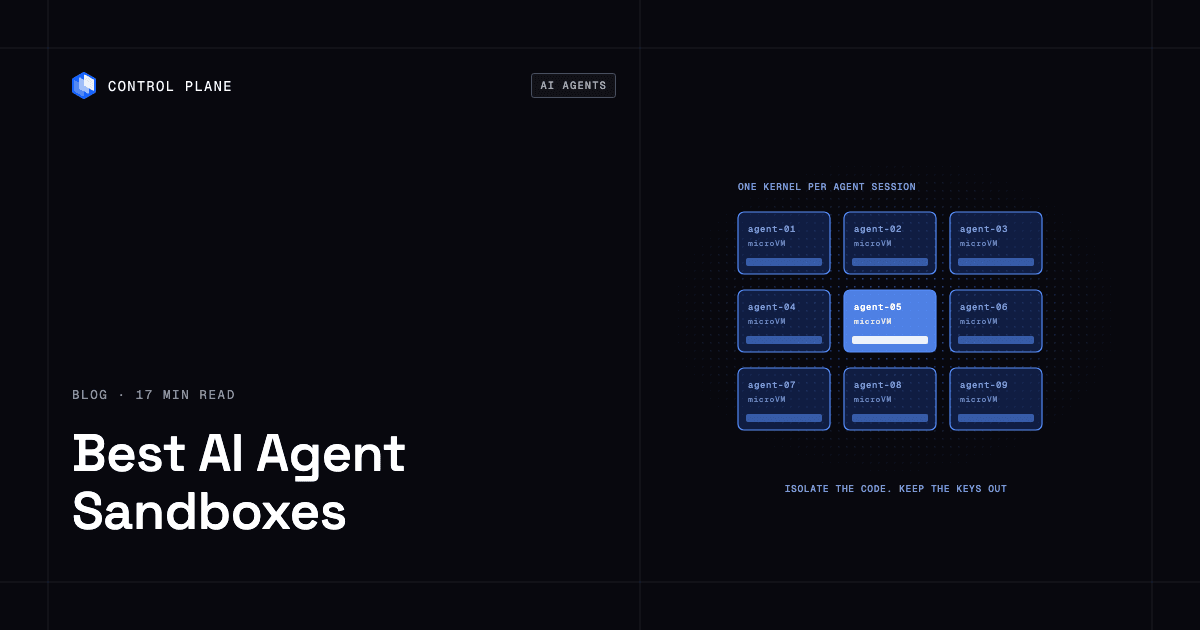
Control Plane is the platform for running unbreakable apps and agents. Its Sandboxes are ephemeral environments for AI coding agents and untrusted dynamic code. Each workload is isolated with cgroups, namespaces, and restricted syscalls and capabilities, and Sandboxes run in dedicated Kata Containers microVMs.
- Templates: teams define blueprint templates with the tools an agent needs, such as cloud CLIs, Git CLIs, and coding agent CLIs, then start ephemeral sandboxes from them.
- Size and access: sandboxes range from 2 to 16 or more CPUs, and each has a dedicated TLS endpoint. Developers connect with
cpln sandbox connect. - Idle behavior: sandboxes auto-sleep when idle and spin back up in under one second. There is no arbitrary execution timeout, so a sandbox runs as long as the work needs.
- Cloud credentials: sandboxes use Universal Cloud Identity to call AWS, GCP, and Azure services without storing credentials in the sandbox, so an agent has no cloud keys to leak.
- Private networks: Cloud Wormhole gives sandboxes access to services in VPCs and private on-premises networks behind firewalls, without VPN clients or agents to install.
- Scope: sandboxes are for building and running untrusted code, not for serving production traffic. Production agents run as regular workloads on the same platform.
On Control Plane-provided compute, you pay for the CPU and memory reserved for each workload, by the millicore and the megabyte, with no contracts or minimums. We do not quote sandbox prices here; talk to the team for specifics. For background on how sandbox design affects coding agents, read dumb sandbox vs smart sandbox for coding agents.
2. E2B
E2B describes its sandbox as a fast, secure Linux VM created on demand, which you can pause and resume. Per E2B, pausing saves both filesystem and memory, and paused sandboxes are kept until you kill them. Templates define the starting environment. SDKs cover JavaScript, TypeScript, and Python.
On E2B’s pricing page, Hobby is free with a $100 one-time usage credit, sessions up to 1 hour, and 20 concurrent sandboxes. Pro is $150 per month plus usage, with sessions up to 24 hours and 100 concurrent sandboxes, expandable to 600 or 1,100 with paid concurrency add-ons. Enterprise offers custom deployment and limits, including BYOC, with a $3,000 monthly minimum. Usage is billed per second at $0.000014 per vCPU-second and $0.0000045 per GiB-second of RAM; the default sandbox is 2 vCPUs and 4 GiB. Per E2B, egress can be controlled by CIDR or hostname, and a secrets vault injects credentials at the egress proxy. E2B also offers E2B Embed, an Apache-2.0 single-node package for self-hosting. Startup time is not published on the pages we read.
3. Modal Sandboxes
Modal describes Sandboxes as secure containers for executing untrusted code, such as LLM-generated code. They run on a user-space kernel runtime or a VM runtime with its own Linux kernel. Modal recommends the VM runtime for workloads that need a full Linux environment, such as Docker inside the sandbox or FUSE filesystems.
Per Modal, the default maximum lifetime is 5 minutes, adjustable up to 24 hours with a timeout. For longer work, Modal suggests Filesystem Snapshots, and an idle_timeout can end idle sandboxes. SDKs cover Python, JavaScript, and Go. Secrets can be passed to a sandbox as environment variables. On the pricing page, sandboxes are billed per second at non-preemptible rates of 3x list price, with CPU at $0.00003942 per core per second and memory at $0.00000667 per GiB per second. Starter is $0 plus compute and Team is $250 plus compute.
4. Daytona
Daytona describes its sandboxes as full composable computers with a dedicated kernel, filesystem, network stack, and allocated vCPU, RAM, and disk. Daytona states sandboxes spin up in under 90 ms from code to execution, are OCI and Docker compatible, and offer unlimited persistence. Official SDKs cover Python, TypeScript, Ruby, Go, and Java, plus an API and CLI.
Daytona’s pricing is per second: $0.0504 per vCPU-hour, $0.0162 per GiB-hour of memory, and $0.000108 per GiB-hour of storage, with $200 in free compute. Enterprise adds larger limits, SSO, audit logs, and BYOC. Daytona publishes network controls: block all traffic, or allow listed CIDRs and domains. Session length limits are not published on the pages we read.
5. Vercel Sandbox
Vercel Sandbox runs untrusted or agent-generated code in isolated Linux microVMs, each with its own filesystem and network. It supports Vercel-managed images and custom OCI images, and offers JavaScript and Python SDKs plus a CLI.
Billing is the distinctive part. Vercel’s Active CPU pricing does not charge for CPU while code waits on model responses or external APIs, though provisioned memory is billed while the sandbox runs. On the pricing and quotas page, the default region lists $0.128 per Active CPU hour and $0.0212 per GB-hour of memory. Hobby allows 45-minute sessions and 10 concurrent sandboxes. Pro and Enterprise allow 24-hour sessions and 10,000 concurrent sandboxes, and the limit resets each time a sandbox stops and resumes. Vercel’s firewall supports deny-all or domain and CIDR allowlists, and its credentials brokering injects credentials into outbound traffic so secrets never enter the sandbox. Secure Compute can reach your own AWS VPC over VPC peering.
6. Cloudflare Sandbox SDK
Cloudflare’s sandbox documentation describes two environments, both driven from a Worker. Containers run an image you provide as a full Linux environment, and Cloudflare states each instance is a microVM with its own kernel and network. Dynamic Workers run untrusted JavaScript, Python, or WebAssembly as a separate Worker, and the example blocks outbound requests with globalOutbound: null. It is available on the Workers Paid plan.
Cloudflare’s security guidance treats the sandbox as the smallest unit of trust and recommends keeping credentials in the Worker, which adds them to outbound requests after they leave the sandbox. Per Cloudflare, pricing and limits follow the underlying Containers platform, plus Workers and Durable Objects usage.
7. Runloop
Runloop provides Devboxes, which are isolated, ephemeral virtual machines for agents. Runloop states that startup to the first command takes a few seconds, and that long-running work can use snapshot, suspend, and resume. Network Policies restrict which external services a devbox can reach, and Agent Gateways and MCP Hub connect agents to LLM APIs and MCP servers without exposing real credentials to the devbox.
On Runloop’s pricing page, Basic is free plus usage, and Pro is $250 per month plus usage and adds suspend and resume. Enterprise adds Deploy to VPC. Listed usage rates are $0.108 per CPU-hour and $0.0252 per GB-hour of memory, with no minimums. Maximum session length is not published on the pages we read.
8. Fly.io Sprites
Fly.io’s current agent offering is Sprites: persistent, hardware-isolated Linux environments, each a dedicated microVM, with a full ext4 filesystem that persists between runs. Idle Sprites incur no compute charges and wake on the next request. Sprites takes live copy-on-write checkpoints of the whole disk, gives each Sprite its own HTTPS URL, and provides Connectors, which let code call outside services through a provider and connection ID without holding the provider credential. Clients include a CLI and JavaScript, Go, Python, and Elixir SDKs. Fly.io bills Sprites per second. Maximum session length is not published on the pages we read.
How do the options compare?
Isolation, speed, limits, and persistence:
| Option | Isolation | Start or resume | Session limit | Persistence |
|---|---|---|---|---|
| Control Plane | Dedicated Kata Containers microVM | Resume under 1 second | No arbitrary execution timeout | Auto-sleep when idle |
| E2B | Linux VM | Not published | 1 hour (Hobby), 24 hours (Pro), custom on Enterprise | Pause saves filesystem and memory |
| Modal | User-space kernel or VM runtime | Not published | 5 minutes default, up to 24 hours | Filesystem Snapshots |
| Daytona | Dedicated kernel | Under 90 ms (vendor claim) | Not published | Unlimited persistence (vendor claim) |
| Vercel Sandbox | microVM | Milliseconds (vendor claim) | 45 minutes (Hobby), 24 hours (Pro), per session | Persistent by default, snapshots, Drives |
| Cloudflare | microVM (Containers), Worker isolation (Dynamic Workers) | Not published | Not published | Snapshots, R2 mounts |
| Runloop | VM | A few seconds | Not published | Snapshot, suspend, resume |
| Fly.io Sprites | Dedicated microVM | Wake from idle | Not published | Persistent ext4, checkpoints |
Network, credentials, SDKs, BYOC, and billing:
| Option | Network and private access | Credential handling | SDKs and interfaces | BYOC or self-host | Billing model |
|---|---|---|---|---|---|
| Control Plane | Dedicated TLS endpoint; Cloud Wormhole to VPCs and on-premises networks | Universal Cloud Identity, no stored cloud keys | CLI, console, API, Terraform, Pulumi, MCP server | Ask the Control Plane team | Reserved CPU and memory by millicore and megabyte, no contracts or minimums |
| E2B | Egress control by CIDR or hostname | Secrets vault injects at egress proxy | Python, JavaScript, TypeScript | BYOC on Enterprise; E2B Embed self-host | Per second plus plan fee |
| Modal | Block all or CIDR/domain allowlists | Secrets as environment variables | Python, JavaScript, Go | Not published | Per second plus plan fee |
| Daytona | Block all or CIDR/domain allowlists | Not published | Python, TypeScript, Ruby, Go, Java, API, CLI | BYOC on Enterprise | Per second |
| Vercel Sandbox | Egress firewall (deny-all, domain/CIDR allowlists); VPC peering via Secure Compute | Credentials brokering at the firewall | JavaScript, Python, CLI | Not published | Active CPU, memory, creations, storage |
| Cloudflare | Internet off by default for Containers; Worker outbound handlers | Credentials kept in the Worker | Worker SDK | Not published | Containers, Workers, Durable Objects usage |
| Runloop | Network Policies for egress; Deploy to VPC on Enterprise | Agent Gateways and MCP Hub | Python, TypeScript, CLI | Deploy to VPC on Enterprise | Plan fee plus per-second usage |
| Fly.io Sprites | Connectors to HTTP APIs | Connectors | CLI, JavaScript, Go, Python, Elixir, API | Not published | Per second, no compute charge when idle |
Which agent sandboxes can reach private networks or cloud services without storing credentials?
Control Plane combines two features for this. Universal Cloud Identity gives sandboxes short-lived, least-privilege access to AWS, GCP, and Azure services with no cloud keys stored in the sandbox. Cloud Wormhole reaches services in VPCs and private on-premises networks without VPN clients or agents to install.
Other vendors cover parts of the problem. E2B’s secrets vault and Vercel’s credentials brokering inject credentials at the egress point, and Vercel’s Secure Compute reaches an AWS VPC over VPC peering. Cloudflare keeps credentials in the Worker. Runloop’s Agent Gateways and MCP Hub keep real credentials out of the devbox, and Deploy to VPC is an Enterprise feature. Fly.io Sprites route calls through Connectors. Private-network access is not published for the remaining vendors on the pages we read. Control Plane is the option here that covers cloud access without stored keys across AWS, GCP, and Azure and private on-premises networks in the same platform.
How much do AI agent sandboxes cost, and how is usage billed?
Most sandboxes bill compute by the second, so short sessions cost little. The differences are in what counts as usage.
- Wall-clock compute: E2B, Modal, Daytona, and Runloop bill CPU and memory while the sandbox runs.
- Active CPU: Vercel excludes CPU time spent waiting on model responses and still bills provisioned memory.
- Idle time: Fly.io Sprites charge no compute while idle. Control Plane sandboxes auto-sleep when idle.
- Platform fees: E2B Pro is $150 per month, Modal Team is $250 per month, and Runloop Pro is $250 per month, each plus usage.
- Reserved resources: On Control Plane-provided compute, you pay for reserved CPU and memory by the millicore and megabyte, with no contracts or minimums.
Check each vendor’s pricing page before you commit, because rates and plan terms change.
Should coding agents run in a sandbox or in production infrastructure?
Both, for different jobs. A sandbox is where an agent builds and runs untrusted code. Production infrastructure is where a finished agent serves users. A sandbox is ephemeral and should not serve production traffic. A production agent needs policies, identities, audit trails, and rollback. The AI agents in production guide covers those requirements in detail. For platform options, see 10 best AI agent infrastructure platforms in 2026 and where to run agents in production.
On Control Plane, production agents run as regular workloads. Control Plane combines any cloud, neocloud, and bare metal into one Global Virtual Cloud (GVC). A workload deployed to a GVC runs active-active in every location of that GVC, and a global endpoint routes each request to the nearest healthy location. The 99.999% availability SLA applies to workloads running at least two replicas in at least two locations. Those locations can be two regions of one cloud or locations on different providers. Control Plane is PCI DSS Level 1, SOC 2 Type II, HIPAA, and GDPR compliant. Customers typically cut compute costs 30 to 50 percent compared with running directly on AWS, GCP, or Azure.
How do I run untrusted, LLM-generated code securely?
Run it in an ephemeral sandbox with its own kernel, limited network reach, no long-lived secrets, and logging. Use this checklist.
- Isolation: use a microVM or VM boundary for code from models you do not control. Accept a container or user-space kernel only if you accept a weaker kernel boundary.
- One sandbox per task or user: everything in one sandbox can read everything else in it.
- Egress control: block outbound traffic by default and allow only the hosts the task needs.
- No long-lived secrets: keep API keys and cloud keys out of environment variables, files, and clone URLs. Use short-lived credentials, a credential proxy, or workload identity.
- Least privilege: scope the sandbox identity to the minimum APIs and resources.
- Resource limits: cap CPU, memory, disk, and process count, and sleep or stop idle sandboxes.
- Audit logging: record commands, network calls, and identity use, and store the logs outside the sandbox.
- Ephemeral environments: start from a known template and destroy or reset the sandbox after the task.
FAQ
What is the best sandbox for running AI-generated code?
It depends on what the code must reach. Control Plane ranks first in this guide because it combines microVM isolation, no stored cloud credentials, and private network access. For public-internet-only work, E2B, Daytona, Modal, Vercel Sandbox, Runloop, and Fly.io Sprites are all documented options.
What are the best E2B alternatives?
Control Plane, Modal Sandboxes, Daytona, Vercel Sandbox, Cloudflare Sandbox SDK, Runloop, and Fly.io Sprites. Compare them on isolation, session limits, private-network reach, and billing using the tables above.
Are containers safe enough for untrusted AI code?
Containers share the host kernel, so a kernel vulnerability can cross the boundary. A user-space kernel reduces that exposure. A microVM or VM adds a separate guest kernel, which is the stronger default for untrusted model output.
What is a microVM?
A microVM is a lightweight virtual machine with its own guest kernel and a minimal device model. It gives VM-level isolation with faster startup than a full VM. Kata Containers runs container workloads in microVMs.
How does Control Plane isolate sandboxes?
Each workload is isolated with cgroups, namespaces, and restricted syscalls and capabilities, and Sandboxes run in dedicated Kata Containers microVMs.
How long can an agent sandbox run?
It varies. E2B lists 1 hour on Hobby and 24 hours on Pro. Modal defaults to 5 minutes and allows up to 24 hours. Vercel lists 45 minutes on Hobby and 24 hours on Pro. Control Plane sandboxes have no arbitrary execution timeout and sleep when idle.
How can a sandbox call AWS, GCP, or Azure without stored keys?
Through workload identity. On Control Plane, Universal Cloud Identity gives workloads short-lived, least-privilege access to 600+ AWS, GCP, and Azure services, with no long-lived cloud keys in your code.
Can a sandbox reach private networks?
Some can. Control Plane uses Cloud Wormhole to reach services in VPCs and private on-premises networks behind firewalls, without VPN clients or agents to install. Vercel Sandbox reaches an AWS VPC over VPC peering through Secure Compute, and Runloop lists Deploy to VPC on Enterprise.
Can I use a sandbox to serve production traffic?
It isn’t what sandboxes are built for. On Control Plane, sandboxes are for building and running untrusted code, and production agents run as regular workloads. In general, production agents belong on production infrastructure with policies, identities, audit trails, and rollback.
Next steps
Control Plane runs sandboxes for coding agents and the production workloads those agents ship.