
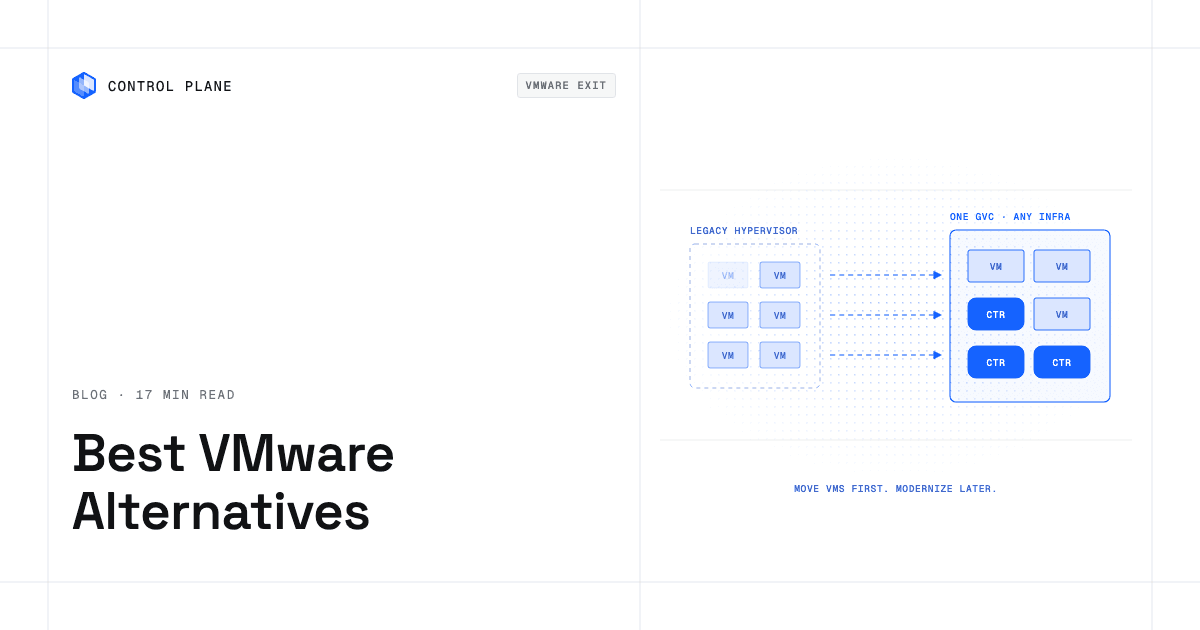
There are four ways out of VMware vSphere: move to another hypervisor, run VMware as a hosted service on a hyperscaler, rehost your VMs natively in a public cloud, or move to a platform that runs VMs and containers together on infrastructure you choose. The right one depends on how much you want to change now versus later.
Disclosure: Control Plane publishes this guide and is one of the options listed.
TL;DR: What are the best alternatives to VMware following Broadcom’s licensing changes?
Seven options across the four paths, ranked by our seven criteria and weighted toward flexibility after the move:
- Control Plane: runs VMs and containers in one platform, on your own servers or in public cloud locations.
- Nutanix AHV: another hypervisor with a vendor migration tool (Nutanix Move).
- Red Hat OpenShift Virtualization: runs VMs next to containers on Kubernetes, with Red Hat’s Migration Toolkit for Virtualization.
- Microsoft Hyper-V and Azure Local: Windows Server virtualization, plus Azure-managed hybrid infrastructure.
- Proxmox VE: an open-source KVM and LXC platform with a built-in ESXi import wizard.
- SUSE Virtualization (Harvester): open-source hyperconverged infrastructure built on Kubernetes and KubeVirt.
- Hosted VMware services (Azure VMware Solution, Google Cloud VMware Engine): the fastest way to leave your data center, while you keep the VMware stack and a Broadcom subscription.
If you want the least change today, pick a hosted VMware service or a like-for-like hypervisor. If you want to stop being tied to any single stack, pick a platform that runs VMs now and lets you move them to containers later.
What changed with Broadcom?
- Perpetual licenses ended. On December 11, 2023, Broadcom announced the end of sale of perpetual licenses and of Support and Subscription renewals for perpetual offerings. Offerings are sold as subscriptions or term licenses. Customers may keep using perpetual licenses they already own.
- The portfolio narrowed. Broadcom said the division would focus on two primary offers, VMware Cloud Foundation and VMware vSphere Foundation. A January 2024 VMware blog post says many products are only offered as part of those two bundles. At the time, it said vSphere Standard and vSphere Essentials Plus Kit remained available for lighter needs.
- Minimum purchases and late-renewal fees were reported. The Register, CRN, and heise reported that from April 10, 2025 the minimum order rose from 16 to 72 cores per order line, and a late-renewal penalty of 20 percent, which CRN describes as 20 percent of the first year’s subscription price. The Register and CRN based this on a memo from distributor Arrow. Check current terms with Broadcom or your reseller.
- Hosted VMware services follow Broadcom’s licensing. Microsoft’s pricing page for Azure VMware Solution says all sizes now require a portable VMware Cloud Foundation subscription from Broadcom. Google Cloud says you can bring your own VMware Cloud Foundation licenses to VMware Engine.
Plan the exit timeline around your renewal date.
What are the four VMware exit paths?
| Path | What changes | Effort | Lock-in after the move | Who it suits |
|---|---|---|---|---|
| 1. Another hypervisor (Nutanix AHV, Hyper-V, Proxmox VE, OpenShift Virtualization, Harvester) | Hypervisor and management tools. Location usually stays. | Medium. Retrain staff and revalidate backup, network, and monitoring. | Moves to the new vendor or open-source project. | Teams that want the same data center with a different license. |
| 2. Hosted VMware service (Azure VMware Solution, Google Cloud VMware Engine) | Location. The VMware stack stays. | Low to medium. Tools and skills carry over. | Still tied to VMware and a Broadcom subscription. | Teams with a data center exit date and little time to re-platform. |
| 3. Native public cloud rehost (EC2, Compute Engine, Azure VMs) | Hypervisor, location, and operations. | Medium to high. Convert images and rebuild networking and identity. | Moves to one cloud’s services. | Teams committed to one hyperscaler. |
| 4. VMs and containers on one platform (Control Plane, and Kubernetes-based options such as OpenShift Virtualization and Harvester) | Operating model. VMs run next to containers. | Medium. Move VMs as VMs first, modernize later. | Lowest when the platform spans several clouds and your own hardware. | Teams that want to exit VMware without picking one cloud. |
How we evaluated
We compared each option on seven criteria. Each description below uses the vendor’s own pages.
- VM compatibility: which existing guests it runs, and how disks are converted.
- Where it runs: bare metal, public cloud, on premises, or a mix.
- Migration tooling: replication, test boot, cutover, and what the vendor says about rollback.
- Path to containers: whether you can modernize on the same platform later.
- Operations burden: what you still patch, upgrade, and staff.
- Cost model transparency: whether the pricing unit is published and simple to model.
- Lock-in: what it costs to leave the new platform.
We did not run benchmarks. Performance claims below are the vendors’ own, attributed to them.
What are the best VMware alternatives in 2026?
1. Control Plane
Control Plane is the platform for running unbreakable apps and agents. It combines any cloud, neocloud, and bare metal into one Global Virtual Cloud (GVC). It runs serverless, standard, stateful, cron, and VM workloads on AWS, GCP, and Azure, on clusters you already run through Bring Your Own Kubernetes (BYOK), and on your own servers or on premises through Managed Kubernetes (MK8s).
- VMs are a native workload type. Control Plane’s VM documentation describes a lift and shift of an existing VM image (VMDK, qcow2, or VHD) without re-platforming it into a container. VMs get the same identity, firewall, domains, logs, and metrics as containers, including Universal Cloud Identity, which gives workloads short-lived, least-privilege access to 600+ AWS, GCP, and Azure services, with no long-lived cloud keys in your code.
- Where VMs run. VM workloads run on MK8s or Bring Your Own Kubernetes (BYOK) locations that have the KubeVirt add-on enabled and a node pool on KVM-capable machines: bare-metal servers, or cloud instances with nested virtualization, per the KubeVirt add-on docs. That covers your own data center and supported cloud instances.
- One GVC can span your data center and a cloud. A GVC can include locations in your current data center (through MK8s) and in a public cloud. When each location has KVM-capable nodes, the same VM workload runs in both, and requests go to the nearest healthy location.
- A path to containers on the same platform. Move a VM as a VM first, then modernize it into containers later without changing platforms.
- Availability. The 99.999% availability SLA applies to workloads running at least two replicas in at least two locations. Those locations can be two regions of one cloud or locations on different providers.
- Cost. Customers typically cut compute costs 30 to 50 percent compared with running directly on AWS, GCP, or Azure. On Control Plane-provided compute, you pay for the CPU and memory reserved for each workload, by the millicore and the megabyte, with no contracts or minimums.
- Compliance. Control Plane is PCI DSS Level 1, SOC 2 Type II, HIPAA, and GDPR compliant.
- One API. Teams operate Control Plane through one API, with the same capabilities in the CLI, console, Terraform, Pulumi, and the Control Plane MCP server. It complements Terraform and Pulumi.
How a VMware workload moves onto Control Plane, per its docs:
- Import is image-based. Export each VM’s disk (VMDK, VHD, qcow2, or raw) and point a VM workload at it over HTTP(S) or as a container disk image. Control Plane converts the format on import, so you can ship a VMDK directly, per the VM image guide.
- Keep durable state on a volume set.
- VMs restart rather than live-migrate. When a node is scaled down or replaced, the VM cold-restarts from its disk. Apps that can run more than one instance stay available by running replicas in two or more locations.
- Size VMs in whole CPU cores, with one network interface per VM. Secure Boot is not yet available.
- Check the workload types reference against your requirements.
Best for: teams that want to leave VMware without picking one cloud, and that expect to move some VMs to containers over time. Related reading: how to move off a single cloud provider without re-architecting your apps, how to avoid cloud vendor lock-in, and 9 best hybrid cloud platforms in 2026.
2. Nutanix AHV
Nutanix describes AHV as a virtualization platform for VMs in the datacenter, at the edge, and in public clouds. Its FAQ says AHV is not sold as a standalone product and is included with a Nutanix Cloud Infrastructure license. Nutanix lists HA, live migration, and native disaster recovery. For migration, it offers Nutanix Move, which it describes as a free tool that migrates VMs from VMware ESXi, Microsoft Hyper-V, and AWS. Nutanix also publishes a page on moving from Azure VMware Solution to Nutanix Cloud Clusters on Azure.
Best for: a like-for-like hypervisor move that keeps live migration. Plan for: the license is tied to the Nutanix platform.
3. Red Hat OpenShift Virtualization
Red Hat says OpenShift Virtualization lets you migrate, run, and manage VMs alongside containers and serverless workloads on one platform. It is built on the KVM hypervisor and is an operator included with any OpenShift edition. Red Hat also offers an OpenShift Virtualization Engine edition for VM-only needs. Migration uses the Migration Toolkit for Virtualization.
Best for: teams that already run or plan to run OpenShift. Plan for: you operate or buy an OpenShift platform.
4. Microsoft Hyper-V and Azure Local
Microsoft describes Hyper-V as a type-1 hypervisor built into Windows Server, with live migration, failover clustering, and Hyper-V Replica. Azure Local extends Azure to customer-owned hardware and uses Azure Arc for management, and its FAQ says it runs virtual machines, containers, and select Azure services locally. Microsoft says Azure Local is priced per physical core plus consumption charges. Microsoft documents migrating VMware VMs to Azure Local with Azure Migrate, without agents on the source VMs.
Best for: Windows-heavy estates. Plan for: standard deployments must sync with Azure at least once every 30 days or new VMs can’t be created; permanently disconnected sites need Microsoft’s separate disconnected-operations option.
5. Proxmox VE
Proxmox describes Proxmox VE as an open-source server management platform that combines the KVM hypervisor and Linux Containers. Version 8.2 added an import wizard for VMware ESXi VMs. The wiki lists limits: VMs on vSAN-backed disks and encrypted disks cannot be imported directly, vTPM state does not migrate, and the source VM must be powered down.
Best for: teams with strong Linux skills that want open source. Plan for: enterprise support and the stable enterprise repository require a paid Proxmox subscription.
6. SUSE Virtualization (Harvester)
Harvester is open-source hyperconverged infrastructure built on Linux, KVM, Kubernetes, KubeVirt, and Longhorn, for bare metal servers. SUSE’s documentation says it runs VMs and, through Rancher, containerized environments, from the data center to the edge.
Best for: Kubernetes-oriented teams that own hardware. Plan for: it targets bare metal servers you operate.
7. Hosted VMware services
Azure VMware Solution provides vSphere private clouds on dedicated Azure bare metal, with a three-host minimum and a required portable VCF subscription. Google Cloud VMware Engine is a managed service that runs the VMware platform on Google Cloud bare metal, and Google says you can bring your own VCF licenses. Both vendors describe moving VMs without refactoring.
Best for: a fixed data center exit date. Plan for: you stay on the VMware stack, so the Broadcom relationship continues.
Which VMware alternatives support running the same VMs on bare metal or public cloud?
Azure VMware Solution runs vSphere on dedicated bare-metal Azure hosts. Google Cloud VMware Engine runs on Google Cloud bare metal infrastructure. Nutanix says AHV runs in the datacenter, at the edge and in public clouds. OpenShift Virtualization, Proxmox VE, and Harvester run on servers you own or operate. Control Plane runs VMs on MK8s or BYOK locations with KVM-capable nodes, from bare-metal servers in your data center to cloud instances with nested virtualization, all in one GVC. Disk formats and guest tools often need conversion along the way.
Which migration automation tools handle replication and failback?
Most tools below document replication. Few document failback to the source, so check each tool’s own docs for rollback.
| Tool | Replication model, per the vendor | Rollback or failback, per the vendor |
|---|---|---|
| Nutanix Move | Free migration tool from ESXi, Hyper-V, and AWS to AHV | Check Move’s documentation for rollback options. |
| Red Hat MTV | Cold and warm migration. Warm copies changed-block snapshots, hourly by default, then shuts down the source for a final delta. RAM is not migrated. | The source VM is shut down at cutover. Keep it until you validate. |
| AWS Transform MGN (formerly AWS Application Migration Service) | Agent-based continuous block-level replication, with cutover windows of minutes (AWS’s wording). AWS says agentless vCenter replication is no longer available for new deployments. | You can revert a cutover to the “ready for cutover” state. AWS’s FAQ says AWS Elastic Disaster Recovery can fail back to the source environment and MGN cannot. |
| Azure Migrate for Azure Local | Agentless replication, then migrate and verify | Source VMs stay until you clean them up. Microsoft recommends shutting them down before migration to avoid data loss. |
| RiverMeadow | Continuous, scheduled, or on-demand replication | RiverMeadow says the source remains intact while work is performed on the clone. |
| Proxmox import wizard | Full-VM import from ESXi, with a live-import option | Live import leaves the ESXi VM off. If the import fails, data written since the start is lost. |
The common pattern is to keep the source VM powered off but intact for an agreed window and treat that as your rollback. Only some tools publish reverse replication.
What are the steps to plan a VMware exit strategy for a large enterprise data center?
- Inventory and map dependencies. List every VM, host, datastore, and network. Record owners, guest OS, disk size, change rate, and which VMs talk to which. Include VMware-specific features in use, such as fault tolerance, vTPM, encrypted disks, and snapshots, since several tools above list these as limits.
- Set the licensing timeline. Pull your contract end dates. Decide whether a short bridge renewal buys time for a staged exit, and confirm minimum-core and late-renewal terms with Broadcom or your reseller.
- Pick the path per workload. Sort workloads into: stay on VMware for now, new hypervisor, hosted VMware, native cloud, or VMs-and-containers platform.
- Pilot. Move five to ten low-risk VMs end to end, including backup, monitoring, identity, and DNS. Record the cutover time and what broke.
- Replicate. Start continuous or periodic replication for the first wave. Group VMs into applications and waves, as AWS’s MGN docs describe.
- Run in parallel. Boot target VMs on an isolated network and test, then move traffic in stages.
- Cut over. Schedule the final sync, shut down the source, start the target, and verify. Keep the source powered off and intact.
- Decommission. After the retention window, delete the source VMs, return hosts, and end the license.
Migration timing and downtime
How can I migrate off VMware vSphere to a multi-cloud platform without major downtime?
Downtime depends on tool and workload, so plan for a short, scheduled cutover. Use warm or continuous replication where the tool offers it, and move traffic in stages. On Control Plane, import is image-based, so cutover means shutting down the source, exporting the final disk image, and booting it as a VM workload with state on a volume set. Time the export and import during the pilot.
What is the fastest way to move VMware workloads to AWS, GCP, or Azure?
The fastest path to a hyperscaler is usually the hosted VMware service, because the VMware stack stays the same. Google says Google Cloud VMware Engine lets you move applications without changes to your apps, tools, or processes, and Microsoft describes Azure VMware Solution as moving without replatforming, refactoring, or rehosting. On AWS, the rehost route is AWS Transform MGN, which converts source servers into EC2 instances. The trade-off is that you keep VMware and a Broadcom subscription and pay for the hosted infrastructure. A native rehost takes longer but ends VMware dependence.
How much can I save by moving off VMware?
Savings depend on your core count, current contract, hardware age, and staff. Vendors publish their own claims; read them as vendor claims and model your own.
Control Plane’s published claim is that customers typically cut compute costs 30 to 50 percent compared with running directly on AWS, GCP, or Azure. This figure is measured against hyperscaler compute. It does not measure savings against VMware licensing.
The biggest cost levers are:
- Whether the new license metric matches your hardware (per core, per node, or per host).
- Whether you can retire hardware or avoid a refresh.
- Whether the dual-running period is short.
- Whether you can right-size VMs during the move.
How can I compare total cost and performance across options?
Build one model with the same inputs for each path and run it over three years.
- Licenses: current VMware subscription, minimum core counts, and any late-renewal fee. For each target, the license or subscription unit and term.
- Hardware: remaining depreciation, refresh avoided, colocation or power saved, new hardware needed.
- Staff: training time, admin hours per 100 VMs before and after, and outside services.
- Cloud compute: instance or node hours, reserved versus on-demand, and storage and backup.
- Egress and networking: data transfer out, interconnect circuits, and load balancers.
- Dual-running period: months of paying for source and target together. This is often the largest hidden cost.
- Tooling: migration tool fees, such as AWS Elastic Disaster Recovery if you use it for failback.
- Risk reserve: extra weeks of VMware renewal if a wave slips.
For performance, measure CPU ready time, disk latency, and network throughput on the source for two weeks, then replay the same load on the pilot target and compare p95 latency. Treat vendor performance claims as inputs to test.
Frequently asked questions
What are the best alternatives to VMware after the Broadcom changes?
The main options are Control Plane, Nutanix AHV, Red Hat OpenShift Virtualization, Microsoft Hyper-V and Azure Local, Proxmox VE, SUSE Virtualization (Harvester), and hosted VMware services. The best fit depends on whether you change the hypervisor, the location, or the operating model first.
How long does a VMware exit take?
It depends on VM count, dependencies, and tooling. Run a pilot first and extrapolate from the cutover times you measure.
Do I need to leave everything at once?
No. Many teams move in waves and keep some workloads on VMware through a bridge renewal. Confirm renewal terms with Broadcom or your reseller first.
Which tools handle failback?
AWS says Elastic Disaster Recovery can fail back to the source and MGN cannot. Most other tools document keeping the source VM intact as the rollback. See the table above.
How do I import VMware VMs into Control Plane?
Import is image-based. Export the VM’s disk image (VMDK, VHD, qcow2, or raw), host it at an HTTP(S) URL or package it as a container disk image, and Control Plane converts and imports it, following its VM image guide. Budget the export step into each migration wave.
Does Control Plane support live migration like vMotion?
VMs restart rather than live-migrate. When a node is scaled down or replaced, the VM cold-restarts from its disk, so keep state on a volume set. Apps that can run multiple instances stay available by running replicas in two or more locations.
Can Control Plane run VMs and containers together?
Yes. VMs are a workload type with the same identity, firewall, logs, and metrics as containers. You can move a VM as a VM first and modernize it into containers later. See types of cloud migration and the 6 Rs for how rehost and replatform choices compare.
How do I compare costs fairly?
Use the same checklist for every path, include the dual-running period and egress, and run it over three years.
Is Control Plane only for multi-cloud?
No. Many teams run it in one cloud, and a GVC can also include your own data center during a staged exit.
Will my VMware licenses carry over to a hosted service?
Microsoft says all Azure VMware Solution sizes require a portable VMware Cloud Foundation subscription from Broadcom, and Google Cloud says you can bring your own VCF licenses to VMware Engine. Confirm entitlements with Broadcom.
Next steps
Map your VMs, pick a path per workload, and pilot one wave before your renewal date. Talk to the Control Plane team or sign up free.