
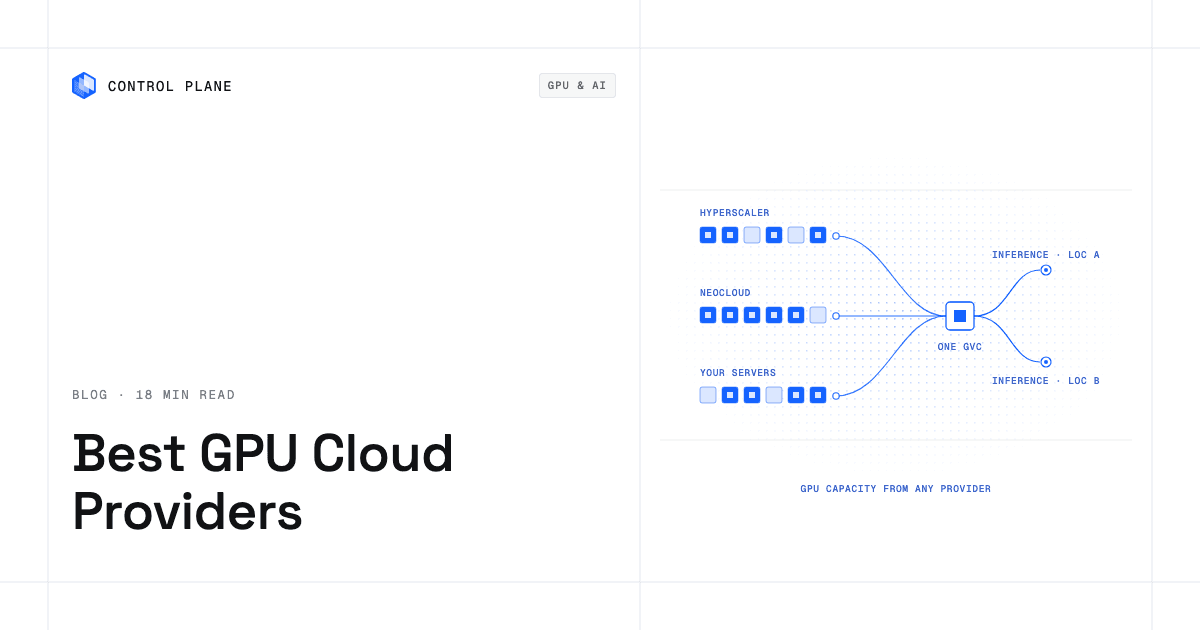
The right GPU cloud depends on four things: the workload (steady inference, bursty inference, or large training runs), the GPU models you need, where your data must live, and how much lock-in you can accept. Many teams combine providers to improve price and availability, and run them behind one control layer so moving capacity is a traffic change, not a migration.
Disclosure: Control Plane publishes this guide and is one of the options listed.
This guide covers ten options, compares CoreWeave, Lambda, and AWS side by side, and gives you a cost formula for deciding whether to rent or build. Every vendor description comes from that vendor’s own pages, linked inline and read on October 22, 2026. Vendor offerings change often, so confirm details before you sign.
TL;DR: What are the best GPU cloud providers for inference and training?
Control Plane is listed first because it is the layer that runs workloads across the others. The rest are grouped by capacity type: hyperscalers (2 to 4), GPU neoclouds (5 to 8), then serverless platforms (9 and 10). Order within a group is not a score.
- Control Plane: NVIDIA GPUs from T4 to B200, plus the layer that runs inference containers active-active across clouds, neoclouds, and your own servers.
- AWS: H100 and H200 instances with up to 3,200 Gbps EFA networking, plus SageMaker, EKS, and ECS.
- Google Cloud: a GPU range from T4 and L4 up to GB300 on Compute Engine, with GKE and Slurm through AI Hypercomputer.
- Microsoft Azure: NC and ND GPU families from T4 to GB300, including confidential H100 VMs and AMD MI300X.
- CoreWeave: NVIDIA GPUs on bare metal, with Blackwell, H200, and H100.
- Lambda: self-serve 1x to 8x GPU instances billed by the minute, with no egress fees.
- Nebius: an AI cloud with non-virtualized GPUs, InfiniBand, and serverless and managed inference.
- Crusoe: NVIDIA and AMD GPUs with managed Kubernetes, managed Slurm, and managed inference.
- RunPod: Pods, Serverless, and Clusters, with 30+ GPU SKUs across 31 regions.
- Modal: serverless GPU functions billed per second.
Deciding questions:
- Is the workload steady inference, bursty inference, or a training run? Steady favors reserved or owned capacity. Bursty favors serverless or on-demand. Training favors fast interconnect and large contiguous clusters.
- Which GPU models do you need, and does the provider have them in the regions you need?
- Where must the data and the inference traffic live?
- How many weeks can you wait for capacity?
- Can you move the workload to another provider in days, not quarters?
What are the four kinds of GPU capacity?
| Type | Strengths | Limits | Suits |
|---|---|---|---|
| Hyperscalers (AWS, Google Cloud, Azure) | Broad service catalogs, many regions, existing contracts and identity, managed ML services | Quotas and regional availability vary by GPU model; GPU instances sit inside a provider-specific stack | Teams already standardized on one cloud that need GPUs next to their data |
| GPU neoclouds (CoreWeave, Lambda, Nebius, Crusoe) | GPU-first design, bare metal or non-virtualized access, fast interconnect, large clusters | Narrower service catalog, fewer regions, separate identity and networking to integrate | Training runs, large steady inference fleets, price-sensitive capacity |
| Serverless inference platforms (RunPod Serverless, Modal) | Scale to zero, per-second billing, little infrastructure to run | Less control over placement and networking; pricing models differ by platform | Bursty or unpredictable inference, fast prototyping |
| Your own hardware (owned or colocated) | Control of hardware, data location, and network; low marginal cost at high sustained use | Capital, lead times, power and cooling, staff, refresh cycles | Very high, predictable utilization with a team to operate it |
A common pattern is a hyperscaler for data-adjacent services, a neocloud for baseline GPU capacity, and serverless for spikes.
How did we evaluate?
Seven criteria, each tied to a question you can ask a vendor:
- GPU models offered. Which NVIDIA or AMD models are listed, and are they self-serve or sales-gated?
- Availability and quotas. Is capacity first-come, quota-gated, or reserved by contract?
- Pricing model transparency. Are rates published, and what is the billing unit (hour, minute, second)?
- Networking and storage for training. Interconnect (EFA, InfiniBand, RDMA), parallel file systems, and egress fees.
- Compliance. Which certifications does the vendor state on its own pages?
- Regions. How many, and where? Can you place inference near users?
- Portability. Standard containers and Kubernetes, or a proprietary runtime?
The shortlist: which providers should you consider?
1. Control Plane
Control Plane is the platform for running unbreakable apps and agents. It combines any cloud, neocloud, and bare metal into one Global Virtual Cloud (GVC). You can attach NVIDIA GPUs on Control Plane-provided compute, or join GPU servers you already have from a neocloud or your own data center, and run your inference containers across all of them.
- GPUs: Workloads can attach NVIDIA GPUs, and the pricing page lists models from T4 to B200: T4, L4, A4000, A5000, L40S, A40, A6000, A10, V100, A100 (40GB and 80GB), H100, H200, and B200, listed per GPU-hour. The page states: “Per-second billing on NVIDIA accelerators. Subject to availability.”
- GPU Ocean: GPU Ocean lets you pull GPU capacity from any provider. Today you do this with Managed Kubernetes (MK8s) by joining GPU servers from a neocloud or your own data center as Control Plane locations. See how to combine GPU capacity across providers.
- Active-active: A workload deployed to a GVC runs in every location of that GVC, and a global endpoint routes each request to the nearest healthy location. An inference service can run on two GPU providers at once and keep serving if one has an outage or runs out of capacity.
- Availability: The 99.999% availability SLA applies to workloads running at least two replicas in at least two locations. Those locations can be two regions of one cloud or locations on different providers.
- Where it runs: serverless, standard, stateful, cron, and VM workloads on AWS, GCP, and Azure, on clusters you already run through Bring Your Own Kubernetes (BYOK), and on your own servers or on premises through MK8s. On Control Plane-provided compute, there is no Kubernetes cluster you have to operate.
- Identity and security: Universal Cloud Identity gives workloads short-lived, least-privilege access to 600+ AWS, GCP, and Azure services, with no long-lived cloud keys in your code. Control Plane is PCI DSS Level 1, SOC 2 Type II, HIPAA, and GDPR compliant.
- CPU and memory cost: On Control Plane-provided compute, you pay for the CPU and memory reserved for each workload, by the millicore and the megabyte, with no contracts or minimums. Capacity AI right-sizes CPU and memory for each workload based on observed usage, within a minimum and maximum you set. For these CPU and memory costs, customers typically cut compute costs 30 to 50 percent compared with running directly on AWS, GCP, or Azure.
- Operations: One API, with the same capabilities in the CLI, console, Terraform, Pulumi, and the Control Plane MCP server. It complements Terraform and Pulumi.
Best for: teams that want several GPU sources behind one deployment target. How you use it: bring your own inference container (vLLM, TGI, Triton, or any image).
2. AWS
AWS EC2 P5 instances use NVIDIA H100 GPUs, and P5e and P5en use H200. Sizes run from p5.4xlarge (one H100) to the 8-GPU p5.48xlarge. AWS lists up to 3,200 Gbps of EFA networking, EC2 UltraClusters of up to 20,000 H100 or H200 GPUs, Amazon FSx for Lustre, and up to 30 TB of local NVMe SSD storage per instance. You can run them through SageMaker, SageMaker HyperPod, EKS, or ECS, and reserve capacity for future use with EC2 Capacity Blocks. Per the page, p5.4xlarge does not support GPUDirect RDMA. Best for: teams whose data and services already live in AWS.
3. Google Cloud
Google’s GPU machine types documentation lists A4X Max (GB300), A4X (GB200), A4 (B200), A3 Ultra (H200), A3 Mega, A3 High, and A3 Edge (H100), A2 (A100), G4 (RTX PRO 6000), G2 (L4), and N1 with T4, P4, or V100. It says A3 Edge is designed for serving and is available in a limited set of regions, and that T4 and P4 reach end of support on August 1, 2027. N1 instances with GPUs use a terminate-and-restart maintenance behavior. Google also lists AI Hypercomputer with Google Kubernetes Engine and Slurm integrations. Best for: teams on Google Cloud, or teams that want L4-class cost-optimized inference through G2.
4. Microsoft Azure
Microsoft’s VM sizes overview lists GPU-accelerated families. The NC family includes RTX PRO 6000 BSE v6, H100 v5, confidential H100 v5 (NCCads_H100_v5), A100 v4, and T4 series. The ND family includes GB300 v6, GB200 v6, MI300X v5, H200 v5, H100 v5, and A100 v4 series. Microsoft also lists a DC family of general-purpose confidential VMs with hardware-based trusted execution environments. Best for: Microsoft-centric enterprises, teams that want AMD MI300X alongside NVIDIA, or teams that need confidential GPU VMs.
5. CoreWeave
CoreWeave says it offers NVIDIA GPUs, including Blackwell, H200, and H100, all on bare metal. It describes GB200 NVL72 systems with 72 Blackwell GPUs and 36 Grace CPUs, liquid-cooled racks, a fleet across 40+ data centers, and says customers can connect tens of thousands of Blackwell systems in a single site to build 100K+ GPU megaclusters. The product menu lists a managed Kubernetes service, bare metal servers, storage and networking services, and Tensorizer for inference model loading. Pricing is on its pricing page. Best for: large training runs and large inference fleets.
6. Lambda
Lambda offers 1x, 2x, 4x, and 8x GPU instances with B200, H100, A100, GH200, V100, and other models, self-serve and first-come, billed by the minute, with no egress fees. It provides a UI, API, and CLI. 1-Click Clusters connect 16 to 2,000+ B200 or H100 GPUs, and long-term capacity goes through its sales team. Rates are published on its pricing page. Best for: teams that want simple, published, self-serve GPU hours.
7. Nebius
Nebius describes an AI cloud with custom hardware, non-virtualized GPUs, and InfiniBand, with built-in MLOps tooling, serverless and managed inference, and 24/7 support. It states it has been rated Platinum in SemiAnalysis ClusterMAX 3.0 and lists “Enterprise-grade compliance” without naming certifications on that page. Best for: teams wanting a GPU-first cloud with managed inference options.
8. Crusoe
Crusoe Cloud lists Crusoe Managed Kubernetes, Managed Slurm, RDMA-backed networking, Managed Inference, Intelligence Foundry, and Serverless Fine-Tuning, on NVIDIA and AMD GPUs. It states its infrastructure is certified to ISO 27001, ISO 42001, and SOC 2 Type I and II, and is GDPR-compliant. Best for: teams that want managed orchestration for training and a managed endpoint path for inference.
9. RunPod
RunPod offers Pods (reserved or spot), Serverless, and Clusters. It states 30+ GPU SKUs, 31 global regions, and no contracts or minimum commitments. It says FlashBoot delivers sub-200ms cold starts and that Clusters support 200+ simultaneous GPUs with InfiniBand. It states SOC 2 Type II certification with HIPAA and GDPR compliance, and says coverage can vary by region and deployment model. Best for: bursty inference and cost-sensitive development.
10. Modal
Modal is serverless. It lists GPU rates per second for B300, B200, H200, H100, RTX PRO 6000, A100, L40S, A10, L4, and T4. Its FAQ says containers stay alive 60 seconds after the last input by default, and that time is billed. Region selection is priced at 1.15 to 1.75 times base prices, and non-preemptible execution at 3 times base prices. SOC 2 is listed on all plans, while HIPAA, audit logs, and SSO are listed on Enterprise. Best for: spiky Python-based inference and batch jobs.
How do CoreWeave, Lambda, and AWS compare for GPU workloads?
This table uses only what each vendor states on the pages linked above.
| Topic | CoreWeave | Lambda | AWS (EC2 P5 family) |
|---|---|---|---|
| GPUs named | Blackwell (GB200 NVL72), H200, H100 | B200, H100, A100, GH200, V100, and others | H100 (P5), H200 (P5e, P5en) |
| Form factor | Bare metal | 1x to 8x GPU instances | p5.4xlarge (1 GPU) to 8-GPU sizes |
| How you get capacity | See its pricing page | Self-serve, first-come; long-term capacity via sales | EC2, with Capacity Blocks to reserve for future use |
| Pricing | Published on its pricing page | Per minute; H100 SXM at $3.99 per GPU-hour in the 8x configuration (pricing page, October 22, 2026) | See AWS pricing; the P5 page lists no prices |
| Cluster scale stated | Up to 100K+ GPU megaclusters in a single site (stated); 40+ data centers | 16 to 2,000+ GPUs (1-Click Clusters) | Up to 20,000 H100 or H200 GPUs (UltraClusters) |
| Networking stated | No interconnect spec on the page | Not detailed on the page | Up to 3,200 Gbps EFA |
| Egress | Not stated on the page | No egress fees | Not stated on the page |
| Kubernetes | Managed Kubernetes service listed | Not detailed on the page | EKS and ECS |
Read this as a starting checklist, not a verdict. Compliance and egress terms live in each vendor’s trust and pricing documents, so request them in writing.
Which GPU hosting providers are best for compliance and privacy?
Start from your obligations, then check each vendor’s own documentation.
- Control Plane states PCI DSS Level 1, SOC 2 Type II, HIPAA, and GDPR compliance, and runs inference in the locations you choose, including on premises.
- Crusoe states ISO 27001, ISO 42001, and SOC 2 Type I and II certification, plus GDPR compliance.
- RunPod states SOC 2 Type II, HIPAA, and GDPR, with reports, BAAs, and DPAs through its Trust Center. It says coverage can vary by region and deployment model.
- Modal lists SOC 2 on every plan and HIPAA on Enterprise.
- Azure lists confidential H100 v5 GPU VMs in its NC family, plus a general-purpose DC family for confidential computing.
- AWS, Google Cloud, and Azure publish compliance programs in their trust centers; confirm which attestations cover the specific GPU instance type and region.
- CoreWeave, Lambda, and Nebius: the product pages reviewed here do not list specific certifications (Nebius references “enterprise-grade compliance”). Request current attestations before you commit.
Ask every vendor five questions: which certifications cover the GPU product (not only the company), which regions hold data at rest, whether prompts and outputs are logged, who can access the hosts, and whether a BAA or DPA is available.
How do I choose an AI model inference service?
Match the service to traffic shape and control needs:
- Bursty or unpredictable traffic: serverless platforms bill by the second and scale to zero. Check keep-alive billing and cold-start behavior.
- Steady traffic: reserved or on-demand GPU instances usually give more predictable unit cost.
- Strict latency or residency: pick providers with regions near your users and the ability to pin data.
- Many models: prefer standard containers so every model can move.
Then test with your own model, prompt mix, and concurrency. Measure time to first token, throughput, p95 latency, cold-start time, and cost per thousand requests. The post on what infrastructure you need to run an inference layer covers the layers around the GPU.
Should you rent GPUs or build your own compute?
How do I estimate total cost of ownership?
Use this checklist for owned or colocated hardware:
- Hardware: servers, GPUs, spares, support contracts.
- Power: kW per node, times facility overhead, times hours, times your rate.
- Cooling: air or liquid, plus facility upgrades.
- Facility: colocation or data center space.
- Networking: switches, optics, cabling, and a fast fabric for training.
- Storage: local and shared file systems.
- Staff: on-call engineers, hardware technicians, security and compliance.
- Software: drivers, schedulers, observability, licenses.
- Utilization: the share of hours the GPUs do useful work.
- Refresh cycles: how many years before the hardware needs replacing.
- Lead times: weeks from purchase order to production traffic.
Owned cost per useful GPU-hour = (hardware ÷ refresh years + power + cooling + facility + networking + storage + staff + software) ÷ (GPUs × 8,760 × utilization)
Break-even utilization = annual owned cost ÷ (GPUs × 8,760 × rental rate per GPU-hour)
Fill each input with your own quotes. If your expected sustained utilization is below break-even utilization, renting costs less. If it is above, building can cost less, provided you can staff it and wait for delivery.
How do I budget GPU hosting?
Monthly rental budget = (baseline GPUs × hours × committed rate) + (burst GPU-hours × on-demand rate) + storage + egress + support + engineering time
Size the baseline to the load you sustain most of the day. Cover peaks with on-demand or serverless. Re-run the formula each quarter as rates change.
How do I evaluate ROI for building versus renting?
Compare cumulative cash cost over the hardware refresh period. Include the cost of capital, the value of faster launch, and the risk that demand falls short. Building makes sense with high, predictable utilization, strict data control, and an operations team. Renting makes sense when demand is uncertain, GPU generations change quickly, or your team is small.
How do I evaluate capacity constraints and lead times?
- Ask each provider for the quota process and typical approval time, in writing.
- Ask whether capacity is first-come, reserved, or contracted, and for what term.
- Ask which GPU models are available in which regions today.
- Name an acceptable substitute model for each workload so a shortage does not stop a launch.
- For owned hardware, add delivery, rack, power, and cooling lead times.
- Keep a second provider qualified before you need it.
What are common challenges in AI model inference, and how do I overcome them?
| Challenge | Fix |
|---|---|
| Cold starts | Keep a minimum replica count for latency-sensitive services. Use serverless where cold starts are acceptable. RunPod claims sub-200ms cold starts with FlashBoot; verify on your model. |
| Low GPU utilization | Batch requests, right-size the GPU to the model, and pack small models together. Monitor GPU and memory use. |
| Autoscaling | Scale on queue depth or concurrency, not CPU alone. Set minimum and maximum bounds. |
| Slow model loading | Store weights near the GPUs, cache them on local disk, and use fast loaders. CoreWeave lists Tensorizer for this purpose. |
| Latency by region | Serve from the location nearest each user. Route by health and proximity. |
| Provider outages and capacity shortages | Run the same service on two providers at once. A GVC runs a workload active-active in every location, so one outage or shortage does not stop serving. |
How do I move between GPU providers as prices and availability change?
- Containerize everything. Package model servers as standard container images with pinned drivers and runtimes.
- Keep identity provider-neutral. Use short-lived credentials, not long-lived cloud keys. Universal Cloud Identity does this across AWS, GCP, and Azure.
- Keep networking provider-neutral. On Control Plane, workloads reach each other by internal DNS names in the form <workload-name>.<gvc-name>.cpln.local, wherever they run.
- Store weights portably. Keep model artifacts in object storage you can reach from every provider, and watch egress fees.
- Run active-active. Deploy to two or more providers so moving capacity only means shifting traffic.
- Shift traffic by location. Add a new location, steer traffic to it with location routing options, then lower the priority of the location that became expensive or scarce.
- Describe it as code. Control Plane complements Terraform and Pulumi, so your location and workload definitions stay in version control.
Related reading: how to add a neocloud to AWS or GCP without running a second stack and AI infrastructure for training, inference, and agents.
What are the key architecture decisions for distributed GPU compute on Kubernetes?
- Cluster ownership: run clusters yourself, use a managed service, or use a layer that removes cluster operations. Each choice changes who handles upgrades.
- Node pools by GPU model: separate pools for each GPU type, selected with labels and taints, so a small model does not occupy an H100.
- GPU sharing: decide whether to give each pod a full GPU or share one across pods, based on isolation and utilization goals.
- Interconnect for training: distributed training needs a fast fabric (EFA on AWS, InfiniBand on several neoclouds). Place training pods in the same fabric domain. Inference usually needs less.
- Scheduling: use gang scheduling for multi-node training so a job starts only when all its GPUs are available.
- Storage: put weights and datasets on storage with enough throughput for your fleet, and cache locally.
- Scaling: scale pods and nodes together, with a minimum that avoids cold starts.
- Multi-cluster control: with more than one provider, you need one place to define workloads, identity, and traffic. Control Plane provides this layer, including by joining GPU servers as locations through MK8s.
- Observability: collect GPU utilization, memory, and error metrics per workload and per location.
Frequently asked questions
What is the best GPU cloud provider for AI inference?
It depends on the workload. Steady inference often fits reserved or on-demand instances from a hyperscaler or neocloud. Bursty inference often fits serverless. Running more than one provider behind one control layer protects price and availability.
How do CoreWeave, Lambda, and AWS differ?
CoreWeave describes bare metal NVIDIA GPUs. Lambda describes self-serve 1x to 8x instances billed by the minute with no egress fees. AWS describes H100 and H200 instances with EFA networking inside a broad service catalog. See the comparison table above.
Should I rent GPUs or build my own cluster?
Compare your expected sustained utilization to the break-even utilization from the formula in the rent-vs-build section. Below it, rent. Above it, building can cost less if you can staff it and wait for delivery.
How do I avoid GPU shortages?
Qualify at least two providers, name substitute GPU models, and run active-active so one provider’s shortage does not stop serving.
Which GPU providers fit compliance needs?
Check each vendor’s own attestations for the specific GPU product and region. Control Plane is PCI DSS Level 1, SOC 2 Type II, HIPAA, and GDPR compliant. Crusoe, RunPod, and Modal state their own certifications on their pages, and the hyperscalers publish theirs in their trust centers.
What does Control Plane do for GPU workloads?
It runs your inference containers across providers as one Global Virtual Cloud. Workloads can attach NVIDIA GPUs, and the pricing page lists models from T4 to B200. With MK8s you can join GPU servers from a neocloud or your own data center as locations.
What availability can I expect from an active-active setup?
On Control Plane, the 99.999% availability SLA applies to workloads running at least two replicas in at least two locations, on one cloud or across providers.
Does Control Plane only work across multiple clouds?
No. Many teams run it in one cloud. The multi-provider option matters most when GPU capacity or price differs across providers.
How do I move a model between providers?
Keep the model in a standard container, use short-lived credentials, store weights in portable object storage, and shift traffic by location after the new location is healthy.
Should I use serverless GPUs for production inference?
Serverless fits bursty or unpredictable traffic because it scales to zero and bills by the second. For steady, latency-sensitive traffic, keep a minimum number of always-on replicas so users never wait on a cold start.
Next steps
Map your workloads to the four capacity types, run the TCO formula with your own quotes, and qualify a second provider before you need it. Talk to the Control Plane team or sign up free.