
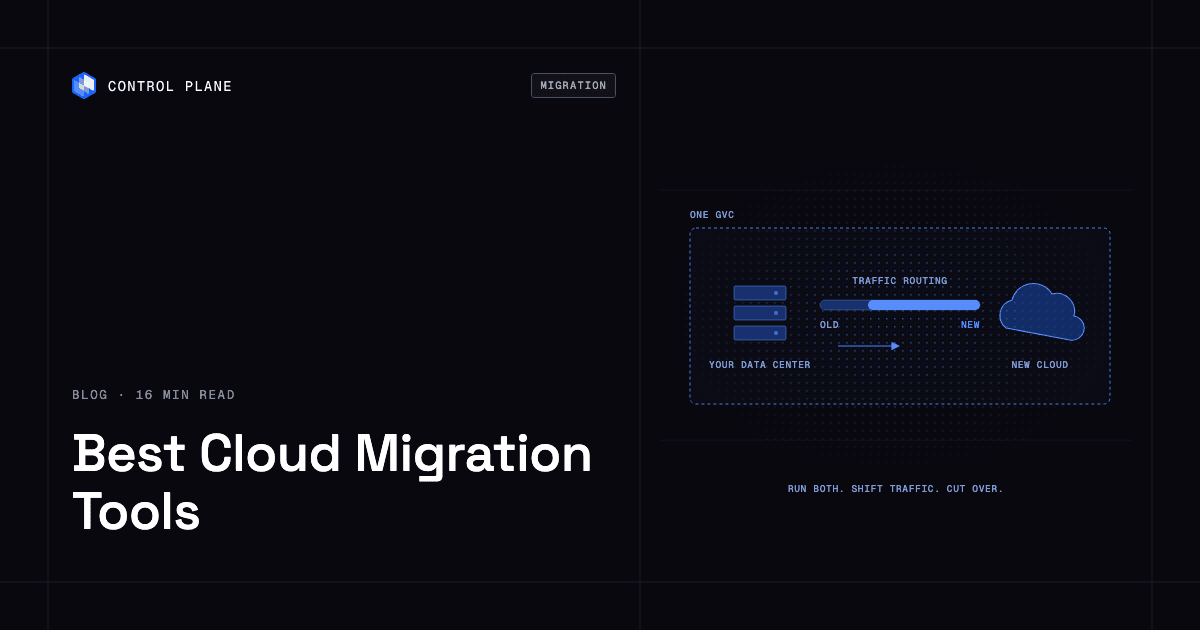
The best cloud migration tool depends on what you are moving, from where, to where, and whether you can afford downtime. Native tools (AWS Transform MGN, Azure Migrate, and Google Cloud Migration Center) move servers into their own cloud. Replication tools move VMs and data with minimal downtime. Kubernetes tools move containerized apps. Platforms like Control Plane let you run the same workloads in the old and new environment at once, so you cut over gradually.
Disclosure: Control Plane publishes this guide and is one of the options listed.
This guide covers nine options, five migration paths, a seven-step plan for moving from on premises to the cloud, and a cost model. Every vendor description comes from that vendor’s own pages, linked inline and read on October 22, 2026. Product names and features change often, so confirm details with the vendor before you commit.
TL;DR: What are the best cloud migration tools?
Grouped by migration type:
- Run old and new side by side, cut over gradually: Control Plane. One Global Virtual Cloud spans your current environment and the new one, and routing shifts traffic between them.
- Servers into AWS: AWS Transform MGN (formerly AWS Application Migration Service). Continuous block-level replication into EC2.
- Servers into Azure: Azure Migrate. Discovery, assessment, migration, and modernization.
- Servers into Google Cloud: Google Cloud Migration Center and Migrate to Virtual Machines.
- Databases: AWS Database Migration Service. Schema conversion and data migration.
- Kubernetes clusters: Velero. Open source backup and migration of cluster resources and persistent volumes.
- VMware to Kubernetes-based virtualization: Red Hat Migration Toolkit for Virtualization.
- Any source to any target, with governance: RiverMeadow.
- Any-to-any server replication: OpenText Migrate.
If the destination is one cloud and a short cutover window is acceptable, a native tool is usually enough. If you need a long, low-risk transition or want to avoid a new lock-in, add a layer that runs both environments at once.
What are the five migration paths?
| Path | Main tool types | Typical risks |
|---|---|---|
| Data center to cloud | Discovery and assessment tools, server replication (AWS Transform MGN, Azure Migrate, Migrate to Virtual Machines) | Hidden dependencies, network and identity differences, long cutover windows |
| VMware to cloud | Hypervisor-aware migration (Azure Migrate, Migrate to Virtual Machines, Red Hat MTV, managed VMware services) | Licensing changes, VM sprawl, moving VMs without addressing the hypervisor dependency |
| Cloud to cloud | Replication tools with cloud sources (AWS Transform MGN, Migrate to Virtual Machines, OpenText Migrate, RiverMeadow), plus platforms that span clouds | Egress charges, provider-specific services, identity and networking rebuilt in the target |
| VMs to containers | Containerization tools (Azure Migrate, Migrate to Containers), Kubernetes backup and restore (Velero), platforms that run VMs and containers together | Stateful components, licensing, partial modernization that leaves two operating models |
| Data and database migration | AWS Database Migration Service, Google Database Migration Service, Azure Database Migration Service, storage transfer tools | Replication lag, schema conversion errors, data validation, cutover ordering |
Most real projects combine two or three paths. A data center exit might move VMs first, databases second, and containerize the web tier last.
How did we evaluate?
Six criteria, each tied to a question you can ask a vendor:
- Source and target coverage. Which sources and destinations does the vendor list on its own pages?
- Downtime and cutover method. Continuous replication, warm migration, or offline copy? How long is the cutover window?
- Replication and failback. Can you test on a clone and roll back to the source?
- Automation. APIs, wave planning, and orchestration for many servers.
- Cost model transparency. Is the tool free, usage-priced, or sold by contract? What resources does the target cloud bill?
- Lock-in after the move. Does the tool leave you on a provider-specific stack or on portable containers and standard APIs?
What are the best cloud migration tools and services?
1. Control Plane
Category: run old and new side by side. Control Plane is the platform for running unbreakable apps and agents. It combines any cloud, neocloud, and bare metal into one Global Virtual Cloud (GVC). For discovery and database replication, pair it with the assessment and database tools below.
- Parallel run: One GVC can include locations in the old environment and in the new cloud. Your data center joins through Managed Kubernetes (MK8s), and clusters you already run join through Bring Your Own Kubernetes (BYOK). The same workload runs in both at once, and GVC location routing options (priority tiers and latency offsets) move traffic from the old location to the new one. You cut over by adjusting routing.
- VMs and containers together: Control Plane manages VMs natively alongside containers, so teams can move a workload as a VM first and modernize it later on the same platform.
- Where it runs: serverless, standard, stateful, cron, and VM workloads on AWS, GCP, and Azure, on clusters you already run, and on your own servers or on premises through MK8s. On Control Plane-provided compute, there is no Kubernetes cluster you have to operate. It also runs in a single cloud.
- Active-active: A workload deployed to a GVC runs active-active in every location of that GVC, and a global endpoint routes each request to the nearest healthy location. The 99.999% availability SLA applies to workloads running at least two replicas in at least two locations. Those locations can be two regions of one cloud or locations on different providers.
- Identity: Universal Cloud Identity lets migrated workloads use AWS, GCP, and Azure services, with short-lived, least-privilege access to 600+ services and no long-lived cloud keys copied into the new environment. See workload identity federation.
- Operations: one API, with the same capabilities in the CLI, console, Terraform, Pulumi, and the Control Plane MCP server. It complements Terraform and Pulumi.
- Cost model and compliance: On Control Plane-provided compute, you pay for the CPU and memory reserved for each workload, by the millicore and the megabyte, with no contracts or minimums. Customers typically cut compute costs 30 to 50 percent compared with running directly on AWS, GCP, or Azure. Control Plane is PCI DSS Level 1, SOC 2 Type II, HIPAA, and GDPR compliant.
- Customer proof: SAFE Health, a connected-diagnostics platform, moved 8 environments from AWS to Control Plane: “We migrated 8 environments from AWS to Control Plane and no one noticed! Everything just worked.”
Best for: teams that want a gradual, reversible cutover on one platform. See how to move off a single cloud provider without re-architecting your apps.
2. AWS Transform MGN (formerly AWS Application Migration Service)
Category: native cloud migration. AWS says AWS Transform MGN is its dedicated rehosting capability. It converts physical, virtual, or cloud source servers into native Amazon EC2 instances using continuous block-level replication, automated machine conversion, and orchestrated cutover, with minimal downtime and without modifying the source environment. AWS lists on-premises sources (physical servers, VMware vSphere, Microsoft Hyper-V), applications on other public clouds, and moves between AWS Regions and accounts. You can choose an agentic rehost path or a self-directed console path. The destination is Amazon EC2. Best for: teams moving servers into AWS.
3. Azure Migrate
Category: native cloud migration. Microsoft describes Azure Migrate as a hub for discovery, assessment, migration, and modernization. It lists dependency mapping, migration strategy options, VMware discovery and migration, physical server assessment and migration, and database assessment that feeds Azure Database Migration Service. Microsoft documents moving AWS EC2 VMs to Azure as well. Tutorials cover moving ASP.NET web apps to Azure App Service or Azure Kubernetes Service and containerizing Java web apps on Tomcat for AKS. Microsoft also describes an Azure Copilot migration agent. Best for: teams moving into Azure, including Windows and .NET estates.
4. Google Cloud Migration Center and Migrate to Virtual Machines
Category: native cloud migration. Google lists Google Cloud Migration Center as its primary hub, with cost discovery, TCO assessment, and migration planning. Migrate to Virtual Machines migrates VMs from vSphere, AWS, Azure, and Google Cloud VMware Engine to Compute Engine. Google says it replicates disk data continuously without downtime on the source, lets you create clones for testing, and uses no client-side agents. Google states the service is provided at no charge for migrations into Google Cloud, while Compute Engine, storage, and networking are billed when consumed. Google also lists Migrate to Containers, which extracts apps from servers and VMs to run on containers in Google Kubernetes Engine. Best for: teams moving VMs into Compute Engine or GKE.
5. AWS Database Migration Service
Category: database migration. AWS DMS provides database discovery, schema conversion, and data migration. AWS lists Oracle, SQL Server, PostgreSQL, MySQL, MongoDB, MariaDB, and other sources, homogeneous and heterogeneous migrations, and says DMS keeps source systems operational until the migration is complete. Pricing is hourly or serverless. AWS notes that DMS Fleet Advisor support ended on May 20, 2026. Google and Microsoft offer their own database migration services for their clouds. Best for: moving databases into AWS.
6. Velero
Category: Kubernetes migration. Velero is an open source tool to back up and restore, run disaster recovery, and migrate Kubernetes cluster resources and persistent volumes. It can back up a whole cluster or parts selected by namespace or label, supports scheduled backups and hooks, and, per its site, has been accepted into the CNCF as a Sandbox project. It moves resources between clusters, so the destination must already run Kubernetes. Best for: moving workloads between Kubernetes clusters.
7. Red Hat Migration Toolkit for Virtualization
Category: VM to Kubernetes-based virtualization. Red Hat says its Migration Toolkit for Virtualization (MTV) migrates VMs at scale to OpenShift Virtualization, where you manage them alongside containers. Listed sources include VMware, Red Hat Virtualization, Red Hat OpenStack Platform, OVAs, and others. It offers pre-migration validation, warm migrations for critical workloads, storage offloading, and combination with Ansible Automation Platform for hundreds of VMs. The destination is Red Hat OpenShift. Best for: VMware estates moving to OpenShift Virtualization.
8. RiverMeadow
Category: third-party migration platform. RiverMeadow describes a workload mobility platform, “any source to any target,” that automates a seven-state lifecycle from discovery through closeout, with readiness gates and reporting. It says changes such as OS upgrades, SQL upgrades, and right-sizing are validated on a clone before cutover. It states it completed an independent SOC 2 Type II examination by BARR Advisory. Its page cites Windows Server 2016 extended support ending January 12, 2027, which matters for planning OS modernization during a move. Best for: large, multi-wave programs that need governance gates.
9. OpenText Migrate
Category: third-party migration platform. OpenText Migrate moves servers across physical, virtual (VMware, Hyper-V), and public cloud environments (AWS, Azure, Google Cloud) using continuous byte-level replication through lightweight agents. OpenText says you can run non-disruptive test cutovers, that the final cutover takes seconds or minutes, that reverting to the source is simple, and that data is encrypted in transit with AES 256-bit. It says the software moves workloads “freely between clouds, hypervisors, and storage platforms.” Best for: any-to-any server moves with fast rollback.
Which tools handle migration between clouds?
| Tool | Sources and environments named on its own pages | Cutover approach |
|---|---|---|
| Control Plane | Locations on AWS, GCP, Azure, your own clusters, and your own servers or on premises in one GVC | Run both environments at once; shift traffic with location routing |
| AWS Transform MGN | Applications on other public clouds, into AWS | Continuous replication, orchestrated cutover |
| Migrate to Virtual Machines | AWS and Azure VMs, into Compute Engine | Continuous replication, clone testing, cutover |
| OpenText Migrate | AWS, Azure, Google Cloud, VMware, Hyper-V, physical | Byte-level replication, test cutovers, rollback |
| RiverMeadow | “Any source to any target” per its page | Clone validation, readiness gates |
| Azure Migrate | On-premises servers, plus AWS EC2 VMs per Microsoft docs | Assessment, then replication into Azure |
Native tools aim at their own cloud as the destination. If your goal is to keep options open, favor tools and platforms that do not tie the result to one provider. See how to avoid cloud vendor lock-in.
Which vendors have experience migrating from one cloud platform to another?
- Cloud providers publish programs for moves into their clouds. Google lists a Rapid Migration and Modernization Program and states it has Professional Services and partner consultants. Microsoft lists Azure Accelerate for expert guidance and investment.
- RiverMeadow says it runs active programs with large VM counts and multi-cloud targets.
- OpenText lists cloud-to-cloud as a supported path.
- Control Plane customer SAFE Health moved 8 environments from AWS to Control Plane.
Ask any vendor for a reference with your source, target, and scale, and for the cutover plan in writing.
How do I move an app from on premises to the cloud?
Seven steps. For help choosing a strategy, see the six Rs of cloud migration.
- Assess. Inventory servers, data, and dependencies. Azure Migrate, Google Cloud Migration Center, and RiverMeadow all list discovery and assessment.
- Choose a strategy per app using the six Rs. Rehost, replatform, refactor, repurchase, retire, or retain. Do not pick one strategy for the whole estate.
- Prepare identity and networking. Decide how workloads authenticate and how they reach each other before the first replica starts. Use short-lived credentials.
- Replicate. Use a replication tool for servers and a database service for data. Keep replication running until cutover.
- Run in parallel. Bring up the target, test on clones, and send it a small amount of real traffic. On Control Plane, the same workload runs in both locations, and GVC location routing options (priority tiers and latency offsets) control which location serves requests.
- Cut over by shifting traffic. Move traffic to the target in steps, watch error rates and latency, and keep the old environment as a fallback until your criteria are met.
- Decommission. Retire the source only after validation and sign-off. Delete data and credentials left behind.
How do I migrate from on-premises data centers and modernize legacy IT?
Separate the move from the modernization. Move the workload first with the least change, then modernize in stages. The data center exit has a deadline. Modernization can follow on its own schedule.
A sound sequence:
- Move the stateless tiers and the databases using the tools above.
- Standardize identity and networking on provider-neutral controls.
- Containerize the pieces that benefit most.
- Retire the legacy hypervisor and hardware once nothing depends on them.
How do I modernize a VM-based application to Kubernetes on multi-cloud infrastructure?
Do it in layers.
What to containerize first:
- Stateless web and API tiers.
- Workers and cron jobs.
- Services with clear build and config inputs.
What can stay a VM for now:
- Software that needs a specific guest operating system.
- Stateful systems with licensing or vendor support limits.
- Anything where containerizing would delay the data center exit.
On Control Plane, VMs and containers run on the same platform, so a VM can stay a VM while neighbors become containers, and both can run across clouds.
How to keep identity and networking portable:
- Use workload identity with short-lived credentials. Universal Cloud Identity gives short-lived, least-privilege access to AWS, GCP, and Azure services.
- Use one naming scheme. On Control Plane, once internal access is allowed, workloads reach each other by internal DNS names in the form <workload-name>.<gvc-name>.cpln.local, wherever they run.
- Define everything as code. Control Plane complements Terraform and Pulumi, so locations and workloads stay in version control.
- Use standard container images and manifests so any Kubernetes cluster can run them. Velero can move cluster resources and volumes when you change clusters.
Cloud-specific tools exist for this too. Azure Migrate lists ASP.NET and Tomcat paths to AKS, Google lists Migrate to Containers for GKE, and Red Hat MTV moves VMs to OpenShift Virtualization.
What are the most cost efficient cloud migration options for enterprises?
Cost comes from five places:
- Tooling. Some tools are free to use. Google states Migrate to Virtual Machines is provided at no charge for migrations into Google Cloud. AWS DMS lists hourly or serverless pricing. Read each vendor’s pricing page.
- Egress. Moving data out of the source environment can be billed by the source provider.
- Dual running. You pay for the old and new environments while both carry traffic.
- Licenses. Operating system and database licenses can change with the move or with end-of-support dates.
- Staff. Engineering time for planning, testing, and cutover often exceeds tooling cost.
Migration cost = tooling + replication and egress + (daily target cost × days in parallel) + license changes + staff time
Fill each term with your own quotes. The term you control most is days in parallel.
How to keep the parallel-run period short:
- Migrate in waves, and finish each wave before starting the next.
- Write cutover criteria (error rate, latency, data match) before you start.
- Automate tests so each traffic step needs minutes of review.
- Move each wave to the target on a fixed calendar.
- Set a decommission date and a named owner.
With active-active, the target serves real traffic from the first step, so the parallel environment does useful work instead of sitting idle.
Frequently asked questions
What are the best cloud migration tools?
AWS Transform MGN, Azure Migrate, and Google Cloud Migration Center with Migrate to Virtual Machines move servers into their own clouds, AWS DMS moves databases, and Velero moves Kubernetes resources. Control Plane runs the old and new environments at once so you cut over gradually.
What are the best tools for migrating workloads between clouds?
AWS Transform MGN and Migrate to Virtual Machines accept other clouds as sources, and Azure Migrate documents AWS EC2 moves. OpenText Migrate and RiverMeadow describe any-to-any support. Control Plane spans locations on different providers in one Global Virtual Cloud (GVC).
What is the difference between AWS Application Migration Service and AWS Transform MGN?
AWS states that AWS Transform MGN is the former AWS Application Migration Service, now part of the broader AWS Transform workflow.
How do I migrate with minimal downtime?
Replicate continuously, test on a clone, and keep the source running until cutover. Then use a short cutover window or shift traffic gradually between two running environments.
What is the safest way to cut over?
Run both environments and move traffic to the new one in steps, keeping the old one ready until your criteria are met.
How do I avoid new lock-in during migration?
Keep workloads in standard containers, use workload identity, and describe infrastructure as code. Favor tools whose result you can move again.
Can I migrate VMs first and containerize later?
Yes. On Control Plane, VMs and containers run on the same platform, so you can modernize after the move.
Do I need a platform if I am only moving to one cloud?
Not always. A native tool can be enough for a single destination and a short window. A parallel-run platform helps when the cutover is risky or long, including within one cloud.
How do I move a database?
Use a database migration service for continuous replication, validate the data, and order the cutover with the application. AWS DMS, Google Database Migration Service, and Azure Database Migration Service cover their own targets.
How long should the parallel-run period last?
Until your written cutover criteria are met. Each extra day adds a day of dual-running cost.
Next steps
List your workloads, tag each with a six Rs strategy, choose one tool per path, and plan a parallel run for the riskiest app first. Talk to the Control Plane team or sign up free.