Without a platform team, you keep Kubernetes clusters healthy by putting every recurring task on a calendar, turning on your provider’s automatic upgrades and node patching, cutting the number of clusters and add-ons you own, and handing off what you can. Control Plane can operate the Kubernetes control plane for you with Managed Kubernetes, or run your workloads with no cluster for your team to operate.
Engineering leads and senior engineers at companies of 20 to 200 people often own EKS, GKE, or AKS clusters part time. Minor versions arrive roughly three times a year, and each provider has its own support window and automatic-upgrade behavior. Add-ons follow their own release cycles, and one of the most widely used ingress controllers was retired in March 2026. This guide lays out the Day 2 calendar, the version lifecycle numbers and extended-support costs on each provider, and the options that shrink the work.
Disclosure: Control Plane publishes this guide.
TL;DR
Cluster work comes due on a predictable schedule, so a small team can plan for it.
- Kubernetes ships a new minor version approximately three times per year, and each version gets roughly 14 months of patch support from the upstream project.
- Extended support on EKS and GKE buys more time at $0.60 per cluster per hour, but the upgrade still has to happen.
- Node patching is often still your job on managed services. Providers build patched images, and on EKS managed node groups you deploy them.
- Add-ons such as the Cluster Autoscaler, cert-manager, and your CNI plugin have their own release cycles and supported Kubernetes version ranges.
- ingress-nginx is retired. Best-effort maintenance ended in March 2026, with no further releases, bug fixes, or security fixes.
- Put every recurring task on a calendar with a named owner, and review it monthly and quarterly.
- Control Plane Managed Kubernetes operates the control plane and simplifies upgrades and scaling across clouds and private environments. Teams that want no cluster to operate can run workloads on Control Plane-managed locations with built-in observability and autoscaling.
How do you manage Kubernetes clusters without a platform team?
Schedule the recurring work, automate what the provider offers, and own fewer clusters and add-ons.
- Inventory your clusters, versions, and add-ons. List every cluster, its Kubernetes minor version, its provider support status, and every add-on installed, including the Cluster Autoscaler or Karpenter, the CNI plugin, CoreDNS, the ingress controller, and cert-manager.
- Pick a release channel and maintenance window. GKE and AKS offer auto-upgrade channels. Choose one that matches your risk tolerance and set a recurring maintenance window. On EKS, put each control plane upgrade on the calendar before its standard support ends.
- Automate node image patching. GKE Autopilot, AKS Automatic, and GKE Standard node pools with auto-upgrade (the default) patch nodes for you. On EKS, managed node groups receive patched AMIs that you must deploy. On AKS Standard, confirm the node OS upgrade channel is NodeImage (the default) or SecurityPatch and attach a maintenance window.
- Write a one-page upgrade runbook and test it on a non-production cluster. Cover pre-upgrade checks (deprecated API scans, add-on compatibility, PodDisruptionBudgets that would block node drains, surge capacity and quota), the upgrade itself (add-ons that must support the target version first, such as Karpenter, then the control plane one minor version at a time, then node pools, then the remaining add-ons such as CoreDNS, kube-proxy, and the Cluster Autoscaler), and post-upgrade validation.
- Cut clusters and add-ons. Every cluster you remove is an upgrade lifecycle you no longer run. Every add-on you remove is a compatibility matrix you no longer track.
- Schedule backup and restore drills. Velero or AWS Backup can protect Kubernetes objects and persistent volumes; databases outside the cluster, cloud IAM, and cluster configuration need their own backups or infrastructure as code. Only a restore proves the backup works. A quarterly drill is a sensible minimum.
- Assign a rotating owner with a monthly and quarterly checklist. One person owns the calendar each month, and the role rotates so knowledge spreads. The monthly checklist covers patch status, upcoming version deadlines, cost, and access. The quarterly checklist covers minor version upgrades, add-on updates, and restore drills.
Clusters usually fail when small maintenance tasks pile up, such as a missed security patch, an expired certificate, or a removed API that breaks a deploy. This plan works on EKS, GKE, AKS, and self-managed clusters.
How long is each Kubernetes version supported?
Each managed Kubernetes provider layers its own support policy on top of the upstream release cadence.
| Provider | Standard support | Extended or long-term support | Extra cost | What happens at the end |
|---|---|---|---|---|
| Kubernetes upstream | About 14 months per minor version (12 months standard plus a 2-month maintenance mode) | None | None | No further patch releases; 1.34 reached end of life on October 27, 2026 |
| Amazon EKS | 14 months | 12 more months, enabled by default | Standard $0.10 per cluster per hour; extended $0.60 per cluster per hour | EKS upgrades the control plane only; managed node groups and self-managed nodes stay on the previous version |
| Google GKE | About 14 months from availability in the Regular channel | Extended channel keeps a minor version up to 24 months; not available for Autopilot | $0.60 per cluster per hour total once a version on the Extended channel passes standard support | GKE upgrades clusters automatically; control plane auto-upgrades cannot be disabled, and a “no upgrades” exclusion cannot exceed 90 days |
| Azure AKS | Three GA minor versions (N, N-1, N-2) | Long-term support adds a second year, about 24 months total | Requires the Premium tier | Starting June 1, 2027, AKS upgrades clusters left on an unsupported version after a 60-day grace period |
Extended support moves the deadline without removing the work. Node drains, add-on compatibility checks, and API migrations still come with every minor version, and the gap grows the longer you wait.
What recurring work does a Kubernetes cluster need?
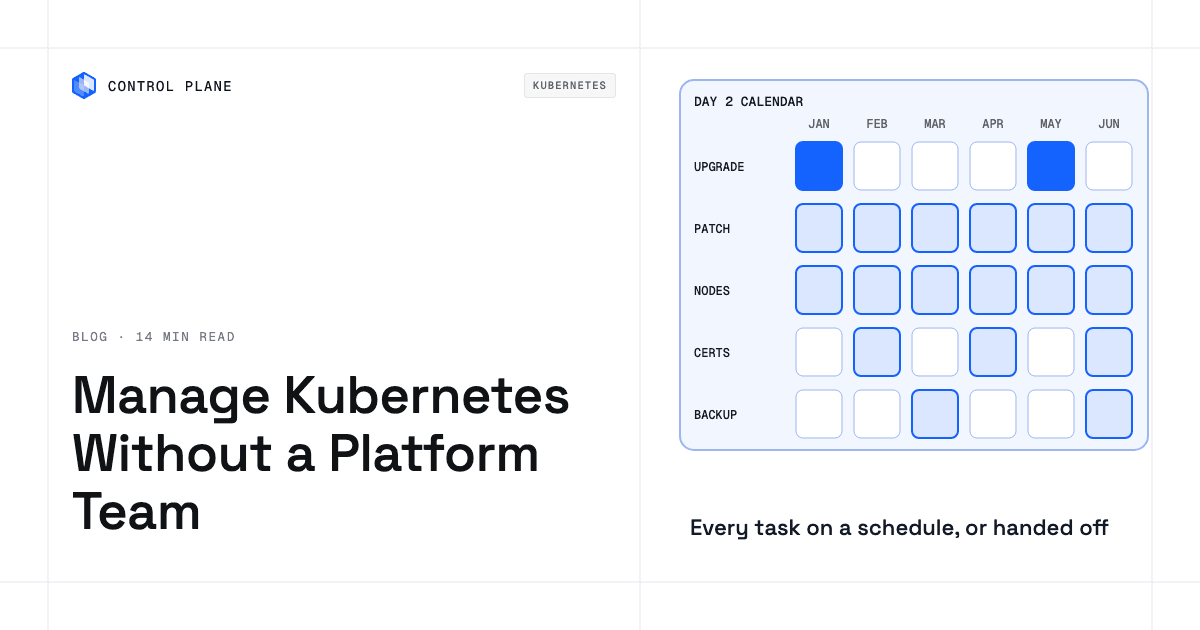
The Day 2 calendar lists each recurring task, how often it comes due, what sets the deadline, and what breaks if you skip it.
| Task | How often it comes due | What sets the deadline | What breaks if you skip it |
|---|---|---|---|
| Minor version upgrade | About every 4 months (3 releases per year) | The upstream release cadence and your provider’s support window | The cluster leaves standard support, pays $0.60 per cluster per hour in extended support (EKS, GKE Extended), and is eventually upgraded by the provider |
| Patch releases | Upstream ships patches about monthly; EKS and GKE apply control plane patches automatically, and AKS applies them if you enable the patch auto-upgrade channel | Upstream patch releases, and your node pool patch version | Known CVEs and bugs stay unpatched on nodes |
| Node OS image patching | Monthly, or as patched images ship | The provider builds patched images; you deploy them on EKS managed node groups, while GKE (Autopilot, and Standard with node auto-upgrade) and AKS Automatic deploy them for you | OS-level vulnerabilities on every node |
| PodDisruptionBudget and drain readiness | Before every node upgrade | Each node pool upgrade drains every node | A PodDisruptionBudget that allows zero disruptions stalls or fails the node upgrade; single-replica workloads go down during the drain |
| Add-on upgrades (Cluster Autoscaler, CNI, CoreDNS, ingress controller, cert-manager) | Every minor version upgrade, plus each add-on’s own releases (cert-manager ships roughly every 4 months) | The Cluster Autoscaler should match the Kubernetes minor version; Karpenter publishes a compatibility matrix; cert-manager has no long-term support releases | Autoscaling failures, DNS issues, TLS errors, or a blocked cluster upgrade |
| Deprecated API checks | Before every minor version upgrade | The Kubernetes deprecation guide (the most recent removals were in v1.32); scanners such as Pluto or kube-no-trouble, the apiserver_requested_deprecated_apis metric, and provider insights (EKS cluster insights, GKE deprecation insights) flag upgrade blockers | Workloads that use removed APIs fail after the upgrade |
| Ingress controller replacement (ingress-nginx) | Once, as soon as possible | ingress-nginx best-effort maintenance ended in March 2026 | A component that handles all inbound traffic gets no security fixes |
| Certificate renewal | Yearly for kubeadm client certificates on self-managed clusters, unless a control plane upgrade within the year renewed them; more often for Let’s Encrypt certificates, whose default lifetime drops to 64 days on February 10, 2027 and 45 days on February 16, 2028 | Certificate expiry dates | Expired kubeadm certificates break API server authentication on self-managed clusters; expired TLS certificates break HTTPS endpoints |
| Image vulnerability scanning | Continuous, reviewed weekly (recommended) | New CVEs in base images and dependencies | Known vulnerabilities ship to production |
| Secret and credential rotation | Quarterly or per policy (recommended) | Compliance requirements and staff changes | Long-lived tokens and keys stay valid after exposure |
| etcd snapshot (self-managed clusters only) | Daily, with a quarterly restore test (recommended) | Your recovery point objective | Losing the control plane loses all cluster state |
| Backup and restore drill | Quarterly, recommended | Your recovery time objective | Backups fail during a real incident |
| Access and RBAC review | Quarterly, recommended | Staff changes and compliance requirements | Stale credentials and over-permissioned service accounts |
| Cost and capacity review | Monthly, recommended | The cloud billing cycle and workload growth | Spending on idle capacity, or no headroom during traffic spikes |
Which 2026 deadlines and upgrade behaviors do small teams miss?
Four deadlines and upgrade behaviors are easy to miss without someone watching the ecosystem full time.
ingress-nginx is retired. The Kubernetes project announced the retirement on November 11, 2025, with best-effort maintenance until March 2026 and no further releases, bug fixes, or security fixes after that. A January 29, 2026 statement said about 50% of cloud native environments relied on it and that no alternative is a drop-in replacement. A cluster still running it has an unpatched component in front of every inbound request.
AKS will upgrade unsupported clusters from June 2027. Starting June 1, 2027, AKS automatically upgrades any cluster left on an unsupported version after a 60-day grace period. Platform-initiated upgrades ignore maintenance windows, do not stop for deprecated API usage, and can override a PodDisruptionBudget that blocks a node drain. Teams that defer upgrades on AKS need a regular cadence or long-term support on the Premium tier.
Certificate lifetimes are getting shorter. Let’s Encrypt will cut its default certificate lifetime to 64 days on February 10, 2027 and to 45 days on February 16, 2028. Renewal automation that assumes 90-day certificates needs a check. Client certificates generated by kubeadm expire after one year, so self-managed kubeadm clusters need either a control plane upgrade or a manual renewal at least once a year.
EKS upgrades only the control plane at the end of extended support. When extended support ends, EKS upgrades the control plane to the next version, and managed node groups and self-managed nodes stay where they were. Managed node groups and self-managed nodes never upgrade themselves; only EKS Auto Mode nodes may update automatically. The kubelet is supported up to three minor versions behind the API server, and node pools can move to the control plane’s version in one step within that skew, so the node upgrade still lands on your team.
How can a small team shrink cluster work?
Six options take work off a small team, each with a different trade-off.
| Option | What it takes off your plate | What you still own | Trade-off |
|---|---|---|---|
| Auto-upgrade channels with maintenance windows | Control plane upgrades happen on the provider’s schedule inside your window | Node upgrades, add-on upgrades, deprecated API checks, application availability during upgrades | Less control over timing; GKE caps “no upgrades” exclusions at 90 days, while “no minor upgrades” exclusions can run to the version’s end of support |
| Extended or long-term support | Up to 12 more months on EKS, or about 24 months total on GKE Extended and AKS long-term support | The upgrade itself, node and add-on work, and the higher hourly cost ($0.60 per cluster per hour on EKS and GKE) | Delays the work without removing it, and changes accumulate |
| EKS Auto Mode, GKE Autopilot, or AKS Automatic | Node provisioning and scaling, OS patching, and core components such as networking and DNS | Starting control plane upgrades (EKS Auto Mode), application availability, security policy, monitoring, and cost | Limits on node configuration; GKE Extended is not available for Autopilot; EKS Auto Mode adds a management fee per instance |
| Fewer clusters and fewer add-ons | Each removed cluster removes an upgrade lifecycle; each removed add-on removes a compatibility matrix | The remaining clusters and add-ons, plus the consolidation work | A larger blast radius per cluster; some add-on removals need application changes |
| Control Plane Managed Kubernetes | Control Plane operates the Kubernetes control plane and simplifies upgrades and scaling; on AWS it handles node autoscaling, load balancer provisioning, version upgrades, and storage management, and lets you manage a fleet of clusters across AWS accounts from one place | Application deployment, workload configuration, triggering node image refreshes, and the cloud account or servers the worker nodes run on | Worker nodes run in your own AWS account, GCP project, or servers, so compute stays in accounts you control and on your existing cloud bill |
| Running workloads on Control Plane with no cluster for your team to operate | The whole cluster lifecycle; autoscaling, observability, and security come built in | Application code, workload configuration, and deployment decisions | Tuning happens at the workload level through autoscaling and Control Plane’s Capacity AI right-sizing |
How does Control Plane reduce Kubernetes cluster work?
Control Plane handles Day 2 operations for you, including autoscaling, built-in observability, and security.
Managed Kubernetes (MK8s) is Control Plane operating the Kubernetes control plane while worker nodes run in your AWS account, your GCP project, another supported provider’s account such as Hetzner, or on servers you provide. Control Plane’s docs describe it as simplifying the creation and management of clusters, including upgrades and scaling, across multiple clouds and private environments. On AWS, Control Plane handles node autoscaling, load balancer provisioning, version upgrades, and storage management, and lets you manage a fleet of clusters across AWS accounts centrally.
Control Plane’s Bring Your Own Kubernetes (BYOK) installs a few components into a cluster you already run and registers it as a location. Control Plane then rolls out workloads onto it. Your team keeps operating those clusters.
Control Plane-managed locations and MK8s clusters need no control plane work from your team. A Global Virtual Cloud (GVC) is Control Plane’s named set of locations, which can mix provider regions on AWS, GCP, Azure, and Oracle Cloud Infrastructure, clusters you registered, and your own hardware. A workload runs in every location of its GVC. Traffic goes to the nearest healthy location, so if one location fails, traffic shifts to the locations that remain without a change to the workload.
Control Plane’s Capacity AI adjusts each container’s CPU and memory between configured minimum and maximum values based on historical usage; it is not available with CPU-utilization or multi-metric autoscaling, or for GPU workloads. Autoscaling strategies include concurrency, requests per second, CPU utilization, latency percentile, and memory. Every workload arrives with logs and metrics collected, and tracing is turned on per GVC or org. A tamper-proof audit trail records every action, whichever interface performed it. Control Plane’s Template Catalog deploys databases, queues, and other services alongside your workloads.
Control Plane is PCI DSS Level 1, SOC 2 Type II, HIPAA, and GDPR compliant.
The guide to getting Kubernetes benefits without hiring a platform team compares who does the work under each operating model. The guide to managing Kubernetes across multiple clouds without vendor lock-in covers portability, and the guide to developer self-service with guardrails covers giving developers safe deploy access.
FAQ
Teams running Kubernetes without a platform team ask these questions most often.
How do you manage Kubernetes clusters without a platform team?
Put every recurring task on a calendar with a named owner, turn on your provider’s auto-upgrade channels and node patching, reduce the clusters and add-ons you maintain, write a one-page upgrade runbook, and run restore drills quarterly. A rotating monthly owner works through a checklist of patches, cost, access, and upcoming version deadlines.
How often do you need to upgrade Kubernetes?
About every four months to stay current, and at least once before each version’s support ends. Kubernetes ships roughly three minor releases per year, and each minor version gets about 14 months of upstream patch support. Control plane upgrades cannot skip minor versions, so deferring means catching up one version at a time.
What happens if you don’t upgrade your EKS cluster?
By default, EKS moves the cluster to extended support at $0.60 per cluster per hour, up from $0.10, after 14 months of standard support. Extended support lasts 12 more months. At its end, EKS upgrades the control plane to the next version, while managed node groups and self-managed nodes stay on the previous version, so you still have to upgrade the nodes.
Is EKS extended support worth it?
Only as a short buffer while you catch up. Extended support costs $0.60 per cluster per hour, six times the standard rate, or about $365 more per cluster per month at 730 hours. It buys 12 months without removing any upgrade work. Teams that keep a regular upgrade cadence avoid the cost.
What replaces ingress-nginx?
Another ingress controller that implements the Ingress resource, or an implementation of the Gateway API, the Kubernetes project’s newer API for routing traffic into a cluster. No alternative is a drop-in replacement, so audit your ingress-nginx annotations and configuration first and test the migration on a non-production cluster. The ingress2gateway tool converts Ingress resources to Gateway API resources.
Does GKE Autopilot remove the need for a platform team?
No, but it removes a large share of the work. Autopilot manages nodes, scaling, and node security patches, and GKE upgrades clusters automatically. You still own application deployment, security policy, monitoring, incident response, cost, add-ons, backup and restore, and compliance. The GKE Extended channel, which keeps a minor version for up to 24 months, is not available for Autopilot clusters.
How many people does it take to run Kubernetes?
There is no fixed number, because the work scales with the number of clusters and add-ons you run. Every cluster needs a named owner and a backup who can follow the runbook during vacations or incidents. Fewer clusters, fewer add-ons, provider automation, and managed services all reduce the load on each person.
Can Control Plane manage my Kubernetes clusters?
Yes. Control Plane’s Managed Kubernetes (MK8s) creates clusters and operates their Kubernetes control plane while worker nodes run in your AWS account, your GCP project, another supported provider’s account such as Hetzner, or on servers you provide. On AWS it handles node autoscaling, load balancer provisioning, version upgrades, and storage management. Clusters you already run can join through Control Plane’s Bring Your Own Kubernetes (BYOK), which rolls out workloads onto them while your team keeps operating them. Teams that want no cluster to operate can run workloads on Control Plane-managed locations with built-in autoscaling, observability, and security.
What should go in a Kubernetes upgrade runbook?
Pre-upgrade checks, the upgrade sequence, post-upgrade validation, and a rollback plan. Check for deprecated APIs, add-on compatibility, PodDisruptionBudgets that would block drains, and a recent successful backup. Upgrade add-ons that must support the target version first, such as Karpenter. Then upgrade the control plane one minor version at a time, then the node pools, then the remaining add-ons such as CoreDNS, kube-proxy, and the Cluster Autoscaler. Validate workload health, DNS resolution, and certificate status, and test the runbook on a non-production cluster before every production upgrade.
Talk to the Control Plane team about Managed Kubernetes or running workloads with no cluster to operate, or sign up free to start.