Get the benefits of Kubernetes by buying the layers a platform team would build: an automated managed Kubernetes tier that runs nodes for you, or a platform that delivers the same outcomes with no cluster to operate. Control Plane is the unbreakable platform for running production workloads. It gives declarative deployments, autoscaling, self-healing, service discovery, mTLS, and multi-region failover with no Kubernetes cluster you have to operate, and when you need the Kubernetes API, Control Plane offers Managed Kubernetes (MK8s) and Bring Your Own Kubernetes (BYOK).
Disclosure: Control Plane publishes this guide.
TL;DR
The Kubernetes outcomes are the same across deployment models. What changes is who does the operational work.
- Benefits teams want: declarative deployments and rollbacks, autoscaling, self-healing, service discovery and load balancing, bin packing, portability across clouds, and a standard API with a large ecosystem.
- What automated managed tiers still leave to you: testing workloads against each Kubernetes version, third-party add-ons such as cert-manager and external-dns, pod-level autoscaling, secrets and identity bindings, tracing and alerting, multi-region failover, resource requests that drive cost, and on-call for workload configuration and add-ons.
- When serverless containers fit: stateless services on one cloud that need no custom controllers, CRDs, or Helm-based third-party software. Google Cloud Run, Amazon ECS with AWS Fargate, Azure Container Apps, and Control Plane serverless workloads all fit here.
- How Control Plane fits: Control Plane runs serverless, standard, stateful, and cron workloads on AWS, GCP, Azure, and Oracle Cloud, in one region or active-active across regions and clouds, and handles the Day 2 operations a platform team would own.
What are the benefits of Kubernetes?
Teams commonly adopt Kubernetes for these seven outcomes.
- Declarative deployments and rollbacks. You describe the desired state, and the system converges to it. Rolling back a Deployment is a single command.
- Autoscaling. The built-in Horizontal Pod Autoscaler adjusts replica counts on metrics you choose, and the Vertical Pod Autoscaler add-on adjusts resource requests.
- Self-healing. Failed containers restart automatically, and unhealthy pods are replaced.
- Service discovery and load balancing. Each Service gets a DNS name, ClusterIP Services get a stable virtual IP, and traffic is spread across healthy pods.
- Bin packing. The scheduler places pods to use CPU and memory across nodes efficiently.
- Portability across clouds. The same manifests run on any conformant cluster, in AWS, GCP, Azure, or on premises, with changes limited to cloud-specific pieces such as storage classes and load balancer settings.
- A large ecosystem and standard API. Operators, tools, and integrations speak the Kubernetes API, which helps with hiring and documentation.
Who does the work?
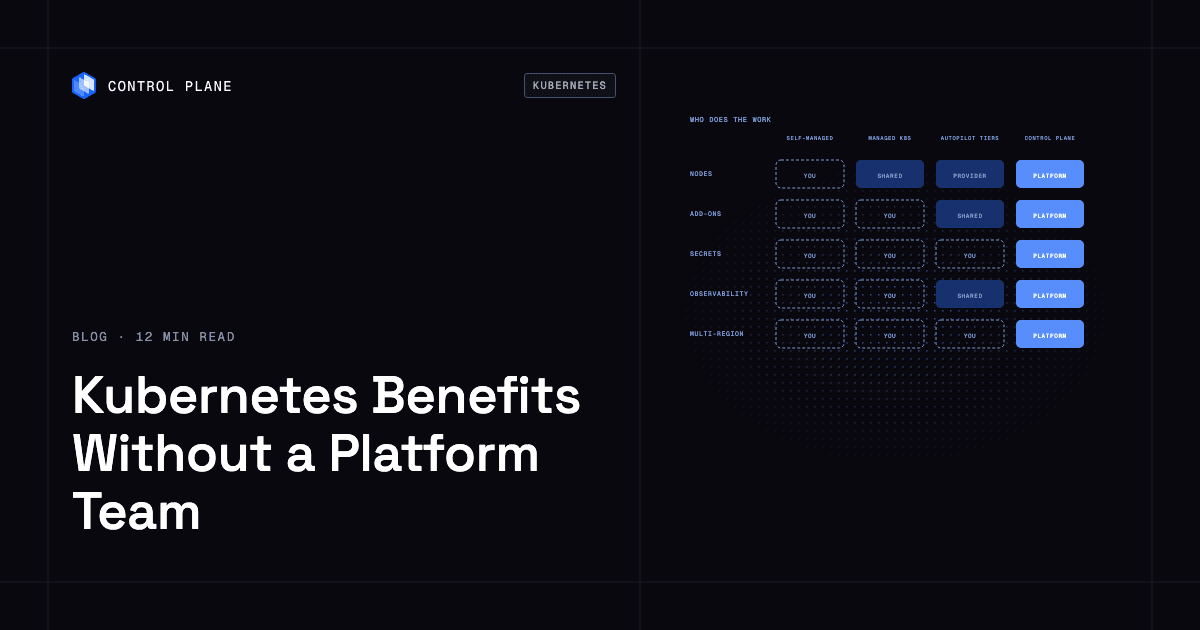
Responsibility for each operational task, by deployment model:
| Operational task | Self-managed Kubernetes | Standard managed (EKS, GKE Standard, AKS) | Automated tiers (GKE Autopilot, EKS Auto Mode, AKS Automatic) | Control Plane |
|---|---|---|---|---|
| Version upgrades | You run and upgrade the API server, etcd, and scheduler | Provider runs the control plane. GKE Standard upgrades automatically by default; AKS upgrades manually unless you pick an upgrade channel; on EKS you start upgrades | Provider runs the control plane. GKE Autopilot and AKS Automatic upgrade automatically; on EKS Auto Mode you start the control plane upgrade and Auto Mode then replaces nodes. You test workloads and add-ons against each version | Control Plane operates and upgrades the runtime on Control Plane-provided compute; with MK8s, Control Plane operates the Kubernetes control plane |
| Nodes | You provision, patch, and scale nodes | You manage node groups or node pools; GKE Standard upgrades nodes by default, AKS applies node images through a channel, and on EKS managed node groups you roll out patched AMIs | Provider provisions, patches, and scales nodes | Control Plane provisions and scales compute; on Control Plane-provided compute there are no nodes to manage |
| Add-ons (ingress, cert-manager, external-dns, CNI) | You install, configure, and upgrade all of them | You install and upgrade most add-ons; some are offered as managed add-ons | Shared: provider manages networking and a load balancing or ingress integration; you install and upgrade third-party add-ons such as cert-manager and external-dns where you use them | Built in: global endpoint routing, automatic TLS certificates, mTLS, and a deny-by-default internal firewall; a custom domain needs a TXT record to prove ownership and a CNAME record at your DNS provider |
| Workload autoscaling | You configure HPA, install VPA, and run the cluster autoscaler | You configure HPA, install VPA where the provider does not offer it, and run the cluster autoscaler or Karpenter | Shared: provider scales nodes; you configure pod autoscaling | Control Plane autoscales on requests per second, CPU, memory, concurrency, latency, or KEDA event sources, depending on workload type |
| Secrets and cloud access | You manage secrets and IAM bindings | You manage secrets and set up workload identity (EKS Pod Identity or IRSA, GKE Workload Identity Federation, Microsoft Entra Workload ID) | You manage secrets and bind workload identities to cloud roles; GKE Autopilot and AKS Automatic preconfigure workload identity, and EKS Auto Mode includes the Pod Identity Agent | Built-in secrets and Control Plane’s Universal Cloud Identity (UCI) for cloud access |
| Observability | You deploy and run logging, metrics, and tracing | GKE Standard turns on Cloud Logging, Cloud Monitoring, and Managed Service for Prometheus by default; on EKS and AKS you enable or buy logging and metrics; tracing and alerting stay with you | Shared: GKE Autopilot and AKS Automatic turn on managed logs and Prometheus metrics; EKS Auto Mode leaves monitoring to you; tracing and alerting stay with you | Built-in logs and metrics in every location, with built-in tracing you turn on |
| Multi-region failover | You build multi-cluster failover | You build multi-cluster failover | You build multi-cluster failover | Built-in global endpoint with automatic failover between locations |
| Cost right-sizing | You choose instance types and reservations | You size node groups and reservations | Shared: provider picks nodes; your resource requests drive cost | Control Plane’s Capacity AI, where enabled, adjusts reserved CPU and memory between set minimums and maximums based on historical usage |
| On-call | Every layer | Nodes, networking, add-ons, and workloads | Workload configuration and add-ons | Control Plane operates the platform; you own your application code and configuration |
Each tier moves more rows from you to the provider. Even the most automated managed tiers leave workload-level operations, multi-region failover, and cost tuning with you. Production-grade infrastructure without a platform team lists the full set of production requirements.
What do GKE Autopilot, EKS Auto Mode, and AKS Automatic handle?
These are the most automated managed Kubernetes tiers from Google Cloud, AWS, and Azure.
What they handle:
- Node provisioning, patching, OS updates, and scaling
- Core cluster components such as pod networking, cluster DNS, load balancer integration, and storage drivers
- Version upgrades on GKE Autopilot and AKS Automatic, and node replacement after you start an upgrade on EKS Auto Mode
- Managed logs and Prometheus metrics by default on GKE Autopilot and AKS Automatic
What still stays with you:
- Version compatibility. You test workloads, deprecated APIs, and third-party add-ons against each new Kubernetes version.
- Ingress and DNS beyond the defaults. You configure routes, TLS certificates, and DNS records, and on GKE Autopilot and EKS Auto Mode you install external-dns if you want automatic DNS records.
- Third-party add-ons. Helm charts and operators you install are yours to upgrade.
- Pod autoscaling. You configure the Horizontal Pod Autoscaler and Vertical Pod Autoscaler for each workload.
- Secrets and cloud access. You manage secrets and bind workload identities to cloud IAM roles.
- Tracing and alerting. You set up tracing and alerts, and on EKS Auto Mode, monitoring as a whole.
- Multi-region failover. Each cluster sits in one region. Multi-region takes several clusters, a global load balancer, and a data replication plan.
- Cost. You set resource requests on every pod. Overprovisioning raises cost, and underprovisioning causes throttling.
- On-call. The provider covers nodes. You are on call for workload configuration and add-ons.
A small team can run a single-region production workload on an automated managed tier. The other items above still add work that a platform team would otherwise own, even in one region, and multi-region availability adds more.
Kubernetes or serverless containers for a small team?
Small teams with stateless services on one cloud should evaluate serverless containers before committing to Kubernetes.
Google Cloud Run runs containers with scaling to zero, built-in TLS, and request-based billing by default, with instance-based billing as an option. Amazon ECS with AWS Fargate runs containers without EC2 instances to manage, with Elastic Load Balancing, IAM, and CloudWatch integration. Azure Container Apps offers event-driven scaling, managed Dapr APIs, and managed ingress. Each gives revision-based or rolling deployments, health checks, autoscaling, and load balancing with no cluster to operate. Control Plane covers the same ground with serverless workloads and runs one workload definition active-active across regions and across AWS, GCP, Azure, and Oracle Cloud, with automatic failover between locations.
When you need the Kubernetes API:
- You depend on operators or custom resource definitions.
- You deploy third-party software distributed as Helm charts that needs Kubernetes.
- You need scheduling controls such as pod affinity, tolerations, or priority classes.
- You want portability through the standard Kubernetes API.
If any of these apply, you need the Kubernetes API. Control Plane’s Managed Kubernetes (MK8s) provides it, and Bring Your Own Kubernetes (BYOK) connects clusters you already run. Kubernetes alternatives for different team profiles compares the options.
A minimal stack for a team without platform engineers
A team without platform engineers can run production containers on a stack that removes the tasks a platform team would handle.
- Pick a managed runtime. Choose a platform such as Control Plane that handles infrastructure, scaling, and availability, an automated managed Kubernetes tier, or a serverless container service.
- Deploy with GitOps or CI pipelines. Argo CD or Flux reconciles desired state from Git, or your CI system pushes deployments. Either gives you auditability and rollback. Argo CD vs Flux for managing environments and clusters compares the two GitOps tools.
- Use managed databases. Amazon RDS, Cloud SQL, or Azure Database for PostgreSQL keep backups and failover off your plate instead of running databases on a cluster yourself.
- Use managed observability. Datadog, Grafana Cloud, or your cloud provider’s monitoring give you logs, metrics, and alerting without running Prometheus, Loki, or Jaeger yourself.
- Centralize secrets. Use AWS Secrets Manager, Google Secret Manager, Azure Key Vault, or your platform’s built-in secrets, and keep credentials out of environment files and ConfigMaps.
- Assign one person to own upgrades on a calendar. A monthly or quarterly review of version upgrades, add-on updates, and dependency patches covers routine maintenance, with critical security patches applied when they are released. Any engineer with a checklist and a maintenance window can own this.
Platform engineering without a platform team covers this stack in practice.
How Control Plane fits
Control Plane runs serverless, standard, stateful, and cron workloads natively on AWS, GCP, Azure, and Oracle Cloud Infrastructure (OCI), VM workloads on locations joined through Control Plane’s Managed Kubernetes, and workloads on Kubernetes clusters you already run or your own machines, including on premises, active-active across regions and clouds. On Control Plane-provided compute, there is no Kubernetes cluster you have to operate.
You deploy a workload, a container image with CPU, memory, and ports, to Control Plane’s Global Virtual Cloud (GVC), a named set of locations across one or more clouds. The workload runs in every location of that GVC from one definition.
Day 2 operations. Control Plane handles Day 2 operations for you, including autoscaling, built-in observability, and security. Autoscaling works on requests per second, CPU, or memory for serverless, standard, and stateful workloads, on concurrency for serverless workloads, and on latency or KEDA event sources for standard and stateful workloads. Capacity AI, Control Plane’s right-sizing feature, adjusts a workload’s reserved CPU and memory between set minimums and maximums based on historical usage, where enabled. Capacity AI is not available with CPU-based or multi-metric autoscaling, or for GPU workloads.
Networking and security. Internal traffic between workloads uses mTLS with a unique client certificate per workload, rotated hourly, and a new workload has inbound, outbound, and internal traffic closed until you allow it. Each workload’s built-in global endpoint uses DNS to route clients to the nearest location where the workload passes its readiness probes, and traffic moves automatically when a location fails. TLS certificates for your domains are created and renewed automatically.
Secrets and cloud identity. Built-in secrets are available to every workload. Universal Cloud Identity gives workloads access to 600+ AWS, GCP, and Azure services through an IAM role or service-account grant instead of long-lived keys in your code, with short-lived, least-privilege credentials at runtime.
Observability. Built-in logs and metrics run in every location. Tracing is built in and turned on per GVC or org.
When you need the Kubernetes API. Control Plane’s Managed Kubernetes (MK8s) creates clusters as Control Plane locations, with Control Plane operating the Kubernetes control plane while worker nodes run in your AWS account, your GCP project, another supported provider’s account, or on servers you provide. Control Plane’s Bring Your Own Kubernetes (BYOK) connects clusters you already run. The Control Plane CLI command cpln helm install installs Helm charts whose templates define Control Plane resources, and the Template Catalog, Control Plane’s library of ready-to-install apps, packages common applications that way.
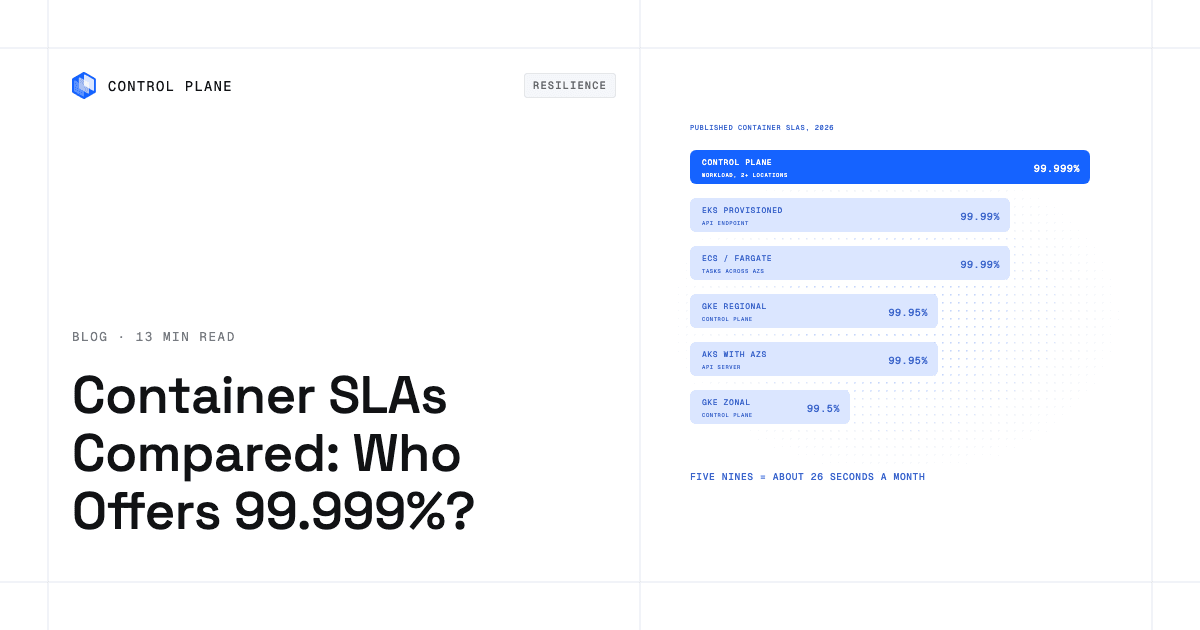
Availability and compliance. The 99.999% availability SLA applies to workloads running at least two replicas in at least two locations. Those locations can be on different providers. Control Plane is PCI DSS Level 1, SOC 2 Type II, HIPAA, and GDPR compliant.
Pricing. You pay for the CPU and memory a workload reserves, with no contracts or minimums. Customers typically cut compute costs 30 to 50 percent compared with running directly on AWS, GCP, or Azure.
Best Kubernetes management platforms compares management platforms. Kubernetes production architecture covers upgrades, autoscaling, and databases.
FAQ
Teams without platform engineers usually ask about automated managed tiers, serverless containers, Helm, multi-region failover, cost, and compliance.
How do I get Kubernetes benefits without hiring a platform team?
Buy the layers a platform team would build. Choose an automated managed Kubernetes tier that runs nodes for you, or a platform such as Control Plane that delivers declarative deployments, autoscaling, self-healing, service discovery, mTLS, and multi-region failover with no cluster you have to operate. Add managed databases, managed observability, and a secrets manager, and give one engineer ownership of upgrades on a calendar.
Do I need a platform team to run Kubernetes?
No. Automated managed tiers and platforms that remove cluster operations let small teams run production workloads. You need one engineer accountable for upgrades, security patches, and cost reviews, working from a checklist.
Is GKE Autopilot or EKS Auto Mode enough without a platform team?
For a single-region deployment with modest requirements, yes. They provision, patch, and scale nodes, and GKE Autopilot also upgrades the cluster and turns on managed logs and metrics. You still own version compatibility testing, ingress routes and DNS, third-party add-ons, pod autoscaling, secrets, tracing and alerting, multi-region failover, resource requests, and workload on-call. A platform such as Control Plane takes those Day 2 operations off your team in a single region too, and adds multi-region failover when you need it.
What parts of Kubernetes still need operating on managed Kubernetes?
Even on the most automated tiers, you own third-party add-ons such as cert-manager and external-dns, workload autoscaling configuration, secrets and identity bindings, tracing and alerting, multi-region failover, resource requests that drive cost, Kubernetes version compatibility testing, and on-call for workload configuration and add-ons.
Should a small team use Kubernetes or serverless containers?
Serverless containers, if you run stateless services on one cloud and need no operators, CRDs, or Helm-based third-party software. Cloud Run, ECS with Fargate, Azure Container Apps, and Control Plane serverless workloads are simpler to operate than a cluster. Choose Kubernetes when you need its API, scheduling controls, or ecosystem.
Can I use Helm charts without operating a cluster?
Yes, for charts built from Control Plane resources. The Control Plane CLI command cpln helm install deploys charts whose templates define Control Plane workloads, GVCs, identities, and volume sets, with no cluster for you to run, and the Template Catalog packages common applications that way. Standard Kubernetes charts need the Kubernetes API. For software that needs a full Kubernetes cluster, Control Plane’s Managed Kubernetes (MK8s) gives you the Kubernetes API with Control Plane operating the Kubernetes control plane, and Bring Your Own Kubernetes (BYOK) connects a cluster you already run so Control Plane can deploy and manage workloads on it.
How does Control Plane give Kubernetes benefits without a cluster to operate?
You deploy a workload to a Control Plane Global Virtual Cloud (GVC), and it runs in every location of that GVC from one definition on Control Plane-provided compute, with no Kubernetes cluster you have to operate. Autoscaling, self-healing, internal service discovery, mTLS, built-in observability, secrets, and global traffic routing come with the platform. For the Kubernetes API itself, MK8s and BYOK provide it.
What is the cheapest way to run containers in production without a platform team?
Run on a platform that bills for what workloads reserve and includes the layers you would otherwise pay engineers to build. On Control Plane, you pay for the CPU and memory a workload reserves, with no contracts or minimums, and Capacity AI, where enabled, adjusts reserved CPU and memory between set minimums and maximums based on historical usage. Customers typically cut compute costs 30 to 50 percent compared with running directly on AWS, GCP, or Azure. Autoscaling, observability, secrets, and global failover are built in, in one region or many. Keep state in a managed database or a multi-location database from the Template Catalog.
How do I handle multi-region failover without a platform team?
Use a platform with built-in multi-region routing. On managed Kubernetes, failover takes multiple clusters, a global load balancer, data replication, and custom health checks. On Control Plane, each workload’s endpoint uses DNS to route clients to the nearest location where the workload passes its readiness probes, so traffic fails over automatically, and workloads with at least two replicas in at least two locations are covered by the 99.999% SLA.
What security and compliance standards matter for a team without platform engineers?
The ones your customers and regulators require, such as PCI DSS, SOC 2, and HIPAA. Control Plane’s platform is PCI DSS Level 1, SOC 2 Type II, HIPAA, and GDPR compliant. On managed Kubernetes, the provider secures the infrastructure, and you own RBAC, network policies, secrets, and application security.