The top enterprise Kubernetes management tools are SUSE Rancher Prime, Red Hat OpenShift with Advanced Cluster Management, Spectro Cloud Palette, Nutanix Kubernetes Platform, Rafay, Mirantis, Platform9, Portainer, VMware vSphere Kubernetes Service, and the hyperscaler fleet tools (GKE fleets, Azure Kubernetes Fleet Manager and Azure Arc, Amazon EKS). Platforms such as Control Plane also manage clusters and the workloads on them. Choose by which clusters you must manage, whether you need air-gapped or self-hosted operation, and how much fleet operation your team wants to own.
Disclosure: Control Plane publishes this guide.
TL;DR
The enterprise Kubernetes management market splits into five categories: multi-cluster fleet managers, full-stack enterprise distributions, hyperscaler fleet tools, UI and operations layers, and workload and cluster platforms.
- Multi-cluster fleet managers such as Rancher Prime, Spectro Cloud Palette, and Rafay manage clusters across clouds and on premises from one management plane.
- Full-stack enterprise distributions such as OpenShift with ACM and Nutanix Kubernetes Platform ship their own Kubernetes distribution and layer fleet management on top.
- Hyperscaler fleet tools such as GKE fleets, Azure Kubernetes Fleet Manager, and EKS favor their own cloud and charge per cluster or per vCPU.
- Air-gapped requirements narrow the list fast, because Azure Arc and GKE fleet management need a connection to their cloud, and AWS sells EKS Anywhere as a separate air-gapped product.
- Total cost is license plus people, so a cheaper license that demands a larger platform team can cost more overall.
- Three questions decide most shortlists: which cluster types the platform must manage, whether it must run air-gapped or self-hosted, and how much fleet operation your team will own.
- Control Plane fits teams that want production Kubernetes without operating a fleet manager. It creates and manages clusters through Control Plane’s Managed Kubernetes (MK8s), runs workloads across clouds and on-premises locations from one API, and brings existing clusters such as EKS, GKE, or AKS in as workload locations.
What are the top Kubernetes management tools for enterprises?
The 13 platforms, 12 vendors plus Control Plane, fall into five categories based on what they manage and how they are deployed.
| Platform | Category | Clusters it manages | Air-gapped | SaaS or self-hosted | Pricing model |
|---|---|---|---|---|---|
| SUSE Rancher Prime | Multi-cluster fleet manager | Any CNCF-certified distribution, including RKE2, K3s, EKS, AKS, GKE, and imported clusters | Yes | Self-hosted, or SUSE-hosted (Rancher Prime Hosted) | Subscription, quote only |
| Red Hat OpenShift with ACM | Full-stack enterprise distribution | ACM hub runs on OpenShift; managed clusters can be OpenShift or CNCF-conformant clusters such as EKS and GKE | Yes (disconnected installation) | Self-managed, or cloud service editions | Self-managed quote only; cloud editions from $0.076/hr for 4 vCPUs on a 3-year reserved term |
| Google GKE fleet management | Hyperscaler fleet tool | GKE clusters and clusters outside Google Cloud through the Connect agent | No (Google Distributed Cloud air-gapped is a separate product) | SaaS | $0.10 per cluster per hour; attached clusters per vCPU-hour; fleet features at no extra cost |
| Azure Kubernetes Fleet Manager and Azure Arc | Hyperscaler fleet tool | AKS clusters; Arc-enabled Kubernetes connects clusters in other clouds | No (Arc agents need outbound connectivity to Azure) | SaaS | Fleet Manager free, pay for its hub AKS cluster; Arc GitOps $2/vCPU/mo after 6 free; Arc Policy $3/vCPU/mo after 6 |
| Amazon EKS | Hyperscaler fleet tool | EKS clusters; EKS Connector registers non-EKS clusters view-only; EKS Hybrid Nodes run on-premises nodes | No for EKS; EKS Anywhere is the separate air-gapped product | SaaS | $0.10 per cluster per hour (standard), $0.60 (extended support); Hybrid Nodes per vCPU-hour |
| Spectro Cloud Palette | Multi-cluster fleet manager | Public cloud IaaS clusters, EKS, AKS, GKE, data center, bare metal, edge, and imported clusters | Yes | Multi-tenant SaaS, dedicated SaaS, self-hosted, or air-gapped | Kilo-core-hours, quote only |
| Nutanix Kubernetes Platform (NKP) | Full-stack enterprise distribution | Own distribution on Nutanix, bare metal, public cloud, and third-party virtualization; manages EKS, AKS, and CNCF clusters | Yes | Self-hosted | Per physical or virtual CPU core (Starter, Pro, Ultimate), quote only |
| Mirantis (MKE with k0rdent Enterprise) | Full-stack enterprise distribution | Its own k0s-based distribution; bundled k0rdent Enterprise provisions or adopts clusters on AWS, Azure, GCP, OpenStack, vSphere, and bare metal, including EKS, AKS, and GKE | Yes (offline install and upgrades) | Self-hosted | Quote only |
| Platform9 | Full-stack enterprise distribution | Its own distribution through Private Cloud Director; EKS, AKS, and GKE management not listed on Platform9’s pages | Yes (self-hosted Private Cloud Director) | SaaS-managed or self-hosted | Free Community Edition; otherwise quote only |
| Rafay | Multi-cluster fleet manager | EKS, AKS, GKE, OKE, private, bare metal, vSphere, and imported clusters | Yes | SaaS-first, with a self-hosted version | Platform fee plus per CPU, GPU, or node fee, quote only |
| Portainer Business | UI and operations layer | Existing Kubernetes clusters (cloud or on premises), Docker, and Podman | Yes | Self-hosted | Per node: free up to 3 nodes; Starter from $1,045/yr for 5 nodes; Scale from $2,095/yr for 5 nodes; Enterprise custom |
| VMware vSphere Kubernetes Service (VKS) | Full-stack enterprise distribution | Kubernetes clusters on vSphere Supervisor only | Yes (simplified in Supervisor 9.1.1) | Self-hosted, included in VMware Cloud Foundation | Per physical core, 16-core minimum per CPU |
| Control Plane | Workload and cluster platform | Control Plane Managed Kubernetes (MK8s) clusters on documented providers including AWS, GCP, Hetzner, Triton, and your own servers; existing clusters you run (EKS, GKE, AKS, or on premises) join as workload locations | Internet access by default; air-gapped use arranged through Control Plane support | SaaS; Control Plane operates the management plane and MK8s control planes, worker nodes run in your cloud accounts or on your servers, and workloads can also run on Control Plane-managed AWS, GCP, Azure, and Oracle Cloud regions | Pay for the CPU and memory your workloads reserve |
Capabilities and prices are as stated on each vendor’s pages in November 2026; confirm them in a proof of concept. The Kubernetes management tools by use case comparison maps these tools to specific team situations.
How should an enterprise choose a Kubernetes management platform?
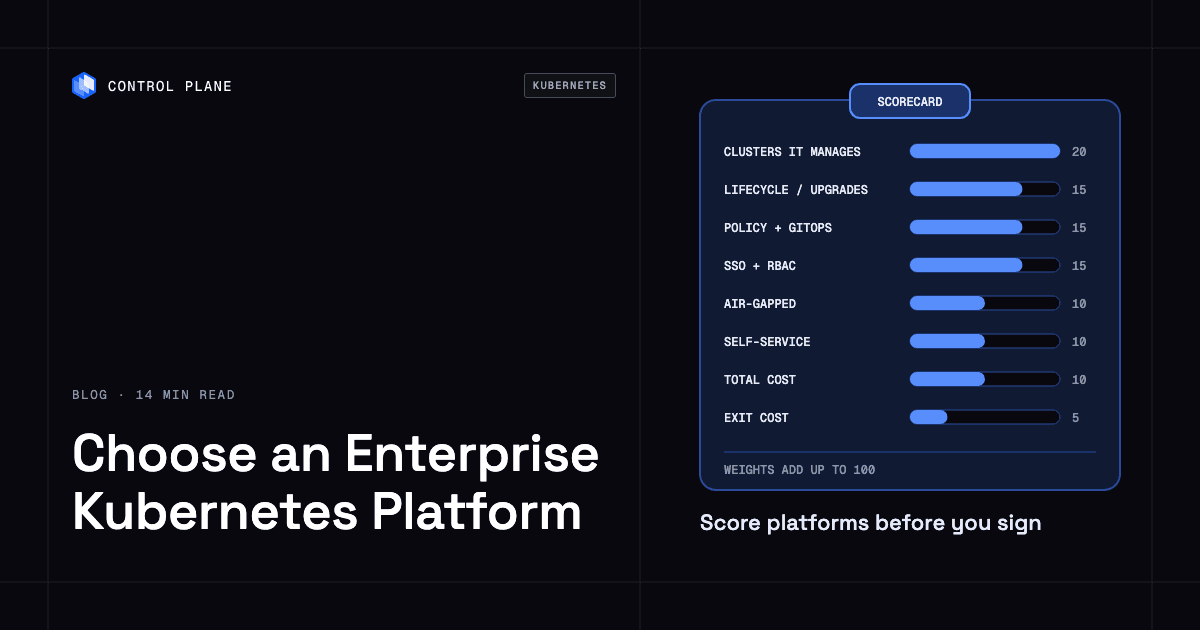
A weighted scorecard makes your evaluation team agree on priorities before the demos start.
| Criterion | Weight (suggested) | What to test | Red flag |
|---|---|---|---|
| Clusters it can manage (your distribution only, or EKS, AKS, GKE, on premises, edge) | 20 | Import or create at least one cluster per environment type you run today | The platform cannot manage one of your current cluster types without a workaround |
| Lifecycle automation (provisioning, upgrades, node pools) | 15 | Provision a cluster, perform a minor-version upgrade, resize a node pool | Upgrades require manual SSH access or extended downtime windows |
| Policy and GitOps across clusters | 15 | Push an OPA Gatekeeper or Kyverno policy and a GitOps-managed app to every cluster from one place | Policies must be applied cluster by cluster with no fleet-wide rollout |
| Identity, SSO, and RBAC integration | 15 | Connect your identity provider, map groups to Kubernetes RBAC roles, check audit logs | No SAML or OIDC support, or RBAC changes require direct cluster access |
| Air-gapped or self-hosted requirement | 10 | Install the management plane in a disconnected network and apply an update | The vendor says “supported” but the docs show no offline update path |
| Developer self-service | 10 | Have a developer request a namespace, deploy an app, and view logs without platform team help | Every action requires a platform engineer |
| Total cost (license unit plus people to run it) | 10 | Model three-year cost including license, management-plane infrastructure, and the people who operate it | The vendor quotes the license only and cannot estimate management-plane infrastructure cost |
| Exit cost (what you rebuild if you leave) | 5 | List every proprietary resource, agent, and integration you would need to replace | Proprietary resources in every workload namespace with no removal tooling |
These weights are suggestions that add up to 100. Adjust them to your risk profile, regulatory obligations, and infrastructure footprint. Treat hard requirements, such as air-gapped operation or a cluster type you must manage, as pass or fail gates before you score. A regulated financial services firm may weight air-gapped support and policy enforcement higher, while a cloud-native company may weight developer self-service and total cost higher.
Which questions should go in the RFP?
A strong RFP surfaces the operational details that demos leave out.
- Which Kubernetes distributions and managed services can the platform provision, import, and manage through their full lifecycle?
- What is the upgrade process for the management plane and for managed clusters, which Kubernetes minor versions can managed clusters run for each management-plane version, and how soon after an upstream Kubernetes release is it supported?
- Does the platform support fully air-gapped installation, operation, and updates, and how are container images and updates delivered to disconnected environments?
- How does the platform integrate with enterprise identity providers for SSO, and how are identity-provider groups mapped to Kubernetes RBAC roles across clusters?
- Which policy engine does the platform use, how are policies distributed across clusters, and can violations block deployments at admission time?
- Which GitOps tooling is included or supported, and can one Git repository drive configuration for every cluster in a fleet?
- What are the support SLA tiers, severity definitions, response-time commitments, and escalation paths, including outside business hours?
- What is the license unit (per node, per core, per vCPU, per cluster, or consumption-based), and how does true-up work at renewal?
- What data does the vendor collect from managed clusters, where is it hosted, and what happens to it when the contract ends?
- What is the migration and exit path if you leave the platform, and which proprietary components must be replaced?
- What happens to managed clusters and running workloads when the management plane is unavailable, and how is the management plane backed up and restored?
How do you run a proof of concept?
A 30-day proof of concept tests the operations you will run every month before you sign.
| Week | What you do | Done when |
|---|---|---|
| Week 1 | Install the management plane, then connect or create clusters in at least two environments, such as one cloud-managed cluster and one on-premises or edge cluster. Connect your identity provider and onboard two teams with distinct RBAC scopes. | Both clusters appear in the management console, both teams sign in through SSO, and RBAC limits each team to its namespaces. |
| Week 2 | Roll out a fleet-wide admission policy, such as denying containers that run as root, and deploy a GitOps-managed application to all clusters from one repository. | The policy blocks a non-compliant deployment on every cluster, and the GitOps application runs and reconciles on all clusters without per-cluster steps. |
| Week 3 | Perform a minor Kubernetes version upgrade on one cluster and resize a node pool on another. Record the manual steps, the duration, and any workload disruption. | Workloads stay within their PodDisruptionBudgets during the upgrade, the node pool reaches its target size, and every manual step is documented. |
| Week 4 | Simulate losing a cluster by draining its nodes or blocking its network, then take the management plane offline for an hour, or block the clusters’ connection to it on SaaS platforms. Measure recovery time, whether workloads keep running and shift to healthy clusters, and how many person-hours the team spent operating the platform across all four weeks. | Managed clusters keep serving traffic while the management plane is down, and recovery time and person-hours are recorded and comparable across candidate platforms. |
When do hyperscaler fleet tools make sense?
Hyperscaler fleet tools are a strong starting point when most of your clusters run in one cloud and you want fleet management without another vendor.
Google GKE fleet management groups GKE clusters and external clusters connected through the Connect agent into one fleet, and GKE attached clusters register EKS, AKS, and other CNCF-conformant clusters for Config Sync and Policy Controller. Fleets, teams, Config Sync, Policy Controller, and the fleet dashboard are included at no extra cost beyond GKE’s $0.10 per cluster per hour management fee. Attached clusters outside Google Cloud are billed per vCPU-hour. Fleet management needs a connection to Google Cloud, so fully air-gapped sites need the separate Google Distributed Cloud air-gapped product.
Azure Kubernetes Fleet Manager coordinates upgrades and workload placement for AKS clusters, and can place workloads on Arc-enabled clusters, though it does not upgrade them. The Fleet Manager resource is free; you pay for its hub AKS cluster. Azure Arc-enabled Kubernetes connects clusters running in other clouds. Arc GitOps (Kubernetes Configuration) is free for the first 6 vCPUs and then $2 per vCPU per month, and Kubernetes Policy costs $3 per vCPU per month after the first 6. Arc agents need outbound connectivity to Azure, which rules out air-gapped sites.
Amazon EKS charges $0.10 per cluster per hour on standard support and $0.60 on extended support. EKS Auto Mode extends AWS management to compute autoscaling, networking, load balancing, and storage. EKS Hybrid Nodes run on-premises nodes for a per-vCPU-hour fee. The EKS Dashboard gives a multi-account, multi-Region view, and EKS Connector can register non-EKS clusters, but AWS’s documentation states that “you can’t manage them.” EKS Anywhere is the separate product for air-gapped environments.
These tools work best when your infrastructure is concentrated in one cloud. They become limiting when you need equal depth across two or more clouds, or a fully air-gapped management plane. Managing clusters across clouds is covered in how to manage Kubernetes across multiple clouds without vendor lock-in.
How does Control Plane fit?
Control Plane handles Day 2 operations for you, including autoscaling, built-in observability, and security.
Control Plane’s Managed Kubernetes (MK8s) creates and manages Kubernetes clusters, including upgrades and node autoscaling, on documented providers including AWS, GCP, Hetzner, Triton, and your own servers through the Generic provider. Control Plane operates the Kubernetes control plane, while worker nodes, load balancers, and storage run in your cloud account or on your servers.
Existing clusters such as EKS, GKE, or AKS can join Control Plane as locations that run Control Plane workloads (bring your own Kubernetes); Control Plane does not take over their lifecycle. A Global Virtual Cloud (GVC) is Control Plane’s named set of locations, and a workload runs in every location of its GVC. Workloads run active-active across the locations in a GVC, each workload’s endpoint routes clients to the nearest healthy location, and the 99.999% availability SLA applies to workloads running at least two replicas in at least two locations, including locations on different providers. Control Plane runs serverless, standard, stateful, and cron workloads on AWS, GCP, Azure, and Oracle Cloud Infrastructure regions and on clusters joined through MK8s or bring your own Kubernetes, plus VM workloads on MK8s locations. The CLI, console, Terraform and Pulumi providers, and the Control Plane MCP server all work through the same Control Plane API.
MK8s needs internet access by default, and air-gapped use is arranged through Control Plane support. Control Plane is PCI DSS Level 1, SOC 2 Type II, HIPAA, and GDPR compliant. You pay for the CPU and memory your workloads reserve.
Control Plane suits teams that want clusters, workloads, and Day 2 operations handled from one platform instead of running a fleet manager themselves. Teams that need a fully air-gapped deployment can arrange it with Control Plane support, and teams that must self-host the management plane can compare the self-hosted options in the comparison table. Teams without a dedicated platform group can read more about getting Kubernetes benefits without a platform team.
FAQ
These answers cover the questions enterprise teams ask most when they evaluate Kubernetes management platforms.
What are the top Kubernetes management tools for enterprises?
The top enterprise Kubernetes management tools in 2026 are SUSE Rancher Prime, Red Hat OpenShift with Advanced Cluster Management, Spectro Cloud Palette, Nutanix Kubernetes Platform, Rafay, Mirantis, Platform9, Portainer, VMware vSphere Kubernetes Service, and the hyperscaler fleet tools (GKE fleets, Azure Kubernetes Fleet Manager with Azure Arc, Amazon EKS), plus workload and cluster platforms such as Control Plane. They range from multi-cluster fleet managers to full-stack distributions to UI and operations layers. The best Kubernetes management platforms roundup reviews each one in more depth.
How do I choose a Kubernetes management platform?
Start with three questions: which cluster types the platform must manage, whether it must run air-gapped or self-hosted, and how much fleet operation your team will own. Then score candidates with weighted criteria for lifecycle automation, policy and GitOps, identity, self-service, total cost, and exit cost. Run a 30-day proof of concept with representative workloads and a failure test before committing.
Which Kubernetes management platforms support air-gapped environments?
SUSE Rancher Prime, Red Hat OpenShift with ACM, Spectro Cloud Palette, Nutanix Kubernetes Platform, Rafay, Mirantis, Platform9 Private Cloud Director, Portainer Business, and VMware vSphere Kubernetes Service state air-gapped support on their own pages. Azure Arc needs outbound connectivity to Azure, and GKE fleet management needs a connection to Google Cloud. Amazon offers EKS Anywhere as a separate product for air-gapped use.
Can one tool manage EKS, AKS, and GKE clusters?
Yes. SUSE Rancher Prime, Spectro Cloud Palette, and Rafay state support for EKS, AKS, and GKE clusters alongside on-premises clusters. Red Hat ACM names EKS and GKE among its managed cluster types, Nutanix Kubernetes Platform names EKS and AKS, and Mirantis names EKS, AKS, and GKE through k0rdent Enterprise. Hyperscaler fleet tools manage their own cloud’s clusters in depth, and their support for clusters in other clouds varies, from Azure Arc’s GitOps and policy to EKS Connector’s view-only registration. Control Plane runs workloads across EKS, GKE, and AKS clusters joined as locations, without taking over their lifecycle.
Is Rancher or OpenShift better for enterprises?
Rancher Prime suits fleets that mix distributions, and OpenShift with ACM suits teams that standardize on OpenShift. SUSE Rancher Prime manages any CNCF-certified distribution, including RKE2, K3s, EKS, AKS, and GKE, and is self-hosted or available as SUSE-hosted Rancher Prime Hosted. Red Hat OpenShift with ACM requires the ACM hub to run on OpenShift, though managed clusters can be OpenShift or CNCF-conformant clusters such as EKS and GKE. OpenShift is sold as self-managed editions (quote only) or as cloud service editions starting from $0.076 per hour for 4 vCPUs on a 3-year reserved term.
How are Kubernetes management platforms priced?
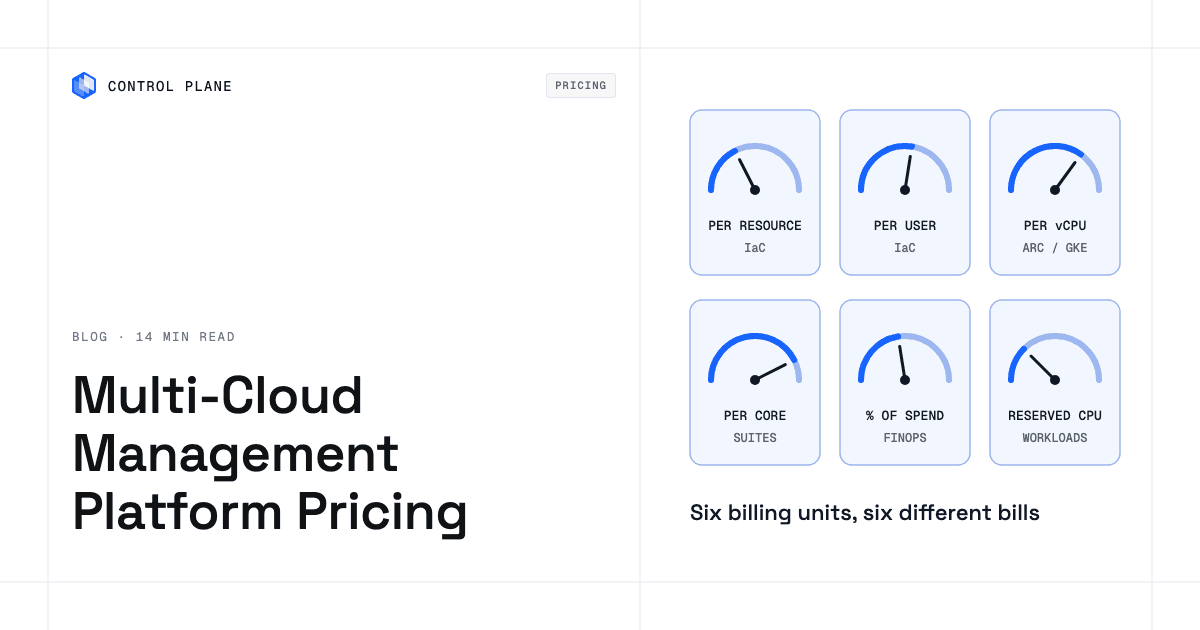
Kubernetes management platforms are priced per cluster-hour, per vCPU, per core, per node, or by quote. EKS and GKE charge $0.10 per cluster per hour, Azure Arc GitOps costs $2 per vCPU per month after the first 6, and Portainer prices per node, starting at $1,045 per year for a 5-node Starter license. VMware vSphere Kubernetes Service is included in VMware Cloud Foundation, licensed per physical core with a 16-core minimum per CPU; Spectro Cloud Palette measures usage in kilo-core-hours; and Nutanix licenses per CPU core. Rancher Prime, self-managed OpenShift, Spectro Cloud Palette, Nutanix, Mirantis, Rafay, and Platform9 (beyond its free Community Edition) are quote only, and Control Plane charges for the CPU and memory your workloads reserve. Model three-year total cost, including management-plane infrastructure and the people who operate it.
Do I need a Kubernetes management platform if I use EKS, AKS, or GKE?
Not for a single managed cluster in one cloud. The need appears when you operate clusters across regions, clouds, or on premises, or when you need fleet-wide policy, consistent GitOps delivery, and developer self-service across clusters. Hyperscaler fleet tools extend management within their own cloud. For clusters in other clouds they mostly add configuration, policy, or visibility: GKE attached clusters and Azure Arc apply GitOps and policy, EKS Connector is view-only, and Google’s GKE on AWS and GKE on Azure, which do manage cluster lifecycle, reach end of support on March 17, 2027.
How does Control Plane manage Kubernetes?
Control Plane’s Managed Kubernetes (MK8s) creates and manages Kubernetes clusters on documented providers including AWS, GCP, Hetzner, Triton, and your own servers through the Generic provider, including upgrades and node autoscaling, while worker nodes, load balancers, and storage run in your cloud account or on your servers. Existing EKS, GKE, or AKS clusters can join as locations that run Control Plane workloads, and Control Plane does not take over their lifecycle. You manage workloads across every location in a Global Virtual Cloud through one API, which the CLI, console, and Terraform and Pulumi providers all use.
Talk to the Control Plane team to see how it works in your environment, or sign up free to start building.