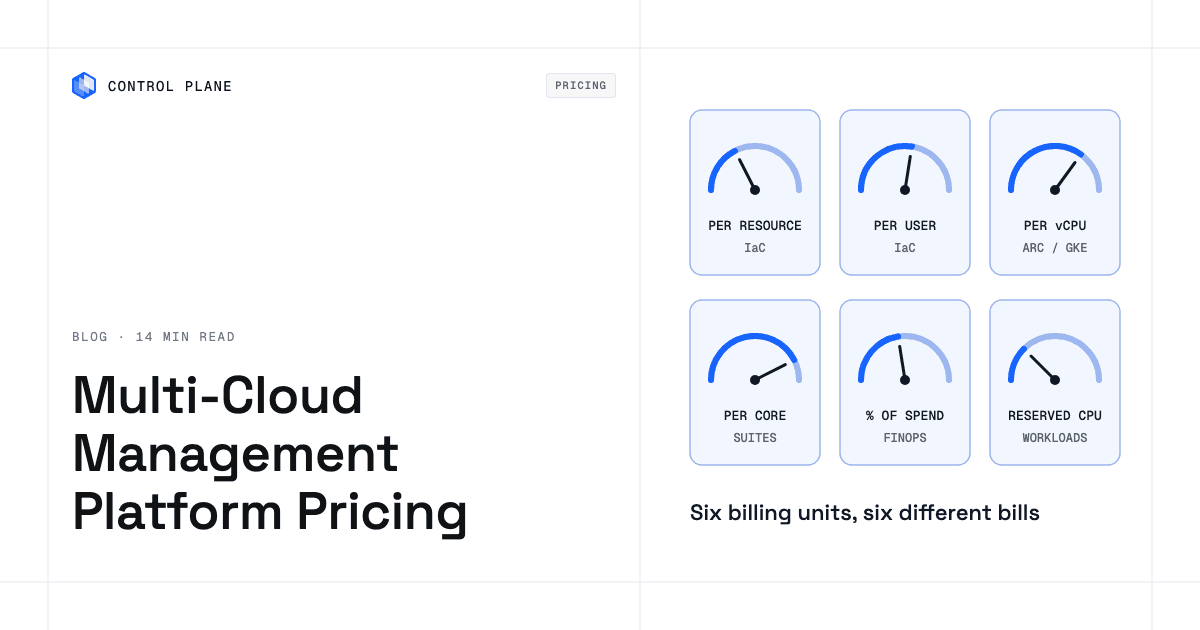
Multi-cloud management platforms charge in very different units. Some bill per managed resource, others per user or worker, per server or vCPU, per physical core or socket, or as a share of cloud spend or realized savings. The cheapest choice depends on what grows fastest in your estate. Only some vendors publish prices, and the native tools from AWS, Microsoft, and Google cover inventory and basic control for free or at low metered rates. The best platform for your organization depends on whether you need governance, IaC automation, cost optimization, or a platform that runs the workloads themselves. This guide compares how 17 platforms charge, what makes the bill grow for each billing model, and what native tools cover before you pay for a third-party platform.
Disclosure: Control Plane publishes this guide.
TL;DR
Multi-cloud management platforms fall into four paid categories, and native cloud tools set the free or metered baseline.
- Billing units differ across every platform, so compare them by converting each one to your own unit counts.
- IaC control planes price by managed resource, user count, worker count, or workflow credits.
- Governance suites and Kubernetes fleet tools price by server, vCPU, physical core, or socket.
- FinOps and cost tools are mostly quote only; nOps, the one that describes its model, charges a share of realized savings plus a fee based on cloud spend.
- Native cloud tools from AWS, Azure, and Google Cloud are free or metered per use, and they center on their own cloud.
- Workload platforms such as Control Plane bill for the CPU and memory your workloads reserve, measured in millicore-months and MB-months.
What are the best multi-cloud management platforms, and how do they charge?
The market splits into four categories, and the table lists each platform’s billing unit, free tier, and starting price as published on its own pricing page in November 2026.
| Platform | Category | Billing unit | Free tier | Published starting price |
|---|---|---|---|---|
| Spacelift | IaC control plane | Plan tiers capped by users and workers | 2 users, 1 API key at $0 | Starting at $399/mo (10 users, 2 public workers) |
| HCP Terraform | IaC control plane | Per managed resource, metered hourly | No free plan listed; $500 HCP trial credit | $0.10 per resource per month (Essentials) |
| Pulumi Cloud | IaC control plane | Credits (resources and workflow minutes) | 1 user, 500 workflow minutes, unlimited resources at $0 | $40/mo (Essentials, up to 500 resources) |
| env zero | IaC control plane | Paid tiers custom priced; no per-resource pricing | 250 runs/mo, 30 environments, unlimited users at $0 | Quote only |
| Microsoft Azure Arc | Governance suite | Free base; add-ons per server or per vCPU | Connecting servers and clusters at $0 | $2 per vCPU per month (GitOps); $5 per server per month (Update Manager) |
| AWS Systems Manager | Native tool | Per session or per invocation on hybrid nodes | Hybrid node registration at $0 | $0.05 per session; $0.002 per Run Command invocation |
| GKE multicloud | Kubernetes fleet | Per managed vCPU-hour (GKE on AWS and Azure) | None stated | $0.00822 per vCPU-hour |
| HPE Morpheus Software | Governance suite | Per socket (public-cloud VMs counted at 15 per socket) | None stated | Quote only |
| Nutanix Cloud Manager | Governance suite | Per physical CPU core, 1- to 5-year terms | None stated | Quote only |
| VMware Cloud Foundation | Governance suite | Per physical core (16-core minimum per CPU) | None stated | Quote only |
| CloudBolt | Governance suite | Quote only | Free version with core capabilities | Quote only (Enterprise) |
| SUSE Rancher Prime | Kubernetes fleet | Quote only | Rancher community edition is free | Quote only |
| Flexera One | FinOps | Quote only | None stated | Quote only |
| IBM Cloudability | FinOps | Quote only | None stated | Quote only |
| nOps | FinOps | Percentage of savings realized; fee based on spend | None stated | Quote only |
| CAST AI | FinOps (Kubernetes) | Quote only | None stated | Quote only |
| Control Plane | Workload platform | Reserved CPU (millicore-month) and memory (MB-month) | Free sign-up, no cloud account required | Typical workload under $5/mo per location (about 50 millicores and 256 MB) |
Prices change often and are listed as published on each vendor’s pricing page in November 2026, so confirm current rates before you budget.
Governance suites provide inventory, policy enforcement, patching, and compliance across clouds and on-premises infrastructure. Microsoft Azure Arc, HPE Morpheus Software, Nutanix Cloud Manager, VMware Cloud Foundation by Broadcom, and CloudBolt fall here, and Kubernetes fleet tools such as SUSE Rancher Prime and GKE multicloud sit alongside them. Pricing in this category gravitates toward per-server, per-vCPU, per-physical-core, or per-socket models. Azure Arc connects servers and clusters at no charge; add-on management services are billed per server or per vCPU.
IaC control planes orchestrate Terraform, OpenTofu, Pulumi, and other infrastructure-as-code engines. Spacelift, HCP Terraform, Pulumi Cloud, and env zero compete in this space. HCP Terraform charges per managed resource. Spacelift tiers are capped by users and workers. Pulumi Cloud uses credits tied to resources and workflow minutes. env zero offers a free tier measured in runs and environments.
FinOps and cost tools focus on cloud spend visibility, commitment management, and rightsizing. Flexera One, IBM Cloudability, nOps, and CAST AI are representative. Most are quote only. nOps publicly describes a savings-share model for optimization and a spend-based fee for visibility, but publishes no list prices.
Workload platforms run the applications themselves, on one cloud or across several, from one API, and bill for the compute your workloads reserve. Control Plane is a workload platform in this category and handles Day 2 operations for those workloads. The roundup of best multi-cloud management platforms compares platforms across all four categories.
What drives the bill as your estate grows?
Each billing unit grows with a different part of your estate.
| Billing unit | Platforms that use it | What makes the bill grow | Watch out for |
|---|---|---|---|
| Per managed resource | HCP Terraform, Pulumi Cloud | Every new managed cloud resource (VPC, subnet, bucket, IAM role) adds to the count | State with hundreds of small managed resources adds up faster than expected |
| Per user or per worker | Spacelift | Adding engineers or CI/CD pipelines that need concurrent workers | Teams that grow headcount or automation hit tier boundaries |
| Per server or per vCPU add-on | Azure Arc services, GKE multicloud | Onboarding more servers or running larger Kubernetes clusters | Azure Arc base is free, but each add-on stacks; GKE multicloud vCPU-hours accumulate continuously |
| Per physical core or socket | VMware Cloud Foundation, Nutanix Cloud Manager, HPE Morpheus | Expanding on-premises or colocation hardware | HPE Morpheus counts public-cloud VMs at 15 VMs per socket; multi-year terms lock in capacity |
| Percentage of cloud spend or savings | nOps and other FinOps tools | Growing cloud spend or larger optimization savings | Savings-share fees depend on the baseline the vendor measures against; spend-based fees rise with spend whether or not savings improve |
| Per session or invocation | AWS Systems Manager | Running more remote sessions or commands, including patching, on hybrid nodes | High-frequency automation can generate thousands of invocations per day |
| Reserved CPU and memory for running workloads | Control Plane | Deploying more workloads, adding replicas or locations to a Global Virtual Cloud (GVC), or reserving more CPU and memory | Reservations set the bill; Control Plane’s Capacity AI right-sizes eligible workloads from historical usage, so reservations track real use instead of guessed peaks |
Which vendors publish prices, and which are quote only?
Seven of the 17 platforms publish list prices, and the rest are quote only, so ask each quote-only vendor for these terms in writing.
- The exact billing unit and how it is counted (physical cores or logical cores, sockets or VMs, managed resources or deployed resources).
- Minimum annual commitment and whether unused volume rolls over.
- Multi-year term requirements and the discount for a two- or three-year term.
- Overage rules if you exceed the contracted volume mid-term.
- What happens at renewal, including whether the vendor can change the billing unit or raise rates.
- Whether professional services, onboarding, or premium support are included or billed separately.
- How the vendor defines “managed resource,” “savings,” or “cloud spend” for billing purposes.
Spacelift, HCP Terraform, Pulumi Cloud, Azure Arc, AWS Systems Manager, GKE multicloud, and Control Plane show rates on their pricing pages, and env zero publishes its free-tier limits. Quote-only pricing is common in enterprise software, but you cannot model costs until the quote is in hand, and quotes often carry conditions that are not obvious at first.
What can you do with native cloud tools before buying a platform?
Every major cloud provider ships management tools that are free or metered per use, with no platform subscription.
| Need | AWS | Microsoft Azure | Google Cloud | Where native tools stop |
|---|---|---|---|---|
| Inventory across accounts or subscriptions | AWS Resource Explorer, AWS Config (metered per configuration item) | Azure Resource Graph, Management Groups | Cloud Asset Inventory | AWS and Google inventory only their own cloud; Azure’s free multicloud connector pulls AWS (and, in preview, GCP) resources into Azure Resource Graph |
| Patching and run command on non-native servers | Systems Manager (free hybrid registration; $0.002 per Run Command invocation, including patching) | Azure Arc (free server connection; Update Manager $5 per server per month) | Google’s VM Manager covers Compute Engine VMs only | AWS and Azure reach on-premises and other-cloud servers; Google does not offer a comparable agent for non-Google servers |
| Policy and compliance | AWS Config rules, service control policies | Azure Policy, Defender for Cloud | Organization Policy, Security Command Center | AWS policy tools cover only AWS; Azure Policy and Defender for Cloud can assess AWS and GCP resources through connectors, and Security Command Center Enterprise covers AWS and Azure, but each uses its own provider’s policy model |
| Kubernetes fleet management | Amazon EKS Dashboard (multi-account, multi-Region view of EKS clusters) and EKS Connector (view-only for non-EKS clusters) | Azure Arc-enabled Kubernetes | GKE fleet management and attached clusters (GKE Enterprise folded into GKE in September 2025) | Azure Arc and GKE attached clusters can register EKS, AKS, or GKE clusters, but each extends its own provider’s tooling and billing, and AWS’s connector is view-only |
| Cost visibility | AWS Cost Explorer | Azure Cost Management | Google Cloud Billing reports | Each console shows only its own spend; none gives a normalized cross-cloud cost view |
| Single view across all three clouds | Not available natively | Partial: multicloud connector inventory of AWS, plus GCP in preview; Defender for Cloud posture for AWS and GCP | Partial: Security Command Center Enterprise security findings for AWS and Azure | No native tool combines cost, policy, and operations for all three clouds; that is the gap paid platforms fill |
For teams operating within a single cloud, native tools handle the basics well. Mapping your requirements against these capabilities is the first step in choosing the best multi-cloud solution for your business. The gap opens when you need a single view of cost and security across multiple clouds or when you need to unify identity, billing, and deployment across providers.
How do you estimate the cost for your own estate?
Five steps produce an estimate you can take to finance.
- Count the units each shortlisted platform bills on. If a platform charges per managed resource, count every managed resource in your Terraform state (data sources are not billed). If it charges per server, count your servers including on-premises nodes. If it charges per vCPU-hour, multiply your cluster vCPUs by the hours in a month. If it charges per physical core, count cores per CPU and apply any minimum, such as VMware Cloud Foundation’s 16 cores per CPU. If it charges per user, count the engineers who need access.
- Apply list prices where published. Multiply your unit count by the vendor’s listed rate. For quote-only vendors, prepare your volume numbers in the vendor’s billing unit before the sales call so the quote rests on accurate inputs.
- Add the add-ons you will actually turn on. Azure Arc’s base is free, but Update Manager, guest configuration, and GitOps each add per-server or per-vCPU charges. IaC platforms may charge for extra workers, SSO, or audit logging. FinOps tools may charge for additional data retention or integrations. List every feature you plan to enable and price it separately.
- Add the people cost of operating it. A platform that automates policy enforcement or patching reduces engineering hours. A platform that needs manual configuration or complex integrations adds them. Estimate the hours per week your team will spend operating each shortlisted tool and multiply by your blended engineering cost.
- Compare against native tools plus one specialist tool. Price native cloud tools for inventory and basic policy, plus a single specialist tool for the gap that matters most, whether that is IaC orchestration, cost optimization, or cross-cloud workload deployment. This baseline keeps you from paying for bundled features you will not use.
For teams focused on Day 2 operations across clouds, the comparison of platforms for Day 2 operations covers the operational cost trade-offs.
How does Control Plane fit, and how is it priced?
Control Plane handles Day 2 operations for you, including autoscaling, built-in observability, and security. It runs serverless, standard, stateful, and cron workloads on AWS, GCP, Azure, and Oracle Cloud Infrastructure regions, on Kubernetes clusters you already run, and on your own machines, including on premises, plus virtual machine workloads on locations joined through Control Plane’s Managed Kubernetes. The CLI, console, Terraform and Pulumi providers, and the Control Plane MCP server all work through the same Control Plane API. A GVC is Control Plane’s named set of locations, and a workload runs in every location of its GVC.
You pay for the CPU and memory a workload reserves, billed per millicore-month (a millicore is 1/1000 of a vCPU) and per MB-month, plus storage, egress, observability, dedicated load balancers, and GPUs where used. Control Plane’s Capacity AI, its automatic right-sizing feature, sets that reservation between a minimum and a maximum based on historical usage. The pricing page states a typical workload costs less than $5 per month per location, which corresponds to about 50 millicores and 256 MB for one replica in one location. It also states “No contracts, minimums, or lock-ins.” NAT and internet gateways, TLS certificates, DNS, secrets management, a container registry, shared load balancing, the audit trail, and the Istio service mesh are included with no per-feature add-on charges.
Cost visibility is built in. A Cost and Usage view per org and per resource shows a projected total, a billing viewer role gives finance teams access, and a monthly spend alert notifies billing admins.
Control Plane’s cost view covers every workload you run on it, and it works alongside the FinOps tooling you use for the rest of your cloud spend. Control Plane ships its own Terraform and Pulumi providers, so it complements the infrastructure as code you already run.
Control Plane is PCI DSS Level 1, SOC 2 Type II, HIPAA, and GDPR compliant.
FAQ
These answers cover multi-cloud management platform pricing and selection.
What are the best multi-cloud management platforms?
The best platforms fall into four categories: governance suites and Kubernetes fleet tools (Azure Arc, HPE Morpheus, Nutanix Cloud Manager, VMware Cloud Foundation, CloudBolt, SUSE Rancher Prime, GKE multicloud), IaC control planes (Spacelift, HCP Terraform, Pulumi Cloud, env zero), FinOps and cost tools (Flexera One, IBM Cloudability, nOps, CAST AI), and workload platforms that run the applications themselves (Control Plane). The right choice depends on whether your primary need is compliance, infrastructure automation, spend optimization, or running workloads across clouds. The guide to best multi-cloud management platforms compares them in detail.
How much does a multi-cloud management platform cost?
Costs range from free native tools and free tiers to quote-only enterprise contracts. Paid IaC tiers start at $0.10 per managed resource per month (HCP Terraform), $40 per month (Pulumi Cloud), and $399 per month (Spacelift). Azure Arc add-ons cost $2 to $6 per vCPU or per server per month. Governance suites and FinOps tools are mostly quote only, and some, such as Nutanix Cloud Manager, sell 1- to 5-year terms. Workload platforms such as Control Plane bill for reserved CPU and memory, and a typical workload costs less than $5 per month per location.
Is Azure Arc free?
Connecting servers and Kubernetes clusters to Azure Arc and viewing inventory is free. Add-on management services are billed: Azure Update Manager costs $5 per server per month, Azure Policy guest configuration with Change Tracking costs $6 per server per month, and Arc-enabled Kubernetes GitOps costs $2 per vCPU per month with the first 6 vCPUs free, as listed in November 2026.
How is HCP Terraform priced?
HCP Terraform is billed per managed resource, metered hourly. Essentials starts at $0.10 per resource per month, Standard at $0.47, and Premium at $0.99, as listed in November 2026. Terraform Enterprise (self-managed) uses custom pricing. Managed resources in state count toward the bill and data sources do not, so large state files with many small managed resources still add up.
How is Spacelift priced?
Spacelift has a free tier at $0 for 2 users and 1 API key, and the Starter plan starts at $399 per month for 10 users and 2 public workers, as listed in November 2026. Business and Enterprise tiers are quote only. Tiers are capped by users and workers, so costs scale with team size and CI/CD concurrency.
How is Pulumi Cloud priced?
Pulumi Cloud uses credits. The free tier includes 1 user, 500 workflow minutes, and no limit on managed resources. Essentials costs $40 per month for up to 500 resources, and Pro costs $400 per month for up to 2,000 resources, as listed in November 2026. Workflow minutes beyond included amounts cost $0.01 per minute. Enterprise pricing is custom.
Do FinOps tools charge a percentage of cloud spend?
Some do. nOps prices its commitment and rate optimization as a percentage of the savings realized and charges a fee based on cloud spend for cost visibility, though it publishes no list prices. Flexera One, IBM Cloudability, and CAST AI are quote only and do not publish whether they use spend-based or flat-fee models. Ask each vendor to define how “spend” or “savings” is calculated for billing.
Are native cloud management tools enough for multi-cloud?
Not for operations that span clouds. Native tools from AWS, Azure, and Google Cloud cover inventory, basic policy, cost visibility, and some hybrid server management, for free or at metered rates. Azure and Google extend some inventory, security posture, and Kubernetes fleet features to other clouds through connectors, but each centers on its own console, none normalizes cost across providers, and none runs your workloads across all three.
How is Control Plane priced?
Control Plane charges for the CPU and memory your workloads reserve, billed per millicore-month and per MB-month, plus storage, egress, observability, dedicated load balancers, and GPUs where used. The pricing page states a typical workload costs less than $5 per month per location, about 50 millicores and 256 MB for one replica, and “No contracts, minimums, or lock-ins.” Sign-up is free and needs no cloud account.
Talk to the Control Plane team to scope pricing for your workloads, or sign up free to deploy your first Global Virtual Cloud.