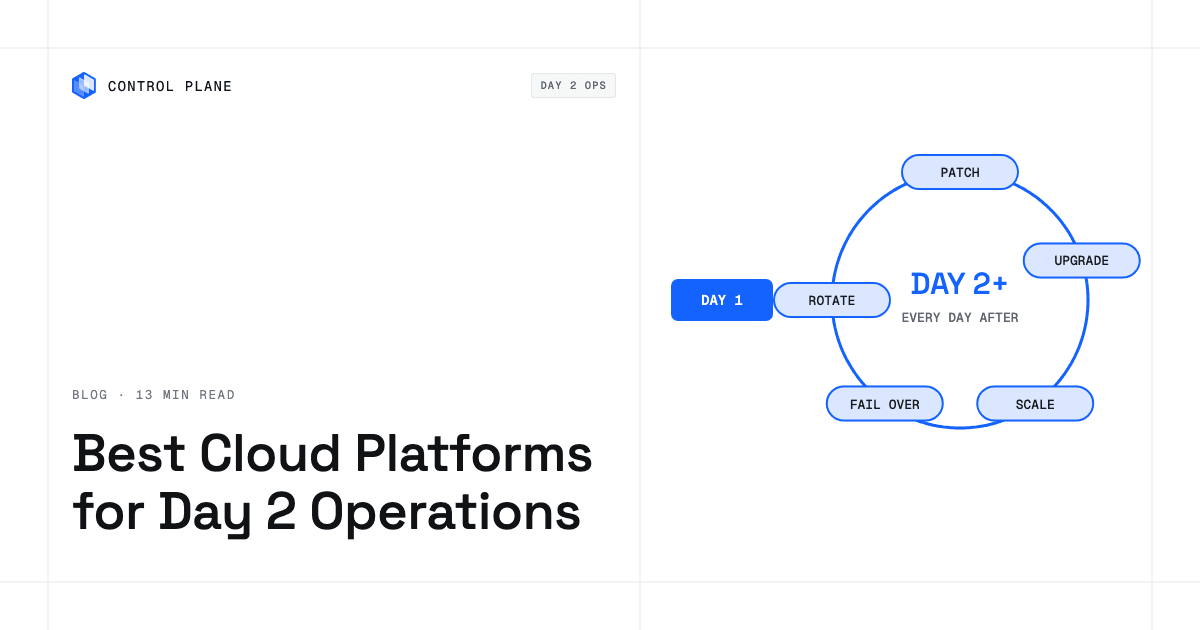
The best cloud platform for Day 2 operations is the one that takes the most recurring tasks off your team for the workloads you actually run, which means comparing who patches, upgrades, scales, renews certificates, backs up, fails over, and keeps audit evidence. Hyperscaler suites cover one cloud well, layer tools cover one operational slice across clouds, and workload platforms such as Control Plane run the workloads and handle autoscaling, observability, and security across AWS, GCP, Azure, and Oracle Cloud.
Disclosure: Control Plane publishes this guide.
TL;DR
Day 2 operations are the recurring work that keeps production workloads patched, scaled, observable, and recoverable after deployment, and the platform you choose decides how much of that work stays on your team.
- Hyperscaler native suites are strongest inside one cloud. AWS Systems Manager with CloudWatch and AWS Config, Azure Arc with Azure Monitor and Azure Update Manager, and GKE Autopilot with Google Cloud Observability each go deep on their own provider.
- Layer tools each cover one slice across clouds. Ansible automates configuration and patching, HCP Terraform manages infrastructure state, Datadog handles observability, and ServiceNow ITOM ties incidents to change management.
- Managed Kubernetes (EKS, AKS, GKE Standard) upgrades the control plane (on EKS, when your team starts it) and can patch node images through auto-upgrade channels, but add-on lifecycle and scaling policy tuning stay on your team.
- Serverless containers take the most node work off your plate but restrict persistent storage and custom networking, and Fargate offers no GPUs.
- Control Plane runs serverless, standard, stateful, and cron workloads across four clouds with no Kubernetes cluster for you to build, patch, or upgrade, plus VM workloads and your own servers through Control Plane’s Managed Kubernetes (MK8s) and clusters you already run through Control Plane’s Bring Your Own Kubernetes (BYOK).
What are the best cloud platforms for day two operations?
The answer depends on which platform category matches your workloads, clouds, and team size, and on which Day 2 tasks each one actually takes off your team.
| Platform or tool | Category | Day 2 tasks it covers | Clouds covered | What you still run |
|---|---|---|---|---|
| AWS Systems Manager, CloudWatch, AWS Config | Hyperscaler suite | OS patching, inventory, compliance checks, metrics, logs, configuration audit | AWS; on-premises and other-cloud servers through hybrid activations | Cross-cloud failover, Kubernetes add-on upgrades, application scaling policies |
| Azure Arc, Azure Monitor, Azure Update Manager | Hyperscaler suite | OS patching, update scheduling, metrics, logs, policy enforcement | Azure; Arc-enabled servers and Kubernetes on AWS, GCP, and on premises | Kubernetes node upgrades on non-AKS clusters, application autoscaling, cross-cloud failover |
| Google Cloud (GKE Autopilot, Google Cloud Observability) | Hyperscaler suite | Node provisioning, node patching, control plane upgrades, metrics, logs, traces | GCP | Multi-cloud workloads, secret rotation, backup and restore testing, cost governance for other clouds |
| Red Hat OpenShift | Kubernetes platform | Cluster lifecycle, operator-managed upgrades (including node OS on Red Hat Enterprise Linux CoreOS), built-in monitoring, network policy, RBAC | AWS, Azure, GCP, IBM Cloud, on premises | Starting cluster upgrades on self-managed installs, RHEL worker node patching, application dependency updates, multi-cloud failover |
| SUSE Rancher | Kubernetes platform | Multi-cluster management, cluster provisioning, monitoring integration, Fleet GitOps | AWS, Azure, GCP, on premises | Node patching, Kubernetes upgrades on generic imported clusters, certificate management, backup orchestration |
| Red Hat Ansible Automation Platform | Automation layer | Configuration management, OS patching, compliance remediation, runbook automation | Any reachable host | Kubernetes upgrades, autoscaling, observability, failover |
| HCP Terraform | IaC layer | Infrastructure provisioning, drift detection (Standard and Premium editions), policy as code, state management | AWS, Azure, GCP, Oracle Cloud, others | Runtime operations, patching, scaling, observability, failover |
| Datadog | Observability layer | Metrics, logs, traces, APM, security monitoring, SLO tracking | Any cloud or on premises | Patching, upgrades, scaling, failover, certificate management |
| ServiceNow ITOM | ITSM and operations layer | Incident management, change management, CMDB, event correlation, cloud discovery | Any cloud through integrations | Executing patching, scaling, and failover; ITOM orchestrates the workflow around them |
| HPE Morpheus Enterprise | Cloud management platform | Self-service provisioning, governance, cost controls, lifecycle workflows | AWS, Azure, GCP, VMware, on premises | Node patching, Kubernetes upgrades, application scaling, failover, observability integration |
| Nutanix Cloud Platform | Hybrid infrastructure platform | VM lifecycle, storage, networking, Kubernetes through Nutanix Kubernetes Platform, cost governance | Nutanix on premises; NC2 on AWS, Azure, and OVHcloud (Google Cloud in preview) | Container scaling policies, observability integration, multi-cloud failover |
| Control Plane | Workload platform | Autoscaling, Control Plane’s Capacity AI right-sizing, TLS certificate issuance and renewal, encrypted secret storage, mTLS, deny-by-default firewall, audit trail, logs and metrics, multi-region and multi-cloud routing | AWS, GCP, Azure, Oracle Cloud | Application code and image rebuilds, secret rotation schedules, restore testing, and replication for stateful data not on replicated templates |
The 10 best multi-cloud management platforms compares multi-cloud management tools more broadly.
Who does each Day 2 task on each type of platform?
Each recurring Day 2 task falls into one of three buckets on each platform: the platform does it, you configure it once, or your team handles it on an ongoing basis.
| Day 2 task | Self-managed Kubernetes or VMs | Managed Kubernetes (EKS, AKS, GKE Standard) | GKE Autopilot or EKS Auto Mode | Serverless containers (Cloud Run, Fargate with ECS, Azure Container Apps) | Control Plane |
|---|---|---|---|---|---|
| OS and node patching | Your team, ongoing. You apply OS patches and image updates on every node. | You configure once. EKS managed node groups update to new AMIs when you start the update; AKS node OS auto-upgrade channels patch in your maintenance window; GKE Standard release channels auto-upgrade nodes by default. | Platform does it. GKE Autopilot patches nodes through release channels; EKS Auto Mode applies AMI updates and replaces nodes on a maximum lifetime. | Platform does it. No nodes are exposed; the provider patches the hosts. | Platform does it. No nodes to patch on Control Plane-managed locations. |
| Kubernetes control plane upgrades | Your team, ongoing. You run the upgrade, test compatibility, and handle rollback. | Varies. GKE upgrades the control plane automatically within your maintenance window; AKS does so with a cluster auto-upgrade channel enabled; on EKS you start each upgrade and AWS executes it. | Varies. GKE Autopilot upgrades follow the release channel automatically; on EKS Auto Mode you start the control plane upgrade and Auto Mode then replaces nodes to match. | Not applicable. No Kubernetes control plane is exposed. | Platform does it on Control Plane-managed locations. |
| Node and add-on upgrades | Your team, ongoing. You upgrade kubelets, CNI plugins, CoreDNS, and other add-ons. | Varies. GKE Standard auto-upgrades nodes by default, AKS offers node image auto-upgrade channels, and EKS managed node group upgrades are started by you; EKS add-ons such as the VPC CNI, CoreDNS, and kube-proxy require your action, and add-ons you install yourself stay yours on all three. | You configure once. GKE Autopilot upgrades nodes and managed components; EKS Auto Mode runs the VPC CNI, CoreDNS, kube-proxy, Karpenter, EBS CSI driver, and load balancing for ALB and NLB as built-in functions. Add-ons you install yourself remain yours. | Not applicable. | Platform does it on Control Plane-managed locations, where Control Plane runs and upgrades the underlying runtime. |
| Autoscaling replicas | Your team, ongoing. You deploy and tune HPA, VPA, or custom controllers. | You configure once. You define HPA or KEDA policies and the platform executes them. | You configure once. Node scaling is automatic; you still set HPA for pods. | Platform does it. The provider scales instances on request volume within your limits. | You configure once. You set min and max replicas, and Control Plane autoscales, including scale to zero for serverless workloads and for standard and stateful workloads through KEDA. |
| Right-sizing CPU and memory | Your team, ongoing. You analyze usage and adjust requests. | Your team, ongoing. You review VPA recommendations and update manifests. | Your team, ongoing. You set requests; Autopilot applies defaults and raises requests to its minimums and ratios but does not right-size from usage. | Your team, ongoing. Cloud Run, Fargate, and Azure Container Apps all take fixed CPU and memory settings per container or task. | Platform does it. Capacity AI sets CPU and memory reservations within your min and max from historical usage. Capacity AI is not available for GPU workloads or for workloads using CPU-metric or multi-metric autoscaling. |
| TLS certificate issuance and renewal | Your team, ongoing. You install and renew certificates or run cert-manager. | You configure once. You set up cert-manager or provider-managed certificates (ACM, GKE managed certificates), which renew automatically. | You configure once. Same as managed Kubernetes. | You configure once. Azure Container Apps issues free managed certificates for custom domains; Cloud Run uses Google-managed certificates on a global external Application Load Balancer (domain mapping is still in preview); Fargate with an ALB uses ACM. | Platform does it. Control Plane creates and renews TLS certificates for its default endpoints and custom domains. |
| Secret storage and rotation | Your team, ongoing. You integrate a secrets manager and write rotation logic. | You configure once. You integrate AWS Secrets Manager, Azure Key Vault, or Google Secret Manager; rotation schedules are yours. | You configure once. Same provider integrations as managed Kubernetes. | You configure once. Same provider integrations. | You configure once. Secrets are stored encrypted in Control Plane and granted through identity-based policies; your team sets the rotation schedule, and updated values reach workloads on redeploy (a dictionary secret mounted as a directory refreshes in place). Control Plane’s Universal Cloud Identity (UCI) issues short-lived credentials at runtime, so there are no long-lived AWS, GCP, or Azure keys to rotate. |
| Backups and restore tests | Your team, ongoing. You configure Velero or equivalent and schedule restore drills. | Your team, ongoing. The provider backs up etcd; application data backups and restore tests are yours. | Your team, ongoing. Same as managed Kubernetes for application data. | Your team, ongoing. Data in external databases needs your backup strategy. | You configure once. Volume sets take scheduled snapshots with a retention period and restore from them, and Template Catalog databases such as PostgreSQL offer scheduled backups to S3 or GCS. Restore testing stays with your team. |
| Multi-region or multi-cloud failover | Your team, ongoing. You architect, deploy, and test failover. | Your team, ongoing. You configure multi-region clusters, DNS routing, and health checks. | Your team, ongoing. Clusters are regional; you build cross-region failover. | Varies. Cloud Run runs multi-region behind a global load balancer you configure; Fargate and Azure Container Apps need your routing setup. | Platform does it for stateless workloads once you choose the locations in Control Plane’s Global Virtual Cloud (GVC). Each workload runs active-active in every GVC location, and its global endpoint geo-routes clients to the nearest healthy location. Stateful data fails over only when it is replicated. |
| Logs, metrics, and traces | Your team, ongoing. You deploy and maintain an observability stack. | You configure once. Provider tools collect infrastructure metrics; you instrument applications. | You configure once. Integrated logging and monitoring; you add application instrumentation. | You configure once. The provider collects logs and basic metrics; you add tracing. | Platform does it. Logs and metrics are collected automatically and explored in a built-in Grafana; traces use Control Plane’s OpenTelemetry tracing provider once you set a sampling rate. |
| Network policy and mTLS between services | Your team, ongoing. You deploy a CNI with policy support and a service mesh for mTLS. | Your team, ongoing. You configure network policies and optionally a service mesh. | You configure once. GKE Autopilot and EKS Auto Mode enforce network policy; mTLS requires a service mesh. | Varies. Azure Container Apps offers opt-in peer-to-peer TLS encryption with platform-managed certificates; Cloud Run and Fargate need a service mesh for mTLS. | Platform does it. A deny-by-default internal firewall and mTLS between workloads are defaults. |
| Audit trail | Your team, ongoing. You aggregate and protect audit logs. | You configure once. CloudTrail, Azure Activity Log, or Cloud Audit Logs capture API calls; you retain them. | You configure once. Same as managed Kubernetes. | You configure once. Provider audit logs cover the control plane; application audit trails are yours. | Platform does it. A tamper-proof audit trail is a default. |
| Cost visibility | Your team, ongoing. You tag resources, aggregate billing, and build reports. | Your team, ongoing. Provider cost tools show cluster spend; you map it to workload owners. | Your team, ongoing. Autopilot simplifies node cost attribution. | You configure once. Per-request or per-vCPU-second billing simplifies attribution. | You configure once. Control Plane’s Cost & Usage view shows spend per org and per resource with a projected total; you map resources to cost owners. |
Day 2 operations for containers: patching, autoscaling, and failover walks through container-specific Day 2 tasks.
What do you still own after picking a platform?
Each platform leaves some operational work on your team, and each gap has a way to shrink it.
| Platform type | Still on your team | How to reduce it |
|---|---|---|
| Hyperscaler native suites (AWS Systems Manager, Azure Arc, Google Cloud Observability) | Multi-cloud coordination, cross-cloud failover, Kubernetes add-on lifecycle, application dependency patching, cost correlation across providers | Add a multi-cloud management layer or workload platform; standardize tagging and policy across clouds |
| Kubernetes platforms (OpenShift, Rancher, managed Kubernetes) | Starting or scheduling upgrades, add-on upgrades, autoscaling policy tuning, backup and restore testing, multi-cloud failover | Enable auto-upgrade channels where available; adopt GitOps for add-on lifecycle; use a service mesh for mTLS |
| Automation and IaC layers (Ansible, HCP Terraform, Spacelift) | Runtime operations including scaling, observability, failover, and certificate management | Pair with a managed runtime; use IaC for provisioning and a platform for operations |
| Observability platforms (Datadog, Dynatrace) | Patching, upgrades, scaling, failover, certificate rotation, secret management | Connect alerts to runbook automation; use provider-managed patching and upgrade channels |
| Cloud management platforms (HPE Morpheus, CloudBolt) | Kubernetes operations, container scaling, observability instrumentation, failover orchestration | Layer a Kubernetes platform or serverless containers under the governance layer; integrate observability tools |
| Serverless containers (Cloud Run, Fargate with ECS, Azure Container Apps) | Application dependency updates, image rebuilds, database backups, cross-cloud failover, advanced networking, GPU workloads on Fargate | Automate image builds in CI/CD; use managed databases with built-in backups; accept workload type limits |
| Workload platforms such as Control Plane | Application dependency updates, image rebuilds, replication for stateful data, restore testing | Automate image scanning and rebuilds in CI/CD; deploy replicated templates such as Postgres Multi-Location, pgEdge, or Redis Multi-Location, or replicate at the application layer |
How do you measure Day 2 load before you choose?
Audit the recurring work your team does today, then map each task to the responsibility matrix in this guide to see how many hours each platform would take off your team.
- Count recurring Day 2 tasks per month, grouped by infrastructure, Kubernetes, application, and compliance.
- Measure total hours spent on Kubernetes and node upgrades per quarter.
- Track pages and alerts per week, separating infrastructure causes from application causes.
- Record restore tests completed per quarter and the share of critical data stores they cover.
- Log auditor evidence requests and the time to fulfill each one.
A platform that removes node patching but leaves certificate renewal, backup testing, and failover on your team may save less time than one that handles the tasks behind most on-call hours. Teams without dedicated platform engineers should weight tasks that need deep Kubernetes expertise most heavily.
How does Control Plane handle Day 2 operations?
Control Plane handles Day 2 operations for you, including autoscaling, built-in observability, and security.
Workloads run on Control Plane-managed locations in AWS, GCP, Azure, and Oracle Cloud regions with no Kubernetes cluster for you to build, patch, or upgrade. A Global Virtual Cloud (GVC) is Control Plane’s named set of locations, and a workload runs in every location of its GVC, active-active across regions and clouds, behind a built-in global endpoint that geo-routes to the nearest healthy location.
Capacity AI right-sizes CPU and memory from historical usage, separately from autoscaling and scale to zero. Security defaults include a deny-by-default internal firewall, mTLS between workloads, and a tamper-proof audit trail, and UCI lets workloads call AWS, GCP, and Azure services with no long-lived cloud keys in your code.
Control Plane’s Template Catalog deploys open-source services such as PostgreSQL and Redis from templates. Replicated templates, including PostgreSQL Highly Available, Postgres Multi-Location, pgEdge, Redis Multi-Location, and Redis Cluster, replicate data across replicas or locations. The Control Plane MCP server lets AI assistants deploy, diagnose, scale, and roll back workloads through the Control Plane API.
Control Plane is PCI DSS Level 1, SOC 2 Type II, HIPAA, and GDPR compliant, and it offers a 99.999% SLA for workloads that run at least two replicas in at least two locations.
Kubernetes clusters you already run can join through BYOK, and your own servers through MK8s; on those, you keep responsibility for the underlying nodes. Data in volume sets is not replicated between locations, so stateful services that need cross-location failover run on the replicated templates or replicate at the application layer.
The best Kubernetes management platforms compares Kubernetes management approaches, production-grade infrastructure without a platform team covers running production without dedicated platform engineers, and the 9 best hybrid cloud platforms in 2026 covers options that extend on premises.
FAQ
Short answers on Day 2 operations and who owns each task.
What are the best cloud platforms for day two operations?
The best platforms take the most recurring tasks off your team for the workloads you run. Workload platforms such as Control Plane handle autoscaling, observability, failover routing, and security across AWS, GCP, Azure, and Oracle Cloud, while hyperscaler suites go deepest inside a single cloud.
What are day two operations in cloud computing?
Day 2 operations are the recurring tasks that keep production workloads running after deployment. They include OS and node patching, Kubernetes upgrades, autoscaling, TLS certificate renewal, secret rotation, backup and restore testing, multi-region failover, observability, network policy, audit evidence, and cost visibility.
What is the difference between Day 0, Day 1, and Day 2?
Day 0 is design: selecting clouds, defining network topology, choosing tools, and writing infrastructure as code. Day 1 is initial deployment: provisioning infrastructure, deploying applications, configuring DNS, and validating that everything works. Day 2 is everything after go-live: patching, upgrading, scaling, monitoring, failing over, rotating credentials, backing up data, and responding to incidents.
Does managed Kubernetes handle Day 2 operations?
Partly. Managed Kubernetes services execute control plane upgrades (automatically on GKE and on AKS with an auto-upgrade channel; started by you on EKS) and can automate node image patching through auto-upgrade channels. Add-on lifecycle, autoscaling policy tuning, TLS certificate rotation for application ingress, secret management, restore testing, multi-region failover, and cross-cloud cost governance stay with your team.
Is GKE Autopilot or EKS Auto Mode enough for Day 2?
They cover node-level work, and the rest of Day 2 stays with your team. Both manage node provisioning, patching, and replacement, and EKS Auto Mode runs core networking and storage components as built-in functions. You still own application autoscaling settings, certificate setup for custom domains, secret rotation, restore testing, multi-region failover architecture, and cost governance.
Which tools automate patching across AWS and Azure?
AWS Systems Manager Patch Manager, Azure Update Manager (which also patches Arc-enabled servers on AWS and GCP), and Red Hat Ansible Automation Platform automate OS patching across AWS and Azure. For Kubernetes nodes, auto-upgrade channels in managed Kubernetes shift node image updates to the provider. None of these tools patch container images or application dependencies, which remain a CI/CD responsibility.
How do I reduce Day 2 work without a platform team?
Move the most time-consuming recurring tasks to the platform. Use managed Kubernetes with auto-upgrade channels or serverless containers, managed databases with built-in backups, and provider-managed certificates, and automate image scanning and rebuilds in CI/CD. A workload platform such as Control Plane also absorbs node patching, cluster upgrades, scaling, failover routing, and security defaults that otherwise need Kubernetes expertise.
What Day 2 tasks does Control Plane take off my team?
Control Plane runs workloads on managed locations in AWS, GCP, Azure, and Oracle Cloud with no cluster for your team to operate. Autoscaling with scale to zero, Capacity AI right-sizing within your min and max, automatic TLS certificates, mTLS, a deny-by-default firewall, a tamper-proof audit trail, and geo-routed failover across locations are built in. Your team keeps application updates, image rebuilds, rotation schedules, and replication for stateful data that is not on a replicated template.
Talk to the Control Plane team to see how Day 2 tasks map to your workloads, or sign up free.