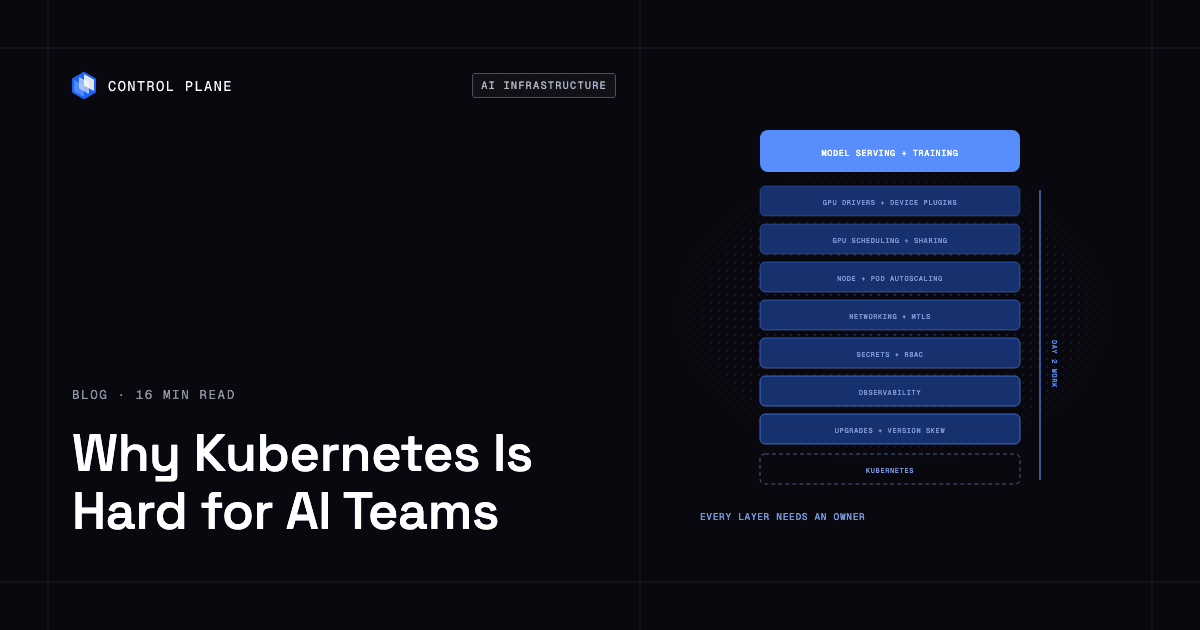
Kubernetes is hard for AI teams because GPU workloads stack extra layers on an already complex system. GPU drivers and device plugins, scarce and expensive accelerator capacity, large model artifacts, bursty batch and latency-sensitive serving on the same cluster, and security for multi-team access all become Day 2 work someone has to own. Teams reduce this burden by standardizing on a managed Kubernetes control plane, automating node provisioning and GPU setup, separating batch and serving, and enforcing security defaults in the platform. Control Plane runs containerized AI services, including on NVIDIA GPUs, on Control Plane-managed compute in AWS, GCP, and Azure regions with no Kubernetes cluster to operate, or on GPU clusters you bring as locations.
Disclosure: Control Plane publishes this guide.
TL;DR
Kubernetes grew up running stateless web services. AI workloads add GPU scheduling, distributed training, large model images, and expensive accelerators on top, which turns every cluster into a standing operations project.
- Top pain points. GPU driver and plugin management, GPU scheduling and sharing, capacity scarcity and idle GPUs, batch versus serving contention, distributed training failures, high-speed networking, storage throughput, spot interruption, large model cold starts, autoscaling on the wrong signal, networking and service security, multi-tenant access control, GPU observability, and upgrade version skew.
- Autoscaling options. Pod autoscaling (HPA, VPA, KEDA) paired with node autoscaling (Cluster Autoscaler, Karpenter), managed node provisioning (EKS Auto Mode, GKE Autopilot, AKS node autoprovisioning), or a managed platform that hides the cluster.
- Security defaults that matter. Default-deny network policy, workload identity per service, no privileged containers, image provenance checks, safetensors-only model weights from approved registries, runtime secret injection, audit logs, and least-privilege RBAC per team.
- Tool categories. Managed Kubernetes services and platforms, GitOps, ingress and Gateway API controllers, CNI and network policy engines, service mesh, observability stacks, and GPU tooling.
- How Control Plane fits. Control Plane handles Day 2 operations, including autoscaling, observability, and security, with no Kubernetes cluster you have to operate. It offers NVIDIA GPUs on Control Plane-managed compute, and teams can also bring their own GPU clusters as locations.
Why is Kubernetes considered complex for AI infrastructure teams and what are the biggest operational pain points?
Every row below is recurring Day 2 work. Most AI teams meet these pain points after their first model reaches production.
| Pain point | Why it hurts AI workloads | How teams reduce it | Example tools |
|---|---|---|---|
| GPU drivers, CUDA versions, and device plugins | A container built for a newer CUDA version than the node driver supports fails at startup, and a driver that does not match the GPU hardware or container toolkit breaks every GPU pod on the node. | Pin driver versions per node pool, pin CUDA versions in container images to what that driver supports, and use an operator to automate the driver lifecycle. | NVIDIA GPU Operator |
| GPU scheduling and sharing | With the standard device plugin, Kubernetes exposes a GPU as a whole-unit extended resource such as nvidia.com/gpu, with no view of GPU memory, utilization, or hardware generation. Dynamic Resource Allocation (DRA), generally available since Kubernetes 1.34, adds attribute-based device requests, but GPU driver and managed-service support is still uneven. | Use Multi-Instance GPU (MIG) partitioning for hardware isolation, time-slicing only for trusted workloads (no memory isolation), node pools per GPU type with taints and tolerations, or DRA attribute requests. | NVIDIA MIG, NVIDIA DRA driver, GPU Feature Discovery |
| Scarce, expensive capacity and idle GPUs | GPU instances cost far more than CPU instances, so an idle serving endpoint wastes real budget. | Set resource quotas per namespace, bin-pack workloads, and scale idle serving workloads to zero where latency allows. | Resource quotas, Karpenter consolidation |
| Batch versus serving contention | A large training job can starve a latency-sensitive inference endpoint on a shared cluster. | Queue batch jobs, assign priority classes, and run batch and serving on separate node pools. | Kueue, PriorityClass |
| Distributed training and failures | A multi-node job needs every worker placed at once; partial placement holds GPUs idle, and one failed GPU or NCCL hang stalls the whole job. | Gang-schedule through queue admission, checkpoint to object storage on a fixed interval, and restart from the last checkpoint. | Kueue, Volcano, JobSet, Kubeflow Trainer, PyTorch Distributed Checkpoint |
| High-speed interconnect | Multi-node training and large-model inference need RDMA over InfiniBand or RoCE, or a cloud fabric such as AWS EFA, which default pod networking does not expose. | Attach secondary RDMA interfaces to pods, request the fabric device through a device plugin, and place workers in the same network topology block. | NVIDIA Network Operator, Multus, SR-IOV device plugin, EFA device plugin |
| Dataset and checkpoint storage throughput | GPUs sit idle when data loaders or checkpoint writes wait on storage. | Use a parallel file system or caching layer near the GPUs, and stage hot data on node-local NVMe. | Amazon FSx for Lustre, Google Cloud Managed Lustre, Cloud Storage FUSE, Mountpoint for Amazon S3 |
| Spot and preemptible GPUs | Spot GPUs cost far less, but providers can reclaim them with 30 seconds (Google Cloud, Azure) to 2 minutes (AWS) of notice. | Run checkpointed batch and training on spot, keep serving on on-demand or reserved capacity, and handle termination notices. | Karpenter spot capacity, AWS Node Termination Handler, GKE Spot VMs |
| Large model artifacts and cold starts | Images and weights for large models can run from tens to hundreds of gigabytes, and pulling them onto a cold node adds minutes to scale-up. | Cache weights on ReadOnlyMany volumes or node-local NVMe, stream images lazily, pre-pull images to warm nodes, and download weights from object storage in init containers. | GKE image streaming, SOCI snapshotter, DaemonSet pre-pullers |
| Autoscaling on the wrong signal | CPU-based Horizontal Pod Autoscaler (HPA) does not reflect GPU inference load; a pod can show low CPU while its GPU is saturated. | Scale on request concurrency, queue depth, or GPU metrics. | KEDA, custom metrics HPA |
| Networking and service-to-service security | AI pipelines have many internal hops, and without network policy any pod can reach any other pod. | Apply default-deny network policies, use mTLS between services, and manage external access through ingress or Gateway API controllers. | Cilium, Calico, Istio, Gateway API |
| Multi-tenant access and secrets | Teams sharing a cluster need isolated namespaces, scoped RBAC, and per-team secrets, and RBAC sprawl is hard to audit. | Use workload identity instead of static keys, scope RBAC to namespaces, and inject secrets at runtime. | Cloud IAM workload identity, Vault, External Secrets Operator, Secrets Store CSI Driver |
| Observability | Standard Kubernetes metrics omit GPU utilization, GPU memory, thermal throttling, and the XID and ECC errors that signal a failing GPU, so teams cannot diagnose performance or attribute cost per model. | Export GPU metrics with DCGM, correlate them with pod metrics, build per-model cost dashboards, and cordon and replace unhealthy GPU nodes automatically. | DCGM Exporter, Prometheus, Grafana |
| Upgrades and version skew | One Kubernetes upgrade can break compatibility across the control plane, kubelet, GPU drivers, device plugins, and AI operators at once. | Test upgrades in staging with the full GPU stack, pin operator versions, and upgrade node pools blue/green so workloads can drain back to the old pool. | Staging clusters, GitOps pipelines |
Multiply that work by the number of clusters, regions, and GPU types. That is why AI platform teams often grow faster than model teams, and why organizations look at alternatives to running Kubernetes themselves: the people keeping GPU clusters healthy are people not building models.
Which managed Kubernetes solution is best for autoscaling EC2 nodes and automatically scaling pods?
Autoscaling on Kubernetes has two layers, and GPU workloads need both to work together.
Pod autoscaling decides how many replicas run. The Horizontal Pod Autoscaler (HPA) scales on CPU, memory, or custom metrics. The Vertical Pod Autoscaler (VPA) adjusts resource requests. KEDA adds event-driven triggers such as queue depth or Prometheus queries, and its HTTP Add-on scales on HTTP request traffic. These signals fit GPU inference better than CPU utilization.
Node autoscaling decides how many nodes the cluster provisions for pending pods. Cluster Autoscaler scales predefined node groups when pods cannot be scheduled. Karpenter provisions nodes directly through the cloud provider’s compute API based on pod requirements, without predefined node groups.
Managed Kubernetes autoscaling options compared
| Option | What it manages | Node autoscaling approach | GPU considerations | Best fit |
|---|---|---|---|---|
| Amazon EKS with Cluster Autoscaler and managed node groups | Kubernetes control plane; you manage node groups | Cluster Autoscaler scales predefined node groups up or down for unschedulable pods | Needs separate node groups per GPU type; scale-up is bounded by each group’s instance types and zones | Teams with well-defined GPU instance types and predictable workloads |
| Amazon EKS with Karpenter | Kubernetes control plane; Karpenter manages node lifecycle | Karpenter picks instance types from pod requests, constraints, and availability | Can choose across GPU instance families and consolidates underused nodes | Teams running mixed GPU types or wanting faster, more flexible provisioning |
| Amazon EKS Auto Mode | Kubernetes control plane plus node provisioning and lifecycle | AWS manages node provisioning, scaling, and updates using Karpenter-based automation | Supports GPU instance types with AWS-managed node lifecycle | Teams on AWS that want minimal node management |
| GKE Autopilot | Kubernetes control plane, nodes, and many cluster defaults | Google provisions and scales nodes; you define pod resource requests | Supports GPU requests in pod specs, with Google provisioning GPU nodes as needed | Teams that prefer a pod-centric model with nodes abstracted |
| AKS node autoprovisioning | Kubernetes control plane; AKS provisions nodes | AKS uses Karpenter-based provisioning to add and remove nodes for pending pods | Can provision GPU VM sizes when GPU pods are pending | Teams on Azure that want automatic node provisioning |
Guidance for GPU node autoscaling
GPU nodes take longer to become ready than CPU nodes: driver setup, device plugin initialization, and large image pulls all add to scale-up time. Capacity for GPU instances is often limited, especially for newer accelerator generations, so relying only on on-demand scale-up for latency-sensitive serving is risky.
For inference endpoints that must respond quickly, keep a warm minimum of GPU replicas, and hold spare nodes with low-priority placeholder pods that real pods preempt. Scale replicas on concurrency or queue depth through KEDA, so pending pods trigger node scale-up once spare capacity is used. For training, scale node pools to zero between jobs, but admit each job only when all its GPUs are available, using Kueue or Volcano gang scheduling, so a partly placed job does not hold GPUs idle; Kueue ProvisioningRequest support and GKE Dynamic Workload Scheduler request the full set of nodes at once. Reserve capacity for large runs with EC2 Capacity Blocks for ML or cloud reservations, run checkpointed jobs on spot GPUs, and disable consolidation on training nodes with Karpenter’s karpenter.sh/do-not-disrupt annotation. EKS Auto Mode replaces nodes after 14 days by default and after 21 days at most, so plan long runs around it.
What solutions help manage container orchestration complexity while maintaining security?
Reducing complexity without weakening security takes several layers. These categories apply to any Kubernetes environment.
Managed Kubernetes control planes move etcd, API server patching, and control-plane availability to the cloud provider. Node management, networking, and workload security stay with you.
Node and GPU automation standardizes node images, driver installation, and device plugin configuration. The NVIDIA GPU Operator automates this stack on supported distributions, which keeps driver versions consistent across nodes added by scaling events.
Policy enforcement through admission controllers checks workloads before they run. OPA Gatekeeper and Kyverno evaluate pod specs against policies at admission time, blocking privileged containers, enforcing resource requests, or requiring signed images. Pod Security Admission, built into Kubernetes, enforces the restricted profile per namespace without extra tooling. Teams that practice policy as code version and audit these policies with their infrastructure.
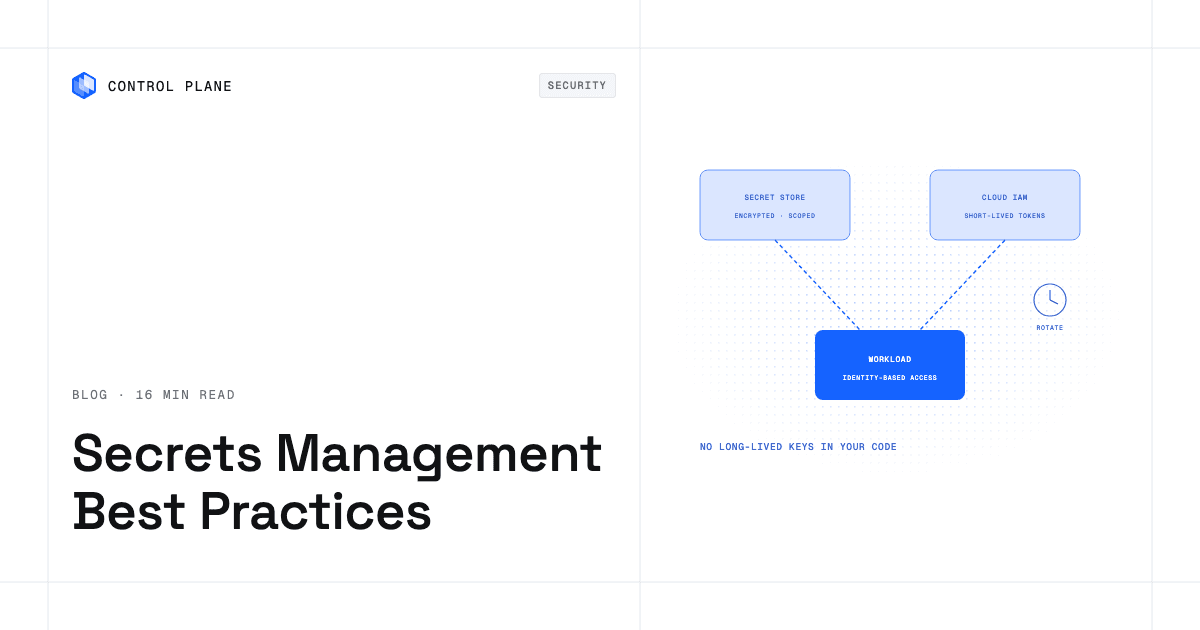
Workload identity replaces static cloud credentials with short-lived tokens scoped to one service account, so long-lived keys never sit in Kubernetes secrets.
Network policy and service mesh mTLS control east-west traffic. A default-deny policy blocks pod-to-pod traffic unless allowed, and a service mesh such as Istio or Linkerd adds mutual TLS between services for encryption and identity.
Secrets management injects credentials at runtime, keeping them out of images, manifests, and version control.
Platform layers that hide the cluster expose only workload definitions and policies to development teams, with nodes and Kubernetes objects managed underneath. This removes the most operational work of any option.
Security defaults checklist
| Default | Purpose |
|---|---|
| Default-deny network policy | Blocks lateral movement between workloads |
| Workload identity per service | Removes static cloud credentials |
| No privileged workload containers | Blocks host-level access from workload code; exempt only GPU and network operator system pods |
| Image provenance verification | Runs only signed, trusted images |
| Model artifact provenance | Loads weights only from approved registries, in safetensors format, to avoid code execution from pickle files |
| Secrets injected at runtime | Keeps credentials out of images and manifests |
| Audit logs enabled | Records access and change events |
| Least-privilege RBAC per team | Limits each team to the namespaces and resources it owns |
Where can I find the best in class container management and networking tools?
This map organizes the categories that matter most to AI infrastructure teams.
| Category | What it does | Example open source or cloud tools |
|---|---|---|
| Container management platforms | Run clusters and workloads, including across clusters and clouds | Managed Kubernetes services (EKS, GKE, AKS) and Kubernetes management platforms |
| GitOps | Reconcile cluster state with Git for declarative, auditable deployments | Argo CD, Flux |
| Ingress and Gateway API controllers | Route external traffic to services with TLS termination and path routing | Envoy Gateway, Istio, Cilium, NGINX Gateway Fabric, Gateway API Inference Extension for model-aware routing |
| CNI and network policy | Provide pod networking and enforce segmentation | Cilium, Calico, Multus for secondary networks |
| Service mesh | Add mTLS, traffic management, and observability between services | Istio, Linkerd |
| Observability | Collect metrics, logs, and traces | Prometheus, Grafana, OpenTelemetry |
| GPU tooling | Automate the GPU driver lifecycle and export GPU telemetry | NVIDIA GPU Operator, DCGM Exporter |
| Batch queueing and gang scheduling | Admit jobs all-or-nothing, enforce team quotas, and share GPU capacity fairly | Kueue, Volcano |
| Distributed training operators | Run multi-node PyTorch, JAX, and Ray jobs with coordinated restarts | Kubeflow Trainer, JobSet, KubeRay |
| Model serving | Serve models with batching, autoscaling, and multi-node inference | KServe, vLLM, NVIDIA Triton, LeaderWorkerSet, llm-d |
| High-speed networking | Expose RDMA, InfiniBand, RoCE, and EFA to pods | NVIDIA Network Operator, SR-IOV device plugin, EFA device plugin |
| Data and model storage | Feed datasets and weights at GPU speed | CSI drivers, FSx for Lustre, Cloud Storage FUSE, Mountpoint for Amazon S3 |
Choosing a tool from each category and integrating them into one platform is a significant engineering project in itself. Teams that want to skip assembling and maintaining this stack evaluate managed platforms that bundle these capabilities.
When should an AI team stop running Kubernetes itself?
There is no universal threshold, but several signals suggest self-managed Kubernetes costs more than it returns.
Platform headcount versus model headcount. If the team maintaining clusters, drivers, and networking grows faster than the team shipping models, the platform is consuming the resources it was meant to enable.
Number of clusters and regions. One region is manageable. Several regions and clouds with consistent security, networking, and GPU configuration multiply every task.
GPU utilization. Consistently low utilization from misconfigured autoscaling or peak-sized capacity can cost more than a managed platform.
Compliance scope. PCI DSS, SOC 2, or HIPAA on self-managed clusters means hardening, auditing, and documenting every layer yourself; managed platforms shift part of that scope to the provider under a shared responsibility model.
Multi-region serving. Low-latency global serving needs active-active deployment, global load balancing, and health-aware routing, which are complex to build and maintain on raw Kubernetes.
The options run from self-managed to fully managed. Managed Kubernetes plus your own automation keeps the most control and the most work. A platform layer on your own clusters abstracts workload management and policy while you keep the clusters. A fully managed platform lets you define workloads while the platform handles clusters, nodes, scaling, and security. For a deeper comparison, see production-grade infrastructure without a platform team.
How Control Plane fits
Control Plane is the unbreakable platform for running production workloads. It runs serverless, standard, stateful, and cron workloads natively on AWS, GCP, and Azure, VM workloads on locations joined through Control Plane’s Managed Kubernetes (MK8s), and workloads on Kubernetes clusters you already run or your own machines, including on premises, active-active across regions and clouds.
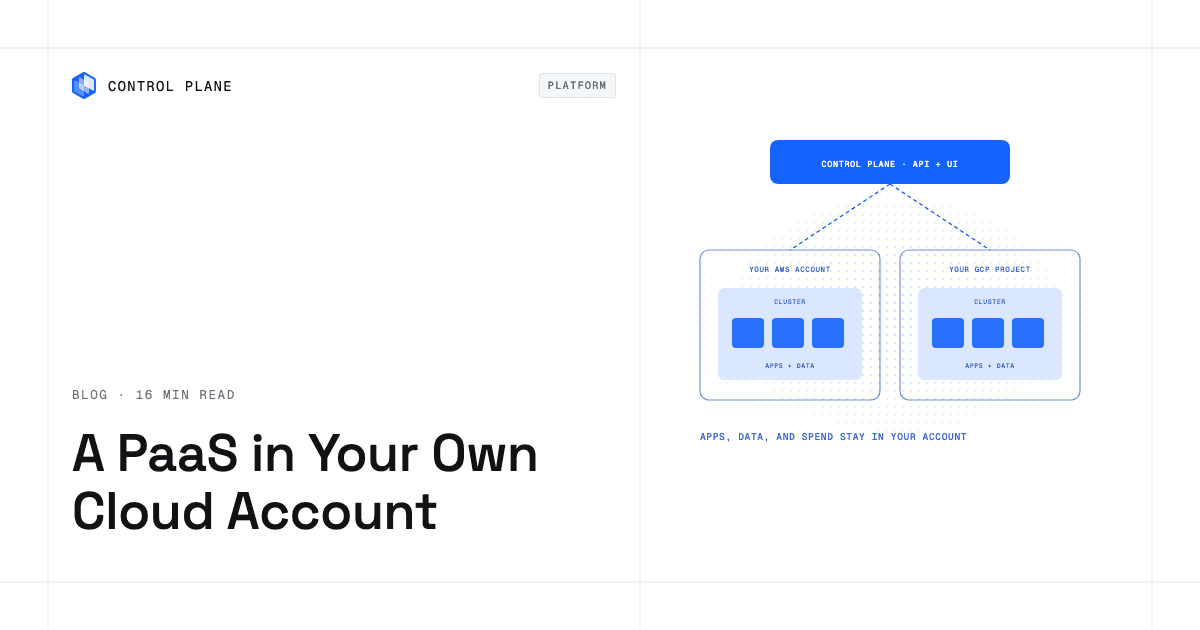
GPU workloads without cluster operations. Control Plane’s pricing page lists NVIDIA GPUs from T4 to B200, and on Control Plane-managed compute there is no Kubernetes cluster or node pool for your team to run, and Control Plane installs and maintains the GPU drivers. Teams can also bring their own GPU clusters as locations: Kubernetes clusters they already run, or clusters created and maintained through MK8s, a CNCF-certified Kubernetes service that runs worker nodes in your own cloud account or on your own machines.
The vLLM template serves one Hugging Face model through vLLM’s OpenAI-compatible API on a built-in NVIDIA A10G or T4, or on your own GPU cluster registered as a location, and caches downloaded weights on a persistent volume so restarts skip the download. It deploys into an existing Global Virtual Cloud (GVC), Control Plane’s term for the set of locations a workload runs in, with exactly one location; for regional redundancy, install it in one GVC per region. For the wider picture, see AI infrastructure in 2026: training, inference, and agents.
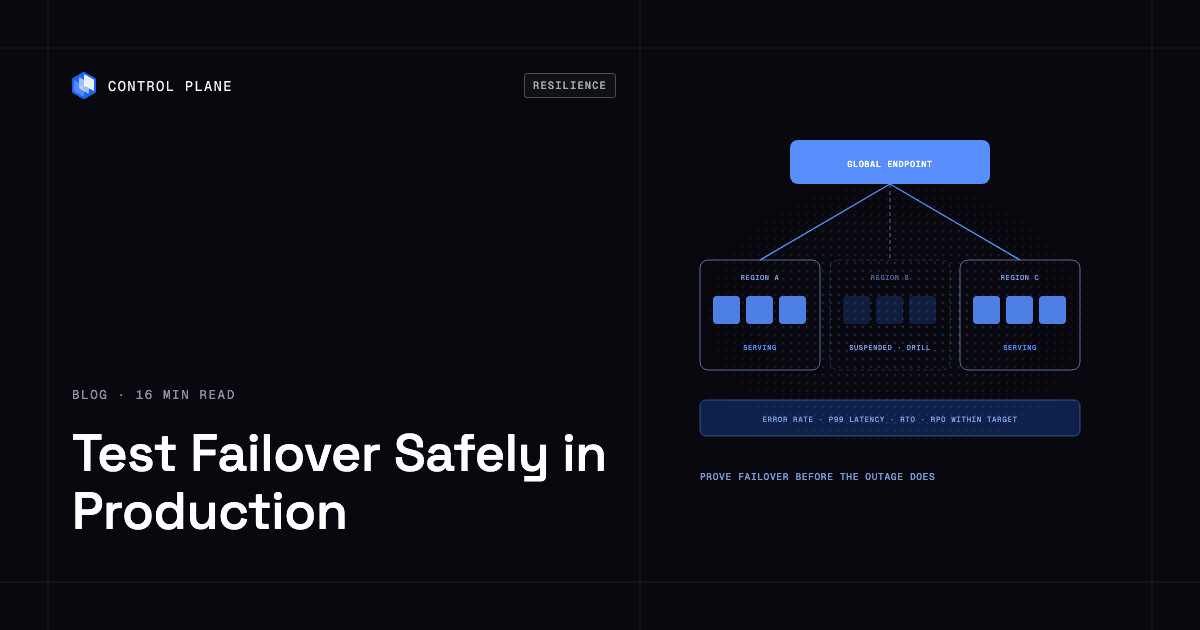
Multi-region active-active. A workload deployed to a GVC runs active-active in every location of that GVC from one definition, and a global endpoint routes each request to the nearest healthy location. The 99.999% availability SLA applies to workloads running at least two replicas in at least two locations.
Autoscaling built in. Serverless workloads scale on request concurrency and can scale to zero, and standard and stateful workloads can scale to zero through KEDA, enabled per GVC. Capacity AI, Control Plane’s feature that right-sizes the CPU and memory a workload reserves based on historical usage, does not apply to GPU workloads.
Security defaults. The internal firewall between workloads is deny by default, and external inbound and outbound traffic stay closed until a rule opens them. All traffic between workloads uses mTLS with a unique client certificate per workload, and workloads read secrets only through an identity and a policy. Control Plane’s Universal Cloud Identity (UCI) lets workloads call AWS, GCP, and Azure services with no long-lived cloud keys in your code. Each workload is isolated with cgroups, namespaces, and restricted syscalls and capabilities, and Control Plane Sandboxes, isolated environments for building and testing code, run in dedicated Kata Containers microVMs.
Compliance and infrastructure as code. Control Plane is PCI DSS Level 1, SOC 2 Type II, HIPAA, and GDPR compliant. Control Plane ships its own Terraform and Pulumi providers, so it complements the infrastructure as code you already run.
Cost. You pay for the CPU and memory a workload reserves, with no contracts or minimums, and the pricing page lists GPU rates per GPU-hour. Customers typically cut compute costs 30 to 50 percent compared with running directly on AWS, GCP, or Azure.
FAQ
Common questions from AI infrastructure teams weighing Kubernetes complexity against managed alternatives.
Why is Kubernetes so hard for AI infrastructure teams?
AI workloads add GPU driver management, device plugins, large model images, distributed training coordination, and expensive accelerator scheduling to a system that grew up around stateless web services. Each addition creates Day 2 work that compounds across clusters, regions, and GPU types.
What are the biggest operational pain points of running AI workloads on Kubernetes?
The ones that cost the most time are GPU driver drift, GPU scheduling and sharing, multi-node training failures, cold starts from large model weights, autoscaling on CPU instead of GPU load, and version skew during upgrades. Networking, multi-tenant access, storage throughput, and observability add steady overhead on top.
Do I need Kubernetes to run AI inference?
No. Managed AI services and managed platforms such as Control Plane run inference without a cluster to operate, from one model in one region to many models across regions and clouds. Self-managed Kubernetes pays off when you want control over every layer and have the platform engineering capacity to run it.
How do I autoscale GPU inference on Kubernetes?
Scale pods with KEDA on queue depth, request concurrency (through KEDA’s HTTP Add-on or a Prometheus metric), or GPU metrics instead of CPU-based HPA, and pair that with node autoscaling through Karpenter or Cluster Autoscaler so GPU nodes are added when pods are pending. Keep a warm minimum of GPU replicas for latency-sensitive endpoints.
What is the NVIDIA GPU Operator?
The NVIDIA GPU Operator automates the deployment and lifecycle of GPU drivers, the container toolkit, device plugins, and monitoring components on Kubernetes nodes, so GPU nodes are configured without manual driver installs.
Karpenter vs Cluster Autoscaler: what is the difference?
Cluster Autoscaler resizes node groups you define in advance, so each GPU type needs its own group. Karpenter reads pending pod requirements, launches a matching instance type on demand, and consolidates underused nodes, which suits clusters with mixed GPU types.
What security defaults should a Kubernetes AI platform enforce?
Block pod-to-pod traffic by default, give each service its own short-lived cloud identity, keep privileged access to GPU and network operator system components only, verify image signatures at admission, inject secrets at runtime, keep audit logs, and limit each team to its own namespaces.
How does Control Plane reduce Kubernetes complexity for AI teams?
On Control Plane-managed compute there is no Kubernetes cluster, node pool, or GPU driver stack to operate, and the Control Plane pricing page lists NVIDIA GPUs from T4 to B200. Deny-by-default firewalls, per-workload mTLS, and Universal Cloud Identity are built in, and workloads run active-active across regions from one definition with a global endpoint routing to the nearest healthy location.
What are the best Kubernetes management platforms for AI infrastructure?
It depends on how much operational work you want to keep. Options range from managed Kubernetes services such as EKS, GKE, and AKS, to Kubernetes management platforms that add multi-cluster governance, to managed platforms such as Control Plane that hide the cluster layer entirely.
When should an AI team consider alternatives to self-managed Kubernetes?
When platform headcount grows faster than model headcount, GPU utilization stays low, compliance scope expands, or you need multi-region serving with active-active redundancy.
Ready to stop managing Kubernetes clusters and start shipping models? Talk to the Control Plane team or sign up free.