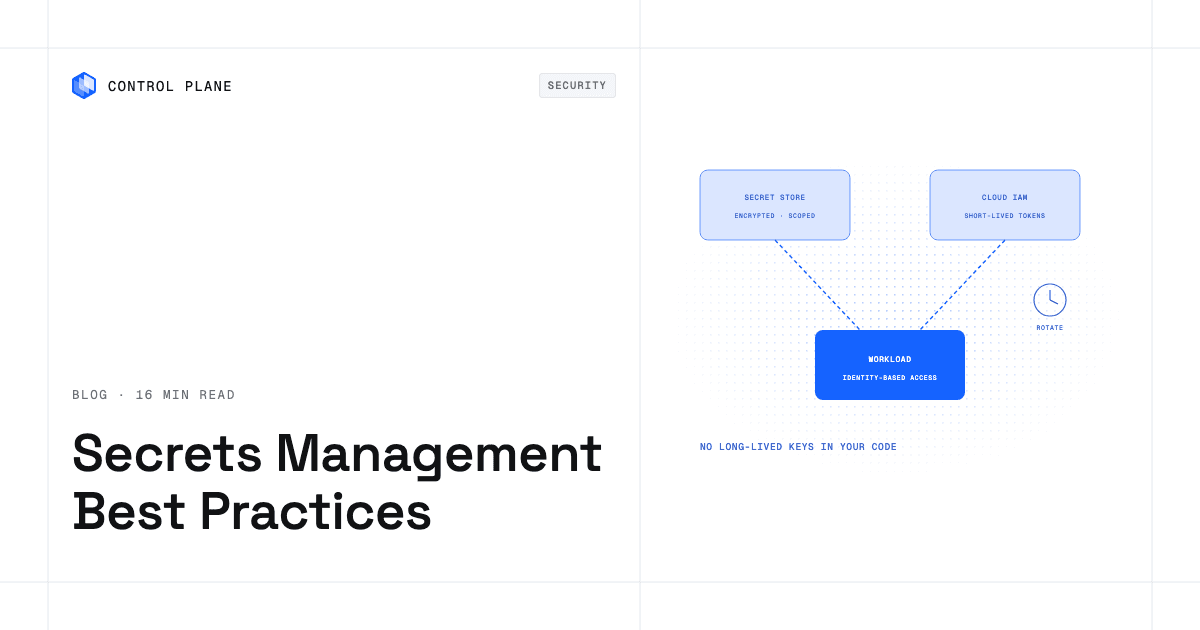
Manage secrets in production by storing them in one encrypted secrets manager, injecting them at runtime with least-privilege access per workload, rotating them on a schedule, and auditing access. Then shrink the problem by replacing long-lived cloud keys with short-lived, identity-based credentials wherever the provider supports it. Control Plane builds this into the platform. It encrypts secrets at rest and in transit, grants each workload access to specific secrets through an identity and a policy, records every action in a tamper-proof audit trail, and gives workloads access to AWS, GCP, and Azure services through Control Plane’s Universal Cloud Identity (UCI) with no long-lived cloud keys in your code.
Disclosure: Control Plane publishes this guide.
TL;DR
Good secrets management means fewer stored secrets, shorter lifetimes, narrower scope, and a clear audit trail.
- Inventory every secret and assign an owner.
- Centralize secrets in one manager that encrypts at rest and in transit.
- Inject at runtime as environment variables or mounted files.
- Scope access so each workload sees only the secrets it needs.
- Rotate on a schedule, and automate rotation where the target service supports it.
- Prefer short-lived credentials and workload identity federation over static keys.
- Use OIDC federation in CI/CD instead of stored cloud keys.
- Audit access and keep a rotation runbook.
- Plan for availability, so the secrets store is not a single point of failure.
- If a provider exposes your secrets, revoke and replace the keys that can spend money or reach data first, check logs and billing across the exposure window, and update every place each value is used.
- On Control Plane, secrets are encrypted with envelope encryption and stored on multiple cloud providers, workloads read them only through an identity and a policy, every action lands in the audit trail, and UCI reaches cloud services with no long-lived cloud keys in your code.
What counts as a secret, and where do secrets end up in normal operations?
A secret is any value that grants access to a system or data, or lets its holder sign, decrypt, or act as someone else:
- Database credentials and connection strings
- Cloud access keys (AWS access key pairs, GCP service account keys, Azure client secrets)
- Third-party and LLM API keys
- Signing keys for tokens, code, and SAML
- Encryption keys
- TLS private keys
- Webhook signing secrets
- OAuth access and refresh tokens
Copies spread through routine work:
- Source code and git history. A committed key stays in history after the file is deleted.
- Container images. Build arguments and ENV values persist in the final image and its history; use build-time secret mounts instead.
- CI logs and variables. Debug output can print values, and each pipeline variable is another copy to track and rotate; reference the manager instead of duplicating values.
- Diagnostics. Debug output and support bundles can include configuration values; scrub them before sharing.
- Chat and tickets. Values pasted during troubleshooting stay in message history.
- Laptops. Local env files and shell history hold copies of production values.
- Kubernetes Secrets. They are base64-encoded, not encrypted, in the API; etcd encryption depends on cluster configuration, and anyone who can read Secrets or create pods in a namespace can read them.
- Broad access. When every engineer can read every production secret, each account holds more access than its job requires.
Best practices for managing cloud credentials across multiple providers
- Inventory every secret and assign an owner. Record what it is, which workloads use it, who rotates it, and when it last changed.
- Centralize in one secrets manager. Use a store with encryption, access control, and audit logs instead of config files and spreadsheets.
- Keep secrets out of source control. Use pre-commit hooks and repository scanning. GitHub secret scanning detects provider token formats and generic secrets across a repository’s full git history. Private repositories and generic-secret detection require GitHub Secret Protection. For public repositories, GitHub notifies partner providers about tokens it finds so they can revoke them. Push protection blocks pushes that contain supported secret types unless the person pushing bypasses it or a designated reviewer approves a bypass request. Rotate any secret you find in history first; rewriting history does not revoke it.
- Inject at runtime. Mounted files can be refreshed without a restart on platforms and applications that reload them, and they stay out of the process environment, though file-read bugs can still reach them. Environment variables are simpler, and child processes inherit them. Pick per workload.
- Grant least privilege per workload and environment. A payment service has no reason to read the analytics database password.
- Separate secrets per environment. Production, staging, and development each get their own credentials.
- Rotate on a schedule. Set intervals by risk, automate generation, distribution, and revocation where the target service allows it, and rotate when someone with access leaves or a secret’s scope changes.
- Prefer short-lived credentials. A credential that expires on its own limits how long any copy stays useful.
- Audit access and alert on anomalies. Log reads and permission changes, and alert on access from unexpected workloads, locations, or times. With environment-variable injection, the manager logs the platform’s fetch, not each use inside the application.
- Keep a rotation runbook. For each secret, list the target service, the rotation steps, and how to verify the change, so anyone on call can replace it. Include break-glass access: a sealed, audited path to secrets when the manager or identity provider is unavailable; alert on every use, rotate those credentials afterward, and test the path regularly.
Is your secrets manager a single point of failure?
Workloads that fetch secrets at startup cannot start if the secrets store is unreachable. If the store lives in one region of one provider, a regional problem there can block new deployments and scaling. Replicate the store across regions or providers, keep break-glass access tested, and include the secrets store in your failover drills.
How do the main secrets managers compare?
Each cloud’s manager is the best fit inside its own cloud; Vault and OpenBao are self-run options that work anywhere; Control Plane builds secrets into the platform and syncs from external managers.
| Manager | Where it runs | Rotation | Dynamic or short-lived credentials | Multi-cloud fit |
|---|---|---|---|---|
| AWS Secrets Manager | Managed AWS service | Managed rotation for secrets managed by other AWS services and supported partners; Lambda functions for others | Rotation of stored secrets; no on-demand dynamic credentials | Best fit for workloads on AWS |
| Google Cloud Secret Manager | Managed GCP service | Rotation schedules that send Pub/Sub notifications; you run the rotation logic | No native dynamic credentials | Best fit for workloads on Google Cloud |
| Azure Key Vault | Managed Azure service | Rotation policies for keys; auto-renewal for self-signed and integrated-CA certificates; secrets rotate through Event Grid and Azure Functions you deploy | No native dynamic credentials | Best fit for workloads on Azure |
| HashiCorp Vault | Self-managed or HashiCorp-managed | Rotation across many backends | Dynamic secrets engines for databases, clouds, and PKI | Runs anywhere |
| OpenBao | Self-managed, open source | Rotation across supported backends | Dynamic secrets engines | Runs anywhere |
| Control Plane | Built into the platform; secrets stored on multiple cloud providers | Update in place; dictionary secrets mounted as directories refresh in running workloads; syncs from external managers through the ESS template | Short-lived cloud tokens through UCI | Every location in a Control Plane Global Virtual Cloud (GVC), on any supported cloud or on premises |
Are there any good alternatives to traditional credentialing methods in cloud access?
Yes. Workload identity federation replaces stored cloud keys with short-lived credentials issued in exchange for a token that proves the workload’s identity, and dynamic secrets replace standing database users with temporary ones.
Secretless authentication between cloud providers
The workload presents a signed token (usually OIDC) or an X.509 certificate to the cloud provider, which validates it against a configured trust relationship and returns short-lived credentials scoped to a specific role or identity.
- AWS: IAM roles for service accounts and EKS Pod Identity for Amazon EKS, AssumeRoleWithWebIdentity for any OIDC-compatible identity provider that an IAM role trusts, and IAM Roles Anywhere for workloads outside AWS that present an X.509 certificate.
- Google Cloud: Workload Identity Federation lets external identities from AWS, Azure, X.509 certificates, or any OIDC or SAML 2.0 provider access Google Cloud resources directly or by impersonating a service account.
- Azure: Workload identity federation in Microsoft Entra lets external OIDC tokens obtain Microsoft Entra access tokens without a client secret.
Federation moves trust to the issuer. The issuer’s signing key, and for X.509 the workload’s private key, become the values to protect, so keep token lifetimes short.
Dynamic secrets
A vault’s database secrets engine creates a temporary database user under a lease and revokes it when the lease ends. The workload authenticates to the vault, ideally with its workload identity, and receives a credential instead of a standing password. Long-running workloads renew the lease or request a new credential before it expires.
For the full mechanics of federation across clouds, see Control Plane’s guide to workload identity federation.
How to give a container identity across multiple clouds
A container gets a portable identity from three parts.
- A workload identity that names the workload independently of where it runs.
- A trust relationship in each cloud that accepts tokens from your identity issuer.
- A scoped role per cloud that grants only the permissions that workload needs there.
Copying an AWS access key into a GCP or Azure environment creates a long-lived value that is harder to rotate and audit than a federated identity.
To set it up, assign the workload an identity, configure each cloud to trust your issuer, restrict that trust to the expected audience and subject claims, map the identity to a least-privilege role in each cloud, and have the workload exchange its token for short-lived credentials at runtime.
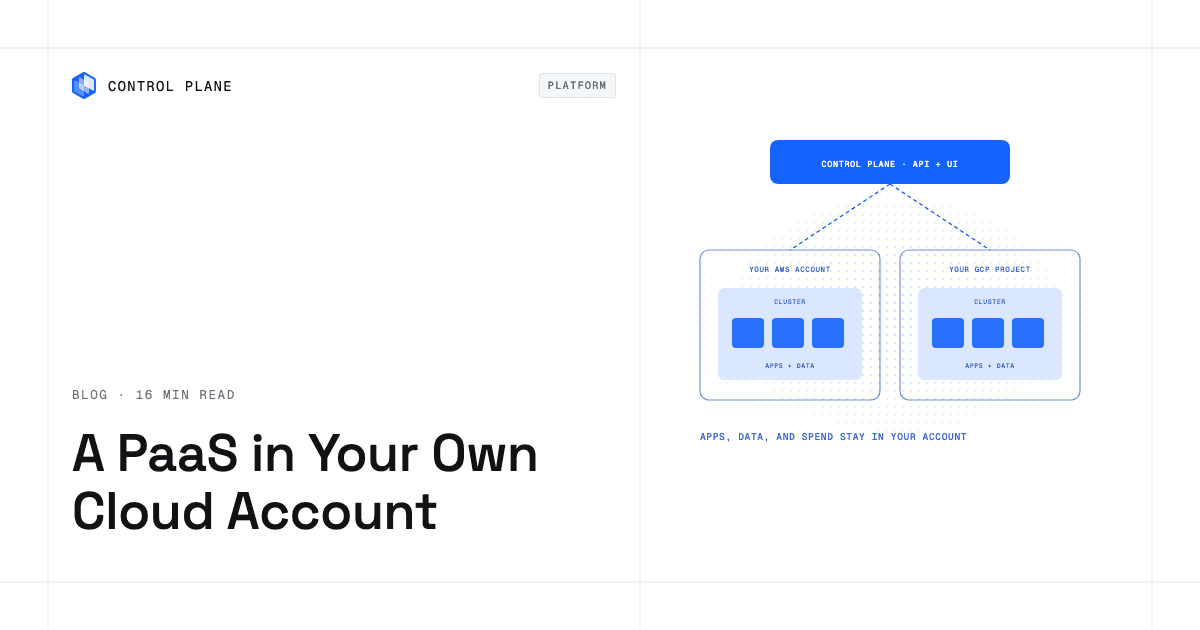
On Control Plane, once you connect a cloud account and grant the workload’s identity least-privilege access rules, UCI lets it call AWS, GCP, and Azure services from any location in a GVC, the set of locations a workload runs across, using short-lived tokens assigned at startup.
What are the best practices for secrets management in IaC pipelines to meet cloud compliance requirements?
IaC pipelines hold powerful credentials and produce state that can contain sensitive values, so protect both.
- Protect state. Terraform state can store resource attributes such as passwords. Keep it in a remote backend with encryption at rest, restrict access to it, and enable locking. Marking variables and outputs as sensitive redacts them from plan and apply output, but they are still stored in state and plan files. Ephemeral variables and resources (Terraform 1.10 and later) keep values out of state and plan files, and write-only arguments (1.11 and later) pass them to resources where providers support it.
- Use OIDC federation in CI/CD. GitHub Actions supports OIDC. A workflow requests a token from GitHub’s OIDC provider and exchanges it with the cloud provider for short-lived credentials. The cloud trust policy must pin the issuer, audience, and subject claims to specific repositories, branches, or environments; without a subject condition, any repository on GitHub could assume the role.
- Scope pipeline permissions per environment. A staging pipeline should not be able to change production.
- Require approvals for production changes.
- Keep audit evidence of each run, who triggered it, and what it changed.
Auditors for SOC 2, PCI DSS, and HIPAA commonly look for evidence in these areas, though each framework sets its own requirements: SOC 2 lets you define your controls, and some HIPAA safeguards are addressable.
| Control area | Evidence auditors commonly request |
|---|---|
| Access control | Least-privilege policies, separation of duties, MFA for administrative and remote access (PCI DSS requires MFA for all non-console access into the cardholder data environment) |
| Encryption | Secrets encrypted at rest and in transit; key management procedures |
| Rotation | Defined schedules and records of rotation |
| Logging and monitoring | Central audit logs, alerting, retention |
| Response procedures | Rotation and revocation runbooks, with test records |
How should I manage third-party and LLM API keys?
Treat provider keys as scoped, budgeted, and replaceable.
- One key per service and environment, so replacing one does not affect the others.
- Hard spend limits where the provider supports them, and usage alerts, set before the key is distributed.
- A gateway that holds provider keys and issues internal virtual keys, so workloads never see the real provider key; virtual keys are still secrets, so scope, store, and rotate them like any other.
- Rotation on a schedule, and no provider keys in browser or mobile code.
- Revocation of keys for retired services.
Agents that use keys should act with narrowly granted permissions; see how to let AI agents operate production infrastructure safely.
How do I rotate a secret without downtime?
Use dual-credential rotation, so the old and new values are both valid during the switch.
- Create the new credential in the target service while the old one still works.
- Update the secrets manager and roll it out to consuming workloads.
- Verify every consumer has switched, allowing time for connection pools and caches to refresh.
- Revoke the old credential and confirm it is rejected.
Configure connection pools to reconnect after a credential change, and rehearse the full rotation in staging first. If the target allows only one credential per user, alternate between two users. Clients that cache secrets need a refresh interval shorter than the overlap window. For asymmetric signing keys, publish the new public key under a new key ID in the JWKS, wait at least the verifiers’ cache lifetime before signing with it, and remove the old key only after the longest-lived token it signed has expired.
What should I do if a platform or provider exposes my secrets?
Treat every secret the provider held as compromised, and work through them in order of potential damage. Make leaked values useless, then find out whether they were used.
- Replace, then revoke. Many dashboards let you create a new key while the old one keeps working until you delete it. Issue the replacement, roll it out, then revoke the old value and confirm it is rejected. If logs show active misuse, revoke immediately and accept the downtime.
- End what the leaked values already issued. Revoking a key does not end sessions created with it. Revoke active AWS role sessions, invalidate refresh and OAuth tokens, remove old signing keys from verification so existing JWTs fail, and force sign-out where a session secret changed.
- Start with what can spend money or reach data. Rotate cloud access keys, payment and billing keys, database passwords, signing keys, and Git or OAuth integration tokens the platform held first, then LLM and other usage-billed API keys, which attackers use to run up charges, then everything else.
- Check for use across the whole exposure window. Review cloud audit logs (such as AWS CloudTrail, Google Cloud Audit Logs, and the Azure activity log), provider billing, and API usage from the start of the exposure window to now. New IAM users or keys, activity in regions you do not use, and spikes in model or API usage are signs a credential was used. Reads of stored data may not be logged unless data access logging was already on, and Azure service principal sign-ins appear in the Microsoft Entra sign-in logs. Export logs before default retention removes them.
- Find every copy. Search repositories, CI/CD variables, other hosting platforms, local .env files, and backups for the same values. Each copy needs the new value or that service breaks, and a password reused across three services stays valid in each until each one is changed.
- Remove access you did not create. Disable, record, then delete unknown IAM users, access keys, OAuth apps, deploy keys, and webhooks, and review recent deploys and configuration changes.
- Follow the provider’s notices for the confirmed exposure window and scope, and bring in legal, security, and compliance owners if customer or regulated data could have been reached. Breach laws such as GDPR set deadlines for notifying regulators and affected customers.
Then reduce what the next exposure can reveal. A leaked short-lived credential stops working when it expires, while a leaked static key works until someone revokes it. Replace stored cloud keys with workload identity federation, scope every key to one service and environment, set spend limits on usage-billed keys, and keep an inventory of where each secret lives so the next rotation is a checklist. On Control Plane, UCI gives workloads short-lived cloud credentials with no long-lived cloud keys in your code, and cpln secret access-report lists who can access each secret, which speeds up scoping a rotation.
How Control Plane fits
Secrets are Day 2 work: rotation, access reviews, and audits never stop. Control Plane is the unbreakable platform for running production workloads. It runs serverless, standard, stateful, and cron workloads natively on AWS, GCP, and Azure, VM workloads on Managed Kubernetes locations, and workloads on your own infrastructure or on premises, active-active across regions and clouds; the 99.999% availability SLA applies to workloads running at least two replicas in at least two locations. It handles Day 2 operations for you, including autoscaling, Control Plane’s Capacity AI right-sizing, built-in observability, and security, with no Kubernetes cluster to operate.
- Encrypted, multi-provider storage. Org-level secrets are encrypted at rest using envelope encryption and protected with TLS in transit, and are stored on multiple cloud providers using cloud-based hardware security modules (HSMs).
- Runtime injection. Secrets are injected into workloads as environment variables or mounted as files. A workload reads a secret only through an identity and a policy that grants it access, and a single field of a secret can be injected instead of the whole secret.
- Live secret updates. A dictionary secret mounted as a directory refreshes in the running container when you update it; workloads that reference a secret any other way pick up the new value after they are redeployed.
- Granular permissions. Secret permissions include view, reveal (see the plaintext), use, edit, create, delete, and manage, granted through policies to users, groups, service accounts, and workload identities. A workload identity needs reveal to read a secret’s value; use lets other resources, such as a GVC’s pull secrets or a cloud account, refer to the secret.
- Tamper-proof audit trail. Every action is captured, stored, and indexed whichever interface performed it: the Console, the Control Plane CLI (cpln), Terraform, Pulumi, the Kubernetes operator, and AI agents on the MCP server all call the same API. The CLI returns a secret’s audit trail with cpln secret audit and lists who can access it with cpln secret access-report.
- Cloud access without long-lived keys. UCI gives workloads access to 600+ services across AWS, GCP, and Azure with no long-lived cloud keys in your code.
- Private connectivity. Traffic between workloads, and from workloads to Control Plane, uses mutual TLS with a certificate unique to each workload. Control Plane’s Cloud Wormhole connects workloads to TCP or UDP endpoints in private networks, such as a self-hosted vault in a VPC or on premises, through an agent inside that network. Native networking, set up with Control Plane support, reaches AWS and GCP services over PrivateLink and Private Service Connect.
- Bring your own manager. The template catalog includes OpenBao and Control Plane’s External Secret Syncer (ESS), which polls HashiCorp Vault, AWS Secrets Manager, AWS Parameter Store, GCP Secret Manager, 1Password, 1Password Connect, Doppler, or Infisical on an interval and creates or updates the matching Control Plane secret.
- AI assistants. Control Plane’s MCP server signs in through OAuth and acts with the signed-in user’s Control Plane permissions in the orgs that user approves, so an AI agent can do only what that user’s policies allow; give agents a dedicated, narrowly scoped account.
Control Plane is PCI DSS Level 1, SOC 2 Type II, HIPAA, and GDPR compliant.
FAQ
Short answers on managing secrets in production.
Best practices for managing cloud credentials across multiple providers?
Centralize secrets in one manager, scope access per workload and environment, rotate on a schedule, audit access, and replace stored cloud keys with workload identity federation wherever each provider supports it.
What are the best practices for secrets management in IaC pipelines to meet cloud compliance requirements?
Protect state in an encrypted, access-controlled backend, keep sensitive values out of state where Terraform allows, use OIDC federation with pinned trust conditions instead of stored cloud keys, scope pipeline permissions per environment, require production approvals, and keep audit evidence.
Are there any good alternatives to traditional credentialing methods in cloud access?
Yes. Workload identity federation exchanges an identity token for short-lived cloud credentials, and dynamic secrets are issued per lease by a vault and revoked when the lease ends.
How does secretless authentication between cloud providers work?
A workload presents a signed identity token to the target cloud, which validates it against a trust relationship that pins the issuer, audience, and subject, and returns short-lived credentials scoped to a role or identity.
How do I give a container identity across multiple clouds?
Assign the container a workload identity, configure each cloud to trust your identity issuer, restrict that trust to the expected audience and subject claims, map the identity to a least-privilege role in each cloud, and exchange tokens for short-lived credentials at runtime.
How do I rotate a secret without downtime?
Create the new credential while the old one works, roll it out, verify every consumer has switched, then revoke the old credential.
What should I do if a provider leaks my secrets?
Treat every secret the provider held as compromised. Revoke and replace the keys that can spend money or reach data first, end sessions and tokens issued with the old values, check audit logs, billing, and API usage back to the start of the exposure window, update every place each value is used, change any value reused elsewhere, remove access you did not create, and follow the provider’s notices for scope.
How should I manage LLM and third-party API keys?
Use one key per service and environment, set provider spend limits and alerts, keep provider keys in a gateway that issues internal virtual keys, rotate keys on a schedule, and revoke keys for retired services.
How do I audit who accessed a secret?
Use your secrets manager’s audit log for reads and permission changes; on Control Plane, cpln secret audit returns a secret’s audit trail and cpln secret access-report lists who can access it.
How does Control Plane store and deliver secrets?
It encrypts org-level secrets at rest with envelope encryption, stores them on multiple cloud providers using cloud HSMs, delivers them to workloads as environment variables or files through an identity and a policy, and records every action in a tamper-proof audit trail.
Talk to the Control Plane team or sign up free to get encrypted secrets, per-workload access, and a full audit trail built into your platform, on one cloud or many.