The best PaaS depends on whether you are shipping a prototype, a frontend, or a production backend that cannot go down. For production apps that need multi-region failover and the option to run in your own cloud accounts or on your own servers, the PaaS to look at is Control Plane.
Disclosure: Control Plane publishes this guide and is one of the options listed.
This guide is for CTOs, VPs of engineering, founders, and lead developers choosing where to deploy and run production apps. It also covers teams outgrowing Heroku, Render, or Railway who need more reliability, more control, or their own cloud accounts. Statements about other vendors come from their own official pages, linked inline.
TL;DR: Best platform-as-a-service providers in 2026
A prototype needs fast setup. A frontend needs a CDN and functions. A production backend needs failover and a way to leave. Control Plane is built for the third.
Ranked list, one line each:
- Control Plane: production apps that need active-active multi-region failover and the option to run in your own cloud accounts or on your own servers.
- Render: web services, workers, and datastores deployed from Git or a Docker image, with a private network between services.
- Heroku: a dyno-based platform, with Private Spaces for isolated environments.
- Railway: projects of connected services with volumes and private networking.
- Fly.io: apps that run close to users on Fly.io’s own servers and Anycast network.
- DigitalOcean App Platform: managed deploys from Git or container images on DigitalOcean.
- Google Cloud Run: containers on Google Cloud, with documented multi-region serving.
- AWS App Runner: existing AWS customers only, because it is closed to new customers.
- Azure App Service: web apps and APIs on Azure, including custom containers.
- Vercel: frontend-oriented deploys with a CDN and configurable function regions.
- Coolify: an open source, self-hosted PaaS workflow on servers you control.
How do you choose a PaaS?
Use this checklist before you compare feature pages.
- Production reliability. Ask whether one app can run in several regions at once, how traffic fails over, and what the SLA covers. Read the conditions attached to any SLA number.
- Where it runs. Decide whether the vendor’s cloud is enough, or whether you need your own cloud accounts, clusters, or servers for cost, compliance, or data residency.
- Workload types. List what you run: web services, background workers, cron jobs, stateful services, and databases. Check each against the platform’s docs.
- Scaling and cost model. Find out what you are billed for, how autoscaling reacts, and which resources bill separately, such as egress, storage, and load balancers.
- Security and compliance. Check secrets handling, short-lived credentials, network isolation, and the audit reports your customers ask for.
- How you leave. Confirm that workloads are standard containers and that configuration is code you can export.
What are the types of PaaS?
| Type | Examples | Best for | Where it runs | What you manage | Typical trade-offs |
|---|---|---|---|---|---|
| Classic app platforms | Heroku, Render, Railway, Fly.io | Deploying web apps and services from Git or images | The vendor’s infrastructure | App code and configuration | Region and stateful limits vary by vendor |
| Frontend and serverless platforms | Vercel, Netlify | Frontends, static content, and functions | The vendor’s platform and CDN | Frontend code and function settings | Review fit for stateful backends |
| Hyperscaler app platforms | AWS App Runner or Elastic Beanstalk, Google Cloud Run, Azure App Service | Teams already committed to one hyperscaler | That hyperscaler’s cloud | App code plus that cloud’s account, IAM, and networking | Tied to one provider, and App Runner is closed to new customers |
| Developer-cloud app platforms | DigitalOcean App Platform | Managed deploys alongside other DigitalOcean services | DigitalOcean | App code and component settings | Region and database constraints on its limits page |
| Self-hosted PaaS | Coolify, Dokku | Teams that want a PaaS workflow on their own servers | Servers you provide | The PaaS itself, servers, backups, and upgrades | You carry the operations work |
| Production platforms across clouds and your own servers | Control Plane | Production apps that need multi-region failover and your own cloud accounts or servers | AWS, GCP, Azure, your clusters, and your own machines | App and workload configuration | Built for production apps rather than prototypes |
What are the best PaaS providers? The ranking
Each entry covers what it is, best for, and limitations. For every vendor other than Control Plane, the description comes from that vendor’s own pages, linked inline.
1. Control Plane
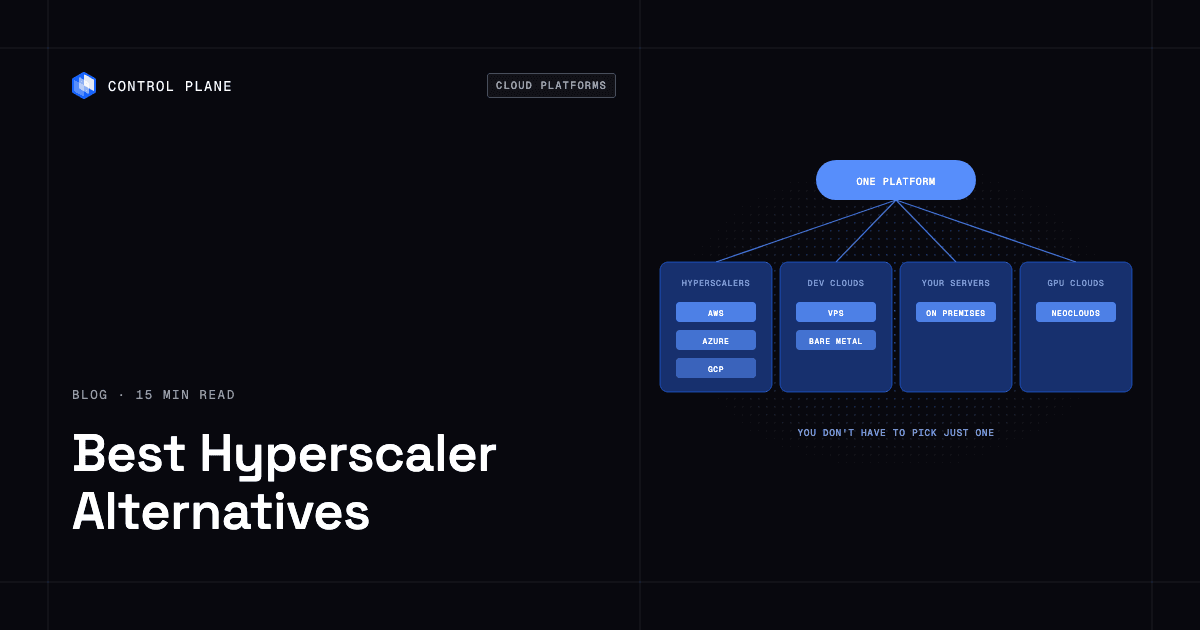
What it is. Control Plane is the platform for running unbreakable apps and agents. It combines any cloud, neocloud, and bare metal into what Control Plane calls a Global Virtual Cloud (GVC). It runs serverless, standard, stateful, cron, and VM workloads on AWS, GCP, and Azure, on clusters you already run through Control Plane’s Bring Your Own Kubernetes (BYOK), on your own machines (bare metal or VMs) turned into managed locations with Control Plane’s Managed Kubernetes (MK8s), and on premises. On Control Plane-provided compute, there is no Kubernetes cluster you have to operate. It is not only for multi-cloud: many teams run it in one cloud.
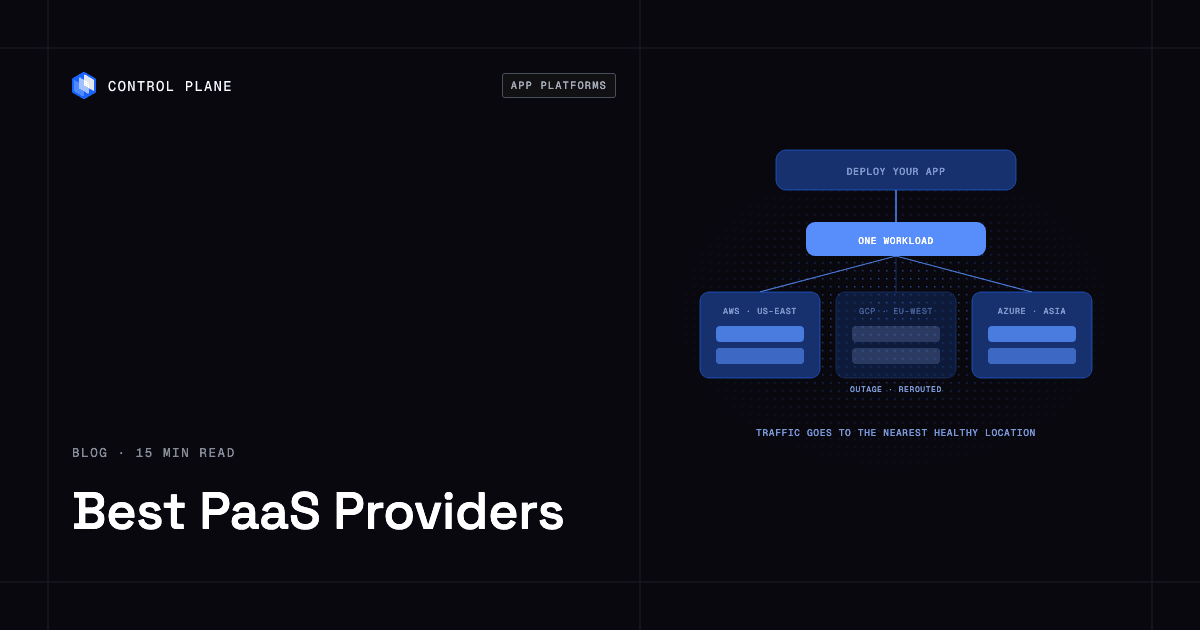
Day-two operations first. Failover, autoscaling, observability, secrets, and policy are built in, so a small team gets platform-team outcomes. You deploy a container image or build from source, then get autoscaling, secrets, logs and metrics, and custom domains with automatic TLS. A workload deployed to a GVC runs active-active in every location of that GVC, and a global endpoint routes each request to the nearest healthy location. You get failover without paying for idle standby capacity.
Reliability and security. The 99.999% availability SLA applies to workloads running at least two replicas in at least two locations. Those locations can be two regions of one cloud or locations on different providers. Control Plane’s Universal Cloud Identity gives workloads short-lived, least-privilege access to 600+ AWS, GCP, and Azure services, with no long-lived cloud keys in your code. Control Plane is PCI DSS Level 1, SOC 2 Type II, HIPAA, and GDPR compliant.
Best for. Production apps that cannot go down, and small teams that need their own cloud accounts or servers.
When it fits. Control Plane is built for apps that have to stay up. Start with one location and add more, on the same cloud or a different one, without changing how you deploy.
2. Render
What it is. Render’s web services docs say Render builds and deploys your code with every push to a linked Git branch, and that you can also deploy a prebuilt Docker image. Services in the same region can talk over a private network.
Best for. Teams that want Git-based deploys of web services, workers, and datastores in one dashboard.
Limitations. Per Render’s regions page, you pick a region for each service or datastore, and Render does not currently support changing the region of an existing service or database. Per Render’s persistent disk docs, a disk is accessible by a single service instance, and you cannot scale a service to multiple instances if it has a disk attached. Compare in detail on the Control Plane vs Render page.
3. Heroku
What it is. Heroku’s dyno docs describe dynos as Heroku-managed Linux containers, with web, worker, and one-off types. Heroku says its dyno managers keep dynos running automatically.
Best for. Teams that want a mature dyno-and-add-on model for web apps and background jobs.
Limitations. Heroku’s Private Spaces docs say Private Spaces are available only for verified Heroku Teams and Heroku Enterprise. Heroku’s regions page says each Private Space exists in a single region, and that choosing a region does not guarantee data residency restrictions for all Heroku products and add-ons. Compare in detail on the Control Plane vs Heroku page.
4. Railway
What it is. Railway’s docs describe projects as collections of services under the same network, with variables, metrics, and volumes. Its private networking docs say services communicate over encrypted Wireguard tunnels using internal DNS.
Best for. Developers who want projects of connected services.
Limitations. Railway’s scaling docs describe multi-region replicas, with public traffic routed to the nearest region. Per Railway’s volumes docs, each service can have one volume, and replicas cannot be used with volumes. Railway’s regions page says changing the region of a service with a volume means migrating the volume, which can cause downtime. Railway disclosed a security incident in October 2026, covered in Railway’s preliminary report and in Control Plane’s guide to rotating secrets and migrating. Compare in detail on the Control Plane vs Railway page.
5. Fly.io
What it is. Fly.io’s regions docs say it runs applications in datacenters around the world, on servers it runs itself, and routes users to the nearest server through its global Anycast network.
Best for. Teams that want to place apps in specific regions close to users.
Limitations. Fly Volumes docs say a volume exists on one server in a single region, attaches to one Machine, and is not automatically replicated, so your app must handle replication. Compare in detail on the Control Plane vs Fly.io page.
6. DigitalOcean App Platform
What it is. DigitalOcean’s docs call App Platform a fully managed PaaS that deploys applications from Git repositories or container images and automatically builds, deploys, and scales components.
Best for. Teams already using DigitalOcean services.
Limitations. DigitalOcean’s limits page says apps are hosted in the region you select during the initial deployment, and that dev databases stay in the app’s region and cannot be migrated to another region. Compare in detail on the Control Plane vs DigitalOcean App Platform page.
7. Google Cloud Run
What it is. Google describes Cloud Run as a fully managed application platform for running code, functions, or containers on Google’s infrastructure, with services, jobs, worker pools, and instances.
Best for. Teams already on Google Cloud that want managed containers.
Limitations. Google’s docs describe services as using stateless container instances. Google’s multi-region guide covers serving traffic from several regions with a global external Application Load Balancer, and automating failover with Cloud Run service health. You assemble and operate those pieces in your Google Cloud project.
8. AWS App Runner
What it is. AWS describes App Runner as a service for deploying from source code or a container image.
Best for. Existing App Runner customers.
Limitations. Per AWS’s availability change page, AWS App Runner is no longer open to new customers, existing customers can continue to use it as normal, and AWS recommends Amazon ECS Express Mode for others.
9. Azure App Service
What it is. Microsoft describes Azure App Service as a platform for running web applications, mobile back ends, and RESTful APIs without managing the underlying infrastructure. It supports .NET, Java, Node.js, Python, and PHP, and custom containers.
Best for. Teams standardized on Azure.
Limitations. It runs in Azure, so it fits Azure-based teams.
10. Vercel
What it is. Vercel’s docs cover deploying apps and setting up coding agents to deploy on Vercel.
Best for. Frontend-oriented projects.
Limitations. Vercel’s region docs say static content is cached on its CDN, and that functions run in Washington, D.C., US (iad1) by default for new projects. Hobby functions run in one region, Pro in up to 5, and Enterprise can add failover regions. Check Vercel’s docs for stateful backend needs.
11. Coolify
What it is. Coolify’s introduction describes an open source, self-hostable platform for deploying and managing applications, databases, and services on servers you control.
Best for. Teams that want a PaaS workflow and are willing to operate their own servers.
Limitations. You provide the servers, so server operations stay with your team.
What are the best Heroku alternatives for production apps and workloads?
Production teams need more than a hobby setup provides: multiple regions, failover, private networking, secrets management, observability, compliance, and autoscaling. Here is which options above cover each, based on their own pages.
- Multiple regions and failover. Control Plane runs a workload active-active in every location of a GVC. Google Cloud Run documents multi-region serving with a global load balancer. Fly.io says apps can deploy in regions worldwide.
- Private networking. Heroku Private Spaces offer network-level access control, and Cedar-generation spaces add VPC peering with an AWS VPC you control and IPSec VPN. Render and Railway document private networks between services.
- Secrets management. Control Plane provides secrets and Universal Cloud Identity for short-lived access to cloud services. Render, Railway, and Fly.io document secrets for apps.
- Observability. Control Plane includes logs and metrics. Railway documents service metrics.
- Compliance. Control Plane is PCI DSS Level 1, SOC 2 Type II, HIPAA, and GDPR compliant. Heroku says Private Spaces support regulated industries through data isolation.
- Autoscaling. Control Plane includes autoscaling. DigitalOcean documents request-based autoscaling for HTTP service components, and Cloud Run documents dynamic autoscaling for services.
See the full Control Plane vs Heroku comparison.
What are the best Render alternatives?
Teams usually look past Render for multi-region operation, their own cloud accounts, stateful workloads, and compliance.
- Multi-region. Render’s docs have you choose one region per service. Control Plane runs a workload in every location of a GVC and routes each request to the nearest healthy location.
- Your own cloud accounts. Render runs services on its own platform. Control Plane runs on AWS, GCP, and Azure, on clusters you already run through BYOK, and on your own machines through MK8s.
- Stateful workloads. Render’s docs say a service with a persistent disk cannot scale to multiple instances. Control Plane supports stateful workloads.
- Compliance. Control Plane is PCI DSS Level 1, SOC 2 Type II, HIPAA, and GDPR compliant.
See the full Control Plane vs Render comparison.
What are the best Railway alternatives?
Teams weighing a move from Railway ask the same questions about regions, their own cloud accounts, and stateful workloads.
- Multi-region. Railway’s docs describe multi-region replicas for stateless services, with traffic routed to the nearest region. Replicas cannot be used with volumes. Control Plane runs active-active across the locations in a GVC.
- Your own cloud accounts. Control Plane can run on clusters you already operate, on AWS, GCP, and Azure, and on your own machines.
- Stateful workloads. Railway documents one volume per service, says replicas cannot be used with volumes, and notes that moving a service with a volume across regions means migrating the volume. Control Plane supports stateful workloads.
- Security posture. Railway disclosed a security incident in October 2026. If you are weighing a move, read the Railway report and Control Plane’s rotate and migrate guide.
See the full Control Plane vs Railway comparison.
Which cloud provider is ideal for teams focused on software development without infrastructure management?
A PaaS removes operations work. The trade-off is that when your app runs in one provider’s regions, a provider outage takes your app down with it. Providers do have major outages, and the Control Plane cloud outage tracker keeps a record.
Control Plane keeps the PaaS experience and changes the failure model. Each workload deployed to a GVC runs active-active in every location of that GVC. A global endpoint routes each request to the nearest healthy location. The 99.999% availability SLA applies to workloads running at least two replicas in at least two locations. Those locations can be two regions of one cloud or locations on different providers.
Failover, autoscaling, observability, secrets, and policy are built in, so a small team gets platform-team outcomes. Read more in production-grade infrastructure without a platform team.
Containers versus managed PaaS for scaling AI infrastructure with predictable costs?
Containers give portability and control. A managed PaaS gives speed.
Control Plane runs containers with PaaS-style operations. Workloads can attach NVIDIA GPUs, and the pricing page lists models from T4 to B200.
Cost predictability comes from understanding the billing model before you scale. On Control Plane-provided compute, you pay for the CPU and memory you reserve, by the millicore and the megabyte, with no contracts or minimums. Other resources such as egress, storage, load balancers, and GPUs are also billed. Control Plane’s Capacity AI right-sizes CPU and memory reservations based on historical usage, within a minimum and maximum you set. Customers typically cut compute costs 30 to 50 percent compared with running directly on AWS, GCP, or Azure.
Estimate GPU, egress, and storage costs separately from compute.
Can you deploy from an AI assistant?
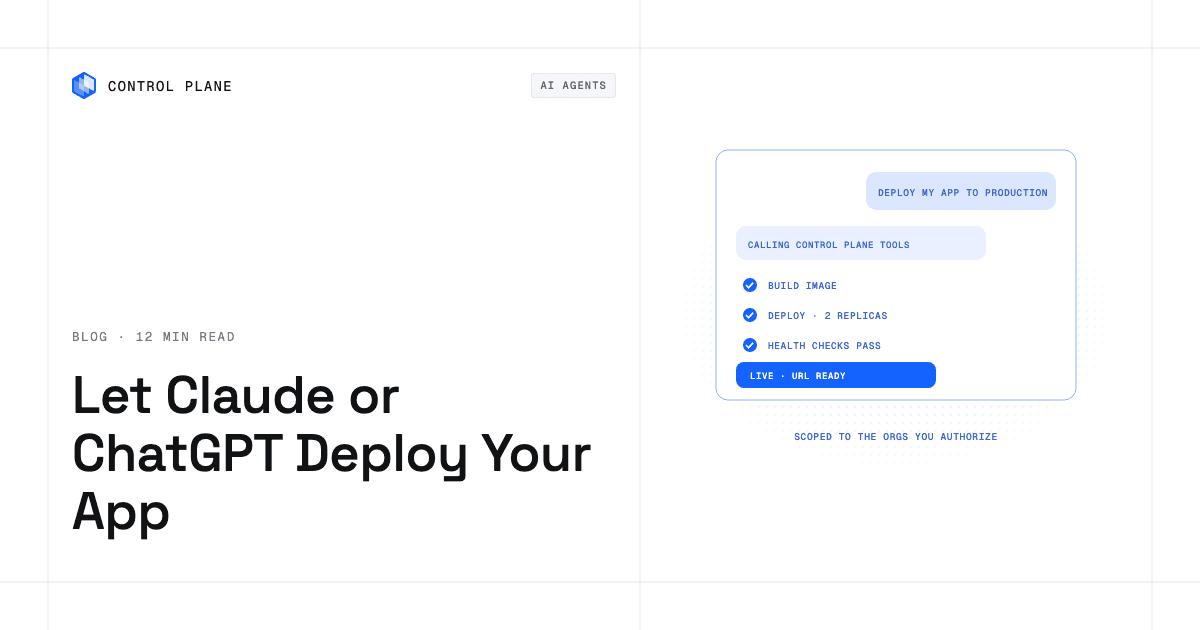
Teams increasingly deploy through AI coding assistants. Control Plane offers a hosted MCP server for this, and it works through the same Control Plane API as the CLI and console. See how to let Claude or ChatGPT deploy your app.
How do all the ranked options compare?
| Option | Type | Where it runs | Multi-region | Run in your own cloud account | Stateful workloads | Best for |
|---|---|---|---|---|---|---|
| Control Plane | Production platform across clouds and your own servers | AWS, GCP, Azure, your clusters (BYOK), your machines (MK8s), on premises | Yes, active-active in every location of a GVC | Yes, through BYOK and MK8s | Yes | Production apps that cannot go down |
| Render | Classic app platform | Render’s platform | One region per service per Render docs | See vendor docs | Persistent disks, single instance per Render docs | Git-based deploys |
| Heroku | Classic app platform | Heroku’s platform | One region per Private Space per Heroku docs | See vendor docs | See vendor docs | Dyno-based apps |
| Railway | Classic app platform | Railway’s platform | Multi-region replicas, not with volumes, per Railway docs | See vendor docs | Volumes, one per service, no replicas | Connected services in a project |
| Fly.io | Classic app platform | Servers Fly.io runs | Apps can deploy in regions worldwide | See vendor docs | Volumes, single server per volume | Apps near users |
| DigitalOcean App Platform | Developer-cloud app platform | DigitalOcean | Region chosen at initial deployment | See vendor docs | See vendor docs | DigitalOcean users |
| Google Cloud Run | Hyperscaler app platform | Google Cloud | Documented multi-region serving | Your Google Cloud project | Services use stateless instances | Managed containers on Google Cloud |
| AWS App Runner | Hyperscaler app platform | AWS | See vendor docs | See vendor docs | See vendor docs | Existing customers only |
| Azure App Service | Hyperscaler app platform | Azure | See vendor docs | See vendor docs | See vendor docs | Azure-standardized teams |
| Vercel | Frontend and serverless platform | Vercel’s platform and CDN | Function regions by plan (Hobby 1, Pro 5); failover on Enterprise | See vendor docs | See vendor docs | Frontend projects |
| Coolify | Self-hosted PaaS | Servers you provide | Servers you connect | Yes, servers you control | Databases with persistent storage | Self-hosted PaaS workflow |
FAQ
What are the best PaaS providers?
The right one depends on the job. Render, Heroku, Railway, Fly.io, and DigitalOcean App Platform cover classic app hosting. Control Plane fits production apps that need multi-region failover and their own cloud accounts or servers.
Best platform-as-a-service providers in 2026: which should a CTO shortlist?
Shortlist by workload. Render, Heroku, Railway, and Fly.io suit classic web apps. Vercel suits frontends. Google Cloud Run and Azure App Service suit teams committed to one hyperscaler. Control Plane suits production apps that need active-active multi-region failover and the option to run in their own cloud accounts or on their own servers.
What are the best Heroku alternatives for production apps?
Look for multi-region operation, failover, secrets management, observability, compliance, and autoscaling. Several options above cover parts of that list. Control Plane covers all of it: each workload runs active-active across the locations of a GVC, with secrets, logs and metrics, and autoscaling built in, and Control Plane is PCI DSS Level 1, SOC 2 Type II, HIPAA, and GDPR compliant.
What are the best Heroku alternatives for production workloads?
Production workloads add stateful services, cron jobs, and workers to web apps. Control Plane runs serverless, standard, stateful, cron, and VM workloads.
What are the best Render alternatives?
Teams move for multi-region operation, their own cloud accounts, stateful workloads, and compliance. Control Plane runs each workload in every location of a GVC, supports stateful workloads, and can run in your own cloud accounts or on your own servers.
What are the best Railway alternatives?
Compare how each platform handles regions, stateful services, and security. Control Plane runs workloads active-active across the locations of a GVC, supports stateful workloads, and can run in your own cloud accounts or on your own servers. Railway disclosed a security incident in October 2026, so rotate your secrets as part of any move.
What PaaS solutions are best for app deployment?
Platforms that deploy from Git or container images and include autoscaling, secrets, logs, and custom domains. Control Plane deploys a container image or builds from source with those built in.
What are the top platforms for infrastructure deployment and app hosting?
Control Plane, Render, Heroku, Railway, Fly.io, DigitalOcean App Platform, Google Cloud Run, Azure App Service, Vercel, and Coolify. AWS App Runner is closed to new customers.
Which cloud provider is ideal for teams focused on software development without infrastructure management?
A PaaS removes operations work, but a provider outage can take your app down with it. Control Plane runs workloads active-active across the locations of a GVC.
Compare containers versus managed PaaS for scaling AI infrastructure with predictable costs?
Containers give portability and control. A PaaS gives speed. Control Plane runs containers with PaaS-style operations, and workloads can attach NVIDIA GPUs.