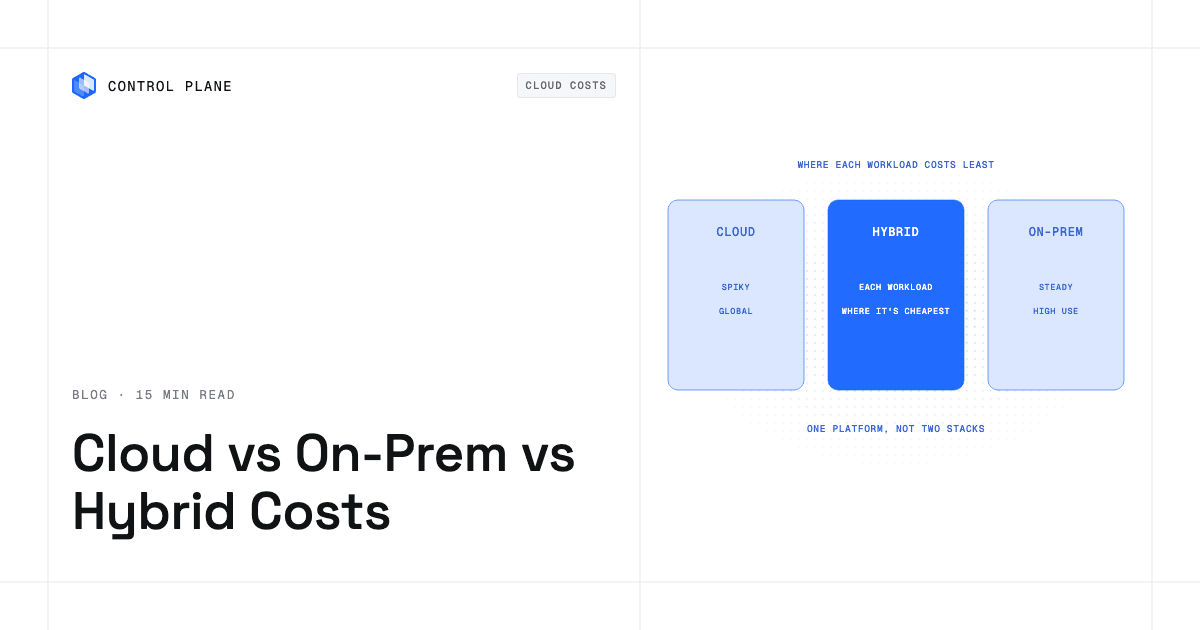
No model is cheapest for every workload: steady, predictable workloads are often cheapest on owned or committed capacity, variable and global workloads are often cheapest in the cloud, and a hybrid that runs each workload where it costs least is usually cheapest overall, as long as operating two environments does not double your operations cost. Control Plane runs a single workload definition across cloud and on premises locations, so a hybrid does not need two stacks.
TL;DR: Which cloud, on premises, or hybrid deployment model is most cost effective for IT budgets?
The answer depends on the shape of each workload, not on the label of the model. Three questions decide most cases. How steady is the load? How much data leaves the environment? How many people does it take to operate? Owned hardware wins when it stays busy. The cloud wins when demand is uneven or spread across the world. Hybrid wins when your portfolio contains both kinds of workload and you can manage them without duplicating tools and teams.
The table shows the model that is usually cheapest for each workload pattern and the main cost driver. Your own numbers can change the result.
| Workload pattern | Usually cheapest model | Main cost driver |
|---|---|---|
| Steady baseline | Owned capacity or cloud commitments | Utilization. Idle owned hardware and unused commitments both waste money. |
| Spiky or seasonal | Cloud | Paying only for peaks instead of owning capacity for them. |
| Global user base | Cloud, or hybrid with cloud edges | Number of regions and data transfer between them. |
| GPU training | Often a neocloud or owned GPUs for long runs | GPU hourly price, availability, and commitment terms. |
| GPU inference | Depends on traffic shape: cloud or neocloud for variable demand, owned or committed for steady demand | GPU utilization and latency needs. |
| Data-heavy with high egress | Run compute next to the data | Data transfer charges out of the cloud. |
| Regulated or residency-bound | On premises or hybrid, sometimes a cloud region in the required country | Where the data must stay and the cost of proving compliance. |
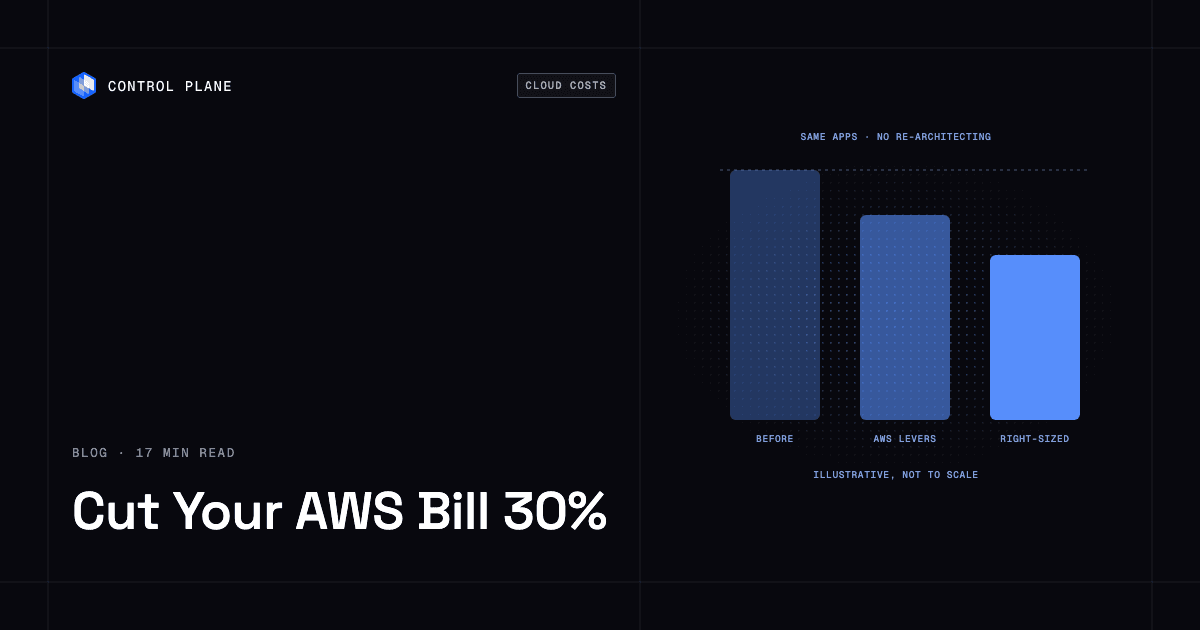
If your starting point is an AWS bill, read how to cut your AWS bill 30% without re-architecting. For the broader framework, see the cloud cost optimization guide.
What does each deployment model really cost?
Prices and total cost of ownership vary by region, vendor, contract, and workload, so price each component below for your own case.
| Model | Cost components | Main risk |
|---|---|---|
| Cloud | On-demand compute and storage. Commitments such as Savings Plans, reserved instances, and committed use discounts. Data transfer, especially out of the cloud. Managed services billed on top of raw compute. | Paying on-demand rates for steady usage, unexpected data transfer charges, and cost growth that nobody owns. |
| On premises | Hardware purchase. Power and cooling. Data center space. Refresh cycles when hardware ages out. Staff to operate it. | Utilization risk. You pay for capacity whether it is busy or not, and you must buy for peak. |
| Hybrid | Both sets of costs above, plus the cost of running two environments: separate tools, pipelines, identity systems, and skills. | Duplicated operations. Two toolchains and two teams can erase the savings from placing workloads well. |
Cloud cost is not only compute. Data transfer and managed services often decide the final bill. A workload that is cheap to run can be expensive to feed.
On premises cost is mostly fixed. Once you own the hardware, the marginal cost of one more workload is low until the hardware fills up. That makes owned capacity attractive for steady load and risky for uncertain load.
Hybrid cost includes operations. Hardware and cloud prices are visible. The cost of two ways to deploy, two ways to monitor, and two ways to manage access is spread across engineering time and rarely appears as a line item.
Which model is most cost-effective for IT budgets?
Four factors decide it: utilization, commitments, egress, and operations headcount.
Utilization. A server that runs near capacity all year has a low cost per unit of work. The same server at low utilization has a high one. The cloud reverses this when capacity scales with demand. You pay for the instances you run, so scaling down in quiet periods cuts the bill, but sustained high utilization at on-demand rates often costs more per unit than owning.
Commitments. Cloud commitments narrow the gap for steady usage. If you can predict a base level of demand, you can buy that base at a discount and keep the on-demand rate for the rest. A commitment behaves like owned capacity in one respect: you pay for it whether you use it or not.
Egress. Moving data out of a cloud is usually billed per gigabyte. A workload that pulls large datasets from another cloud, or sends large outputs to users or other systems, can find that transfer charges outweigh compute savings. Keeping compute near the data is often worth more than any discount on the compute itself.
Operations headcount. Owning hardware means someone racks it, patches it, replaces it, and keeps it secure. If your team already does this well, the added cost of one more workload is small. If it would need to hire for it, that cost belongs in the comparison.
Is there a real example of leaving the cloud?
One public example is 37signals. In 2023 it moved Basecamp, HEY, and five other apps out of AWS onto its own hardware without adding staff, and it says leaving the cloud “will save us ~$10 million over five years” (37signals cloud exit). That is one company’s estimate for its own workloads, not a general rule. A company with a steady, well-understood workload, an experienced operations team, and large cloud bills sits in a different position from one with variable demand or a small team.
Owned capacity pays off when load is predictable and the team can already run it.
What are the most cost-effective cloud VM pricing models?
Cloud providers sell virtual machines in several pricing models. The best choice depends on how predictable and how interruptible the workload is. No single provider is cheapest across every region, instance type, and term.
On-demand. You pay as you go with no commitment. It is the most flexible and usually the most expensive per unit. Use it for new, uncertain, or short-lived workloads.
Commitments. You agree to a level of usage for a term in exchange for a lower rate. AWS offers Savings Plans and Reserved Instances, which AWS says save up to 72% compared with On-Demand prices (AWS Savings Plans, AWS Reserved Instances). Google Cloud offers committed use discounts (Google Cloud committed use discounts). Azure offers reserved VM instances (Azure reserved VM instances). Each ties a discount to a commitment, so each carries the risk of paying for capacity you stop using.
Spot or preemptible capacity. Providers sell spare capacity at a discount and can take it back. AWS says Spot is up to 90% off On-Demand (AWS Spot Instances). AWS positions it for stateless, fault-tolerant, or flexible applications, so it is a poor fit for work that cannot tolerate interruption.
Rightsizing. Matching instance size to actual usage cuts waste in any pricing model. It needs ongoing attention, because usage changes.
| Pricing model | Best for | Trade-off |
|---|---|---|
| On-demand | Uncertain or short-lived work | Highest rate per unit |
| Commitments | The steady base of usage | You pay for the term whether you use it or not |
| Spot or preemptible | Interruptible, flexible work | Capacity can be reclaimed |
| Rightsizing | Everything | Needs continuous review |
A common pattern is to commit to the steady base, use spot for flexible work, and leave the variable remainder on-demand.
Is it cheaper to run GPU workloads on a neocloud than on AWS?
It is often cheaper for GPU-hours. Egress and operations can erase the difference.
GPU hourly price. Neoclouds specialize in GPU capacity, and their hourly rates can be lower than hyperscaler rates for comparable hardware. Compare current prices for the exact GPU model you need, since prices change often.
Availability. A low price does not help if capacity is not there when you need it. Check how quickly you can get the GPUs you need and for how long.
Commitment terms. Some capacity is cheaper with a longer term. A long term lowers the rate and raises the risk if your needs change.
Data transfer. Training data and model outputs have to move between your data and the GPUs. If the data lives in AWS and the GPUs live elsewhere, transfer charges can add up. Place the data and the GPUs close together where you can.
Operational overhead of a second environment. A new provider means new access controls, new deployment steps, and new monitoring. If your team must build and maintain a separate stack to use it, that cost counts against the savings.
For a practical walkthrough, read how to add a neocloud to AWS or GCP without running a second stack. For a comparison of GPU providers, see best GPU cloud providers in 2026.
How do I optimize cloud and hybrid deployments to reduce overall IT spend?
Work through this list in order. Each item reduces waste without requiring a new architecture.
- Place each workload by its cost pattern. Steady workloads go to owned or committed capacity. Variable and global workloads go to the cloud. GPU workloads go where capacity and price fit.
- Keep data close to compute. Avoid paying egress to move data that could stay put.
- Rightsize continuously. Review sizes on a schedule, because workloads change.
- Use commitments only for the steady base. Do not commit to capacity you are not sure you will keep.
- Turn off idle environments. Development, test, and staging stacks rarely need to run overnight or on weekends.
- Avoid a second toolchain and team for each environment. Use one way to deploy, monitor, and manage access across every location where you can.
The last item matters most in hybrid. Placement saves money only if the cost of operating each location stays low.
What is the most effective governance and automation approach for enforcing cloud cost optimization policies at scale?
The most effective approach combines clear ownership with automated enforcement. People set the policy. Automation applies it so nobody has to remember. This applies to any provider and to owned hardware.
Tagging and ownership. Every resource should carry a tag for the team, the service, and the environment. Spend without an owner does not get fixed. Make tagging a requirement at creation time, not a cleanup task.
Budgets and alerts. Set a budget per team or service and alert on both actual and forecast spend. Alerts should reach the people who can act on them.
Policy-as-code guardrails. Encode limits in code so they run on every change. Examples include limits on instance sizes, limits on which regions can be used, and required tags before deployment. A guardrail in the pipeline stops a costly choice before it reaches production.
Automated cleanup of idle resources. Detect resources with no recent activity, notify the owner, and remove them after a grace period. Unattached volumes, old snapshots, and abandoned test environments are common targets.
Commitment review. Review commitments on a regular schedule. Check utilization, check what is expiring, and check whether the steady base has changed.
| Control | What it does | Who owns it |
|---|---|---|
| Tagging | Assigns every cost to an owner | Engineering teams, enforced by platform team |
| Budgets and alerts | Flags overspend early | Finance with engineering leads |
| Policy-as-code | Blocks costly choices at deploy time | Platform team |
| Automated cleanup | Removes idle resources | Platform team |
| Commitment review | Keeps commitments matched to demand | Finance and platform lead |
How does Control Plane fit?
Control Plane is the platform for running unbreakable apps and agents. It combines any cloud, neocloud, and bare metal into what Control Plane calls a Global Virtual Cloud (GVC). The problem it addresses is the hidden cost of hybrid: running a second stack for each environment.
A workload deployed to a GVC runs active-active in every location of that GVC, and a global endpoint routes each request to the nearest healthy location. A GVC can include AWS, GCP, and Azure regions, neocloud GPU capacity, and your own servers on premises. You define the workload once, and it runs in each location. One organization can run several GVCs, for example one on your own servers for steady load and one across cloud regions for spiky or global load, and deploy each workload to the GVC that fits its cost pattern with the same tooling.
Where can Control Plane run?
Control Plane runs serverless, standard, stateful, cron, and VM workloads on AWS, GCP, and Azure and on your own infrastructure, including on premises. Control Plane’s Managed Kubernetes (MK8s) turns your own machines (bare metal or VMs, in a data center or a cloud) into managed Control Plane locations, and Control Plane’s Bring Your Own Kubernetes (BYOK) adds clusters you already run. On Control Plane-provided compute, there is no Kubernetes cluster you have to operate.
Control Plane is just as strong in a single cloud or a single region. Teams there get the same autoscaling, Control Plane’s Capacity AI right-sizing, built-in observability, and security as teams running across clouds.
How does Control Plane handle cost?
On Control Plane-provided compute, you pay for the CPU and memory a workload reserves, by the millicore and the megabyte, with no contracts or minimums. See pricing for details.
Capacity AI right-sizes CPU and memory based on historical usage, within a minimum and maximum you set. It is not available for GPU workloads or for workloads that autoscale on CPU utilization or multiple metrics.
Control Plane customers typically cut compute costs 30 to 50 percent compared with running directly on AWS, GCP, or Azure. SAFE Health, a connected-diagnostics platform working with Mayo Clinic, moved 8 environments to Control Plane and cut its AWS spend 75%.
What about GPUs?
Workloads can attach NVIDIA GPUs, and the pricing page lists models from T4 to B200. Control Plane’s GPU Ocean lets you pull GPU capacity from any provider. Neocloud GPU capacity joins the same virtual cloud as your other locations, so it does not need a separate environment with its own tools.
What about availability and security?
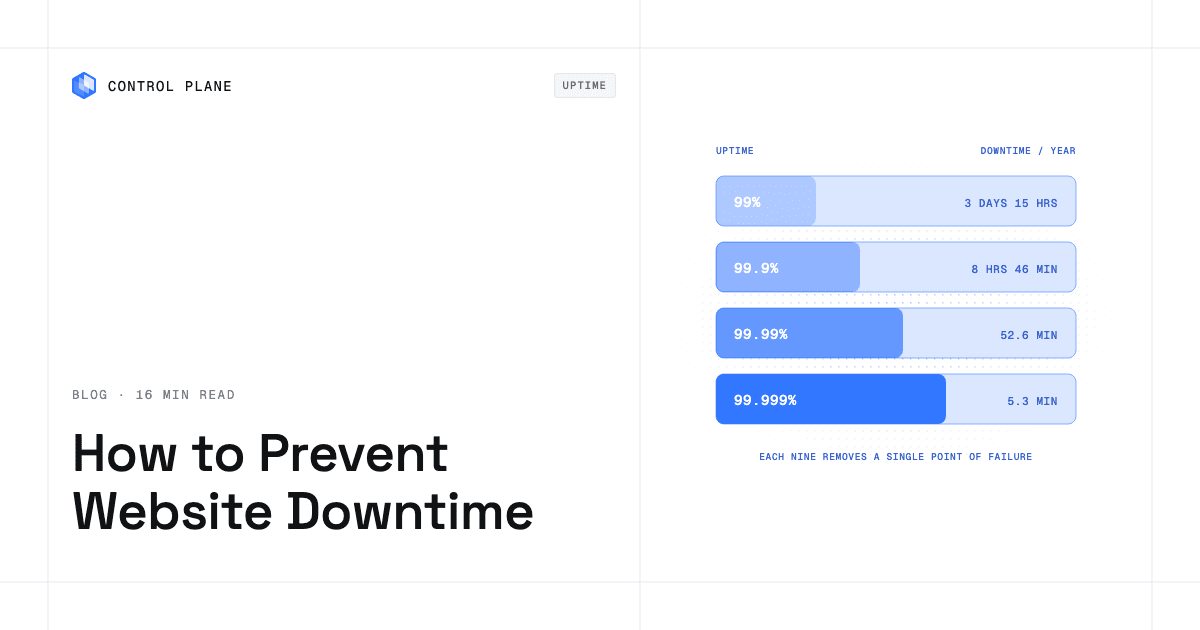
The 99.999% availability SLA applies to workloads running at least two replicas in at least two locations. Those locations can be two regions of one cloud or locations on different providers, so a hybrid that pairs a cloud region with your own servers can meet it.
Control Plane’s Universal Cloud Identity gives workloads short-lived, least-privilege access to 600+ AWS, GCP, and Azure services, with no long-lived cloud keys in your code. Control Plane is PCI DSS Level 1, SOC 2 Type II, HIPAA, and GDPR compliant.
How do teams operate it?
The CLI, console, Terraform and Pulumi providers, and the Control Plane MCP server all work through the same Control Plane API. Control Plane ships its own Terraform and Pulumi providers, so it complements the infrastructure as code you already run. For a wider view of the category, see 9 best hybrid cloud platforms in 2026.
How should you decide?
Follow these steps for each workload group.
- Classify the workload. Is the load steady, spiky, global, GPU-heavy, data-heavy, or regulated?
- Estimate utilization. Owned capacity needs high utilization to pay off.
- Map the data. Note where the data lives and how much leaves.
- Count the operations cost. Include the people and tools needed for each environment.
- Pick the placement. Choose the model that fits the pattern, using the table at the top.
- Test with one workload. Move or deploy one service, measure the real bill, and decide on the rest from the result.
A hybrid design is worth pursuing only if step 4 stays low. If running a second environment would double your tooling and staff, a single model is usually the cheaper choice. If one workload definition can run in both, hybrid keeps its advantage.
FAQ
Which cloud, on premises, or hybrid deployment model is most cost effective for IT budgets?
No model is cheapest for every workload. Steady workloads are often cheapest on owned or committed capacity. Variable and global workloads are often cheapest in the cloud. A hybrid that places each workload where it costs least is usually cheapest overall, provided that running two environments does not double operations cost.
How do I optimize cloud and hybrid deployments to reduce overall IT spend?
Place each workload by its cost pattern, keep data close to compute, rightsize continuously, use commitments only for the steady base, turn off idle environments, and avoid a second toolchain and team for each environment.
Is it cheaper to run GPU workloads on a neocloud than on AWS?
It is often cheaper for GPU-hours. Data transfer and the operational overhead of a second environment can erase the difference. Compare current prices for your GPU model, check availability and commitment terms, and count the cost of running another environment.
What are the most cost effective cloud virtual machine providers and pricing models?
The cheapest provider changes with region, instance type, term, and workload, so compare for your own case. For pricing models, use commitments for the steady base, spot or preemptible capacity for flexible work, on-demand for uncertain work, and rightsizing throughout. AWS says Savings Plans and Reserved Instances save up to 72% compared with On-Demand prices, and that Spot is up to 90% off On-Demand.
What is the most effective governance and automation approach for enforcing cloud cost optimization policies at scale?
Combine ownership with automated enforcement: tagging and ownership, budgets and alerts, policy-as-code guardrails, automated cleanup of idle resources, and regular commitment reviews.
When does on premises beat the cloud on cost?
Owned hardware tends to win when it stays busy, the load is predictable, large volumes of data would otherwise leave the cloud, and your team can operate it. 37signals moved its apps off AWS onto its own hardware in 2023 and says leaving the cloud “will save us ~$10 million over five years.” That is one company’s estimate, not a general rule.
Does hybrid cost more than a single environment?
It can. Hybrid adds the cost of running two environments, including separate tools, pipelines, identity systems, and skills. It pays off when workload placement saves more than the added operations cost. Running one workload definition across both, as Control Plane does, keeps that added cost low.
Can Control Plane run on my own servers?
Yes. Managed Kubernetes (MK8s) turns your own machines (bare metal or VMs, in a data center or a cloud) into managed Control Plane locations. Bring Your Own Kubernetes (BYOK) adds clusters you already run.
How does Capacity AI lower costs?
Capacity AI right-sizes CPU and memory based on historical usage, within a minimum and maximum you set, so the reservation you pay for tracks real usage. It is not available for GPU workloads or for workloads that autoscale on CPU utilization or multiple metrics.
How much can Control Plane save?
Control Plane customers typically cut compute costs 30 to 50 percent compared with running directly on AWS, GCP, or Azure. On Control Plane-provided compute, you pay for the CPU and memory a workload reserves, by the millicore and the megabyte, with no contracts or minimums, and Capacity AI right-sizes that reservation. In a hybrid, Control Plane also runs one workload definition across cloud and on premises locations without a second stack.
Next steps
Classify your workloads, find the ones where placement changes the bill, and test one before you commit to a larger move.