Moving AI from experiments to production changes the infrastructure question. A notebook and one rented GPU are enough for a demo. A model that serves customers around the clock needs capacity planning, observability, failover, identity, and cost controls. This guide defines AI-ready infrastructure, breaks it into layers, and shows how to choose where to run each workload.
TL;DR
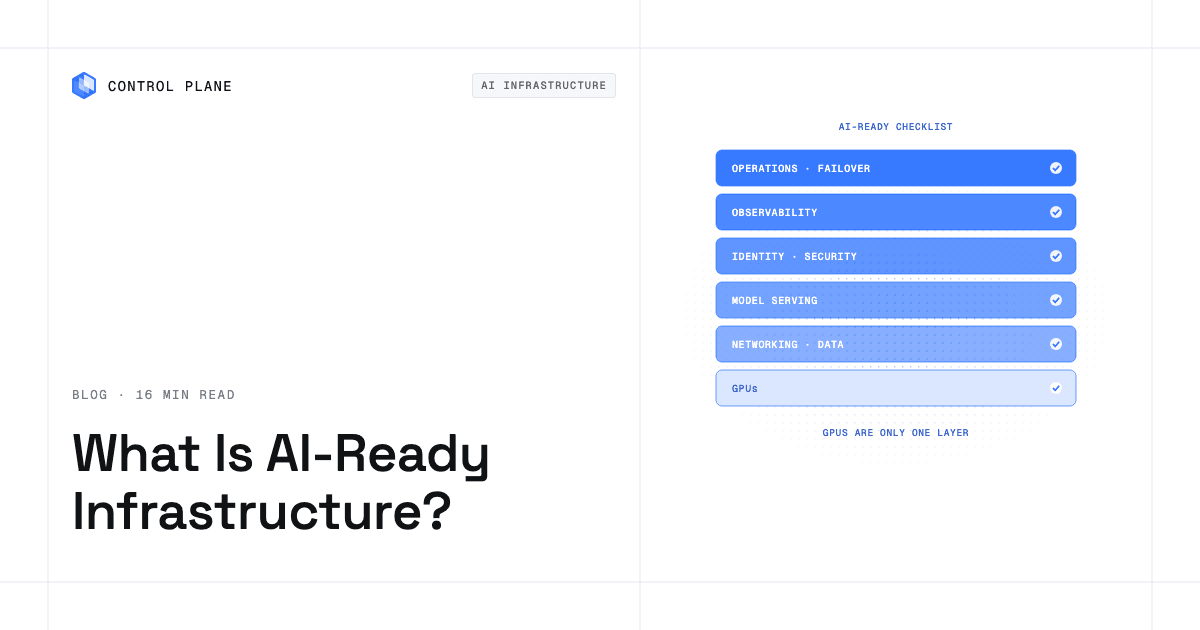
AI-ready infrastructure is compute, data, networking, and operations that can run AI workloads in production reliably, securely, and at a predictable cost. GPUs are one layer, and many production failures happen in the layers around them: capacity, serving, observability, failover, and identity.
Use this eight-item readiness checklist:
- Accelerator access. The GPU types you need are available where you need them, with a second source of capacity.
- Data placement. Models run close to the data and the users they serve, within your residency rules.
- Networking. Requests route to the nearest healthy location, and distributed jobs get the interconnect they need.
- Serving and orchestration. Models run as managed services with autoscaling and safe rollouts.
- Observability. You can see latency, errors, GPU use, queue depth, and cost per request across every location.
- Identity and security. Workloads reach storage and APIs with short-lived, least-privilege credentials.
- Resilience. Traffic fails over to a healthy location without a manual runbook.
- Cost controls. You pay for capacity you use, and you can see spend per workload.
What is AI-ready infrastructure?
AI-ready infrastructure is the full stack that lets a model, an agent, or a training job run in production and keep running. The accelerators get the attention, but a GPU that cannot be reached, scheduled, monitored, or failed over does not produce a reliable service.
Think of it as eight layers. Each layer has its own failure modes, so each needs its own questions.
| Layer | What it must do for AI | Questions to ask |
|---|---|---|
| Compute and accelerators | Provide the right GPU type and count for each workload, with predictable access. | Which GPU models can I get, in which locations, and how fast? Can I move to another provider if capacity runs out? |
| Data and storage | Hold training data, model weights, and vector indexes close to the compute that uses them. | Where does the data live? What does it cost to move it? How quickly can a new replica load weights? |
| Networking | Move requests to the nearest capable location and move data between nodes quickly. | How are requests routed? Does distributed work get the interconnect it needs? |
| Model serving and orchestration | Run models as always-on services, scale them with demand, and roll out new versions safely. | How do I deploy a new model version and roll it back? How is GPU memory scheduled? |
| Observability | Show latency, errors, GPU use, queue depth, and cost across every environment. | Are logs, metrics, and traces in one place? How long are they kept? |
| Identity and security | Give workloads access to data and cloud services without long-lived keys, and keep an audit trail. | How do workloads authenticate to cloud storage? Who can change production? |
| Resilience and capacity | Keep serving through a location or provider failure, and keep spare capacity available. | What happens when a region or a GPU provider has an outage or runs out of capacity? |
| Cost controls | Make spend visible and tie it to the workloads that cause it. | Do I pay for idle standby capacity? Can I right-size each workload? |
Teams usually start with the first row and discover the other seven in production. A model that benchmarks well on a single GPU can still fail its users when a region loses capacity, when nobody can see queue depth, or when a long-lived cloud key leaks. Plan every layer before launch.
What is the difference between core infrastructure and AI/ML infrastructure?
Core infrastructure is general-purpose compute, networking, and storage. It runs web services, databases, and batch jobs. It is mature and most teams already have it.
AI/ML infrastructure adds the pieces that AI workloads need on top of it: GPUs and other accelerators, model serving, vector stores, and training pipelines. It also adds operations that core infrastructure rarely needed, such as GPU memory monitoring and capacity planning for scarce hardware.
The question “Which vendors provide core infrastructure versus AI ML infrastructure that can be pre built or created on the fly?” comes down to how you get the AI layer:
- Pre built. You use a managed AI service or rent GPU capacity from a GPU cloud. The provider assembles and operates much of the stack. You trade some control for speed.
- Created on the fly. You assemble the stack yourself on Kubernetes or on a platform that runs workloads for you. You keep control over placement, providers, and cost, and you take on more operational work.
Most production teams end up with a mix. They use a pre built service for one workload and a self-assembled stack for another, so a platform that works across both reduces the number of separate stacks to operate.
Vendor categories
This table describes each category in general terms. It is not a ranking, and it does not compare features or prices. Check each vendor’s own documentation for current details.
| Category | Examples | General role |
|---|---|---|
| Hyperscalers | AWS, Microsoft Azure, Google Cloud | Broad cloud platforms with core infrastructure and managed AI services. |
| GPU clouds and neoclouds | CoreWeave, Lambda, Nebius | Providers focused on GPU capacity. |
| On premises hardware | Dell, HPE, Supermicro with NVIDIA or AMD GPUs | Servers you own and run in your own facilities. |
| Data and ML platforms | Databricks | Platforms for data, analytics, and AI workflows. |
| Multi-environment platforms | Control Plane | A layer that runs workloads across clouds, neoclouds, and your own servers. |
These categories are not mutually exclusive. A common production pattern is hyperscaler storage for data, GPU cloud or on premises capacity for compute, and a platform layer that runs the workloads across them.
How do I select the right infrastructure for new AI workloads?
Start with the workload type, then check five factors: GPU type and availability, latency and location, data gravity, compliance, and cost.
| Workload | Main need | What to check first |
|---|---|---|
| Training | Dense GPU capacity for runs of hours to weeks, fast interconnect | GPU availability and networking between nodes. Short commitments suit bursty demand. |
| Fine-tuning | Moderate GPU capacity for shorter runs, access to training data | Data location and how quickly you can start and stop capacity. |
| Real-time inference | Always-on capacity with low latency | Location relative to users, failover, and observability. |
| Batch inference | Throughput at the lowest cost, tolerance for delay | Cost per run and the ability to use whatever GPU capacity is available. |
| Agents | Many small, isolated runtimes plus tool access | Isolation, identity, audit trail, and failover for the production agent. |
Apply the five factors to each workload:
- GPU type and availability. Match the GPU to the model’s memory and throughput needs. Then confirm you can actually get that GPU in the locations you need. Availability often decides the choice before price does.
- Latency and location. Place inference near users. Place training near the data.
- Data gravity. Large datasets are expensive and slow to move. Compute usually goes to the data, not the reverse.
- Compliance. Residency and audit rules can limit which regions and providers are allowed.
- Cost. Compare the cost of idle capacity, not only the hourly rate of the GPU.
Two recommendations hold for most teams. First, start where your data and users already are. A new provider that sits far from both adds latency and transfer cost before it adds value. Second, keep the option to move between GPU providers. GPU supply changes, and a workload that is tied to a single provider’s capacity inherits that provider’s shortages. Package workloads so they can run in more than one place, and avoid designs that make a move a rewrite project.
What are the best AI infrastructure platforms for handling training, inference, and distributed workloads?
The right platform depends on which of the three workloads you run, because they stress infrastructure in different ways.
- Training is bursty and GPU dense. Jobs need many GPUs at once for a limited time. Capacity access and cost per run matter most.
- Inference is always on and latency sensitive. Capacity must stay available around the clock. Placement, failover, and observability matter most.
- Distributed workloads need fast networking. When a job spans many nodes, the interconnect between GPUs often sets the pace. A slow network leaves expensive GPUs waiting.
When you evaluate any platform, ask whether it handles the workload you run most, whether it gives you capacity in the locations you need, and whether you can operate it with the team you have. Many teams use different platforms for training and for serving, and that is reasonable. The cost shows up in operations, because two stacks need two sets of logs, identities, and runbooks.
For a deeper look at how the three differ, read AI infrastructure for training, inference, and agents. For the serving side, read what infrastructure you need to run an inference layer.
How do I design observability and operations for AI-ready infrastructure supporting 24/7 model serving?
A model that serves traffic around the clock needs the same operational discipline as any critical service, plus signals that are specific to GPUs and models. Build these in before launch.
What to monitor
- Latency percentiles. Track p50, p95, and p99. Averages hide the slow requests that users notice.
- Error rates. Separate timeouts, model errors, and upstream failures.
- GPU utilization and memory. Low utilization means you are paying for idle hardware. Memory pressure can cause slow or failed requests.
- Queue depth. A growing queue is an early sign that capacity is short.
- Token throughput. For language models, tokens per second shows how much work each replica completes.
- Cost per request. Tie spend to traffic so you can see the effect of a model or hardware change.
How to operate it
- Alert on service level objectives. Define targets for latency and availability, and alert when you burn through the error budget. Alerts on raw CPU or GPU numbers create noise.
- Collect logs and traces from every location. If a workload runs in several regions or providers, one view of all of them shortens every investigation.
- Autoscale on the signal that matters. Queue depth or request rate usually predicts load better than CPU does.
- Roll out new model versions gradually. Send a small share of traffic to the new version, compare it with the current one, and keep a fast rollback path.
- Plan failover between locations. Decide which location takes traffic when one fails, and test it before an outage.
How Control Plane covers this
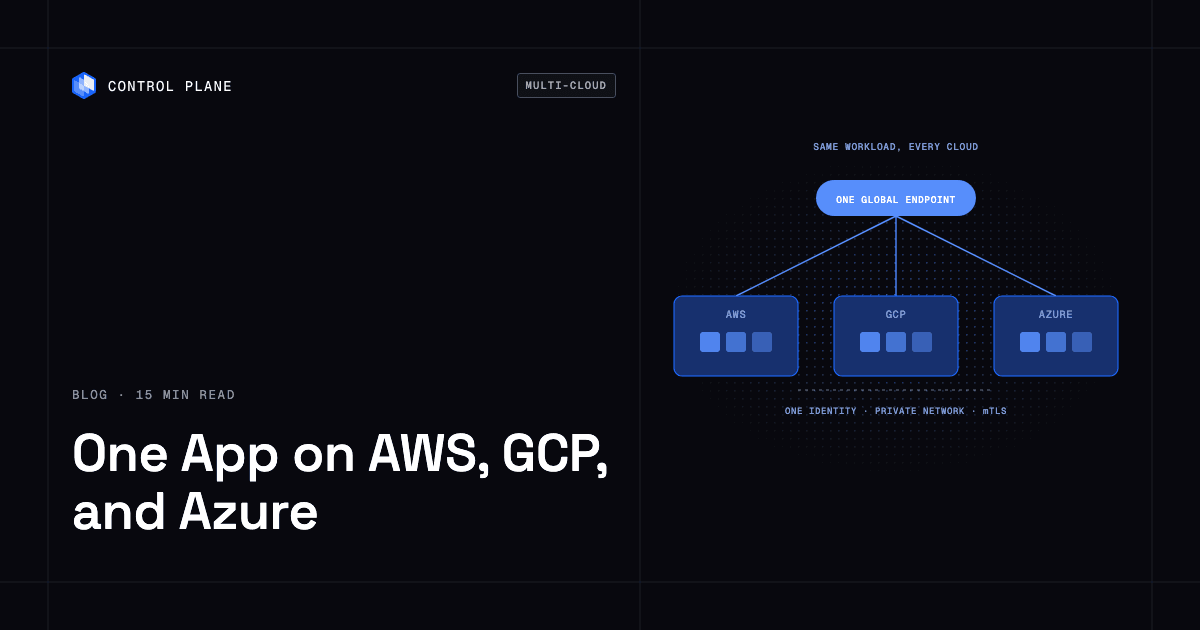
Control Plane aggregates logs for every workload across all clouds and regions in one view. You can query them with LogQL in its built-in Grafana, and they are kept for 30 days by default. Metrics and traces are queryable there too. You can also ship logs to external providers such as Datadog, CloudWatch, Elastic, and OpenTelemetry, with up to four destinations at once. A workload deployed to a Global Virtual Cloud (GVC) runs active-active in every location of that GVC, and a global endpoint routes each request to the nearest healthy location, which gives you failover without paying for idle standby capacity.
What are the best AI-ready infrastructure options for on premises hardware with custom GPU configurations?
On premises GPU servers make sense in three situations:
- Data residency. Data must stay in your own facilities.
- Steady utilization. If the GPUs run at high utilization most of the time, owning them can cost less than renting them.
- Existing hardware. You have already bought the servers and want to use them.
Server makers such as Dell, HPE, and Supermicro supply the hardware, typically with NVIDIA or AMD GPUs. The hardware is the easy part to specify. Plan the rest before you buy:
- Drivers and software. GPU drivers, container runtimes, and operating system versions must match across the fleet.
- Scheduling. Decide how workloads claim GPUs, how you share or partition a GPU, and how you keep one team from starving another.
- Capacity. On premises capacity is fixed. Decide what happens when demand exceeds it, such as bursting to cloud GPUs.
- Operations. Someone has to patch, monitor, and replace hardware, and watch for failing GPUs.
The mistake to avoid is running on premises GPU servers as a separate stack with its own deployment process, logs, and access rules. Two stacks double the operational load and make failover between them a manual project. Instead, run on premises servers and cloud GPUs under one control layer, so a workload can use either.
With Control Plane, Control Plane’s Managed Kubernetes (MK8s) turns your own machines, bare metal or VMs, into managed locations in a GVC. The same workload definition that runs in a cloud region can then run on your GPU servers. Control Plane also runs on clusters you already operate through Control Plane’s Bring Your Own Kubernetes (BYOK).
Which cloud based platforms offer secure and efficient AI model deployment at the edge of networks?
Here, “edge” means running inference close to users or to the data source, to reduce latency and to keep data in a given place. It does not require a specific kind of device.
Plan for these constraints:
- Smaller models. Edge locations usually have less compute, so models are often smaller or compressed.
- Remote operations. You cannot visit each location. Deployment, monitoring, and recovery must work remotely.
- Updates. You need a safe way to roll out new model versions to many locations and to roll back.
- Security. Each location widens the attack surface. Use short-lived credentials and keep an audit trail of who changed what.
When you compare platforms, ask how many locations they cover, how they route a request to the nearest healthy location, and whether you can operate every location from one place. Control Plane runs a workload in every location of a GVC and routes each request to the nearest healthy location. A GVC can include AWS, GCP, and Azure regions, neocloud capacity, and your own servers.
Where can I get AI-ready infrastructure for high performance computing?
HPC-style AI work needs dense GPUs and fast interconnects between them. That hardware usually comes from GPU clouds, hyperscaler GPU instances, or dedicated clusters, because the network design matters as much as the GPUs. For a comparison of providers, see best GPU cloud providers in 2026.
Control Plane runs the production side on top of that hardware, including model serving, agents, and day-two operations, across whichever GPU providers you choose.
How does Control Plane fit?
Control Plane is the platform for running unbreakable apps and agents. It combines any cloud, neocloud, and bare metal into what Control Plane calls a Global Virtual Cloud (GVC) and handles the day-two operations around that compute: autoscaling, observability, failover, identity, and cost.
Where workloads run. Control Plane runs serverless, standard, stateful, cron, and VM workloads on AWS, GCP, and Azure, on clusters you already run through BYOK, on your own machines turned into managed locations with MK8s, and on premises. On Control Plane-provided compute, there is no Kubernetes cluster you have to operate. Many teams run it in one region of one cloud and still get autoscaling, observability, and security handled for them.
GPUs. Workloads can attach NVIDIA GPUs, and the pricing page lists models from T4 to B200. Control Plane’s GPU Ocean lets you pull GPU capacity from any provider. Today this works through MK8s, which joins your own GPU servers or a neocloud’s GPU servers to Control Plane as locations. For setup details, see how to add a neocloud to AWS or GCP without running a second stack and how to combine GPU capacity across providers.
Failover between GPU providers. One workload definition runs active-active in every location of a GVC. The GVC can include AWS, GCP, and Azure regions, neocloud GPU capacity, and your own servers. A global endpoint routes each request to the nearest healthy location. This is how inference can fail over between GPU providers. The 99.999% availability SLA applies to workloads running at least two replicas in at least two locations. Those locations can be two regions of one cloud or locations on different providers.
Agents and sandboxes. Sandboxes run in dedicated Kata Containers microVMs. Production agents run as regular workloads with identity, an audit trail, and active-active failover.
Identity. Control Plane’s Universal Cloud Identity gives workloads short-lived, least-privilege access to 600+ AWS, GCP, and Azure services, with no long-lived cloud keys in your code. That is how an AI workload reads model weights or training data from cloud object storage.
Cost. Control Plane’s Capacity AI right-sizes CPU and memory based on historical usage, within a minimum and maximum you set. On Control Plane-provided compute, you pay for reserved CPU and memory, by the millicore and the megabyte, with no contracts or minimums. Customers typically cut compute costs 30 to 50 percent compared with running directly on AWS, GCP, or Azure.
Compliance. Control Plane is PCI DSS Level 1, SOC 2 Type II, HIPAA, and GDPR compliant.
Operations. The CLI, console, Terraform and Pulumi providers, and the Control Plane MCP server all work through the same Control Plane API. Control Plane ships its own Terraform and Pulumi providers, so it complements the infrastructure as code you already run.
FAQ
What is AI-ready infrastructure?
AI-ready infrastructure is compute, data, networking, and operations that can run AI workloads in production reliably, securely, and at a predictable cost. GPUs are one layer. Capacity, serving, observability, failover, and identity decide whether the workload stays up.
How do I select the right infrastructure for new AI workloads?
Start with the workload type: training, fine-tuning, real-time inference, batch inference, or agents. Then check GPU type and availability, latency and location, data gravity, compliance, and cost. Start where your data and users are, and keep the option to move between GPU providers.
How do I design observability and operations for AI-ready infrastructure supporting 24/7 model serving?
Monitor latency percentiles, error rates, GPU utilization and memory, queue depth, token throughput, and cost per request. Alert on service level objectives, collect logs and traces from every location, autoscale on queue depth or request rate, roll out model versions gradually with a rollback path, and plan failover between locations.
What are the best AI-ready infrastructure options for on premises hardware with custom GPU configurations?
Server makers such as Dell, HPE, and Supermicro supply on premises GPU hardware. The harder choice is how you operate it. Plan drivers, scheduling, capacity, and operations, and run on premises servers together with cloud GPUs under one control layer instead of as a separate stack. Managed Kubernetes (MK8s) on Control Plane can turn your own GPU servers into managed locations.
Which cloud based platforms offer secure and efficient AI model deployment at the edge of networks?
Look for platforms that cover many locations, route each request to the nearest healthy location, and let you operate every location from one place. Plan for smaller models, remote operations, safe updates, and short-lived credentials. Control Plane runs a workload in every location of a GVC and routes each request to the nearest healthy location.
Which vendors provide core infrastructure versus AI/ML infrastructure that can be pre built or created on the fly?
Hyperscalers such as AWS, Microsoft Azure, and Google Cloud provide core infrastructure and managed AI services. GPU clouds and neoclouds such as CoreWeave, Lambda, and Nebius provide GPU capacity. Databricks is a data and ML platform. Control Plane is a multi-environment platform that runs workloads across these. Pre built means a managed service or rented GPU capacity. Created on the fly means you assemble the stack on Kubernetes or a platform.
What are the best AI infrastructure platforms for handling training, inference, and distributed workloads?
It depends on the workload. Training needs dense GPU capacity in bursts. Inference needs always-on capacity with low latency, failover, and observability. Distributed workloads need fast networking between nodes. Pick the platform that fits the workload you run most, and count the operational cost of running more than one stack.
Where can I get AI-ready infrastructure for high performance computing?
HPC-style AI work needs dense GPUs and fast interconnects, usually from GPU clouds, hyperscaler GPU instances, or dedicated clusters. See best GPU cloud providers in 2026 for a list of providers.
Can I run AI workloads on my own GPU servers and in the cloud together?
Yes. With Control Plane, Managed Kubernetes (MK8s) joins your own GPU servers, or a neocloud’s GPU servers, to a GVC as locations. A workload definition can then run on those locations alongside AWS, GCP, and Azure regions.
How does Control Plane handle failover for model serving?
A workload deployed to a GVC runs active-active in every location of that GVC, and a global endpoint routes each request to the nearest healthy location. The 99.999% availability SLA applies to workloads running at least two replicas in at least two locations.
Next steps
Review your current stack against the eight-item checklist at the top of this guide. The layers you cannot answer for are the ones most likely to fail in production.