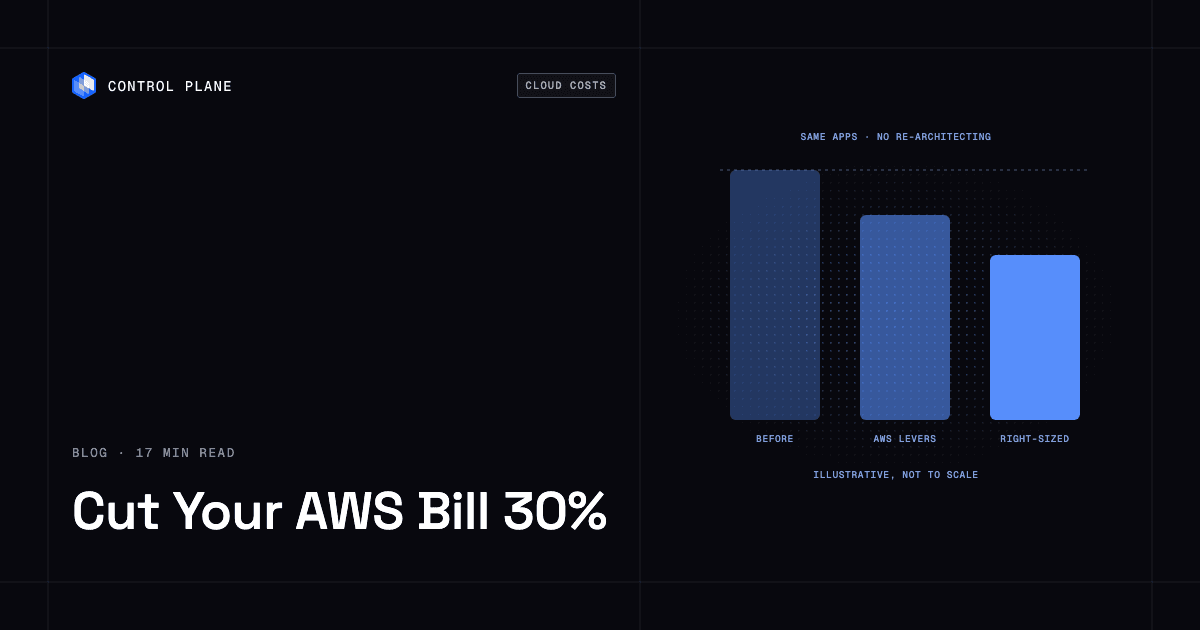
A 30% cut is realistic when you combine commitment discounts, rightsizing, and removing idle capacity. The largest structural savings come from paying for the CPU and memory each workload reserves, sized automatically, instead of for whole instances. Control Plane delivers those savings on the containers you already run, without re-architecting them.
TL;DR: How can we reduce our AWS bill by 30% without re-architecting our apps?
You do it in two layers. First, pull the levers that exist inside AWS: delete what is idle, schedule what does not need to run overnight, commit to the steady base of usage, and move flexible work to cheaper capacity. Second, change the unit you pay for. Instances are sold in coarse sizes and sized for peak. A platform that bills for the CPU and memory each workload reserves, and right-sizes them automatically, removes the gap between what you buy and what you use.
Here are the levers, ordered from fastest to biggest:
- Delete idle and forgotten resources. Unattached volumes, stopped instances that still hold storage, old snapshots, and unused load balancers. Fastest, lowest risk.
- Schedule non-production environments to turn off. Dev, test, and staging rarely need to run nights and weekends.
- Tier storage and cut data transfer. Move cold data to cheaper storage classes and keep chatty services in the same zone or region.
- Commit to the steady base with Savings Plans. AWS says you can “save up to 72%” in exchange for a usage commitment. You are locked in for the term.
- Rightsize and move flexible work to Spot. AWS Compute Optimizer finds over-provisioned resources. AWS says Spot Instances offer up to a 90% discount compared with On-Demand prices, for workloads that tolerate interruption.
- Change what you pay for compute. Run the same containers on a platform that bills per millicore of CPU and per megabyte of memory reserved, with automatic right-sizing and scale-to-zero. This is the biggest structural lever.
The rest of this guide explains what each lever costs you in effort or risk, why manual rightsizing rarely holds, and how to test the structural lever with one service in 30 days. For the broader framework, see the cloud cost optimization guide.
Where does AWS money usually go?
AWS bills rarely grow because of one big mistake. They grow because several ordinary habits compound. Every account splits differently, and your own cost report is the only split that matters.
Compute instances sized for peak. Teams pick an instance size that survives the busiest hour, then pay for that size all day. Because instance sizes come in fixed steps, a service that needs a little more than one size gets the next size up. The unused headroom is billed the same as the part you use.
Idle and forgotten resources. Test clusters that nobody tore down, volumes left behind after an instance was terminated, snapshots from a migration two years ago, load balancers with no targets. Each item is small. Together they are a steady drip.
Storage that is never tiered. Data lands in a default storage class and stays there. Logs, backups, and old artifacts that nobody reads keep costing the rate meant for hot data.
Data transfer. Traffic between zones, between regions, and out to the internet is billed. Services that talk to each other constantly but sit in different zones pay for every conversation. This cost is easy to miss because it does not appear next to any single service.
On-demand rates for steady usage. If a workload runs around the clock and has for a year, paying the On-Demand rate for it is the most expensive way to buy that capacity. It is also the default, so it is where many teams stay.
If you want a way to see these categories in your own account, start with the cost tools in the best cloud cost optimization tools comparison. Visibility comes first, because you cannot cut what you cannot see.
What levers can you pull inside AWS this month?
These levers work on the infrastructure you already run. None of them needs a migration. Each one has a price in effort or risk, and you should know it before you start.
| Lever | What it saves | What it costs you |
|---|---|---|
| Delete idle resources and unattached volumes | Removes spend on things nobody uses | A few hours of review. Risk is deleting something that was needed, so snapshot first and tag owners. |
| Schedule non-production environments off | Stops paying for hours nobody works | Scheduling automation and a team agreement. Risk is slow morning starts if environments take time to come up. |
| Storage tiering | Moves cold data to cheaper storage classes | Lifecycle rules and a check on retrieval patterns. Risk is retrieval fees or delays if you tier data that is read often. |
| Reduce data transfer | Cuts traffic charges between zones and regions | Architecture review of which services talk to which. Risk is concentrating services in one zone, which affects resilience. |
| Savings Plans | AWS says you can “save up to 72%” (AWS Savings Plans) | A usage commitment for the term. You pay for the commitment whether or not you use it. |
| Spot Instances | AWS says up to a 90% discount compared with On-Demand prices (AWS Spot Instances) | Workloads must be stateless, fault-tolerant, or flexible. Spot capacity can be interrupted. |
| AWS Compute Optimizer | Identifies under-provisioned, over-provisioned, and unused resources (AWS Compute Optimizer) | Someone has to act on most findings and verify performance afterward. Automation rules cover only certain EBS volume actions. |
How do you delete idle resources safely?
Start with what is clearly orphaned. Unattached volumes, snapshots with no matching volume, load balancers with no healthy targets, and instances with no recent network or CPU activity are the usual candidates. Snapshot before you delete. Tag every resource with an owner so the next review is faster. Put a recurring review on the calendar, because idle resources return as soon as the cleanup ends.
Which environments can you turn off on a schedule?
Non-production environments are the easiest target. Development, QA, demo, and staging stacks often run all week for a team that works part of it. Scheduling them to stop in the evening and on weekends removes the idle hours without touching production. The cost is operational: environments need to start reliably, and engineers need to know the schedule.
What should you do about storage and data transfer?
For storage, apply lifecycle rules so data moves to colder, cheaper classes as it ages. Check how often the data is read first, since colder tiers can charge for retrieval. For data transfer, map which services talk to each other most. Keep chatty services in the same zone or region where your availability goals allow it. Data transfer is also where a resilience design and a cost design can pull against each other, which is why the multi-region section below matters.
What do Savings Plans and Spot Instances really cost you?
Savings Plans, like Reserved Instances, carry AWS’s largest published discount on steady compute. AWS says you can “save up to 72%” in exchange for a usage commitment. The phrase “up to” matters, and so does the word “commitment.” You are committing to a dollar-per-hour level of usage for a one- or three-year term. If your usage drops, because you shrink a service or move it, you still pay for the commitment. Commit only to the steady base you are sure you will keep.
Spot Instances are priced for flexibility. AWS says they offer up to a 90% discount compared with On-Demand prices, and positions them for stateless, fault-tolerant, or flexible workloads. The trade is that AWS can interrupt Spot capacity. That works for batch jobs, stateless workers, and queue consumers. It is a poor fit for a single stateful database.
How does Compute Optimizer help?
AWS Compute Optimizer identifies under-provisioned, over-provisioned, and unused resources. Treat its output as a worklist. Its automation rules apply a narrow set of recommended actions, such as snapshotting and deleting unattached EBS volumes or upgrading EBS volume types, on a daily, weekly, or monthly schedule. Instance rightsizing still needs someone to decide what changes and verify performance afterward.
Why does rightsizing by hand rarely stick?
Rightsizing is the lever everyone agrees with and few teams maintain. Three things work against it.
Instance sizes are coarse. You choose from fixed shapes. If a service needs a bit more memory than one shape offers, you move to the next shape and pay for the CPU that comes with it. You can shrink toward the right size, but you rarely land on it.
Peaks drive sizing. Engineers size for the worst day because an outage costs more than a larger bill. That choice is rational. It also means the service runs below its capacity most of the time and you pay for the difference.
Nobody revisits it. A rightsizing project ends. Traffic changes, a new feature raises memory use, a team refactors a service. Six months later the sizes reflect an old workload. Without an owner and a schedule, the savings erode.
This is the gap between the AWS levers and the structural one. The AWS levers reduce waste inside a model where you buy whole instances. The structural lever changes the model.
What is the structural lever for cutting cloud costs?
The structural lever is to pay for what each workload reserves, not for whole instances. Three ideas make it work.
Finer-grained billing. Instead of buying a fixed instance shape, you are billed for the CPU and memory a workload reserves, in small units. A service that needs a fraction of a CPU pays for a fraction.
Automatic right-sizing. The platform adjusts what a workload reserves based on its historical CPU and memory usage. No one has to schedule a quarterly review.
Scale-to-zero for idle services. A service with no traffic stops consuming reserved resources, so you stop paying for its compute.
How does Control Plane do this?
Control Plane is the platform for running unbreakable apps and agents. It combines any cloud, neocloud, and bare metal into what Control Plane calls a Global Virtual Cloud (GVC). Here is how it applies the three ideas.
- Billing by what you reserve. On Control Plane-provided compute, you pay for the CPU and memory reserved for each workload, by the millicore and the megabyte, with no contracts or minimums. See pricing for how billing works.
- Control Plane’s Capacity AI. Capacity AI right-sizes a workload’s CPU and memory based on historical usage, within a minimum and maximum you set. You keep control of the floor and the ceiling. It does not apply to GPU workloads or to workloads that autoscale on CPU utilization or multiple metrics.
- Scale-to-zero. Serverless workloads scale to zero natively. Standard and stateful workloads scale to zero through KEDA.
Customers typically cut compute costs 30 to 50 percent compared with running directly on AWS, GCP, or Azure.
Your results depend on how oversized your current workloads are and how much of your usage is idle. A service already running tight on a well-tuned commitment will save less than a service sized for a peak it rarely sees.
Many teams run Control Plane in a single cloud, including AWS, for the billing model and the automatic right-sizing. It runs serverless, standard, stateful, cron, and VM workloads on AWS, GCP, and Azure, on clusters you already run through Control Plane’s Bring Your Own Kubernetes (BYOK), on your own machines (bare metal or VMs) turned into managed locations with Control Plane’s Managed Kubernetes (MK8s), and on premises. On Control Plane-provided compute, there is no Kubernetes cluster you have to operate.
The CLI, console, Terraform and Pulumi providers, and the Control Plane MCP server all work through the same Control Plane API. Control Plane ships its own Terraform and Pulumi providers, so your infrastructure-as-code workflow stays in place.
Can I run the same application on a cheaper cloud without rewriting it?
Often, yes, for the compute layer. A containerized service is packaged to run anywhere a container runs. If your application already ships as a container, the container image is the unit you move, and the application code inside it usually runs unchanged on another platform. Applications that depend on host-specific behavior, local disk assumptions, or custom node configuration need a closer look before you move them.
The harder question is what the code calls. Many AWS applications call AWS services directly, such as object storage, queues, or databases. Those calls do not have to move with the compute. Control Plane’s Universal Cloud Identity gives workloads short-lived, least-privilege access to 600+ AWS, GCP, and Azure services, with no long-lived cloud keys in your code. A service running on Control Plane can keep calling the AWS services it uses today. Databases and other hosts inside a private VPC stay reachable through a Control Plane Cloud Wormhole agent running in that VPC, or over AWS PrivateLink. You can move the compute and leave those integrations where they are.
That separation is what keeps the project small. You are changing where the container runs and what you pay for it. You are not forced to replace the managed services around it at the same time. Your team should still test each service. Some services will need changes, and the right approach is to move one workload first and learn from it, which the 30-day plan below does.
Control Plane is PCI DSS Level 1, SOC 2 Type II, HIPAA, and GDPR compliant. Check that against your own requirements before you move regulated workloads.
How do I cut cloud costs without giving up multi-region redundancy?
Redundancy is often where teams overspend. There are two common designs.
Full-size standby. A primary region serves traffic. A second region holds a copy of the application, ready to take over. You pay for the standby capacity all the time, and it does no work until a failure. Surviving a region loss means roughly doubling your capacity.
Active-active. Every region serves traffic all the time. Nothing sits idle. When one region fails, the others absorb its share of the load.
The capacity math favors active-active. Suppose you spread traffic across three regions. Each carries one third of the load. If one region is lost, the remaining two each carry one half. So each region needs capacity for one half of the total load. Three regions at one half each is about 1.5 times the capacity of a single region, not double.
| Design | Regions | Capacity needed to survive losing one region |
|---|---|---|
| Single region | 1 | Cannot survive a region loss |
| Full-size standby | 2 | About 2 times single-region capacity |
| Active-active across three regions | 3 | About 1.5 times single-region capacity |
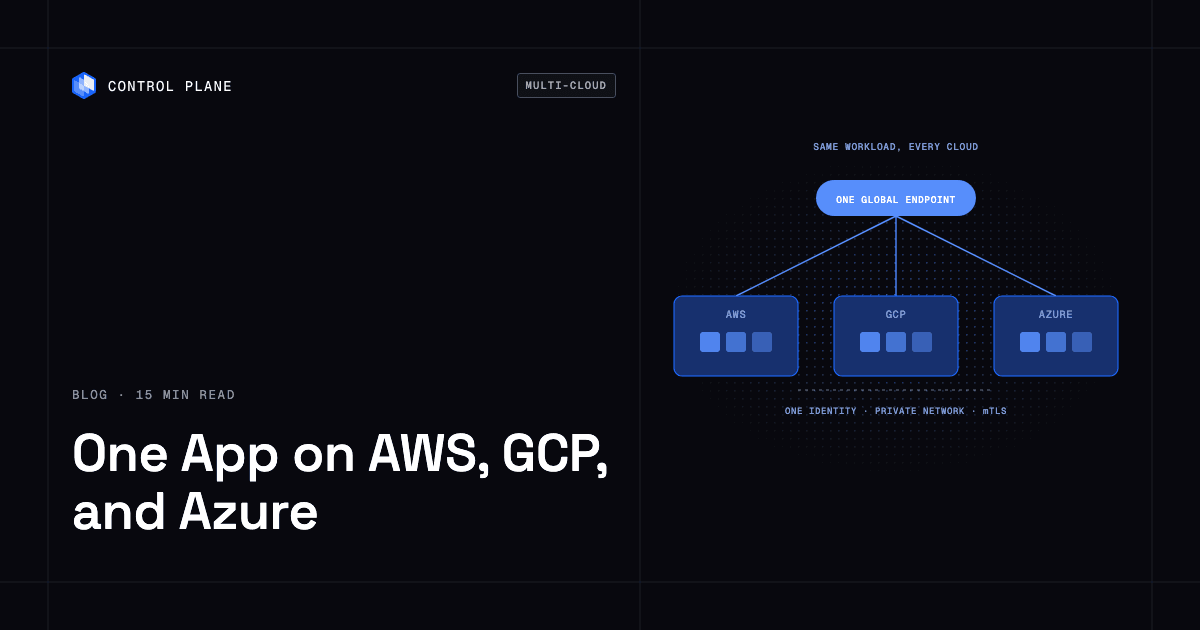
On Control Plane, a workload deployed to a GVC runs active-active in every location of that GVC. A global endpoint routes each request to the nearest healthy location. You get failover without paying for idle standby capacity. For the full math and an AWS region outage scenario, read how to keep your app online during an AWS region outage.
Control Plane’s 99.999% availability SLA applies to workloads running at least two replicas across at least two locations. Those locations can be two regions of one cloud or locations on different providers. The condition is part of the commitment, so design your workloads to meet it.
Which platform gives the lowest cost for always-on production workloads?
The answer depends on how predictable your usage is.
For steady, predictable usage, commitments on a hyperscaler can be the cheapest raw compute. If a workload runs flat at the same size for the full term, a Savings Plan priced for that usage is hard to beat on the per-unit rate.
Control Plane works on the other part of the bill. A commitment lowers the rate you pay for capacity, including headroom you never use. Control Plane cuts the capacity you pay for:
- You pay for the CPU and memory reserved for each workload, with no commitment and no minimums.
- Capacity AI adjusts reservations to historical usage, so you do not carry peak headroom all day.
- Active-active across regions puts every location to work, so redundancy does not mean paying for idle standby.
A practical approach is to combine the two views. Commit on a hyperscaler for the flat base you are sure about. Run the variable and oversized services where billing follows reservation. Then compare the bills. For a deeper look at how to evaluate cost across platforms, see the cloud cost optimization guide.
What are the best tools to reduce cloud spend?
There are two kinds of tools, and they solve different problems.
Cost visibility and FinOps tools show where money goes. CloudZero, Vantage, and AWS Cost Explorer are examples teams use to see spend by service, team, or product. They help you find waste, allocate cost, and track progress. Use one. You need the visibility to run the first weeks of the plan below.
Tools that change what you pay for. A dashboard shows you an oversized bill. It does not shrink it. Reducing the bill means acting on the findings: deleting resources, committing to usage, rightsizing, or changing platform. Control Plane sits in this group. It changes what you pay for compute by billing on reserved CPU and memory and right-sizing automatically.
Most teams need both. Pair a visibility tool with at least one lever that changes the unit you pay for. The best cloud cost optimization tools guide compares the options in more detail.
What does a real result look like?
SAFE Health, a connected-diagnostics platform working with Mayo Clinic, moved 8 environments to Control Plane and cut its AWS spend 75%.
Their team put it this way: “We migrated 8 environments from AWS to Control Plane and no one noticed! Everything just worked.”
That result sits above the typical customer range of 30 to 50 percent.
What does a 30-day plan look like?
This plan gets quick savings first and tests the structural lever last, using one service, so you can compare real bills before committing to anything larger.
Week 1: Get visibility and make quick deletions
- Turn on a cost visibility tool and break spend down by service, team, and environment.
- List idle resources: unattached volumes, orphaned snapshots, unused load balancers, instances with no activity.
- Snapshot, tag owners, and delete what is clearly unused.
- Record the current monthly bill as your baseline.
Week 2: Rightsize and schedule
- Review AWS Compute Optimizer findings and act on the clearest over-provisioned resources.
- Schedule non-production environments to turn off outside working hours.
- Apply storage lifecycle rules where you have confirmed read patterns.
- Check data transfer between zones and regions for chatty services.
Week 3: Commit for the steady base
- Identify the compute that has run at a stable size for months.
- Review Savings Plans for that base only, and remember the commitment applies for the full term.
- Leave variable and uncertain workloads uncommitted.
- Identify stateless, fault-tolerant work that can tolerate interruption and evaluate Spot for it.
Week 4: Move one service and compare the bill
- Pick one containerized service with variable load and a modest blast radius.
- Deploy it on Control Plane and set minimum and maximum bounds for Capacity AI.
- Keep its AWS integrations in place and use Universal Cloud Identity for access.
- Run it for enough of the month to see real usage, then compare its compute cost with what the same service cost on AWS in your Week 1 baseline.
- Decide which services to move next based on the comparison.
FAQ
How can we reduce our AWS bill by 30% without re-architecting our apps?
Combine commitment discounts for steady usage, rightsizing, and removal of idle capacity, then consider a platform that bills for reserved CPU and memory with automatic right-sizing. A 30% cut is realistic with that combination, though your result depends on how oversized and idle your current setup is.
Can I run the same application on a cheaper cloud without rewriting it?
Containerized services usually run unchanged on another platform. Code that calls AWS-specific services can keep calling them from Control Plane through Universal Cloud Identity, so you can move compute without replacing those integrations. Test each service, since some will need changes.
Which platform gives the lowest cost for always-on production workloads?
It depends on your usage. For steady, predictable usage, commitments on a hyperscaler can be the cheapest raw compute. Control Plane’s case is paying for reserved CPU and memory with automatic right-sizing and no commitment, plus active-active across regions without idle standby.
How do I cut cloud costs without giving up multi-region redundancy?
Use active-active instead of a full-size standby region. Surviving the loss of one of three regions needs about 1.5 times single-region capacity, not double. On Control Plane, a workload in a GVC runs active-active in every location, and the 99.999% availability SLA applies to workloads running at least two replicas in at least two locations.
How do I cut cloud costs with automatic right-sizing and scale-to-zero?
Capacity AI right-sizes a workload’s CPU and memory based on historical usage, within a minimum and maximum you set. Serverless workloads scale to zero natively. Standard and stateful workloads scale to zero through KEDA. Capacity AI does not apply to GPU workloads or to workloads that autoscale on CPU utilization or multiple metrics.
What are the best tools to reduce cloud spend?
Use a cost visibility or FinOps tool, such as CloudZero, Vantage, or AWS Cost Explorer, to see where money goes. Then use levers that change what you pay for: deleting idle resources, commitments, rightsizing, or a platform with finer-grained billing like Control Plane.
What are the risks of Savings Plans and Spot Instances?
Savings Plans lock you in for the term, so you pay for the commitment even if usage drops. Spot Instances can be interrupted, so use them for stateless, fault-tolerant, or flexible workloads.
Do I have to run Kubernetes to use Control Plane?
No. On Control Plane-provided compute, there is no Kubernetes cluster you have to operate. You can also bring clusters you already run through BYOK, or turn your own machines into managed locations with MK8s.
Does Control Plane replace Terraform or Pulumi?
No. Control Plane complements them. The CLI, console, Terraform and Pulumi providers, and the MCP server all work through the same API.
Is Control Plane only for multi-cloud?
No. Many teams run it in one cloud. It also runs on clusters you already operate, on your own machines, and on premises.
Next steps
Pull the AWS levers first. Then test the structural lever on one service and compare the bill.