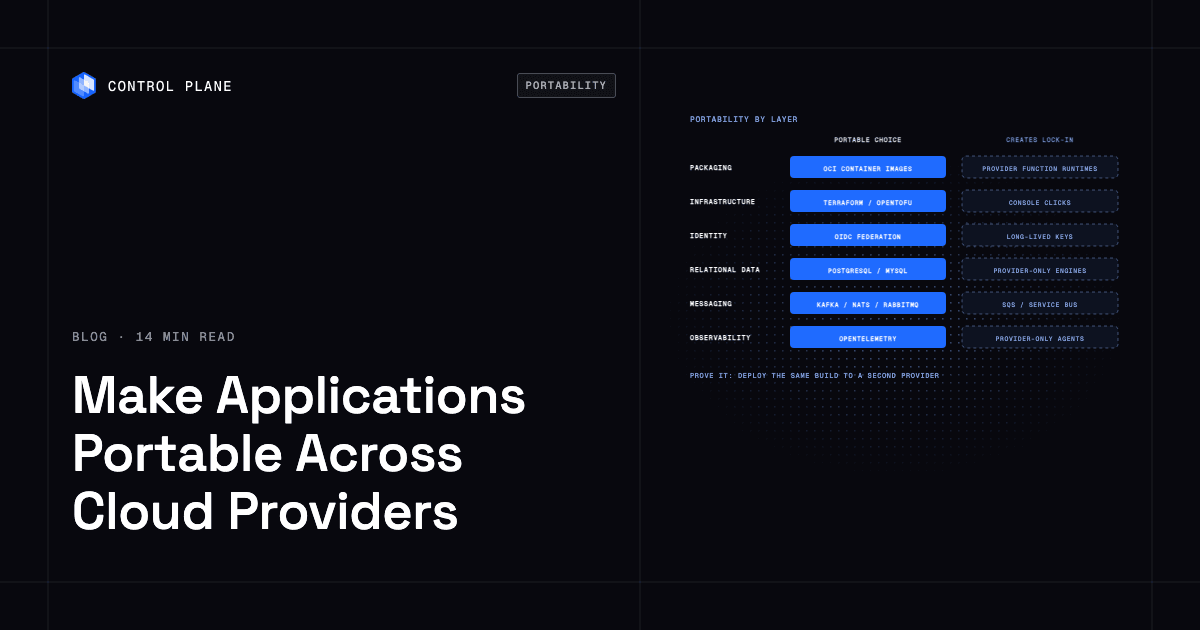
Make applications portable across cloud providers by packaging them as containers, defining infrastructure as code, keeping data in open formats and engines you can run anywhere, and isolating each provider-specific service behind an interface you could replace. Then prove it by deploying the same build to a second provider and measuring what had to change. This guide breaks portability down by layer, compares the platforms that claim to deliver it, and gives you a concrete test you can run today. Kubernetes and Terraform cover two layers. The layers where lock-in actually accumulates are data, identity, messaging, and observability.
Disclosure: Control Plane publishes this guide.
TL;DR
Make your applications portable by choosing open, replaceable components at every layer and proving that portability works before you need it.
- Layers with open standards. Open Container Initiative (OCI) container images, Kubernetes manifests and Helm charts, the Terraform or OpenTofu workflow, standard DNS, and OpenTelemetry instrumentation move between providers with configuration changes. Cluster networking, IAM, and storage classes stay provider-specific.
- Layers that create lock-in. Provider-only database engines, proprietary messaging services, long-lived cloud credentials, vendor-specific function runtimes, and provider-only observability agents are the real sources of lock-in.
- Platform comparison. Control Plane, hyperscaler hybrid tools (Azure Arc, GKE attached clusters, EKS Anywhere), enterprise Kubernetes distributions (OpenShift, Rancher Prime), serverless containers (Knative, Cloud Run), and infrastructure as code (Terraform, OpenTofu) each make different things portable and keep different things tied to the vendor.
- Portability test. Deploy the same image to a second provider, rebuild infrastructure from code, restore data from an open-format export, rotate identity providers, switch DNS, and run real traffic. If any step fails, you have a lock-in boundary.
- When lock-in is worth it. Sometimes a managed service with no portable equivalent drives your product, your team is too small to run the portable alternative, or the project is short-lived. Contain the risk with an interface, an exit plan, and contract terms.
- Where Control Plane fits. Control Plane’s Global Virtual Cloud (GVC), a named set of locations, lets you deploy one workload definition to locations on AWS, GCP, Azure, and Oracle Cloud Infrastructure, plus your own Kubernetes clusters and on-premises servers, with Control Plane handling Day 2 operations.
How can I ensure my applications are portable across different cloud providers?
The process has six steps, and the last one loops back to the beginning.
- Inventory provider-specific dependencies. List every cloud service your application calls directly: managed databases, message queues, identity providers, object storage APIs, load balancer configurations, and CI/CD integrations. Each one is a potential lock-in point.
- Choose portable defaults per layer. For each layer of your stack, pick the component that runs on more than one provider without modification. OCI container images for packaging. Kubernetes for orchestration. PostgreSQL or MySQL for relational data. Kafka or NATS for messaging. OpenTelemetry for observability.
- Wrap the rest behind interfaces. When you must use a provider-specific service, isolate it behind a thin adapter or service interface in your code. Your business logic calls the interface; the adapter calls the provider. Swapping providers means writing a new adapter while the business logic stays the same. How to avoid cloud vendor lock-in covers this pattern in depth.
- Codify infrastructure. Define every resource in Terraform, OpenTofu, or Pulumi with provider-specific variables isolated in modules. No console clicks. No imperative scripts that assume a single provider’s CLI.
- Test on a second provider. Deploy the same container images and infrastructure code to a different cloud account. Measure what breaks, what needs reconfiguration, and what needs a rewrite. This is your portability test.
- Repeat after major changes. New services, new data stores, and new team members all introduce provider-specific dependencies. Run the portability test after every significant architecture change.
What’s the most portable way to build cloud applications?
The most portable way to build cloud applications is to select open, replaceable components at every layer of your stack.
| Layer | Portable choice | Choice that creates lock-in | What it costs to switch later | How to test it |
|---|---|---|---|---|
| Application packaging | OCI container images | Provider-specific function runtimes (Lambda, Azure Functions, Cloud Functions) | Rewrite function code into containers; change deployment tooling | Build the same image and run it on two providers |
| Orchestration and runtime | Kubernetes or a portable container platform | Provider-only container service API (ECS API, Azure Container Apps API) | Rewrite deployment manifests and service discovery; retrain operations team | Deploy the same Helm chart or manifest to a second cluster on another provider |
| Infrastructure definitions | Terraform or OpenTofu with modules per provider | CloudFormation, Bicep, or console clicks | Rewrite all infrastructure definitions; rebuild automation | Run terraform plan against a second provider’s module |
| Networking and DNS | Standard DNS records and TLS certificates | Provider-only load balancer features (ALB rules, Azure Application Gateway rules) | Reconfigure routing, health checks, and TLS termination | Point DNS to a second provider’s endpoint and verify routing |
| Identity and secrets | OIDC federation and workload identity | Long-lived provider-specific keys and IAM policies | Rotate all credentials; rewrite IAM bindings; audit access | Federate a second identity provider and verify access |
| Relational data | PostgreSQL or MySQL, managed or self-hosted | Provider-only engines and extensions (Aurora-specific functions, AlloyDB-specific extensions, Spanner) | Data migration, schema compatibility testing, retraining DBAs | Restore a logical backup to a second provider’s managed PostgreSQL |
| NoSQL and caching | MongoDB, Redis-compatible engines, Cassandra | DynamoDB, Cosmos DB, Firestore | Rewrite data access code, migrate data, change capacity model | Export data in a standard format and import to a second engine |
| Messaging and streaming | Kafka, NATS, RabbitMQ | SQS, Azure Service Bus, Google Pub/Sub | Rewrite producers and consumers, migrate in-flight messages, change retry logic | Run the same producer and consumer against a second broker |
| Object storage | S3-compatible API (Google Cloud Storage XML API, Oracle Cloud Object Storage, MinIO) | Provider-only storage features (S3 Event Notifications to Lambda, Azure Blob Storage triggers) | Migrate objects, update SDKs, rewrite event-driven logic | Write and read objects using the S3 API on a second provider |
| Observability | OpenTelemetry collectors and exporters | Provider-only agents and query languages (CloudWatch Logs Insights syntax, Azure Monitor KQL) | Rewrite dashboards, alerts, and queries; retrain on-call team | Send traces and metrics to a second backend and verify dashboards |
| CI/CD | Pipelines that deploy by API to any target (GitHub Actions, GitLab CI) | Provider-only pipelines (CodePipeline, Azure DevOps with provider-only tasks) | Rewrite pipeline definitions, reconfigure secrets, retrain developers | Run the same pipeline against a second provider’s deployment target |
Data gravity and egress costs are the largest practical barrier to moving. Even when your application code and infrastructure definitions are fully portable, terabytes of data sitting in one provider’s region create inertia. Egress fees make large-scale data movement expensive, and replication lag between providers can affect consistency. Plan data portability early, keep data in open formats, and test backup and restore across providers regularly. Equivalent services across providers are mapped in how to compare equivalent cloud services across AWS, Azure, and Google Cloud.
Can you compare the cloud portability features of different platforms?
Every major cloud provider and several independent platforms offer tools that claim to make workloads portable.
| Platform | What it makes portable | Where it runs | What stays tied to the vendor |
|---|---|---|---|
| Control Plane | Workload deployment from one definition across providers; per-workload canonical endpoints that DNS routes to locations passing readiness checks; one identity for AWS, GCP, and Azure services; mTLS between workloads | AWS, GCP, Azure, Oracle Cloud Infrastructure, your own Kubernetes clusters via Control Plane’s Bring Your Own Kubernetes (BYOK), your own servers including on premises via Control Plane’s Managed Kubernetes (MK8s) | Control Plane workload definition; provider-specific managed services called by workloads remain with that provider |
| Kubernetes itself (EKS, GKE, AKS) | Container orchestration, workload scheduling, service discovery | The respective provider’s regions | Cluster provisioning, networking (VPC/CNI), IAM, load balancers, storage classes, billing |
| Azure Arc | Server, Kubernetes, and SQL Server management with Azure Policy and Azure Monitor for resources outside Azure | Other clouds, on premises, edge (projected into Azure Resource Manager) | Azure Resource Manager control plane, Azure Monitor, Microsoft Entra ID integration, billing through Azure |
| GKE multicloud (GKE attached clusters, Google Distributed Cloud) | Fleet management of Kubernetes clusters, Config Sync, Policy Controller, Cloud Service Mesh | GCP, AWS, Azure, on premises, bare metal | GCP project structure, GCP billing, Connect gateway, GCP-based fleet management |
| EKS Anywhere | EKS-compatible Kubernetes on your infrastructure | On premises (VMware vSphere, bare metal, Nutanix) | EKS Connector for console visibility, AWS support entitlement, optional AWS IAM Authenticator |
| ECS Anywhere | ECS task scheduling on external instances | On premises, other clouds (instances registered to ECS) | ECS control plane in AWS, task definitions tied to ECS API, AWS billing |
| AWS Outposts | AWS infrastructure and services in your data center | On premises (AWS-owned hardware) | AWS hardware, AWS control plane, AWS billing, AWS region dependency for management |
| Red Hat OpenShift | Kubernetes with integrated CI/CD, service mesh, developer tools | AWS, GCP, Azure, IBM Cloud, on premises, bare metal | OpenShift subscription, Red Hat ecosystem tooling, Operator Hub dependency |
| SUSE Rancher Prime | Multi-cluster Kubernetes management, fleet management | AWS, GCP, Azure, on premises, edge | Rancher server for management, SUSE support subscription |
| Knative / Cloud Run | Serverless container execution with scale-to-zero | Knative: any Kubernetes cluster. Cloud Run: GCP only | Cloud Run: GCP billing, GCP IAM, GCP networking. Knative: self-managed on Kubernetes |
| Terraform / OpenTofu | Infrastructure definitions across any provider with a Terraform provider | Any cloud, on premises, SaaS | State backend (can be portable), provider-specific HCL modules (must be written per provider) |
Hyperscaler hybrid tools
Azure Arc, GKE attached clusters, EKS Anywhere, ECS Anywhere, and AWS Outposts all extend a single provider’s management plane to other environments. They make Kubernetes management or container scheduling portable to your own infrastructure, but the control plane, billing, and identity model remain with the originating provider. Moving from Azure Arc to GKE attached clusters means adopting an entirely different management model, which takes more than a configuration change.
Enterprise Kubernetes platforms
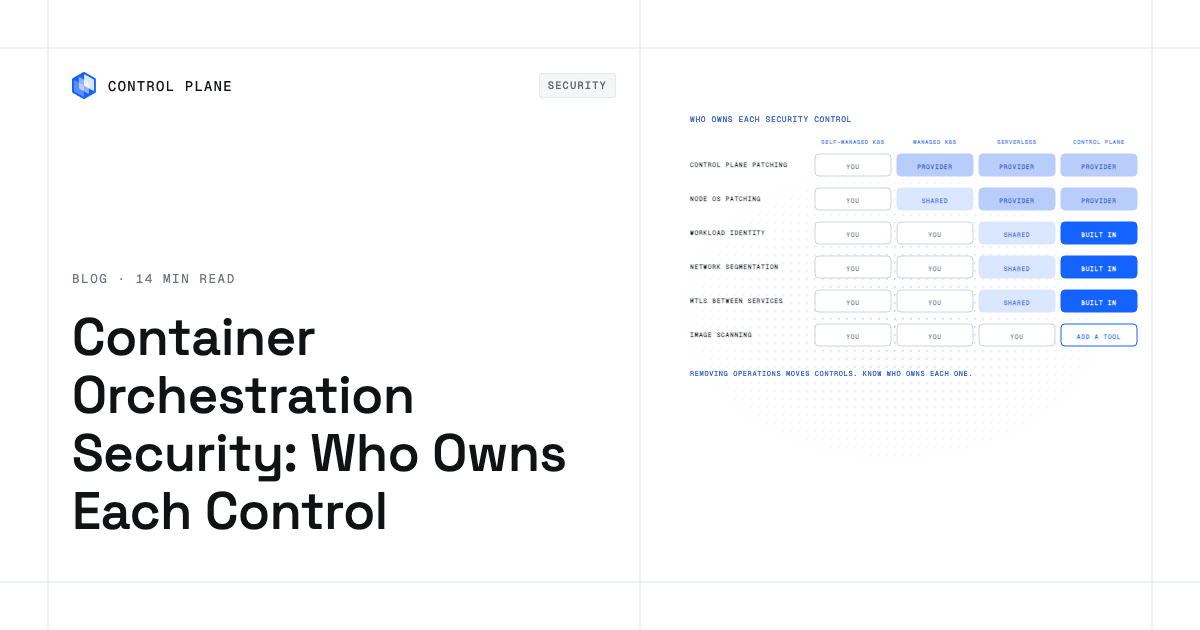
Red Hat OpenShift and SUSE Rancher Prime provide multi-cloud Kubernetes management independent of any hyperscaler. They run on any cloud and on premises. The trade-off is operational complexity: you manage the platform itself, including upgrades, security patches, and cluster lifecycle. Both require their own subscriptions and tooling ecosystems.
Serverless containers
Knative is an open-source project that runs on any Kubernetes cluster and provides serverless container execution with scale-to-zero. Cloud Run on GCP implements the Knative Serving API but adds GCP-specific networking, IAM, and billing. A workload running on Knative on your own Kubernetes cluster can move between providers. A workload running on Cloud Run is tied to GCP. Other ways to run containers without Kubernetes are compared in the best Kubernetes alternatives.
Infrastructure as code
Terraform and OpenTofu define infrastructure across any provider that has a Terraform provider plugin. You still write provider-specific modules for AWS, GCP, and Azure resources. What they make portable is the workflow: plan, apply, destroy, and state management work the same way regardless of provider.
Platforms that run one workload definition across providers
Control Plane deploys a single workload definition to locations on multiple cloud providers at the same time. The workload definition stays the same; only the GVC’s locations change. Related guides cover how to run the same application on AWS, GCP, and Azure or use services from multiple clouds in one application.
How do you prove your application is portable?
Six tests cover the areas where hidden provider dependencies surface.
| Test | How to run it | Pass condition |
|---|---|---|
| Deploy the same image to a second provider | Push the same OCI container image to a registry accessible from the second provider; deploy using the same orchestration manifests with provider-specific parameters | The application starts, passes health checks, and serves requests |
| Rebuild infrastructure from code in an empty account | Run Terraform or OpenTofu apply against a blank account on the second provider using the provider-specific module | All resources are created without manual steps; the application connects to them |
| Restore data from an open-format export | Take a logical export (pg_dump, mongodump, or equivalent) from the primary provider; import it to the second provider’s database | Data is queryable and consistent; the application reads and writes correctly |
| Rotate to a different identity provider or federation | Configure OIDC federation or workload identity with a second identity provider; revoke the original credentials | The application authenticates and accesses cloud services without long-lived keys |
| Switch DNS to the second provider | Update DNS records to point to the second provider’s endpoint; verify TLS termination | Clients reach the application on the second provider with valid TLS and correct routing |
| Run a day of real traffic on the second provider | Route a portion or all of production traffic to the second provider for at least 24 hours | Latency, error rates, and throughput are within acceptable thresholds; observability data flows to dashboards |
If any test fails, you have found a lock-in boundary. Document it, decide whether to fix it or accept it, and record the cost of switching later.
When is lock-in worth accepting?
Not every provider-specific dependency needs to be eliminated.
A managed service with no portable equivalent may drive your product. If your application depends on a provider’s machine learning inference API or a provider-hosted foundation model, and no open-source or cross-provider alternative delivers the same results, the business value outweighs the portability cost.
A team too small to run the portable alternative faces a different calculation. Running a self-managed Kafka cluster on two providers requires operational expertise that a three-person team may not have. Using a fully managed queue such as SQS and accepting the lock-in lets the team focus on the product.
A short-lived project with a defined end date does not benefit from portability investment. If the project will be decommissioned in six months, the engineering effort to abstract provider dependencies has no payoff.
When you accept lock-in, contain it. Put the provider-specific service behind a single interface in your code so the blast radius of switching is one adapter. Write an exit plan that documents the data export format, the alternative service, and the estimated migration effort. Negotiate contract terms that include data export rights and avoid long-term commitments that outlast your confidence in the provider. The trade-off is worked through in managed services vs. portability.
Where does Control Plane fit in a portable architecture?
Control Plane is the unbreakable platform for running production workloads. It runs serverless, standard, stateful, and cron workloads natively on AWS, GCP, Azure, and Oracle Cloud Infrastructure, VM workloads on locations joined through Control Plane’s Managed Kubernetes (MK8s), and workloads on Kubernetes clusters you already run or your own machines, including on premises, active-active across regions and clouds.
A workload deployed to Control Plane’s Global Virtual Cloud (GVC), a named set of locations, runs in every location of that GVC from one workload definition. Locations can be Control Plane-managed regions on AWS, GCP, Azure, and Oracle Cloud Infrastructure, Kubernetes clusters you already run joined through Control Plane’s Bring Your Own Kubernetes (BYOK), or your own servers joined through Control Plane’s Managed Kubernetes (MK8s), including on premises. Control Plane runs standard Open Container Initiative (OCI) container images. Moving a workload to another provider means adding or changing locations in the GVC with the same workload definition.
Every workload has its own canonical endpoint that DNS geo-routes clients to the nearest location where that workload passes its readiness checks. Workloads in different clouds reach each other with mTLS, without VPC peering or VPN tunnels you manage.
Control Plane’s Universal Cloud Identity lets workloads reach AWS, GCP, and Azure services through one identity, with no long-lived cloud keys in your code.
Control Plane handles Day 2 operations for you, including autoscaling, built-in observability, and security. It complements Terraform and Pulumi; its resources can be managed with Terraform, Pulumi, the CLI, the console, or its MCP server. Control Plane is PCI DSS Level 1, SOC 2 Type II, HIPAA, and GDPR compliant. The 99.999% availability SLA applies to workloads running at least two replicas in at least two locations. Control Plane customers typically see 30 to 50 percent lower compute costs compared with running directly on AWS, GCP, or Azure.
Honest scope: Control Plane does not make provider-specific managed services portable. Workloads keep calling them, and data you keep in a provider’s managed database stays there. If your application calls DynamoDB, Control Plane will run your application container on any provider, but the DynamoDB calls still go to AWS. Adopting Control Plane means adopting its workload definition format. In exchange, one definition deploys to every location in a GVC, on any supported provider.
FAQ
Short answers to common cloud portability questions.
How can I ensure my applications are portable across different cloud providers?
Package applications as OCI container images, define infrastructure in Terraform or OpenTofu, use portable data engines like PostgreSQL and Kafka, isolate provider-specific services behind interfaces, and prove portability by deploying the same build to a second provider. Repeat the test after major architecture changes.
What’s the most portable way to build cloud applications?
Choose open, replaceable components at every layer of your stack: containers for packaging, Kubernetes for orchestration, Terraform for infrastructure, OpenTelemetry for observability, and open-source data engines for persistence.
What is the best way to stay cloud-agnostic?
Stay cloud-agnostic by treating every provider-specific service as replaceable. Wrap provider services behind interfaces in your code, keep data in open formats and engines available on multiple providers, codify all infrastructure, and rerun the portability test after every significant architecture change. Absolute cloud agnosticism is rarely practical, but deliberate abstraction at the layers that matter most, especially data and identity, gives you leverage to move when you need to.
Can you compare the cloud portability features of different platforms?
Yes. Hyperscaler hybrid tools (Azure Arc, GKE attached clusters, EKS Anywhere, ECS Anywhere, AWS Outposts) extend one provider’s management plane, so its control plane and billing stay with that provider. OpenShift and Rancher Prime run Kubernetes on any cloud but you operate the platform. Knative is portable; Cloud Run runs only on Google Cloud. Terraform and OpenTofu make the provisioning workflow portable; the resources stay provider-specific. Control Plane deploys one workload definition to locations on several providers.
Does Kubernetes make my application portable?
Kubernetes makes container orchestration portable. It does not make identity, networking, storage, load balancing, or managed services portable. Those layers remain provider-specific and require separate abstraction.
Is Terraform cloud-agnostic?
Terraform and OpenTofu make the workflow cloud-agnostic. The plan-apply-destroy cycle works the same on every provider. Terraform makes your infrastructure process portable; the resources themselves are defined per provider.
How do I avoid database lock-in?
Use PostgreSQL, MySQL, or another open-source engine available as a managed service on multiple providers. Avoid provider-only extensions and proprietary SQL syntax. Treat your database as the highest-gravity portability boundary and invest in abstraction there first.
How does Control Plane help with cloud portability?
Control Plane deploys one workload definition to locations on AWS, GCP, Azure, Oracle Cloud Infrastructure, your own Kubernetes clusters, and on-premises servers. Universal Cloud Identity lets workloads reach AWS, GCP, and Azure services through one identity. Control Plane does not make provider-specific managed services portable. One workload definition and one deployment pipeline cover every location in a GVC.
To run the same workloads across clouds from one definition, talk to the Control Plane team or sign up free.