Cloud migration can go wrong the same way moving houses does: poor planning, surprise costs, and discovering critical gaps only after you’re already committed. A failed migration can end up costing your organization far more than a week of downtime.
Flexera’s 2026 State of the Cloud report found that 94% of enterprises now use at least one cloud service. So the real question for organization is: how do you migrate without blowing your budget or disrupting production?
What Is Cloud Migration?
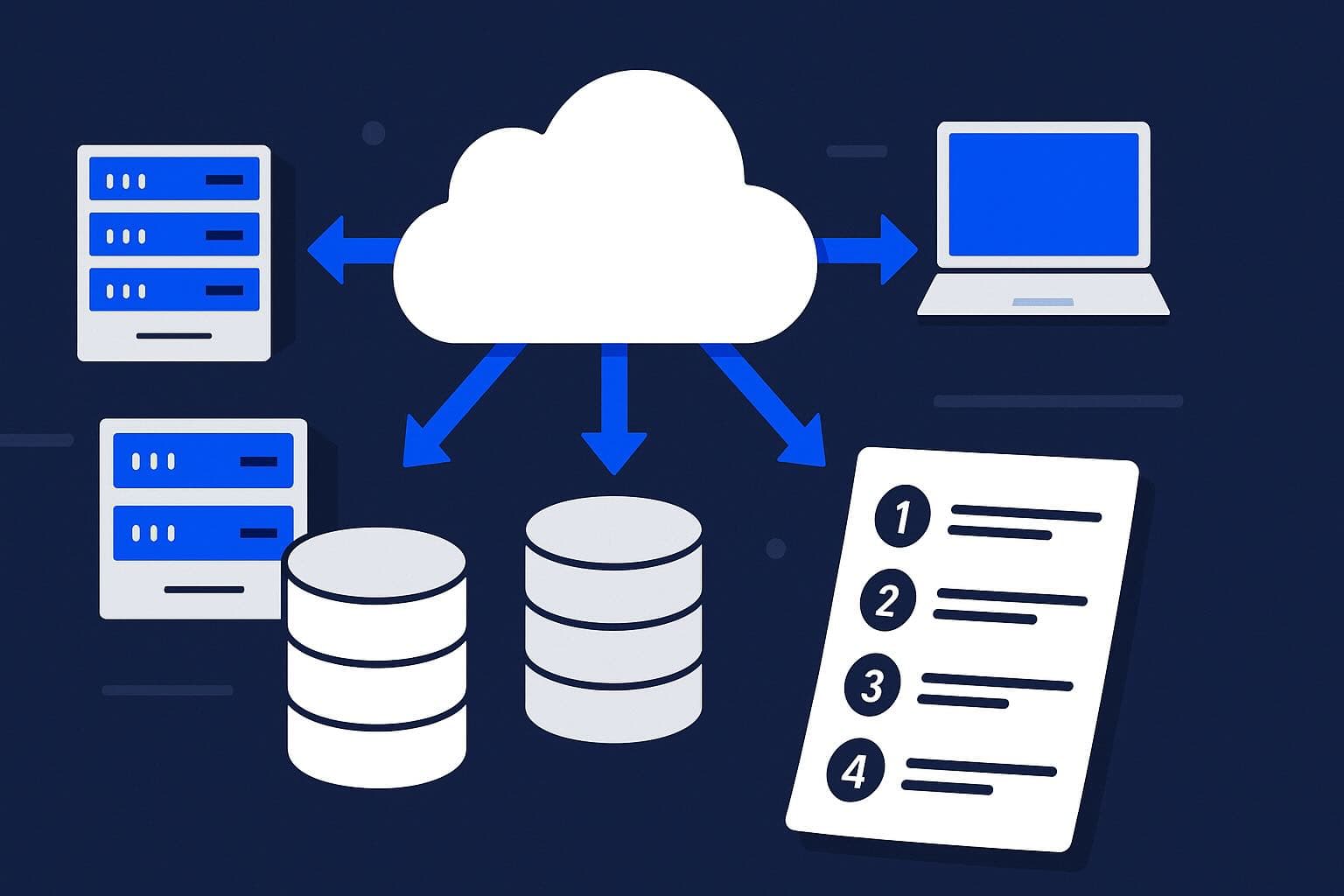
Cloud migration transfers your digital operations, software, and services from on-premises servers (or another cloud environment) to a new cloud platform. For developers, this means shifting from traditional local development and testing setups to models like Platform as a Service (PaaS) or Infrastructure as a Service (IaaS).
Cloud services give you a scalable platform that reduces the cost of maintaining on-premises hardware and helps minimize downtime. Distributed teams can share and collaborate on code without friction. Cloud migration also pairs well with adopting DevOps, a practice that brings development and operations teams closer together to ship software faster and more reliably. In fact, 99% of organizations report that DevOps has had a positive impact on their operations.
Cloud Migration Types: The 6 Rs Explained
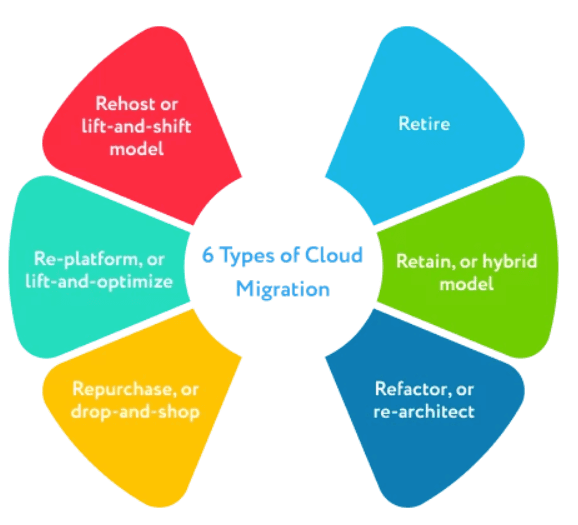
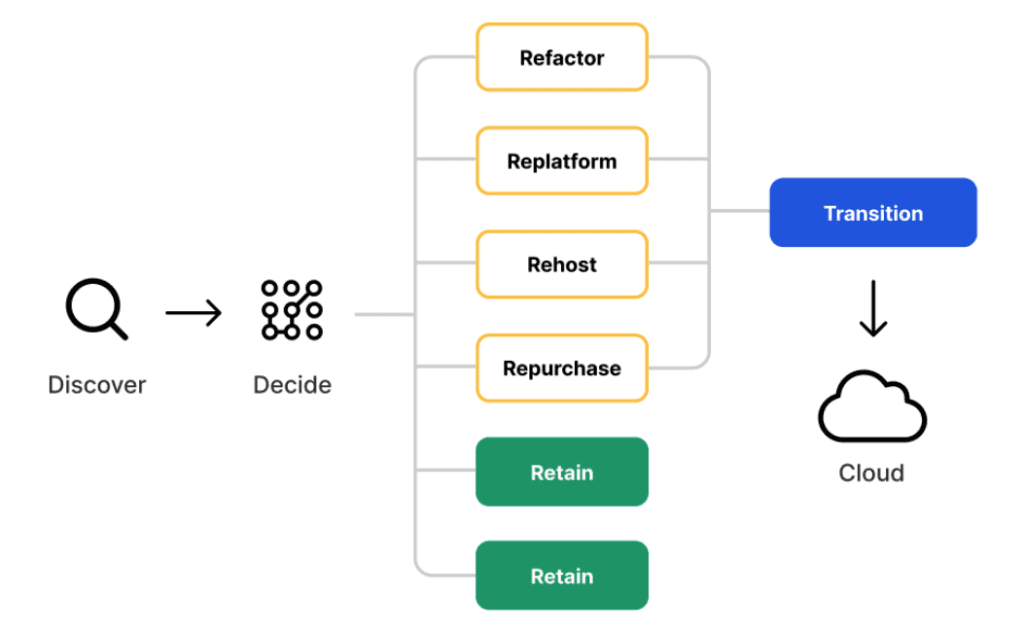
Understanding what type of migration you’re doing shapes every subsequent decision around cost, timeline, and risk. Most teams land on one of six approaches, commonly called the 6 Rs.
- Rehost (lift and shift): Move workloads to the cloud as-is, with no changes to the application or architecture. It’s the fastest option, though you won’t get much benefit from cloud-native features.
- Replatform (lift and optimize): Make small, targeted adjustments, like swapping your database for a managed cloud service, without reworking the core application. A good middle ground for teams that want quick wins without a full overhaul.
- Refactor (re-architect): Restructure or rewrite applications to take full advantage of cloud-native features like containers, microservices, and serverless. The most complex and costly option, though it tends to deliver the best results over the long term.
- Repurchase: Swap out a legacy system for a cloud-native SaaS alternative. A common example is replacing an on-premises CRM with Salesforce.
- Retire: Decommission systems you no longer need. A thorough audit will often surface a surprising amount of unused or redundant software.
- Retain: Keep certain workloads on-premises for now. Compliance requirements, latency needs, or recent hardware investments may make this the right call for specific systems.
A seventh R, Relocate, has become increasingly relevant: moving workloads between cloud providers without significant changes to the architecture. With vendor lock-in risk growing (more on that below), building for easy relocation is worth planning upfront.
Most migrations use a combination of these approaches across different workloads. Decide which ‘R’ applies to each asset before you start moving anything.
The Key Challenges of Cloud Migration
Cloud migration is a complex, time-consuming process that demands careful planning and execution. Attempting migration without a thorough understanding of your current IT infrastructure risks service disruptions, security issues, and delays. Vendor lock-in can add unforeseen costs later.
Legacy applications may not be compatible with cloud platforms and often require a significant time commitment from your engineering team. Properly assessing provider costs, migration expenses, compatibility issues, and hidden charges is difficult, especially if you’re starting from a fully on-premise environment.
Security is a significant concern. According to recent industry surveys, 77% of organizations cite cloud security as a top challenge, and the threat surface differs from on-premise environments. Cloud-hosted applications carry security benefits and vulnerabilities that don’t map directly to on-premise experience. Implementing proper security measures matters both during data transit and after migration completes.
Step-by-Step Cloud Migration Strategy for Cost Savings
Step 1: Plan Your Cloud Migration
Before writing a single line of migration config, answer these questions:
- What are you planning to migrate? Identify specific applications, databases, and workloads you plan to move.
- Are you migrating your entire infrastructure at once? Staggering your migration lets you build experience on a smaller subset of assets and apply those lessons before committing everything.
- What is your dependency on current data and software? Understand which development workflows rely on these resources and how migrating them might affect those processes.
- What kind of data are you dealing with? Properly handling sensitive data is crucial for preventing data leaks and maintaining compliance.
- What are the performance requirements? Different applications have different performance needs, which influences your choice of cloud services.
- What is your timeline and budget? These factors will significantly influence your migration strategy and your choice of cloud services.
- Do your workloads need to support AI? If you’re running or planning to run machine learning workloads, factor in GPU availability, data pipeline latency, and cloud-native AI services when choosing providers and architecture.
Step 2: Develop a Cloud Security Strategy
Moving from on-premises infrastructure to the cloud changes who is responsible for what. When everything is on-premises, your team owns every layer, from the physical hardware all the way up to network security. In the cloud, those responsibilities are divided between you and your cloud provider under what’s known as the Shared Responsibility Model (SRM).

The SRM benefits startups and smaller organizations by offloading a meaningful portion of security overhead. The common failure mode is assuming that established providers like Azure, AWS, and GCP are fully secured on your behalf. The cloud provider secures the cloud infrastructure; you secure what you run on top of it.
Step 3: Set Post-Migration KPIs
Defining KPIs before you go live gives you a baseline to measure against once you’re running in the cloud. Consider tracking:
- User experience: page load time and session duration.
- Application performance: error rates and throughput.
- Infrastructure performance: CPU usage and disk performance, which reveal whether your cloud resource allocation matches your actual workload.
- Business engagement metrics: conversions, conversion rates, and engagement, which show how your application performs from a business perspective.
- Post-migration costs: monthly billing, usage charges, third-party tools, and staff salaries. Set up cost monitoring from day one. 84% of organizations cite cloud spend management as a top challenge, and most overruns aren’t caught until the bill arrives.
Continuously monitoring these KPIs lets you catch performance problems early and make informed decisions about resource allocation.
Step 4: Ensure Cloud Flexibility and Avoid Vendor Lock-In
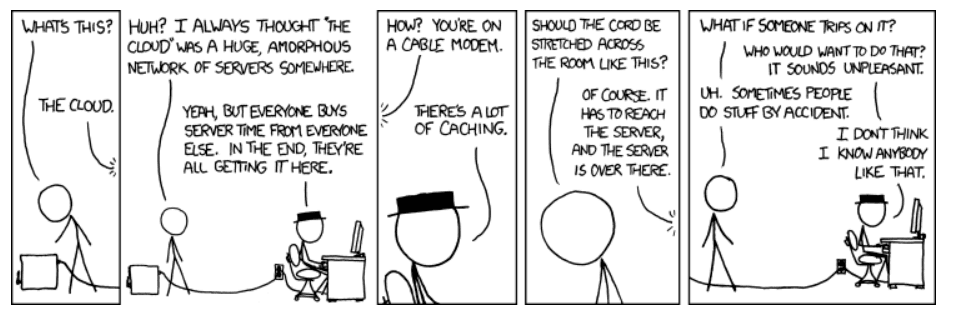
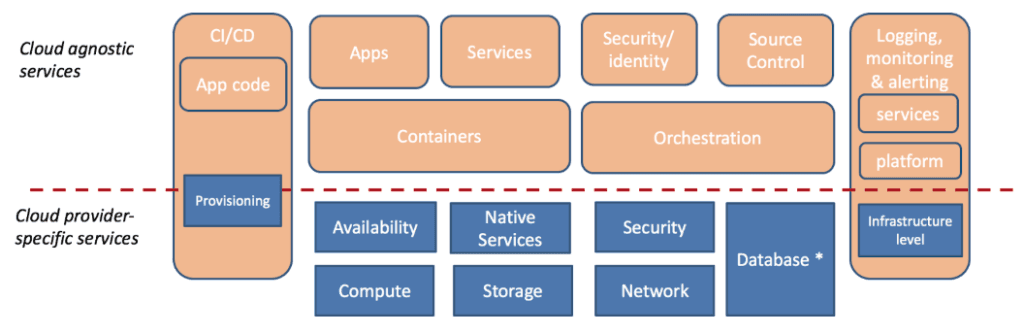
Vendor lock-in happens when your architecture becomes so tightly coupled to one provider that switching becomes prohibitively expensive. The mitigation is building for portability from the start—even before you’re locked in.
One way to build that portability from the start is with a platform like Control Plane, which lets you mix and match cloud providers, pulling only the services you need from each one. Its Universal Cloud Identity™ technology makes workloads portable across cloud environments and supports cloud repatriation, so you can move workloads to any cloud or back on-premises while still consuming cloud services where they make sense.
Step 5: Choose a Platform-Agnostic Deployment Model
Platform-agnostic deployment keeps your options open as cloud pricing and capabilities change. It also cuts cloud management costs and shortens time to market, since your team isn’t rebuilding deployment pipelines each time you add or change a provider.
Control Plane takes code directly from git repositories, provides TLS-terminated endpoints, and maintains uninterrupted access across multiple cloud locations. Your team ships on any cloud without managing the underlying plumbing.
Step 6: Prioritize Applications for Migration
Audit which services, applications, databases, and other resources you can actually move to the cloud, then rank them. Migrating everything at once is tempting, but speed without sequencing introduces unnecessary risk. A phased, well-tested migration produces a stable cloud infrastructure and lower long-term costs.
Step 7: Plan Cloud Cost Management from Day One
Multi-cloud architectures reduce vendor lock-in risk, but without proper visibility they introduce a different problem: paying for resources you don’t use. Cloud costs scale with usage, so idle capacity and over-provisioned resources translate directly to wasted spend.
Control Plane adjusts vCPU and RAM allocation in real time through its Capacity AI engine, so you pay for what you consume. The platform scales capacity up and down automatically, and customers typically see a 30-50% reduction in cloud computing costs through more precise resource provisioning.
Frequently Asked Questions About Cloud Migration
The most common risks are security misconfiguration under the Shared Responsibility Model, vendor lock-in from tightly coupled architecture, and cost overruns from unmonitored cloud spend. Addressing all three requires planning before migration begins, not after.
Timeline depends heavily on infrastructure complexity and the migration approach (rehost vs. refactor). A phased migration of discrete workloads can begin showing results in weeks; a full re-architecture of a legacy monolith may take 12–24 months. Control Plane’s guide to migrating on-prem deployments to the cloud notes that, depending on architectural complexity, it can take a few months to streamline DevOps and maintenance operations on migrated workloads, highlighting how cloud migration timelines can vary significantly by environment and approach.
Rehosting (lift and shift) moves workloads to the cloud without changes. Replatforming makes targeted optimizations (such as adopting a managed database service) without rewriting the core application. Replatforming typically delivers better cloud economics with less effort than full refactoring.
Use platform-agnostic deployment tooling, containerize workloads, and avoid deep dependencies on proprietary cloud services where portable alternatives exist. Multi-cloud platforms like Control Plane are designed specifically to maintain workload portability across providers.
Track page load time, error rates, CPU utilization, monthly cloud spend, and business engagement metrics such as conversions. Establish baselines before migration so you have a meaningful point of comparison post-cutover.
The Future Is in the Cloud
With 94% of enterprises now using cloud services, according to Flexera’s 2026 State of the Cloud report, the question is no longer whether to migrate, just how to do it well. The organizations that are ahead have one thing in common: they planned carefully, chose flexible infrastructure, and built cost controls in from the start.
Migrating to the cloud can cut costs, improve collaboration, and deliver a better user experience, but only if you go in with a solid plan. Rushing the process without a security strategy, clear KPIs, or cost controls in place leads to expensive surprises down the line. Taking the time upfront to build a thoughtful strategy is what turns a cloud migration into a long-term win.
A multi-cloud platform like Control Plane handles platform-agnostic deployment, portable workloads, and real-time cost optimization so your team can focus on shipping.
Start your migration with Control Plane today. The Control Plane cloud architecture team is available to help with your migration—reach out here.