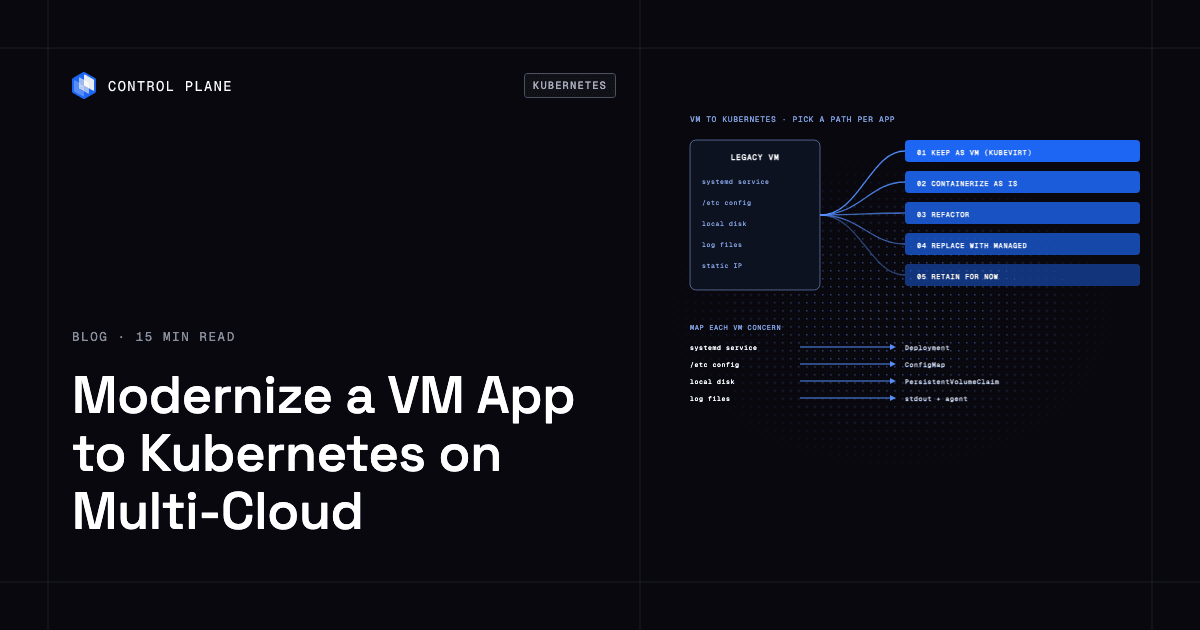
Modernize a VM-based application to Kubernetes on multi-cloud infrastructure by choosing a path per application (keep it as a VM inside Kubernetes, containerize it as is, refactor it, or replace parts with managed services), mapping each VM concern to its Kubernetes equivalent, and moving in phases from a low-risk pilot to a gradual cutover. Keep the data layer and the deployment definition portable so the same app can run on every cloud.
This guide provides three original reference tables you can score your own portfolio against: a modernization-path comparison, a readiness scorecard that tells you which path fits each application, and a VM-concept-to-Kubernetes map.
Disclosure: Control Plane publishes this guide.
TL;DR
- Five paths per application. Retain on VMs for now, keep as a VM inside Kubernetes with KubeVirt, containerize as is, refactor into services, or replace parts with managed services. Pick the path that matches each app’s readiness; most portfolios use several.
- VM-to-Kubernetes mapping table. Fourteen VM concepts, from systemd services to host-based licensing, map to Kubernetes equivalents or to keeping the app as a VM.
- Readiness scorecard. Eight signals (OS dependency, state, startup time, configuration style, licensing, vendor container support, network assumptions, and team familiarity) score each app toward “containerize or refactor” or “keep as a VM first.”
- Phased plan. Inventory, score, pick a path, externalize config and state, build images, stand up clusters across clouds, migrate data, run in parallel, cut over with DNS or a global load balancer, then decommission VMs.
- Portability. Use Helm or Kustomize with per-cloud overlays (or a platform with one definition), portable databases, workload identity per cloud, and mTLS between clouds. Avoid tying your data layer to a single provider without a migration plan.
- Control Plane. Control Plane’s Global Virtual Cloud (GVC) lets you define a workload once and run it across AWS, GCP, Azure, Oracle Cloud Infrastructure (OCI), your own Kubernetes clusters joined through Control Plane’s Bring Your Own Kubernetes (BYOK), or your own servers joined through Control Plane’s Managed Kubernetes (MK8s), including on premises. VM workloads run on MK8s locations with the KubeVirt add-on on KVM-capable nodes, so containers and VMs coexist under one platform.
How do I modernize a VM-based application to Kubernetes on multi-cloud infrastructure?
There is no single migration. You assess each application independently, assign it one of five modernization paths, translate its VM constructs into Kubernetes equivalents, and move it in phases. The phased plan keeps risk low and gives you a rollback at every step.
The phased plan
- Inventory and dependency mapping. Catalog every VM workload by business function, owner, SLA, compliance requirements, and upstream and downstream dependencies. Identify VMs that are unused or redundant and mark them for retirement. The seven Rs of cloud migration provide a useful framework for this classification.
- Score each application. Use the readiness scorecard to count signals. Applications that lean toward “containerize or refactor” go first. Applications that lean toward “keep as a VM” either stay on VMs or move into Kubernetes as VM workloads via KubeVirt.
- Pick a path. Assign one of the five paths (retain, VM-in-Kubernetes, containerize, refactor, replace with managed services) to each application.
- Externalize config, secrets, state, and logs. Move configuration into ConfigMaps, secrets into a Kubernetes Secret backed by an external secrets manager, persistent data into PersistentVolumeClaims or managed databases, and logging to stdout so a cluster-level agent collects it.
- Build images and manifests. For containerized apps, create a container image and a Deployment or StatefulSet manifest. For VM workloads, export the VMDK, qcow2, or VHD image and prepare it for import.
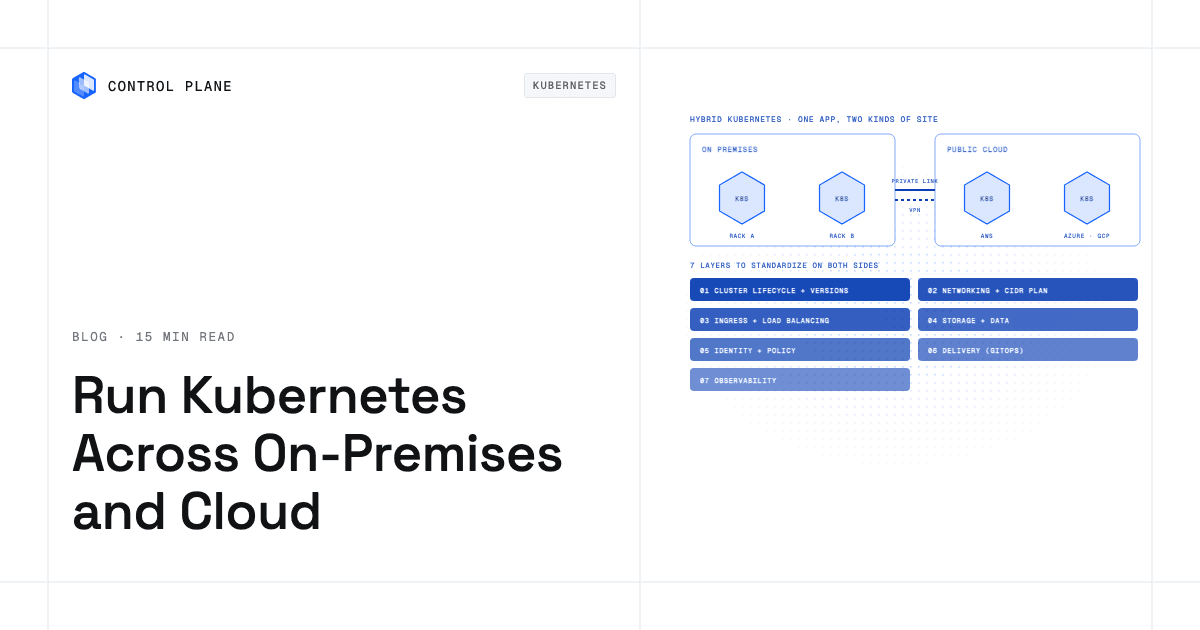
- Choose the cluster layer across clouds. Standardize cluster provisioning with Cluster API, Terraform, OpenTofu, or a platform that manages clusters for you. The goal is identical Kubernetes APIs on every cloud so your manifests are portable.
- Migrate data. Replicate databases to the target environment before cutover. Use logical replication for PostgreSQL, native replication for MySQL, or a vendor-supported tool for your database engine. Validate row counts and checksums.
- Run in parallel. Route a small percentage of traffic to the Kubernetes deployment while the VM deployment continues to serve the rest. Monitor error rates, latency, and data consistency.
- Cut over gradually with DNS or a global load balancer. Shift traffic weights from the VM environment to Kubernetes. Keep the VM environment running and ready for rollback until you are confident in the new deployment.
- Decommission VMs. After a soak period with no issues, shut down the old VMs and reclaim the infrastructure.
Which modernization path should each application take?
The five paths differ in effort, in what you gain, and in how portable the result is across clouds.
Modernization paths compared
| Path | What changes in the app | Effort | What you gain | Multi-cloud portability | Choose it when |
|---|---|---|---|---|---|
| Keep as a VM inside Kubernetes (KubeVirt; OpenShift Virtualization) | Nothing in the application itself. The VM image runs inside a Kubernetes pod. | Low. Package the existing disk image. | Unified orchestration. VMs and containers share the same API, networking, and observability. | Limited. KubeVirt needs KVM-capable nodes (bare metal or instances with nested virtualization), which not every cloud region offers as a managed option. | The app cannot be containerized yet, but you want to retire standalone hypervisors and manage everything through Kubernetes. |
| Containerize as is (replatform) | The same process runs inside a container image. Config moves to ConfigMaps and Secrets. Local state moves to volumes or an external store. | Medium. Build a container image, write manifests, externalize config. | Faster startup, smaller images, standard Kubernetes scaling and health checks. | High. A container image runs on any Kubernetes cluster on any cloud with no special node capability. | The app is a standard Linux process with documented dependencies and no kernel-level or OS-level requirements that prevent containerization. |
| Refactor (split into services, externalize state) | The application is redesigned into independently deployable services with external state stores. | High. Requires development time and new integration testing. | Independent scaling, faster deployments, fault isolation between services. | High. Each service is a container. The data layer’s portability depends on your database choice. | The app is strategic, under active development, and the team has the skills and time to re-architect. |
| Replace parts with managed services (managed database, queue, object storage) | Application code changes to call a managed API instead of a local component. | Medium. Integration work per managed service. | Reduced operational burden for databases, queues, and storage. | Low to medium. Managed services tie you to one cloud unless a portable equivalent exists (for example, a self-managed PostgreSQL cluster instead of a cloud-native database). | The component being replaced is a commodity (relational database, message queue, blob store) and the team wants to stop operating it. |
| Retain on VMs for now | Nothing changes. | None. | No migration risk. | N/A. The app stays where it is. | The app is end-of-life, has an immovable licensing constraint, or the team lacks capacity to migrate it safely. |
Readiness scorecard: which path fits each application
Score each application against these eight signals. Count how many fall in the left column versus the right column. A majority on the left points toward containerize or refactor. A majority on the right points toward keep as a VM first (either retain or run as a VM inside Kubernetes with KubeVirt).
| Signal | Points toward containerize or refactor | Points toward keep as a VM or retain |
|---|---|---|
| OS dependency | Linux userland only; no custom kernel modules | Requires kernel modules, Windows desktop components, or an old unsupported OS |
| State | Stateless, or all state lives in an external database | Local writable state on disk that the process expects to survive restarts |
| Startup time | Starts in seconds | Takes minutes to initialize or requires a complex boot sequence |
| Configuration | Reads environment variables or mounted files cleanly | Hand-edited files in non-standard paths, or configuration baked into the OS image |
| Licensing | Per-core, per-user, or open source | Tied to a MAC address, host ID, or VM-specific hardware fingerprint |
| Vendor support for containers | Vendor publishes container images or documents container deployment | Vendor does not support or certify running in containers |
| Network assumptions | Uses DNS for discovery; standard TCP/UDP | Requires fixed IPs, multicast, raw sockets, or kernel-level networking |
| Team familiarity | Team has built and operated containers before | Team has never worked with containers or Kubernetes |
Scoring rule. If five or more signals land in the left column, the application is a strong candidate for containerization or refactoring. If five or more land in the right column, keep it as a VM for now and plan a longer migration or use KubeVirt as an interim step. A four-four split means containerize only after the right-column blockers, usually state or licensing, are resolved.
How do VM concepts map to Kubernetes?
Each VM construct has a Kubernetes equivalent, a change to make, and a common trap.
| On the VM | Kubernetes equivalent | What to change | Common trap |
|---|---|---|---|
| systemd service or init script | Deployment or StatefulSet | Define the container command and arguments in the pod spec. Use lifecycle hooks for pre-stop cleanup. | Assuming the container runtime will run your init system. Containers run a single process by default. |
| Cron job | CronJob | Move the schedule into a CronJob manifest. Make the job idempotent. | Running cron inside a long-lived container instead of using the CronJob resource, which means no retry or concurrency control. |
| Config files in /etc | ConfigMap mounted as a volume or injected as environment variables | Extract config values and create a ConfigMap per environment. | Baking config into the container image so every config change requires a new image build. |
| Secrets on disk or in environment files | Secret (plus an external secrets manager such as HashiCorp Vault or AWS Secrets Manager) | Store secrets in Kubernetes Secrets and reference them in the pod spec. Rotate regularly. | Committing secrets to version control or leaving them as plain-text environment variables in the manifest. |
| Local disk for data | PersistentVolumeClaim (PVC) backed by a CSI driver | Identify which directories hold data that must survive a pod restart and mount a PVC there. | Using emptyDir for persistent data. It disappears when the pod is evicted. |
| Log files on disk | stdout/stderr logging collected by a cluster-level agent (Fluentd, Fluent Bit, or a cloud-native agent) | Reconfigure the application to log to stdout. If that is not possible, use a sidecar that tails the log file. | Writing logs to a local file inside the container and losing them on restart. |
| OS patching | Rebuild the container image with an updated base image and redeploy | Automate image rebuilds in CI. Use a minimal base image to reduce the patch surface. | Treating containers like VMs and trying to SSH in to apply patches. |
| Static IP or hostname | Service DNS name (e.g., my-svc.my-namespace.svc.cluster.local) | Update clients to use DNS names. Use a headless Service if each pod needs a stable hostname (StatefulSet). | Hardcoding IP addresses in application config. Pods get new IPs when they are rescheduled or replaced. |
| Load balancer in front of VMs | Service (type LoadBalancer) and Ingress or Gateway API | Define a Service for internal traffic and an Ingress or Gateway for external traffic. | Creating one LoadBalancer Service per microservice, which provisions a separate cloud load balancer for each and increases cost. |
| Sticky sessions in memory | External session store such as Redis or a managed session service | Move session data out of process memory into Redis, Memcached, or a database. | Relying on sessionAffinity in the Service, which breaks when pods scale or restart. |
| VM snapshots and backups | CSI volume snapshots and Velero for cluster-level backup | Configure a VolumeSnapshotClass and schedule Velero backups. | Backing up only the persistent volume but not the Kubernetes manifests and secrets needed to restore the workload. |
| Scaling by adding VMs | HorizontalPodAutoscaler (HPA) based on CPU, memory, or custom metrics | Set resource requests accurately so the HPA can make good scaling decisions. | Setting requests too low, which causes the HPA to think the pod is overloaded and scale to too many replicas. |
| Host-based licensing (MAC address or host ID) | License server or per-node licensing; check with the vendor | Contact the software vendor to understand container licensing options before migrating. | Migrating first and discovering the license check fails because the container has no stable MAC address or host ID. |
| Windows services | Windows nodes (supported for Windows Server containers in AKS, EKS, and GKE) or keep as a VM | Add a Windows node pool to your cluster and use a nodeSelector in the pod spec. | Assuming Linux containers can run Windows binaries. Windows containers require Windows nodes, and not all Kubernetes features are available on Windows. |
Guidance on the three hardest rows
Local state. This is the single biggest blocker. If an application writes to local disk and expects that data to survive restarts, you must either move the data to a PVC, migrate it to an external database, or use a StatefulSet with stable storage. For PostgreSQL in containers, dedicated operators like CloudNativePG or Crunchy Data PGO handle replication and failover.
Licensing. Host-based licenses that fingerprint a MAC address or host ID will fail inside a container. Contact the vendor before migration. Some vendors offer floating license servers or per-core models that work in Kubernetes. If the vendor does not support containers, this application is a strong candidate for the “retain” or “VM inside Kubernetes” path.
Windows. Windows Server containers run on Windows node pools in AKS, EKS, and GKE. They support .NET Framework and Windows Server workloads but not desktop applications or GUI-based services. If the application requires a Windows desktop, keep it as a VM.
When should you run VMs inside Kubernetes with KubeVirt?
KubeVirt is a Kubernetes add-on that lets you run virtual machines as Kubernetes resources alongside containers. It extends the Kubernetes API with custom resources like VirtualMachine and VirtualMachineInstance, so you manage VMs with kubectl, Helm, and the same CI/CD pipelines you use for containers.
KubeVirt requires KVM-capable nodes for production (it has a software-emulation fallback that is too slow for production). In practice this means bare-metal servers or cloud instances that support nested virtualization. Not every cloud instance type or region offers nested virtualization, so you need to verify node capability before planning a KubeVirt deployment.
Live migration requires that the VM’s PersistentVolumeClaims use a shared ReadWriteMany (RWX) access mode. If they don’t, the VM must be shut down and restarted on the new node, which means a brief outage for that workload.
OpenShift Virtualization is Red Hat’s supported distribution of KubeVirt, integrated into OpenShift. It provides the same core capability with additional enterprise support and integration with Red Hat’s ecosystem.
When KubeVirt is a good interim step
- You want to retire a standalone hypervisor (VMware, Hyper-V, Proxmox) and consolidate onto Kubernetes so your team operates one platform.
- The application cannot be containerized yet (kernel module dependency, Windows desktop, vendor restriction) but you want it in the same orchestration layer.
- You plan to containerize the application later and want to start by unifying networking, observability, and deployment tooling.
Trade-offs
- VMs add a virtualization layer, so benchmark I/O-intensive workloads before committing; overhead is higher on nested-virtualization cloud instances than on bare metal.
- The node pool must be KVM-capable, which limits which cloud regions and instance types you can use.
- Live migration requires RWX shared storage, adding infrastructure complexity.
- Some Kubernetes tooling (HPA, service mesh sidecars) does not apply to VM workloads the way it applies to pods. Health checks run against the guest OS: HTTP and TCP probes work, but exec and guest-agent ping probes need qemu-guest-agent installed in the VM image.
How do you keep the modernized app portable across clouds?
Kubernetes alone does not make an app portable. Five areas need attention.
Deployment definition
Use Helm charts or Kustomize bases with per-cloud overlays for storage classes, ingress annotations, and node selectors. Each overlay captures the cloud-specific differences. The base stays identical. Alternatively, a platform that runs one workload definition in every location removes per-cloud overlays. The guide to avoiding cloud vendor lock-in covers this in depth.
Data layer
Managed databases (Cloud SQL, RDS, Azure Database) are convenient but tie your data to one cloud. If portability matters, run a self-managed database on Kubernetes (with an operator) or use a database service that replicates across clouds. Whichever you choose, make sure your backup and restore process works on the target cloud before you need it.
Identity
Each cloud has its own workload identity mechanism (IAM Roles for Service Accounts or EKS Pod Identity on AWS, Workload Identity Federation for GKE on Google Cloud, Microsoft Entra Workload ID on Azure). Your application code should not contain long-lived cloud keys.
Networking between clouds
Connecting clusters across clouds requires encrypted tunnels (WireGuard, IPsec) or a service mesh with multi-cluster support (Cilium ClusterMesh, Istio multi-cluster).
Egress cost
Moving data between clouds is not free. Architect so that most traffic stays within a single cloud region for a given request. Cross-cloud traffic should be limited to replication, failover, and control-plane synchronization.
How do you migrate data and cut over with minimal downtime?
Data migration is the riskiest part of any VM-to-Kubernetes move. A clean approach has four steps.
Database replication then switchover. Set up logical or physical replication from the source database (on the VM) to the target database (on Kubernetes or a managed service). Let replication run until the replica is caught up and validated. Then promote the replica and point the application at it.
Dual-run. Run both the old VM deployment and the new Kubernetes deployment simultaneously, serving real traffic. Point both deployments at the same primary database during dual-run, and compare outputs or error rates to confirm the Kubernetes deployment behaves identically.
DNS or global load balancer weighting for the cutover. Start with 100% of traffic on the VM deployment and 0% on Kubernetes. Gradually shift the weight (for example, 10%, 25%, 50%, 100%) while monitoring. Use a global load balancer or a weighted DNS record to set the weights.
Rollback plan. At every stage, the VM deployment is still running. After promotion, replicate from the new primary back to the VM database so a rollback does not lose writes. If something goes wrong, shift traffic back. Do not decommission VMs until you have completed a soak period with all traffic on Kubernetes and confirmed data integrity.
How Control Plane fits
A workload deployed to a Global Virtual Cloud (GVC), a named set of locations, runs in every location of that GVC from one workload definition. Locations can be Control Plane-managed regions on AWS, GCP, Azure, and Oracle Cloud Infrastructure (OCI), Kubernetes clusters you already run joined through Bring Your Own Kubernetes (BYOK), or your own servers joined through MK8s, including on premises.
For VM-to-Kubernetes modernization, Control Plane supports both ends of the spectrum:
- VM workloads. Import a VMDK, qcow2, or VHD image over HTTP(S) (Control Plane converts the format) or as a container disk image. VM workloads run only on MK8s locations with the KubeVirt add-on, on KVM-capable nodes. Limits: no live migration (a VM restarts when it moves to another node, so keep state on volumes), whole-core CPU allocation, a single network interface, manually set minimum and maximum replicas, and no Secure Boot support. Autoscaling does not apply to VM workloads.
- Container workloads. A containerized app keeps the same workload definition on every cloud. Control Plane handles Day 2 operations for you, including autoscaling, built-in observability, and security.
- VM and container workloads together. Because both types are Control Plane workloads, they share networking, identity, and observability. Workload-to-workload traffic uses mTLS with a unique client certificate per workload, behind a deny-by-default internal firewall.
Every workload has its own canonical endpoint that DNS geo-routes clients to the nearest location where that workload passes its readiness checks. A gradually containerized application can serve traffic from every location of its containerized components while other components still run as VMs on MK8s locations.
With MK8s, Control Plane operates the Kubernetes control plane and your servers run the worker nodes. This lets you run VM workloads on your own bare-metal servers on premises while container workloads run in Control Plane-managed cloud regions, all under one platform.
Control Plane is PCI DSS Level 1, SOC 2 Type II, HIPAA, and GDPR compliant. The 99.999% availability SLA applies to workloads running at least two replicas in at least two locations.
For teams that want to consolidate multiple clouds onto one platform or get Kubernetes benefits without building a platform team, Control Plane removes per-cloud overlay work and runs the multi-location infrastructure for you. The hybrid cloud platforms comparison covers the wider field.
FAQ
Short answers to common questions about modernizing VM-based applications to Kubernetes.
How do I modernize a VM based application to Kubernetes on multi cloud infrastructure?
Choose a modernization path for each application (retain on VMs, run as a VM inside Kubernetes with KubeVirt, containerize, refactor, or replace parts with managed services), map every VM concept to its Kubernetes equivalent, externalize config and state, and migrate in phases. Use a readiness scorecard to decide which path fits each app. Keep your deployment definitions and data layer portable so the same workload runs on any cloud.
Can I run virtual machines on Kubernetes?
Yes. KubeVirt extends Kubernetes with custom resources that let you run VM images as pods. The nodes must support KVM (bare metal or nested virtualization). On Control Plane, VM workloads run on MK8s locations with the KubeVirt add-on, and they run alongside container workloads under the same Control Plane org, policies, and tooling.
What is KubeVirt?
KubeVirt is an open-source Kubernetes add-on that lets you define, run, and manage virtual machines using the Kubernetes API. It adds VirtualMachine and VirtualMachineInstance custom resources so VMs are scheduled, networked, and monitored alongside containers. It requires KVM-capable nodes, and live migration requires RWX shared storage.
Should I containerize or refactor a legacy application?
Containerize first if the application is a standard Linux process with documented dependencies and no kernel-level requirements. Refactor only when the application is strategic, under active development, and the team has the capacity. The readiness scorecard in this guide helps you make the call by counting eight signals.
How do I migrate a stateful VM application to Kubernetes?
Move the persistent data to a PersistentVolumeClaim backed by a CSI driver, or migrate it to an external managed database. Set up replication from the source to the target, validate data integrity, then cut over. Use a StatefulSet if the application needs stable network identities or ordered startup.
Can Windows applications run on Kubernetes?
Windows Server containers run on Windows node pools supported by AKS, EKS, and GKE. They work for .NET Framework, IIS, and Windows Server workloads. Desktop applications or GUI-based services cannot run as containers and should be retained as VMs or run inside Kubernetes via KubeVirt.
How do I handle software licensing tied to a VM?
Contact the software vendor before migrating. Containers do not have a stable MAC address or host ID, so fingerprint-based licenses will fail. Ask about floating license servers, per-core licensing, or container-specific license models. If no container-friendly option exists, keep the application as a VM.
Do I need a service mesh to modernize to multi-cloud Kubernetes?
No. A service mesh (Istio, Cilium, Linkerd) helps with cross-cluster traffic management, mTLS, and observability. You can start with Kubernetes Services and Ingress and add a mesh when you need multi-cluster routing or fine-grained traffic control. On Control Plane, workload-to-workload mTLS and a deny-by-default internal firewall are built in, so you do not need to operate a separate service mesh.
How does Control Plane run VM and container workloads together?
Control Plane runs VM workloads by importing VMDK, qcow2, or VHD images onto MK8s locations with the KubeVirt add-on on KVM-capable nodes. Container workloads run on any location in the GVC, including Control Plane-managed cloud regions. Both workload types share the same networking (mTLS per workload), identity (Control Plane’s Universal Cloud Identity, which lets workloads reach AWS, GCP, and Azure services through one identity), and observability. Each workload gets a canonical endpoint that routes clients to the nearest healthy location.
To modernize VM-based applications across clouds without building a platform team, talk to the Control Plane team or sign up free to start running workloads on multiple clouds from one definition.