Heroku is not shutting down. On February 6, 2026, Heroku CPO Nitin T Bhat announced that the platform was moving to a sustaining engineering model: new feature development has stopped, but Heroku remains actively supported and production-ready. There is no announced EOL date or migration deadline, existing apps can keep running, credit-card customers can continue using the service, and existing Enterprise customers can renew. What changed is the roadmap, not immediate availability.
If that changes your long-term calculus, this guide compares 10 Heroku alternatives by deployment model, pricing, portability, and migration effort. It also covers what has to move when you leave Heroku.
What changed at Heroku in 2026?
Heroku is a Platform-as-a-Service (PaaS) owned by Salesforce. Its appeal has always been developer experience: push an application, let the platform handle much of the infrastructure, and scale when needed.
The first major change came in 2022. Heroku ended its free Dynos, Heroku Postgres, and Heroku Data for Redis plans after saying its teams were spending significant effort managing fraud and abuse of free resources and wanted to focus on mission-critical capabilities for paying customers.
The second change came on February 6, 2026. In Heroku’s announcement, Nitin T Bhat said the company was moving to sustaining engineering focused on stability, security, reliability, and support. Heroku also said it was redirecting product and engineering investment toward areas where Salesforce sees greater long-term customer value, including secure, enterprise-grade AI.
That does not mean existing Heroku applications need to move immediately. Teams that expect new platform capabilities can compare the cost and effort of staying with the cost and effort of migrating.
What to look for in a Heroku alternative
The best replacement depends on what your team values most: deployment simplicity, operational control, portability, cost, or enterprise platform capabilities. Use the following criteria to narrow the field before comparing individual platforms.
Deployment experience
Heroku made deployment simple enough that application developers could ship without becoming infrastructure specialists. A replacement needs to preserve that advantage where possible. Look at repository integration, buildpacks or container support, preview environments, rollback behavior, and how much platform-specific configuration your application needs.
Reliability and latency
Do not treat uptime as a checkbox. Compare the provider’s SLA, regional model, failover behavior, health checks, traffic routing, and what you have to configure yourself to reach the availability target your application requires.
Scaling model
Understand whether the platform scales by fixed instance sizes, resource usage, replicas, events, or some combination. Also check scale-to-zero behavior, background-worker support, and how the platform handles sudden traffic spikes.
Portability and deployment location
A single-cloud PaaS can be the most direct fit if you know where you want to run for the next several years. If you have multi-cloud, on-premises deployment, sovereignty, acquisition, or customer-hosted requirements, portability becomes a first-order selection criterion.
Cost model
Compare the whole bill, not just the entry tier. Compute, memory, databases, bandwidth, build minutes, storage, load balancers, observability, support, and idle resources can all change the result. Usage-based pricing is not automatically cheaper, and fixed plans are not automatically more predictable; model your own workload.
Security and operations
Look at identity, secret handling, audit trails, private networking, vulnerability management, compliance requirements, support model, and who owns upgrades. A streamlined development experience is not useful if the operational model does not match your organization.
Top 10 Heroku alternatives
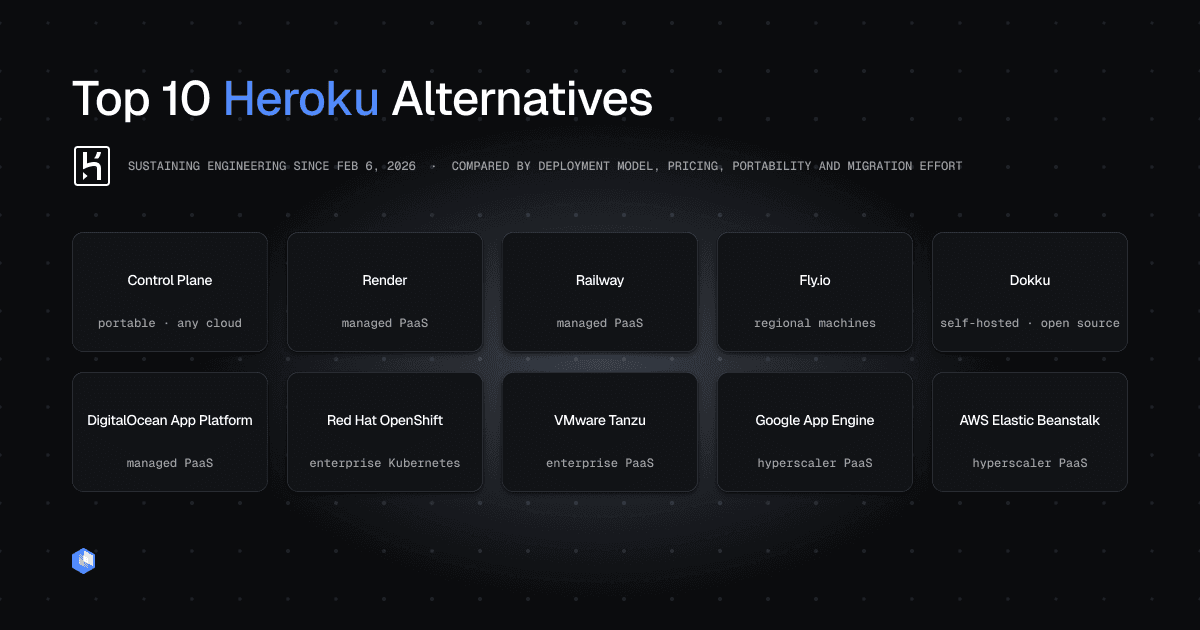
The following options cover different migration paths, from Heroku-like managed platforms to self-hosted and enterprise alternatives. The numbering is for navigation, not ranking.
1. Control Plane
Control Plane is the most powerful Heroku alternative: the same simple deploys, plus the day-two operations a growing app actually runs on. It runs your containers and VMs on an unbreakable compute platform that stays up even if an entire cloud region or provider fails, right-sizes and scales workloads to zero to cut cost, and requires no cluster to operate.
Key capabilities: Multi-region and multi-cloud placement, built-in geo-routing with automatic failover to the nearest healthy location, automatic TLS, serverless, standard, stateful, cron, and VM workloads, Capacity AI right-sizing and scale-to-zero, and Universal Cloud Identity™ for credential-free access to services across AWS, GCP, and Azure. Backed by a 99.999% availability SLA.
Pricing: Control Plane uses usage-based billing, metered by the millicore (vCPU) and megabyte (RAM). It says customers typically cut cloud compute costs by 30% to 50% through dynamic scaling and continuous right-sizing; actual savings depend on the workload.
Best for: Teams leaving Heroku that want simple deploys plus production-grade day-two operations: resilience, cost control, security, and observability. Works whether you run on a single cloud, multiple clouds, or on-prem.
Trade-off: Control Plane is newer and less of a household name than Heroku, so its community footprint is smaller, but the platform is broader and the deploy experience is just as simple.
2. Render
Render is a managed application platform for web services, private services, background workers, cron jobs, static sites, and managed data services. It supports deployments from Git repositories or container images and has a dedicated Heroku migration guide that maps Heroku dynos, workers, config vars, Postgres, and scheduler concepts to Render equivalents.
Key capabilities: Git-based automatic deployment, preview environments, managed Postgres and Key Value, background workers, cron jobs, custom domains, private networking, and zero-downtime deploy behavior are available across Render’s service model.
Pricing: Render’s 2026 workspace plans are Hobby at $0/month, Pro at $25/month, Scale at $499/month, and Enterprise at custom pricing. Compute, bandwidth, databases, and other usage are billed separately.
Best for: Teams that want a managed experience close to Heroku without taking on cluster administration.
Trade-off: Render is a Render-hosted platform rather than a multi-cloud or on-premises abstraction. Its workspace plan plus per-service resource billing also means teams need to model the total stack rather than compare only the workspace fee.
3. Railway
Railway is a managed deployment platform that builds and runs applications while charging for the resources they consume. Railway provides an official Heroku migration path, including Procfile support and migration of environment variables.
Key capabilities: Repository-based deployment, environment management, managed databases, private networking, global regions, and resource-based billing. Railway’s migration documentation says Procfiles are supported out of the box.
Pricing: Railway’s Hobby plan has a $5 monthly minimum that includes $5 of usage, while Pro has a $20 minimum that includes $20 of usage. Free and Enterprise tiers are also available.
Best for: Developers and small-to-medium teams that want a fast path from source code to a running service with minimal infrastructure work.
Trade-off: Railway’s current Heroku migration documentation notes that Procfile migration supports a single process. Applications with separate web, worker, and other process types can require multiple Railway services rather than a single migrated unit.
4. Fly.io
Fly.io runs applications as Machines close to users in selected regions. Its Heroku migration guide covers web applications, Postgres, Redis, background workers, environment variables, and custom domains.
Key capabilities: Regional workload placement, container-based deployment, process groups, managed Postgres options, secrets, custom domains, and automatic certificate provisioning. Fly’s migration tooling can generate a Dockerfile for supported app types, and Heroku Procfile processes map to Fly process groups.
Pricing: Fly.io uses pay-as-you-go Machine pricing. The smallest shared-CPU Machine is roughly $2 per month in lower-cost regions, with pricing changing by region, CPU, RAM, storage, and bandwidth.
Best for: Applications that benefit from placing compute close to users or need more infrastructure control than a conventional PaaS provides.
Trade-off: Fly.io is more infrastructure-oriented than Heroku. Its migration guide notes that Fly does not provide Heroku-style pipelines; teams commonly use separate Fly applications for staging and production.
5. Dokku
Dokku is an open source, self-hosted PaaS built around containers. It is the closest option in this list to Heroku’s traditional Git-push workflow: Dokku supports git push deployment and can build applications with Cloud Native Buildpacks, Herokuish Buildpacks, or Dockerfiles.
Key capabilities: Git-based deployment, buildpacks, process management, domains, background processes, cron tasks, plugins, and the ability to run on infrastructure you control.
Pricing: Dokku is MIT-licensed open source software, so the software itself costs $0. You pay for and operate the VM, bare-metal host, or other infrastructure underneath it.
Best for: Small teams that want Heroku-like deployment semantics without handing the hosting layer to a PaaS vendor.
Trade-off: Self-hosting moves operational responsibility back to your team. Dokku’s deployment documentation notes that datastores are not provided by default, so databases, backups, high availability, host upgrades, and capacity planning become your responsibility or require additional services.
6. DigitalOcean App Platform
DigitalOcean App Platform is DigitalOcean’s fully managed PaaS for applications deployed from Git repositories or container images. DigitalOcean maintains a Heroku migration guide that maps Heroku applications and datastores to App Platform components and DigitalOcean Managed Databases.
Key capabilities: Managed builds, deployments, scaling, HTTPS, custom domains, container registry deployment, managed databases, and integration with DigitalOcean infrastructure.
Pricing: App Platform’s paid tier starts at $5/month. A free tier is available for static sites; databases and additional resources are priced separately.
Best for: Teams that want a conventional managed PaaS and are comfortable standardizing on DigitalOcean.
Trade-off: App Platform does not provide multi-cloud or on-premises deployment. Moving to it simplifies operations by accepting DigitalOcean as the infrastructure boundary.
7. Red Hat OpenShift
Red Hat OpenShift is a Kubernetes-based application platform available through self-managed and fully managed offerings. It supports public cloud, hybrid cloud, on-premises, and edge deployment models with enterprise controls around platform operations and security.
Key capabilities: Kubernetes orchestration, CI/CD integration, operators, policy and security controls, developer tooling, managed and self-managed deployment options, and support for hybrid environments.
Pricing: Red Hat lists reserved managed OpenShift instances from $0.076/hour based on a 4-vCPU, three-year contract, with minimum worker-node configuration requirements. Self-managed pricing varies by edition, sizing, and subscription.
Best for: Enterprises that need a standardized Kubernetes application platform across hybrid infrastructure.
Trade-off: OpenShift solves a much broader platform problem than Heroku. That power comes with more platform concepts, cluster-level considerations, and typically more operational involvement than a developer-first PaaS.
8. VMware Tanzu Platform
VMware Tanzu Platform is Broadcom’s pre-engineered private and hybrid cloud PaaS for developing, operating, and modernizing enterprise applications. Broadcom’s current product materials say Tanzu Application Service capabilities are now part of Tanzu Platform.
Key capabilities: Code-to-deployment workflows, self-service application and service delivery, Spring-focused tooling, security and compliance controls, fleet operations, service management, and support for private, hybrid, and public cloud deployments.
Pricing: Public list pricing is not provided; enterprise pricing is custom. A material licensing change took effect in 2026: Broadcom retired Tanzu Application Service per-Core SKUs, and affected customers must move to Application Instance-based licensing at their next renewal.
Best for: Large organizations modernizing significant application estates, particularly in private and hybrid cloud environments.
Trade-off: Tanzu is an enterprise platform rather than a lightweight Heroku replacement. Licensing, platform footprint, and the post-acquisition product model deserve explicit evaluation before treating it as a like-for-like migration.
9. Google App Engine
Google App Engine is Google Cloud’s managed application platform. Applications are deployed with an app.yaml configuration and the gcloud app deploy command, while Google handles the underlying service instances and traffic routing.
Key capabilities: Managed runtimes, automatic scaling, versioned deployments, traffic management, custom domains, and integration with Google Cloud services. The standard environment supports current runtimes including Java, Node.js, Python, PHP, Ruby, and Go.
Pricing: App Engine Standard has a free tier, with usage beyond the quota billed by resource consumption. Flexible environment workloads have no free tier and are billed for VM resources, including vCPU and memory.
Best for: Teams already standardized on Google Cloud that want a mature managed runtime for supported web applications.
Trade-off: App Engine is Google Cloud-specific. Google now recommends Cloud Run for new Node.js web services, so greenfield teams need to compare App Engine with newer Google Cloud runtimes before choosing it.
10. AWS Elastic Beanstalk
AWS Elastic Beanstalk deploys and manages your applications on AWS. You upload application code, and Elastic Beanstalk creates and configures the AWS resources required to run it, while still exposing the underlying resources to you.
Key capabilities: Application deployment, capacity provisioning, load balancing, auto scaling, health monitoring, multiple supported runtimes, Docker support, and direct access to the AWS resources backing the environment.
Pricing: There is no additional charge for Elastic Beanstalk. You pay for the EC2 instances, load balancers, storage, bandwidth, databases, and other AWS services the application consumes.
Best for: AWS-centric teams that want a managed application deployment layer without hiding the underlying AWS infrastructure.
Trade-off: Elastic Beanstalk is tightly coupled to AWS. The platform fee is $0, but the total bill can be less obvious than a fixed PaaS plan because it is assembled from multiple AWS resource charges.
Heroku alternatives overview
The right choice depends on whether you prioritize Heroku-like developer experience, self-hosting, enterprise platform capabilities, hyperscaler integration, or multi-cloud portability.
| Platform | Pricing model | Entry price or minimum | Deployment model | Multi-cloud or on-premises | Best for |
|---|---|---|---|---|---|
| Control Plane | Usage-based | Free signup; usage-based billing | Managed cloud virtualization platform | Yes | Multi-cloud and hybrid backend workloads |
| Render | Workspace plan + service compute | Hobby workspace $0; Pro $25/month; compute extra | Managed PaaS | No | Heroku-like managed developer experience |
| Railway | Monthly minimum + resource usage | Free $0; Hobby $5; Pro $20 | Managed PaaS | Standard plans: no; BYOC on Enterprise | Fast deployment for small and growing teams |
| Fly.io | Pay as you go | Smallest shared-CPU Machine is roughly $2/month, region-dependent | Globally distributed VMs and containers | No on-premises | Apps that benefit from regional placement |
| Dokku | Open source software + infrastructure | $0 software; pay for the server | Self-hosted PaaS | Yes | Teams that want Heroku-style Git deploys on their own host |
| DigitalOcean App Platform | Tiered managed compute | Paid tier starts at $5/month | Managed PaaS | No | Straightforward managed apps on DigitalOcean |
| Red Hat OpenShift | Subscription + infrastructure | Managed reserved pricing from $0.076/hour; minimum configuration applies | Kubernetes application platform | Yes | Enterprise hybrid and regulated environments |
| VMware Tanzu Platform | Enterprise licensing + infrastructure | Custom | Enterprise private and hybrid PaaS | Yes | Large organizations modernizing application estates |
| Google App Engine | Usage-based | Standard environment includes a free tier; Flexible does not | Managed hyperscaler PaaS | No | Applications tightly integrated with Google Cloud |
| AWS Elastic Beanstalk | No platform fee; pay underlying AWS resources | $0 Elastic Beanstalk fee | Managed deployment on AWS | No | AWS-centric applications that need more infrastructure visibility |
What migrating off Heroku involves
Moving an application off Heroku is rarely just a matter of redeploying a repository. The application code can move quickly; the surrounding platform assumptions take more work.
1. Map Procfile processes and build behavior
Start with the application’s Procfile, buildpacks, release commands, and runtime. Render maps Heroku web processes to web services, workers to background workers, and release commands to pre-deploy commands. Railway supports Procfiles but currently documents single-process migration. Fly.io maps Procfile processes to Fly process groups. Dokku is the closest match to Heroku’s git push plus buildpack workflow.
If your destination is container-first, this is also the point to decide whether to keep buildpack-based builds or standardize on a Dockerfile.
2. Inventory and replace add-ons
List every Heroku add-on before you move. Some third-party services can continue unchanged if they are accessed over a normal network endpoint and API key. Heroku-native services need replacements. Render’s migration guide, for example, maps Heroku Postgres to Render Postgres and Heroku Key-Value Store to Render Key Value, while Fly’s guide provides mappings for Postgres, Redis, logging, object storage, and other common add-ons.
3. Move Heroku Postgres deliberately
Take a fresh backup, restore it into the destination database, verify extensions and roles, and plan the cutover window. Both Render and Fly.io document dump-and-restore workflows for Heroku Postgres. Large or write-heavy databases can require a lower-downtime migration strategy rather than a simple maintenance-window backup.
4. Transfer config vars and secrets
Export Heroku config vars and recreate them as environment variables or secrets on the new platform. Do not copy Heroku-managed values such as the old DATABASE_URL blindly; provision the replacement service first, then use the destination connection values. Railway, Render, and Fly all document environment-variable migration in their Heroku guides.
5. Recreate workers, schedulers, and release tasks
Web dynos are only one process type. Inventory worker dynos, Heroku Scheduler jobs, clock processes, release commands, and one-off jobs. Render maps these to background workers, cron jobs, and pre-deploy commands. Fly uses process groups and explicit release commands. Platforms that do not directly import multiple Procfile processes require you to model those components separately.
6. Cut over custom domains and TLS
Add and validate custom domains on the new platform before changing DNS. Verify certificate provisioning and health checks, then lower DNS TTLs if your migration plan calls for it. Render and Fly automatically provision TLS after the domain is pointed correctly; DigitalOcean’s migration guide also covers DNS cutover.
A safe final sequence is: deploy and test the destination, move data, update DNS, monitor both sides, then scale down Heroku only after traffic has moved.
Frequently asked questions
No. Heroku says it remains an actively supported, production-ready platform under a sustaining engineering model. No EOL date or mandatory migration deadline has been announced.
Yes. Heroku says the platform remains supported for production and business-critical workloads in 2026. Security, reliability, stability, and support work continue, although new feature development has stopped.
Yes. Heroku’s February 2026 announcement says existing Enterprise subscriptions and support contracts can renew as usual. What changed is that new Enterprise Account contracts are no longer offered to new customers.
Heroku said in its 2022 announcement that managing fraud and abuse of free product plans consumed significant product, engineering, and security resources. It phased out free Dynos, free Heroku Postgres, and free Heroku Data for Redis so it could focus resources on mission-critical capabilities for paying customers.
Render, Railway, Fly.io, DigitalOcean App Platform, and Dokku all publish or support migration paths that map closely to Heroku concepts. Dokku is the closest match to the classic git push workflow, while Render provides especially detailed mappings for dynos, workers, config vars, scheduler jobs, and data services.
Control Plane, Red Hat OpenShift, VMware Tanzu Platform, and self-hosted Dokku can run across or on infrastructure outside a single managed public-cloud PaaS. The operational models differ substantially, so treat “hybrid” as a starting filter rather than proof that the platforms are interchangeable.
There is no universal percentage. Savings depend on utilization, database requirements, traffic, bandwidth, support, and how much infrastructure you operate yourself. Control Plane says its customers typically reduce cloud compute spend by 30–50% with usage-based billing and continuous right-sizing, but compare platforms using your own production workload.
Choosing the Right Heroku Replacement
Heroku’s move to sustaining engineering changes the roadmap, not the availability of the platform today. Teams that are satisfied with Heroku’s current capabilities can continue using it; teams that need active feature development now have a stronger reason to evaluate alternatives.
For the closest managed developer experience, start with Render, Railway, or DigitalOcean App Platform. For a self-hosted Heroku-like workflow, look at Dokku. Fly.io is a stronger fit when regional workload placement matters. OpenShift and Tanzu address broader enterprise platform requirements. Google App Engine and Elastic Beanstalk make sense when you already want to stay inside one hyperscaler.
Control Plane targets the portability problem directly: it lets teams run the same backend workloads across multiple clouds and on-premises infrastructure through one operational model. That is valuable when multi-cloud or hybrid deployment is a real requirement, but it is more platform than a small single-cloud application needs.
Try Control Plane or request a demo if you want to evaluate that model against your Heroku workload.