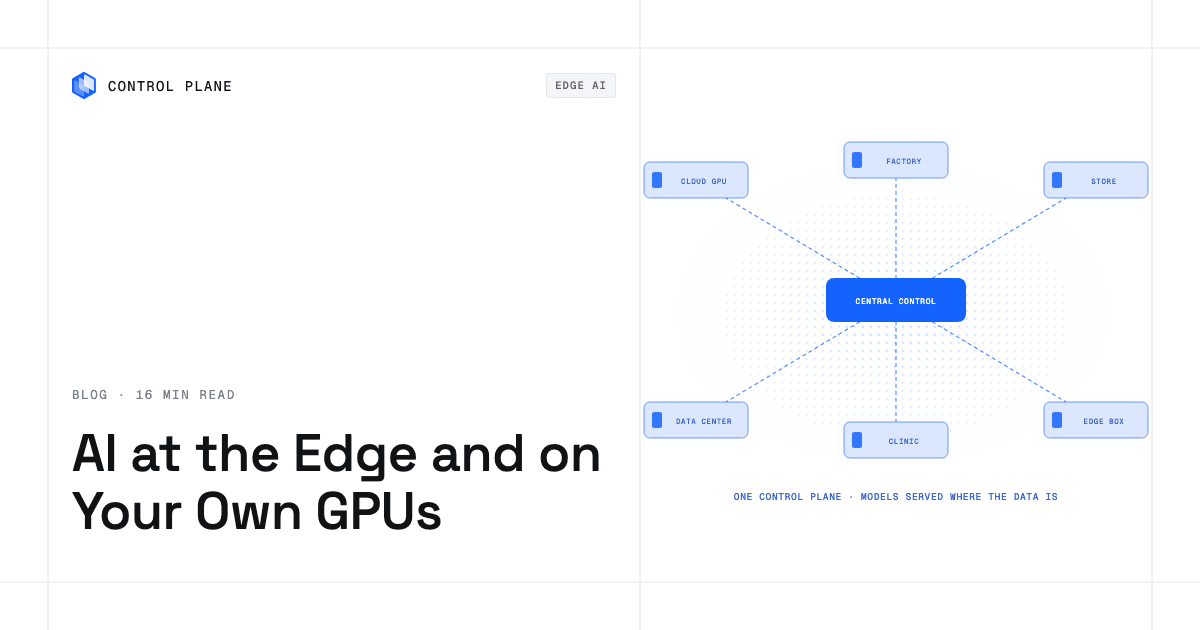
Deploy AI at the edge or on your own GPUs by packaging each model as a versioned container with its own inference server, running it on a small Kubernetes-based runtime at every site, and managing all sites from one control plane that handles rollout, health checks, secrets, and observability. Keep training and bursty jobs in the cloud and put latency-sensitive or data-sensitive inference at the edge. Control Plane is a platform that joins your own servers, including GPU servers on premises, alongside AWS, GCP, Azure, and Oracle Cloud regions, and manages model-serving workloads across all of them from one place.
Disclosure: Control Plane publishes this guide.
TL;DR
Train in the cloud, serve where latency, privacy, or bandwidth demand it, and run every site from one management layer.
- When edge or on-premises fits. Latency-critical inference, data that must stay on site, expensive bandwidth, offline operation, or GPUs busy enough to justify owning them.
- Architecture. A central control plane, a small Kubernetes runtime per site, a model and image registry, secure connectivity, local inference servers and model caches, telemetry back to the center, and staged rollouts.
- Hardware. NVIDIA data-center GPUs and Jetson modules, AMD Instinct GPUs with ROCm, and Intel accelerators. Cloud TPUs are generally consumed as a Google Cloud service.
- Security. Disk encryption, secure boot and attestation, short-lived workload credentials, signed images and models, network segmentation, and fleet patching.
- Fleet operations. Canary sites, rollout rings, health checks, fast rollback, central GPU and latency metrics, and sites that keep serving while offline.
- On Control Plane, your own servers and existing clusters join AWS, GCP, and Azure regions in one environment, and model-serving workloads run across all of them.
When should you run inference at the edge or on your own hardware?
Five factors decide it: latency, data residency, bandwidth, connectivity, and how steadily the GPUs are used.
- Latency. Machine vision on a production line, robotics, and in-store systems need predictable response times that a round trip to a distant region cannot guarantee.
- Data residency and privacy. Healthcare, finance, and public-sector rules often keep raw data inside a facility or jurisdiction. Local inference processes data where it is created.
- Bandwidth. Sending video or sensor streams to the cloud for inference costs more than sending results.
- Offline operation. Factories, ships, and remote sites lose connectivity; local models keep serving.
- Utilization. GPUs that run near capacity around the clock can cost less to own than to rent on demand. Bursty or experimental work fits cloud elasticity.
| Factor | Edge or on-premises | Cloud |
|---|---|---|
| Latency need | Hard real-time or tight, predictable latency | Tolerates network round trips |
| Data rules | Data must stay on site | No location restriction |
| Bandwidth | High volume, expensive to move | Low volume or already in the cloud |
| Connectivity | Intermittent or air-gapped | Always connected |
| GPU usage | Steady and predictable | Spiky, experimental, or training |
Which cloud based platforms offer secure and efficient AI model deployment at the edge of networks?
Control Plane, the hyperscalers’ edge services, and open-source edge Kubernetes all deploy AI models to edge sites, and they differ in what you manage from one place and what each site must run.
| Option | What you manage from one place | What runs at each site | Fits when |
|---|---|---|---|
| Control Plane | Workloads, secrets, identities, rollouts, logs, and metrics for every location in one org, through the same Control Plane API that the CLI, console, Terraform provider, and Control Plane MCP server use | Your Linux servers joined as Control Plane Managed Kubernetes worker nodes, or a Kubernetes cluster you already run registered as a BYOK (Bring Your Own Kubernetes) location | You want edge sites and your own GPU servers managed with AWS, GCP, Azure, and Oracle Cloud regions as one environment, with the same workload definition everywhere |
| AWS IoT Greengrass | Device software and deployments from the AWS cloud service | An open-source edge runtime that runs Lambda functions, Docker containers, and OS processes, including inference with cloud-trained models | The edge is a fleet of devices and gateways tied to AWS |
| AWS Outposts | AWS operates and manages the capacity as part of an AWS Region | AWS racks or servers in your facility, running services such as ECS and EKS nodes, connected to the Region by a service link | A site needs AWS services on premises and has a reliable link to a Region |
| Azure Arc-enabled Kubernetes | Inventory, GitOps, policy, monitoring, and access for attached clusters in Azure | Any CNCF-certified Kubernetes cluster, with agents that open an outbound connection to Azure | Sites already run Kubernetes and the team manages from Azure |
| Azure IoT Edge | Modules deployed from Azure IoT Hub | A device runtime for containerized Linux modules, including Azure Machine Learning models | The edge is a fleet of devices tied to Azure IoT Hub |
| Google Distributed Cloud | Connected deployments are managed from Google Cloud; air-gapped deployments run with no connection to Google Cloud | GKE containers and VMs on Google-certified hardware, or software-only on your bare metal or VMware | A site needs Google Cloud services on premises, including fully disconnected sites |
| K3s or MicroK8s with Argo CD ApplicationSet | Your own Argo CD, which generates applications for many clusters from one manifest | A small Kubernetes distribution on each site’s servers | The team wants open source and will run the fleet tooling itself |
| KubeEdge | A cloud-side Kubernetes control plane that manages edge nodes | An edge agent on each node that runs containers and manages connected devices | Sites have unreliable links and the team runs its own Kubernetes control plane |
What happens when a site loses its connection differs by option, and the vendors document it in different ways.
- Google Distributed Cloud connected keeps workloads running for up to 7 days in survivability mode.
- Azure Arc-enabled Kubernetes clusters must reconnect at least once every 30 days, and fully disconnected clusters are not supported.
- Azure IoT Operations, a data layer that runs on Arc-enabled clusters, reports local processing during outages and recovery validated after up to 45 days offline in tested configurations.
- KubeEdge describes autonomous operation during disconnection.
- The Greengrass stream manager is built for intermittent connectivity.
Greengrass Version 1 reached end of support on October 7, 2026, and Azure IoT Edge 1.5 LTS on November 10, 2026.
What AI infrastructure options support edge deployments across thousands of locations with centralized management?
At hundreds or thousands of sites, most of these options share one pattern: central management, an agent at each site that applies the desired state, and staged rollouts. Control Plane keeps the desired state for every location in one org and rolls each workload out to every location in its Global Virtual Cloud (GVC), Control Plane’s named set of locations.
Reference architecture
Eight layers make up a typical edge AI deployment:
- Central control plane. Holds workload definitions, secrets, identity, rollout policy, and dashboards.
- Site runtime. Each site runs a small Kubernetes cluster or node pool that pulls its workload specs from the center.
- Registries. A central registry stores versioned model artifacts and container images, with regional or on-site mirrors to speed downloads.
- Secure connectivity. Each site connects to the center over an encrypted tunnel, such as WireGuard or mutual TLS. A site that loses its link keeps serving its last good configuration.
- Local inference servers. Each site runs inference servers matched to its hardware.
- Local model cache. Model weights live on persistent storage at each site, so restarts do not re-download them.
- Telemetry. GPU utilization, inference latency, errors, and health checks flow back to the center for dashboards and alerts.
- Staged rollouts. New versions reach canary sites first, then expand ring by ring, gated on health signals.
What changes at thousands of sites
Pushing updates to every site stops scaling, so each site pulls its desired state on a schedule, which also tolerates intermittent links. Rollout rings (canary, early, broad) limit blast radius. Remote attestation verifies a site’s measured boot state against known-good values before it receives new model weights. Staggered artifact downloads keep WAN links from saturating.
How do you package and serve models for the edge?
Containerize each model with its inference server so every site runs the same tested artifact, and pick the server by model type and hardware.
| Inference server | Best for | Hardware |
|---|---|---|
| vLLM | High-throughput LLM serving with an OpenAI-compatible API | NVIDIA and AMD GPUs, CPUs, plus plugins for TPUs, Intel Gaudi, and other accelerators |
| NVIDIA Dynamo-Triton (formerly Triton Inference Server) | Many frameworks, dynamic batching, model ensembles | NVIDIA GPUs, other accelerators, x86 and Arm CPUs |
| TensorRT-LLM | LLM inference optimized for NVIDIA GPUs | NVIDIA GPUs |
| ONNX Runtime | Portable inference for ONNX models | CPUs and many GPU and accelerator backends |
| llama.cpp | Quantized LLMs on CPUs and modest GPUs | CPUs, Apple silicon, NVIDIA and AMD GPUs |
| Ollama | Simple local LLM serving with a CLI and API | CPUs, GPUs, Apple silicon |
- Quantization. Smaller weights fit edge GPUs with limited VRAM. INT8 and FP8 usually lose little accuracy; INT4 formats (GPTQ, AWQ, GGUF) can lose more, so evaluate on your own data.
- Versioned artifacts. Store weights in a registry with version tags, and pin container images by digest so every site runs exactly what you tested.
- Local caching. Mount persistent storage for weights; the first start downloads the model and later restarts load it locally.
What are the best AI ready infrastructure options for on-premises hardware with custom GPU or TPU configurations?
Most on-premises AI hardware comes from three vendors, and each needs its own software stack.
- NVIDIA data-center GPUs. NVIDIA’s data-center GPUs are the most common choice. On Kubernetes, the NVIDIA GPU Operator installs and manages the driver, container toolkit, device plugin, and DCGM-based GPU monitoring.
- NVIDIA Jetson. Jetson modules bring GPU inference to cameras, robots, and kiosks in a compact, low-power package, with the JetPack SDK supplying CUDA and TensorRT.
- AMD Instinct GPUs. AMD Instinct GPUs use the open ROCm stack, which includes HIP, plus AMD’s Kubernetes device plugin and GPU Operator.
- Intel accelerators. Intel Gaudi accelerators target training and inference, with Intel’s software stack and Kubernetes device plugins.
- TPUs. Google offers Cloud TPUs as a Google Cloud service rather than hardware you install, so on-premises builds typically use GPUs or other accelerators. Google’s Coral Edge TPU is a low-power inference module for devices and does not replace data-center GPUs.
Every GPU node needs the vendor driver, the compute stack (CUDA or ROCm), a container runtime configured for the device, and a Kubernetes device plugin that advertises the GPUs to the scheduler. Plan power, cooling, and rack density with the hardware vendor, because dense GPU servers draw far more than typical servers, and use InfiniBand or high-speed RDMA Ethernet when jobs span nodes.
Where can I get AI ready infrastructure for high performance computing?
HPC-style AI work, such as large training runs and scientific simulation, has its own scheduling and networking needs.
- On-premises clusters. Teams with sustained demand build GPU clusters with fast interconnects and parallel file systems, usually scheduled by Slurm.
- Hyperscaler HPC instances. AWS, GCP, and Azure offer GPU instances with high-bandwidth interconnects for jobs that do not justify owned hardware.
- GPU clouds. Specialized providers rent large GPU clusters on demand; the GPU cloud providers roundup compares them.
Slurm fits tightly coupled batch jobs that use MPI across many nodes. Kubernetes fits long-running inference services that need rolling updates and autoscaling. Many teams run Slurm for training and Kubernetes for serving, and burst to cloud GPUs when local capacity runs out. Kueue and Volcano add batch queueing to Kubernetes.
How do you secure AI at the edge and on premises?
Physical access, distributed networks, and valuable model weights widen the attack surface beyond a cloud-only setup.
- Encrypt every disk, including model volumes, and bind keys to the TPM so a removed disk is unreadable.
- Enable UEFI Secure Boot and use TPM-based attestation before a device joins the fleet.
- Hold the device identity key in the TPM and issue short-lived workload credentials from it, with lifetimes long enough to cover expected outages.
- Segment inference traffic and encrypt every site-to-center link with mutual TLS or WireGuard.
- Sign container images (for example with Sigstore cosign) and verify signatures at pull time.
- Sign model artifacts and verify them before loading.
- Use tamper-evident enclosures and locked racks at exposed sites.
- Apply role-based access control and keep audit logs for every management action.
- Patch the OS, drivers, and container runtime on a schedule, through staged rings.
How do you operate a fleet of edge inference sites?
Disciplined rollouts, central observability, and graceful offline behavior keep a fleet healthy.
- Staged rollouts. Ship a new model to canary sites, watch GPU use, latency, errors, and output quality, then promote ring by ring. If signals degrade, stop the rollout; sites not yet updated keep serving the previous version.
- Health checks. Expose readiness probes so traffic reaches only containers that are ready, and use startup probes because loading LLM weights can take minutes.
- Rollback. Versioned images and weights make rollback a redeploy of the previous version.
- Observability. Collect GPU utilization, VRAM, latency percentiles, throughput, and errors from every site, using DCGM Exporter for NVIDIA or AMD SMI and AMD’s Device Metrics Exporter for AMD, and aggregate centrally in tools such as Prometheus and Grafana.
- Offline sites. A disconnected site keeps serving its last good model, then pulls queued updates and uploads buffered telemetry when it reconnects. Alerting should tolerate expected telemetry gaps.
- GPU sharing. Split one GPU across models with MIG on supported NVIDIA data-center GPUs, or with time-slicing, which has no memory isolation.
- Model quality. Log input statistics and sampled outputs to detect data drift; latency and error metrics do not reveal a model that has become less accurate.
- Power loss. Use journaling file systems, write model files atomically, and verify checksums at startup so a half-written model never loads.
- Update windows. Schedule rollouts and reboots per site outside operating hours.
- Licensing. Check each model’s license, since some open-weight licenses restrict use, before shipping it to every site.
For running the same inference stack across several GPU environments, see AI inference across multiple GPU clouds.
Where can I find a cloud friendly deployment platform for AI models?
Look for six capabilities:
- Runs in the cloud and on your own hardware, including GPU servers.
- Schedules and manages GPUs.
- Autoscales inference workloads.
- Serves OpenAI-compatible endpoints or runs inference servers that do.
- Manages secrets and credentials securely.
- Provides built-in observability for latency, throughput, and errors.
A platform with all six lets you start in the cloud and add edge or on-premises sites without rebuilding the serving stack. For the broader checklist, see what AI-ready infrastructure is.
How Control Plane fits
Control Plane combines any cloud, neocloud, and your own hardware into one GVC that a workload runs across.
Bring your own hardware. Managed Kubernetes (MK8s), Control Plane’s way of turning your own servers into managed locations, uses a generic provider that lets Linux servers in public clouds, private clouds, or on premises join a Kubernetes cluster as worker nodes, and Control Plane operates the Kubernetes layer on them. With Bring Your Own Kubernetes (BYOK), Control Plane’s option for connecting a Kubernetes cluster you already run, you keep running your cluster and Control Plane deploys workloads to it.
One environment. A GVC can combine MK8s and BYOK locations with AWS, GCP, Azure, and Oracle Cloud regions. A workload deployed to a GVC runs active-active in every location of that GVC, and DNS routes each client to the nearest healthy location.
GPUs. Workloads can attach NVIDIA GPUs, and the pricing page lists models from T4 to B200. On your own clusters, workloads can also request non-NVIDIA accelerators such as AMD GPUs by their Kubernetes resource name. Control Plane support enables GPU access for an org.
Model-serving templates. The template catalog includes vLLM, which serves a Hugging Face model through an OpenAI-compatible API on an NVIDIA GPU, either on Control Plane’s built-in GPUs or on your own GPU cluster registered as a BYOK location. The API is protected by an API key, and the model is cached on a persistent volume so restarts do not download it again. The catalog also includes Ollama, LiteLLM, and pgvector.
Updates. Workload updates roll out in place. With the default rollout settings and more than one replica, the previous version keeps serving until the new version reports ready. A failed rollout stops while the old version keeps serving, and there is no automatic rollback.
Operations. Control Plane handles Day 2 operations for you, including autoscaling, built-in observability, and security, and on Managed Kubernetes locations Control Plane operates the Kubernetes cluster for you. That applies to Control Plane-managed regions and MK8s locations, where Control Plane operates the Kubernetes layer; with BYOK, you keep running the cluster you connected. Control Plane ships Terraform and Pulumi providers.
The 99.999% availability SLA applies to workloads running at least two replicas in at least two locations. Those locations can be two regions of one cloud or locations on different providers. Customers typically cut compute costs 30 to 50 percent compared with running directly on AWS, GCP, or Azure. Control Plane is PCI DSS Level 1, SOC 2 Type II, HIPAA, and GDPR compliant.
FAQ
Short answers to common questions about edge and on-premises AI.
Which cloud based platforms offer secure and efficient AI model deployment at the edge of networks?
Control Plane, which manages your own edge and GPU servers alongside AWS, GCP, Azure, and Oracle Cloud regions as one environment. New Control Plane workloads start with external inbound and outbound traffic closed, and traffic between workloads, once allowed, runs over mTLS. The hyperscalers offer AWS IoT Greengrass and Outposts, Azure Arc and IoT Edge, and Google Distributed Cloud, and open-source options include K3s or MicroK8s with Argo CD, and KubeEdge.
What AI infrastructure options support edge deployments across thousands of locations with centralized management?
Control Plane, which manages your own sites and cloud regions as locations of one org, with its own image registry and logs and metrics across every location. Azure Arc, Google Distributed Cloud connected, and KubeEdge with your own Kubernetes control plane also manage sites centrally.
What are the best AI ready infrastructure options for on-premises hardware with custom GPU or TPU configurations?
NVIDIA data-center GPUs with the NVIDIA GPU Operator, Jetson modules for small devices, AMD Instinct GPUs with ROCm, and Intel Gaudi accelerators. Cloud TPUs are generally consumed as a Google Cloud service.
Where can I get AI ready infrastructure for high performance computing?
On-premises GPU clusters scheduled with Slurm, hyperscaler HPC instances, or GPU clouds, often combined so training bursts to the cloud and inference runs on Kubernetes.
Where can I find a cloud friendly deployment platform for AI models?
Choose a platform that runs in the cloud and on owned hardware, manages GPUs, autoscales, serves OpenAI-compatible APIs, handles secrets, and includes observability. Control Plane covers these across AWS, GCP, Azure, Oracle Cloud, and your own servers.
How do I secure model weights at edge sites?
Encrypt them in transit and at rest, sign them and verify before loading, use full-disk encryption and secure boot, keep only short-lived credentials on devices, and encrypt every site-to-center link.
How do I roll out a new model version across a fleet?
Deploy to canary sites, watch GPU use, latency, and errors, and promote ring by ring, stopping if signals degrade.
Can edge AI keep working without internet access?
Yes. With the model and inference server in a container and weights cached locally, a site serves predictions offline and syncs updates and telemetry when it reconnects.
Should I use Slurm or Kubernetes for AI workloads?
Slurm for tightly coupled batch training across many nodes; Kubernetes for long-running inference services that need rolling updates and autoscaling. Many teams use both.
How does Control Plane run AI workloads on my own GPUs?
Join your GPU servers with Control Plane’s Managed Kubernetes (MK8s) or connect your existing cluster with Bring Your Own Kubernetes (BYOK), add those locations to a Control Plane Global Virtual Cloud (GVC) with any cloud regions you use, and deploy the model to run across them, with DNS routing each client to the nearest healthy location. The vLLM template runs on Control Plane’s built-in GPUs or on a GPU cluster connected through BYOK.
Talk to the Control Plane team or sign up free to serve models on your own GPUs and the cloud from one platform.