
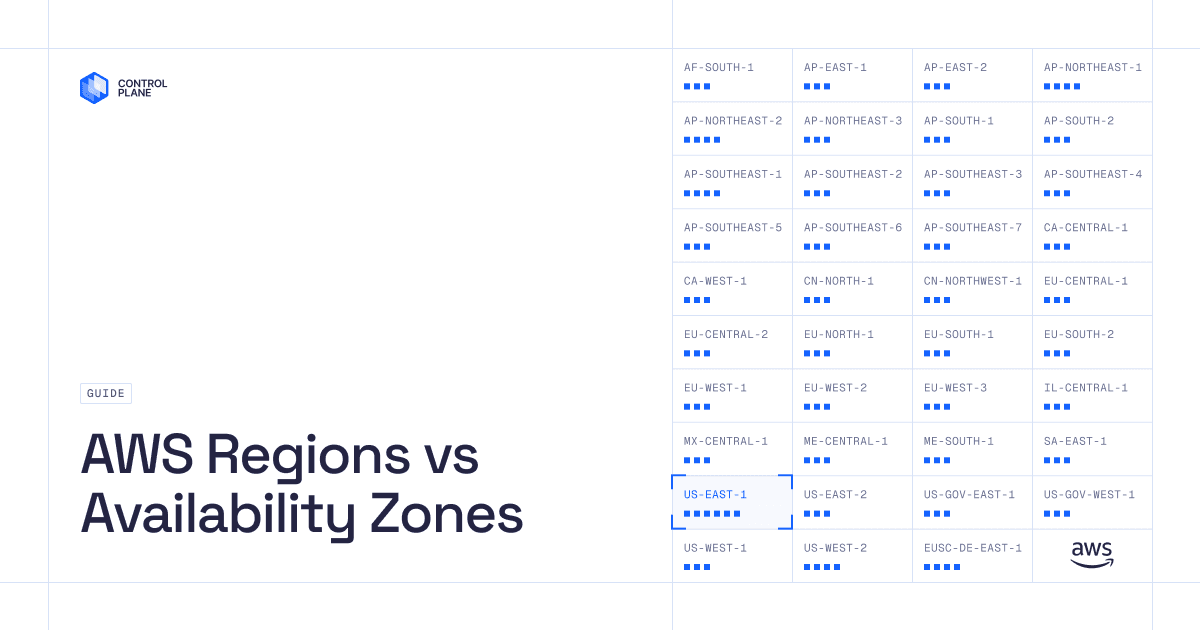
(Updated as of September 2026)
AWS operates 39 regions and 124 Availability Zones as of September 2026.
| Region name | Region code | AZ count |
|---|---|---|
| Africa (Cape Town) | af-south-1 | 3 |
| Asia Pacific (Hong Kong) | ap-east-1 | 3 |
| Asia Pacific (Taipei) | ap-east-2 | 3 |
| Asia Pacific (Tokyo) | ap-northeast-1 | 4 |
| Asia Pacific (Seoul) | ap-northeast-2 | 4 |
| Asia Pacific (Osaka) | ap-northeast-3 | 3 |
| Asia Pacific (Mumbai) | ap-south-1 | 3 |
| Asia Pacific (Hyderabad) | ap-south-2 | 3 |
| Asia Pacific (Singapore) | ap-southeast-1 | 4 |
| Asia Pacific (Sydney) | ap-southeast-2 | 3 |
| Asia Pacific (Jakarta) | ap-southeast-3 | 3 |
| Asia Pacific (Melbourne) | ap-southeast-4 | 3 |
| Asia Pacific (Malaysia) | ap-southeast-5 | 3 |
| Asia Pacific (New Zealand) | ap-southeast-6 | 3 |
| Asia Pacific (Thailand) | ap-southeast-7 | 3 |
| Canada (Central) | ca-central-1 | 3 |
| Canada West (Calgary) | ca-west-1 | 3 |
| China (Beijing) | cn-north-1 | 3 |
| China (Ningxia) | cn-northwest-1 | 3 |
| Europe (Frankfurt) | eu-central-1 | 3 |
| Europe (Zurich) | eu-central-2 | 3 |
| Europe (Stockholm) | eu-north-1 | 3 |
| Europe (Milan) | eu-south-1 | 3 |
| Europe (Spain) | eu-south-2 | 3 |
| Europe (Ireland) | eu-west-1 | 3 |
| Europe (London) | eu-west-2 | 3 |
| Europe (Paris) | eu-west-3 | 3 |
| Israel (Tel Aviv) | il-central-1 | 3 |
| Mexico (Central) | mx-central-1 | 3 |
| Middle East (UAE) | me-central-1 | 3 |
| Middle East (Bahrain) | me-south-1 | 3 |
| South America (São Paulo) | sa-east-1 | 3 |
| US East (N. Virginia) | us-east-1 | 6 |
| US East (Ohio) | us-east-2 | 3 |
| AWS GovCloud (US-East) | us-gov-east-1 | 3 |
| AWS GovCloud (US-West) | us-gov-west-1 | 3 |
| US West (N. California) | us-west-1 | 3 |
| US West (Oregon) | us-west-2 | 4 |
| AWS European Sovereign Cloud (Brandenburg) | eusc-de-east-1 | 4 |
The infrastructure totals in this guide were verified against the AWS Global Infrastructure page.
Every newly deployed software product aims to scale. Companies want to grow the number of users they serve, whether that means expanding within one country or supporting new interactions around the world. When that growth happens, the question is: Can the product deliver fast results and low latency to every user?
In the past, achieving global scalability without sacrificing user experience was complex and expensive. Data centers located far from users result in longer page-loading times and higher latency.
Today, cloud computing providers such as AWS support multi-region application architectures that distribute applications worldwide and improve fault tolerance. More than 90% of Fortune 100 companies use the AWS Partner Network to develop services and solutions for their customers.
What is an AWS Region?
An AWS Region is a physical cluster of data centers located in a specific geographic area. Each Region is independent and designed to be isolated from other Regions. If there is a problem in one Region, it is less likely to affect other Regions. This level of isolation is critical for workloads with compliance and data-sovereignty requirements, where user data must remain within a specific geographic area.
Not all AWS services are available in every Region. For example, Amazon SES service availability and supported features can differ by Region. Always check the current AWS regional services list before selecting a Region.
If the service you want is unavailable in a particular Region, you can use the service in another Region if your latency, architecture, compliance, and data-residency requirements permit it.
List of AWS Regions
AWS operates 39 geographic Regions as of September 2026, according to the AWS Global Infrastructure page. AWS has also announced plans for two more Regions in the Kingdom of Saudi Arabia and Chile.
Each AWS Region is identified by an API code that indicates its general location. For example, US East (N. Virginia) has the code us-east-1, while US East (Ohio) has the code us-east-2.
Below is a list of available AWS Regions and their codes as of September 2026.
| Region name | Code |
|---|---|
| Africa (Cape Town) | af-south-1 |
| Asia Pacific (Hong Kong) | ap-east-1 |
| Asia Pacific (Taipei) | ap-east-2 |
| Asia Pacific (Tokyo) | ap-northeast-1 |
| Asia Pacific (Seoul) | ap-northeast-2 |
| Asia Pacific (Osaka) | ap-northeast-3 |
| Asia Pacific (Mumbai) | ap-south-1 |
| Asia Pacific (Hyderabad) | ap-south-2 |
| Asia Pacific (Singapore) | ap-southeast-1 |
| Asia Pacific (Sydney) | ap-southeast-2 |
| Asia Pacific (Jakarta) | ap-southeast-3 |
| Asia Pacific (Melbourne) | ap-southeast-4 |
| Asia Pacific (Malaysia) | ap-southeast-5 |
| Asia Pacific (New Zealand) | ap-southeast-6 |
| Asia Pacific (Thailand) | ap-southeast-7 |
| Canada (Central) | ca-central-1 |
| Canada West (Calgary) | ca-west-1 |
| China (Beijing) | cn-north-1 |
| China (Ningxia) | cn-northwest-1 |
| Europe (Frankfurt) | eu-central-1 |
| Europe (Zurich) | eu-central-2 |
| Europe (Stockholm) | eu-north-1 |
| Europe (Milan) | eu-south-1 |
| Europe (Spain) | eu-south-2 |
| Europe (Ireland) | eu-west-1 |
| Europe (London) | eu-west-2 |
| Europe (Paris) | eu-west-3 |
| AWS European Sovereign Cloud (Brandenburg) | eusc-de-east-1 |
| Israel (Tel Aviv) | il-central-1 |
| Mexico (Central) | mx-central-1 |
| Middle East (UAE) | me-central-1 |
| Middle East (Bahrain) | me-south-1 |
| South America (São Paulo) | sa-east-1 |
| US East (N. Virginia) | us-east-1 |
| US East (Ohio) | us-east-2 |
| AWS GovCloud (US-East) | us-gov-east-1 |
| AWS GovCloud (US-West) | us-gov-west-1 |
| US West (N. California) | us-west-1 |
| US West (Oregon) | us-west-2 |
US East (N. Virginia), US West (Oregon), Asia Pacific (Singapore), Asia Pacific (Sydney), Asia Pacific (Tokyo), Europe (Frankfurt), and Europe (Ireland) have broad AWS service availability. However, availability changes as AWS launches services and features in additional Regions. Check the current AWS regional services list before deploying.
How to choose an AWS Region
Choosing the right AWS Region can affect application performance, latency, regulatory compliance, and cost. Consider the following factors:
- Proximity to users: Choose a Region close to most of your users to reduce latency and improve performance. If your application serves users worldwide, deploying in several Regions may provide a better experience.
- Compliance and data residency: Confirm that the selected Region meets the data-residency, sovereignty, and compliance requirements that apply to your industry and users.
- Service availability: Verify that the AWS services and features you need are available in the Region.
- Cost: Evaluate pricing differences across Regions, including data-transfer charges, storage fees, and service-specific pricing. The AWS Pricing Calculator can estimate costs for a proposed deployment.
- SLA requirements: Service-level agreements can vary by service and architecture. Confirm that your planned regional deployment meets your availability requirements.
What are AWS Availability Zones?
An AWS Region consists of multiple Availability Zones. AWS Availability Zones are isolated locations within an AWS Region designed to limit the effect of failures in other AZs.
An Availability Zone consists of one or more discrete data centers with independent power, networking, and connectivity. AZs within a Region are interconnected through high-bandwidth, low-latency networking that supports synchronous replication and redundant application architectures.
This architecture allows applications designed for multiple AZs to continue operating if one AZ becomes unavailable. Deploying in an AWS Region alone does not automatically provide multi-AZ resilience. Resources and services must be configured to run across multiple AZs.
List of AWS Availability Zones
AWS operates 124 Availability Zones across 39 geographic Regions as of September 2026, according to the AWS Global Infrastructure page. AWS has announced plans for seven more AZs across two additional Regions in the Kingdom of Saudi Arabia and Chile.
Each Availability Zone has a name derived from its Region code followed by a letter, such as us-east-1a. AWS maps AZ letters to physical locations independently for each account. As a result, us-east-1a in one AWS account may not represent the same physical AZ as us-east-1a in another account. AWS AZ IDs provide consistent identifiers across accounts.
Below is a list of Availability Zones in several Regions with broad service availability as of September 2026. This is not a complete list of all AWS Availability Zones.
| Region name | Availability Zones |
|---|---|
| US East (N. Virginia) | us-east-1a, us-east-1b, us-east-1c, us-east-1d, us-east-1e, us-east-1f |
| US West (Oregon) | us-west-2a, us-west-2b, us-west-2c, us-west-2d |
| Asia Pacific (Tokyo) | ap-northeast-1a, ap-northeast-1b, ap-northeast-1c, ap-northeast-1d |
| Europe (Frankfurt) | eu-central-1a, eu-central-1b, eu-central-1c |
| Europe (Ireland) | eu-west-1a, eu-west-1b, eu-west-1c |
How to choose an AWS Availability Zone
Selecting an Availability Zone may appear simple once you have chosen your AWS Region. Sometimes, teams choose one at random. However, deployment requirements may call for more careful planning.
The most critical decision is how many AZs to use, rather than which AZ letters to select. AWS recommends deploying services across multiple AZs to improve fault tolerance and resilience.
The appropriate number of AZs depends on the application’s availability requirements and the architecture of its dependencies. Applications that require continuous availability, including healthcare and financial systems, may benefit from deployment across three or more AZs. The application, data tier, networking, and failover processes must all support that design.
Some workloads may not benefit enough from multiple AZs to justify the additional cost. For example, CI/CD pipelines that move large artifacts between AZs can incur cross-AZ data-transfer charges.
Balance availability, performance, service support, and data-transfer cost when determining how many AZs to use.
What are the key differences between AWS Regions and Availability Zones?
AWS Regions and Availability Zones are core components of AWS global infrastructure. They serve distinct but connected purposes in supporting availability, fault tolerance, compliance, and scalability.
Here are the key differences between AWS Regions and Availability Zones:
1. Geographical scope
AWS Regions are separate geographic areas distributed across countries and continents.
AWS Availability Zones are isolated locations within an AWS Region. AZs are separated by a meaningful physical distance and designed to reduce the risk that a localized failure will affect multiple zones.
2. Use case
AWS Regions are selected based on factors such as data-residency requirements, compliance, service availability, cost, and proximity to users.
Availability Zones are used to build highly available and fault-tolerant applications by distributing workloads across multiple isolated locations within a Region.
3. Fault isolation
Each AWS Region is designed to be isolated from other Regions. A failure affecting one Region is less likely to affect another Region.
Each AZ is isolated from other AZs within the same Region. A multi-AZ architecture can protect against an AZ-level failure, but it does not provide protection from a disruption that affects the entire Region. Regional resilience requires a multi-region architecture.
4. Deployment flexibility
AWS Regions allow teams to deploy resources across different geographic locations, supporting multi-region architectures.
Availability Zones allow applications and data to be distributed within a Region while maintaining low-latency connectivity between deployment locations.
Enhancing Reliability Through Low Latency Performance
Low latency is critical in industries where real-time data processing and communication affect business outcomes. Deploying an application across multiple Regions and Availability Zones can reduce latency and improve availability, but complex AWS environments require careful architecture and operations. AWS Regions can also experience service disruptions.
With Control Plane, you can run compute across on-premises environments and AWS, Azure, or GCP accounts using our cloud repatriation capabilities. Workloads can operate across cloud providers, Regions, and on-premises infrastructure in the combinations your application requires.
Control Plane supports multi-cloud and multi-region deployments with developer self-service. Request a demo.