Top FinOps Tools In 2026
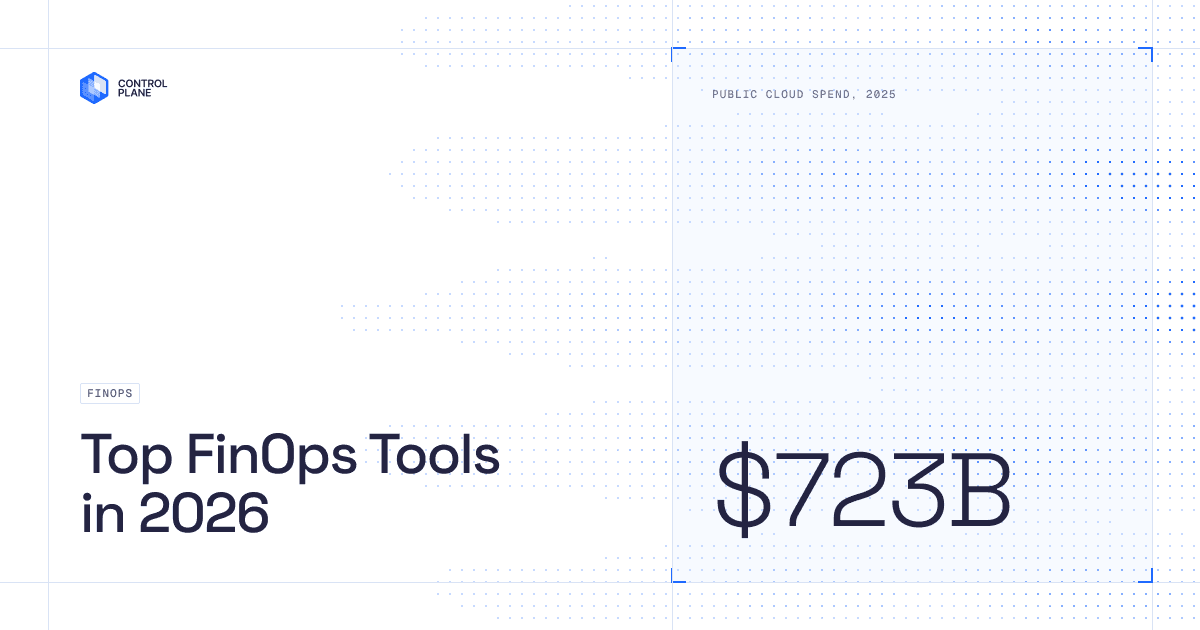
Worldwide public cloud spend hit $723.4B in 2025, a 21.5 percent increase over the prior year, according to Gartner. A large share of that spend is waste: idle instances, forgotten environments, and overprovisioned resources that never get reviewed. Flexera’s State of the Cloud research found that 84% of organizations name cloud spend management as their top cloud challenge.
FinOps exists to turn that reactive cycle into a predictable one. Below is a category-organized comparison of the FinOps tools we could verify against vendor-owned sources, followed by a question-led guide to picking the right one for your team.
Quick answers
| Question | Direct answer |
|---|---|
| What’s the general cloud compute savings figure Control Plane cites? | 30-50%, attributed to dynamic scaling and Capacity AI resource packing (source) |
| Did any named customer report savings above that range? | Yes — SAFE Health, a Control Plane customer, reported a 75% AWS spend reduction in a named case study (source) |
| Are there free FinOps tools that require no purchase? | Yes — AWS Cost Explorer and Azure Cost Management are free, cloud-native tools |
| How many tools are verified in this roundup’s comparison table? | 10 tools with direct vendor sourcing, organized across four of five FinOps categories plus infrastructure-level cost control. This is fewer than a 17-row matrix; see note below the table. |
| Is Control Plane a replacement for Terraform or Pulumi? | No — it operates at the infrastructure/billing layer and is used alongside infrastructure-as-code tools, not in place of them |
Comparison table
| Tool | Category | Key differentiator | Best-for use case | Free tier |
|---|---|---|---|---|
| Flexera One | Governance | Unified IT spend platform spanning cloud, SaaS, and on-prem, with policy-driven governance | Large enterprises and MSPs needing cost optimization inside a broader IT asset management platform | No free tier (pricing available upon request) |
| Control Plane | Infrastructure-level cost control | Capacity AI right-sizes and scales workloads to zero at runtime; billing is usage-based in millicores rather than dashboard-reported | Cloud-native teams that want cost control enforced at the infrastructure layer, not just visibility on top of existing spend | No permanent free tier; free trial available (pricing) |
| Vantage | Visibility/allocation | Fast onboarding, native Terraform provider, virtual tagging for untaggable resources | Developer-centric teams at startups and growing organizations | Not verified (vendor copy references a tracked-spend threshold, but this is unconfirmed against a current live pricing page) |
| CloudZero | Visibility/allocation | Telemetry-based allocation ties spend to cost-per-customer and cost-per-feature context | Cloud-native companies with microservices architectures that need spend tied to business metrics | Not verified (vendor describes “some free tools” without a confirmed specification) |
| Harness CCM | Automation/commitment | Cost management embedded inside CI/CD pipelines; automated idle-resource stopping | Organizations already invested in the Harness delivery platform | Not verified (a sub-$250K-spend free tier is claimed in vendor marketing copy but not confirmed on a dedicated pricing page) |
| IBM Cloudability | Visibility/allocation | Enterprise chargeback/showback reporting with ERP and FP&A system integration | Large enterprise finance-led FinOps teams, particularly existing IBM customers | No free tier; free trial available |
| Kubex Densify | K8s/containers | Continuous rightsizing recommendations for EC2 instances, container requests/limits, and autoscaling groups | Cloud engineering teams with large compute environments prioritizing automated rightsizing over reporting | No free tier; free trial available |
| AWS Cost Explorer | Visibility/allocation (native) | Built into AWS; historical cost visualization and Reserved Instance/Savings Plan recommendations | AWS-only organizations, especially early in FinOps maturity | Yes, free |
| Microsoft Azure Cost Management | Visibility/allocation (native) | Native cost analysis, budget alerts, anomaly detection, full access to Azure discounting mechanisms | Enterprises predominantly running on Azure | Yes, free (bundled with Azure) |
| VMware Aria Cost powered by CloudHealth | Governance | Mature multi-cloud governance: cost allocation, budgeting, commitment discounts, migration planning | Organizations already inside the VMware/Broadcom ecosystem | No free tier; contact Broadcom for pricing |
The tools in detail
1. Flexera One (formerly CloudCheckr)
Flexera One is Flexera’s unified Technology Intelligence Platform for IT spend management across cloud, SaaS, and on-prem environments. Flexera’s own product page describes Cloud Cost Optimization capabilities, cloud commitment management, and Kubernetes cost visibility as part of the platform.
Best for: Large enterprises and MSPs looking for cost optimization as part of a broader governance, compliance, and IT asset management platform.
Price: Available upon request; subscription-based.
Customer review (Gartner): “The ability to consume multiple cloud environments and display usage in a single location is critical. Automated and actionable policies were the biggest factors in selecting Flexera.”
2. Control Plane
Control Plane is an infrastructure-level cost control platform rather than a cost-monitoring dashboard. It is designed as a multi-cloud-native layer that lets teams run workloads across AWS, Azure, and GCP with millicore-based billing. Its Capacity AI engine right-sizes workloads at runtime and scales them to zero during idle periods, and a single API can move workloads between clouds and on-prem environments.
Businesses typically save 30-50% on cloud compute costs with Control Plane’s cost optimization engine, driven by dynamic scaling and Capacity AI resource packing (controlplane.com/benefits/cost-reduction). One customer, SAFE Health, reported cutting AWS spend by 75% by combining Capacity AI’s scale-to-zero behavior with bundled services that would otherwise be billed separately on AWS (case study). A separate named customer, Outrider, reported cutting cloud costs by 58% after consolidating a multi-cloud Kubernetes setup onto the platform (customer index).
Control Plane operates at the infrastructure and billing layer and is used alongside infrastructure-as-code tools such as Terraform and Pulumi, not as a replacement for them.
Best for: Cloud-native organizations that want cost control enforced at the infrastructure level, not just analytical visibility layered on top of existing spend.
Price: Pay-as-you-go on CPU, RAM, and egress. No minimums or lock-in. Free trial available; no permanent free tier confirmed (pricing).
Customer review (SAFE Health case study): “We’ve reduced our AWS spend by 75% using Control Plane. We spend less on compute because we can scale to zero with Capacity AI, but the big savings is that with Control Plane, many of the extras we had to pay for in AWS are built in for free.”
3. Vantage
Vantage targets fast time-to-value: accounts connect within minutes, with cost data visible for AWS, Azure, GCP, Kubernetes, and roughly 15 SaaS integrations including Snowflake, Datadog, and Databricks. Virtual tagging (Segments) provides attribution for resources that can’t be tagged natively, and Autopilot automates Savings Plan purchasing. Vantage’s own marketing describes itself as the only FinOps platform with a native Terraform provider.
Best for: Developer-centric teams at startups and growing organizations that need fast onboarding and engineering-native workflows.
Price: Vendor copy references a free tier up to a tracked-spend threshold and a paid Pro tier, but we could not confirm current figures against a live Vantage pricing page, so treat pricing specifics as not verified.
Customer review (AWS Marketplace): “Vantage makes cloud costs finally feel understandable and actionable. The clarity of the dashboards, smart breakdowns, virtual tagging, and real-time insights turn what used to be guesswork into confident decision-making.”
4. CloudZero
CloudZero ties cloud spend to business context — cost per customer, cost per feature, cost per deployment — rather than showing spend only at the account level. It ingests data from AWS, Azure, GCP, Snowflake, Datadog, and Databricks, using telemetry-based allocation for resources that can’t be tagged natively, which is useful in microservices architectures. One noted limitation: customizing dashboard views requires working with CloudZero’s customer success team rather than self-service configuration.
Best for: Cloud-native companies that need spend tied to product and business metrics, particularly in complex microservices architectures.
Price: Available upon request; vendor references “some free tools” without a confirmed specification.
Customer review (Capterra): “The search engine is very powerful; you can understand exactly where you spend your money on AWS. Creating your dashboard is impossible; you have to work with the customer success team.”
5. Harness Cloud Cost Management
Harness CCM is part of the broader Harness Software Delivery Platform, giving direct visibility into the CI/CD pipelines where cloud resources are launched. Its FinOps Assistant answers cost questions in natural language, Commitment Orchestrator manages Reserved Instances and Savings Plans, and Cloud AutoStopping halts idle resources across AWS, Azure, GCP, and Kubernetes.
Best for: Organizations already invested in the Harness platform, or teams that want cost management inside their software delivery pipeline.
Price: Vendor marketing references a free tier for organizations under a certain annual cloud spend threshold and percentage-of-spend pricing above it. We could not confirm these figures on a dedicated Harness pricing page (the source in hand is a UTM-tagged marketing URL), so treat the specific numbers as not verified.
Customer review:“During the first 30 days with Harness CCM, we saw a noticeable change in our cloud spend, with six-figure annualized savings.”
6. IBM Cloudability (formerly Apptio Cloudability)
Part of IBM’s FinOps suite alongside Turbonomic and Kubecost, Cloudability focuses on enterprise-level cost allocation, chargeback/showback reporting, and budgeting, with an API layer that pushes cloud billing into external ERP and FP&A systems. Users note that custom reporting flexibility is limited without professional services engagement.
Best for: Large enterprise FinOps teams, particularly those with existing IBM relationships, that need cloud spend integrated into broader IT financial management.
Price: Available upon request; free trial available.
Customer review (Gartner): “Provides good insights into cloud costs, but it is difficult to customize the views to what I want to see.”
7. Kubex Densify
Kubex Densify targets a specific problem: eliminating overprovisioning through continuous rightsizing. It analyzes consumption patterns and generates or applies rightsizing recommendations for EC2 instance types, Kubernetes container requests and limits, node configurations, and autoscaling groups. It is not a full cost-allocation or reporting platform and is best used as a targeted optimization tool alongside a broader visibility dashboard.
Best for: Cloud engineering teams in large enterprises with large compute environments that want automated rightsizing rather than financial reporting.
Price: Available upon request; free trial available.
Customer review (PeerSpot): “There are a lot of good features. One would be the automatic rebalancing of the environment. That was one feature which helped. With that, we could improve our efficiency of our VMware infrastructure.”
8. AWS Cost Explorer
AWS Cost Explorer is the starting point for AWS cost management and may be sufficient for AWS-only organizations. It includes historical cost and usage visualization, trend-based forecasting, and Reserved Instance/Savings Plan recommendations, all free. Limitations include 24-hour data refreshes, no multi-cloud support, and no optimization of the recommendations it surfaces. Data exports to S3 support downstream tooling once an organization outgrows it.
Best for: Organizations running exclusively on AWS, especially early in FinOps maturity.
Price: Free.
Customer review (PeerSpot): “The implementation and data integration with AWS takes time to get all the information set up in the tool. It can take up to two weeks. We had three people deploy and maintain the solution.”
9. Microsoft Azure Cost Management
Azure’s native cost management tool offers cost analysis, budget alerts, and anomaly detection, along with access to Azure’s discounting mechanisms (Savings Plans, Reservations, Azure Hybrid Benefit). Integration with Microsoft Fabric supports deeper analysis for teams already in the Microsoft data ecosystem. Like AWS Cost Explorer, it only tracks costs within its own cloud, and the breadth of the UI creates a learning curve.
Best for: Enterprises predominantly running Azure and Microsoft Cloud services.
Price: Free with Azure services.
Customer review (Gartner): “If you are new to cloud computing, you will be overwhelmed with this solution. Just navigating the platform, you will find different services and options that will necessarily require training and specific documentation.”
10. VMware Aria Cost powered by CloudHealth (Broadcom)
CloudHealth remains a mature FinOps platform with cost visibility, budgeting and forecasting, cost allocation, commitment discounts, and migration planning. Following Broadcom’s acquisition of VMware, CloudHealth is available only as part of a bundled VMware Cloud Foundation subscription rather than standalone, and there have been reports of price increases under the new licensing model. New customers should confirm bundling terms directly with Broadcom.
Best for: Organizations already invested in the VMware/Broadcom ecosystem that need a mature multi-cloud FinOps platform.
Price: Contact Broadcom for pricing.
Customer review (Gartner): “This tool worked well in analyzing and providing opportunities to improve cloud infrastructure costs by providing insights into management decisions. The only drawback is generating custom reporting is hard, and licensing could have been better in terms of costs.”
How to choose the right FinOps tool
Rather than ranking tools in the abstract, work through these questions in order. They map roughly to the same maturity curve most FinOps programs follow.
Is your FinOps function one person wearing multiple hats, or a dedicated team? A single person juggling cost alongside other engineering or platform responsibilities usually gets more value from a native tool (AWS Cost Explorer, Azure Cost Management) or a fast-onboarding visibility platform like Vantage than from a governance suite that assumes a dedicated administrator. Dedicated teams have the bandwidth to configure deeper allocation platforms (CloudZero, IBM Cloudability) or governance suites (Flexera One, VMware Aria) and to act on what those tools surface.
Are you still asking “what are we spending?” or already asking “was it worth it?” If your organization is still establishing basic visibility, native tools are the right starting point — they’re free and already connected to your billing data. Once tagging gaps and shared-cost attribution start costing more than the tooling would, a dedicated visibility/allocation platform earns its keep. Organizations already asking whether spend produced business value are typically ready for automation (Harness CCM) or governance-layer tooling (Flexera One, VMware Aria) rather than another dashboard.
Do your workloads run on a single cloud provider, or span AWS, Azure, and GCP? Single-cloud teams are well served by that provider’s native tool for a long time; there is no requirement to adopt a multi-cloud platform before you have multi-cloud workloads. Once workloads genuinely span providers, a normalization layer becomes more valuable, whether that’s a visibility platform that ingests multiple billing feeds (Vantage, CloudZero, IBM Cloudability) or an infrastructure-level abstraction like Control Plane that treats compute as a single billed resource across clouds.
Do you want cost control enforced at the infrastructure layer, or visibility layered on top of existing spend? This is the distinction between infrastructure-level levers and FinOps-layer visibility, and it’s worth naming explicitly because most of the tools in this roundup sit on one side of it. Dashboard and reporting platforms (Vantage, CloudZero, IBM Cloudability, Flexera One, VMware Aria, native cloud tools) tell you what happened and, in some cases, recommend what to change. Infrastructure-level tools change what happens by construction: right-sizing at runtime and scaling to zero when idle are mechanisms built into how the workload runs, not a report generated afterward. Control Plane’s Capacity AI is an example of the latter approach; it complements infrastructure-as-code tools like Terraform and Pulumi rather than replacing them, since teams still define and provision infrastructure the same way and add a runtime cost-control layer on top. Most mature FinOps programs end up using both: an infrastructure-level lever to prevent waste at the source, and a visibility platform to report and allocate whatever spend remains.
The bottom line
Most FinOps tools help you see the extent of cloud waste after it happens. Infrastructure-level approaches, including Control Plane’s Capacity AI, aim to prevent some of that waste by right-sizing workloads at runtime and scaling to zero when idle, billed in millicores rather than static instance sizes. Businesses typically see 30-50% cloud compute cost reduction from this approach (source). SAFE Health, a Control Plane customer, reported a 75% AWS spend reduction in its case study, driven by combining Capacity AI’s scale-to-zero behavior with services bundled into the platform (case study). That result is specific to SAFE Health’s environment and should be read as a case study outcome, not a general expectation.
Source appendix
- Gartner: worldwide public cloud spend forecast
- Flexera: State of the Cloud press release
- Control Plane: Minimize Compute Spend / 30-50% claim
- Control Plane: SAFE Health case study
- Control Plane: customer index page, Outrider quote
- Control Plane: pricing page
- Control Plane: Enterprise page, Capacity AI mechanism
- Flexera: Flexera One product page; Gartner review
- Vantage: vantage.sh; AWS Marketplace review
- CloudZero: cloudzero.com; Capterra review
- Harness: Cloud Cost Management product page
- IBM Cloudability: apptio.com/products/cloudability; Gartner review
- Kubex Densify: kubex.ai; PeerSpot review
- AWS Cost Explorer: aws.amazon.com/aws-cost-management/aws-cost-explorer; PeerSpot review
- Azure Cost Management: learn.microsoft.com overview; Gartner review
VMware Aria/CloudHealth: vmware.com; Gartner review