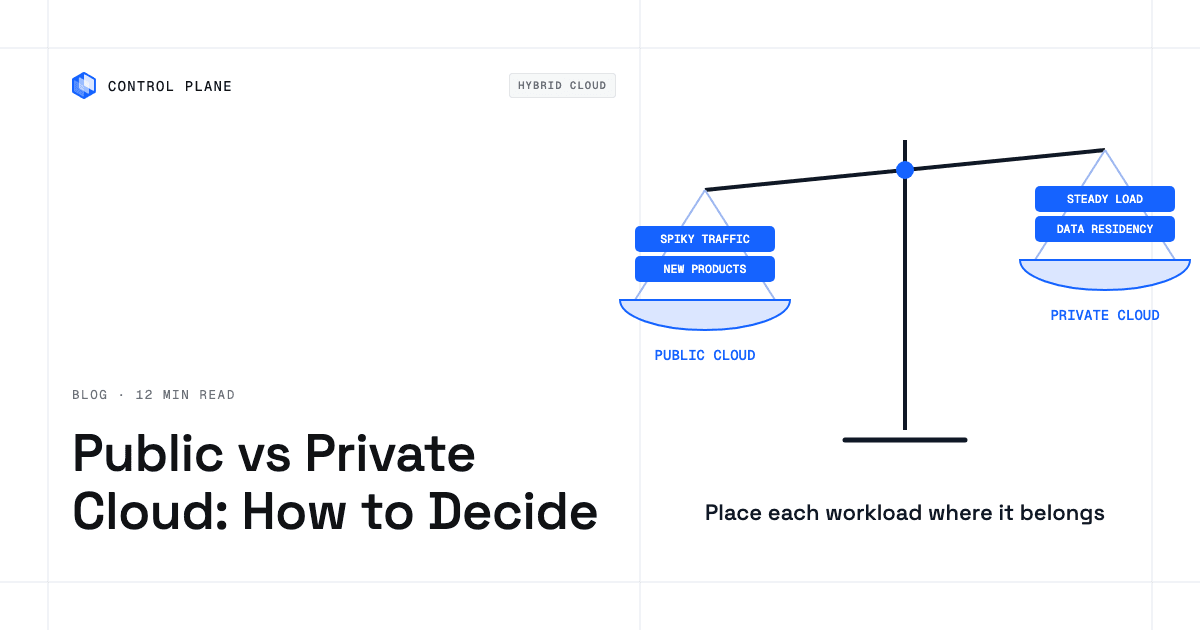
Choose public cloud when demand is variable, speed matters, and you want the provider to own and run the hardware. Choose private cloud when workloads are steady and large enough to keep dedicated hardware busy, or when regulation, data residency, or latency require dedicated infrastructure you control.
Disclosure: Control Plane publishes this guide.
TL;DR
- Decide per workload. Company-wide mandates force the wrong trade-offs, so score each workload on its own demand pattern, compliance needs, data volume, and utilization.
- Public cloud wins for variable demand and speed. Elastic scaling, global regions, and per-use or committed pricing suit spiky traffic and fast iteration.
- Private cloud wins for steady utilization and isolation. Dedicated infrastructure pays off when hardware stays busy, or when regulation or latency calls for physical control.
- Single-tenant options exist inside public clouds. Dedicated hosts, bare-metal instances, and dedicated regions blur the line between public and private.
- Count the hidden costs on both sides. Public cloud hides egress, idle spend, support plans, and commitments you cannot cancel. Private cloud hides hardware refresh, licensing, power and cooling, spare capacity, and staff.
- Hybrid is the common outcome. Most organizations end up with a mix, connected by consistent networking and tooling.
- Control Plane runs Day 2 operations in both. Autoscaling, observability, and security work the same in Control Plane-managed cloud regions and on your own servers, so you can change where workloads run later.
How do I decide between public and private cloud hosting?
Decide workload by workload, starting with clear definitions and then scoring each workload against the criteria that matter.
Definitions
Public cloud is infrastructure offered for open use, operated by hyperscalers and other providers, and billed per use or through term commitments. AWS, GCP, Azure, and Oracle Cloud Infrastructure (OCI) are common examples. By default you share physical hardware with other customers, and the provider handles hardware procurement, host patching, and facilities.
Private cloud, as NIST SP 800-145 defines it, is cloud infrastructure provisioned for exclusive use by one organization. It can run on premises in your own data center or be hosted as dedicated infrastructure by a provider. Its defining trait is exclusive use, with cloud features such as self-service provisioning and pooled resources.
Hybrid cloud combines both, connected by networking and a shared operational layer.
Public clouds also sell single-tenant options. Dedicated hosts and bare-metal instances give single-tenant hardware inside the provider’s shared regions. Dedicated regions such as Oracle Dedicated Region and AWS Dedicated Local Zones put provider-run infrastructure for one customer in a location the customer chooses, often its own data center. The provider still owns and operates that infrastructure, and AWS Dedicated Local Zones rely on a parent AWS Region for their control plane. Sovereign clouds such as the AWS European Sovereign Cloud address residency and operational sovereignty, but they are multi-tenant, so customers still share hardware.
Public vs private cloud decision scorecard
Score each criterion per workload. One company can have a workload that belongs on dedicated hardware and another that fits a managed public cloud service.
| Criterion | Points to public cloud when | Points to private cloud when |
|---|---|---|
| Demand pattern | Traffic is spiky, seasonal, or unpredictable | Load is steady and well understood |
| Time to launch | You need infrastructure in minutes or hours | You can plan capacity weeks or months ahead |
| Capital and budgeting model | Per-use or committed cloud spend fits your financial model | CapEx or leased dedicated hardware fits your financial model and utilization justifies it |
| Utilization you can sustain | Average utilization on owned hardware would stay low | You can keep dedicated hardware busy for years |
| Data volume and egress | Data mostly stays inside the provider, or outbound traffic is small | Large, sustained outbound transfer would make egress a major line item |
| Data residency and sovereignty | Provider regions in your country satisfy residency requirements | You need control over data location beyond what provider regions offer |
| Regulatory isolation requirements | Shared infrastructure covered by provider attestations is accepted by your auditor | Regulation or contracts require single-tenant or air-gapped environments that provider dedicated or sovereign offerings do not satisfy |
| Latency to on-premises systems or users | Users and dependent systems are spread across regions | Users or upstream systems sit in or near your own facility |
| Specialized hardware (GPUs, mainframes, licensed appliances) | You need short-term GPU capacity, or accelerators sold only as a service, such as Google Cloud tensor processing units or AWS Trainium, or you can reserve capacity for the newest GPU models | You run hardware providers do not offer, or sustained GPU use makes ownership cheaper and you can absorb procurement lead time |
| Team skills and headcount | You want the provider to run hardware and facilities, and your team can handle cloud configuration, IAM, and cost management | You have experienced infrastructure and security staff already on call |
| Exit and portability needs | Your workloads use containers, Kubernetes, and standard APIs, so moving between providers stays practical | Egress volume and proprietary managed services would make leaving a provider expensive, and you can avoid the same lock-in to a private cloud software or hardware vendor |
Check mandatory filters first. If a regulation requires data to stay in a facility you physically control, that requirement overrides the other criteria. Weight the remaining criteria by business impact.
Which workloads belong in public cloud and which in private cloud?
Workload placement is the practical output of the scorecard.
| Workload | Usual home | Why | Watch out for |
|---|---|---|---|
| Customer-facing web apps with spiky traffic | Public cloud | Elastic autoscaling matches demand without overprovisioning | Egress and managed service costs grow with scale |
| Dev and test environments | Public cloud | Fast provisioning, short-lived resources, no capital commitment | Forgotten instances and snapshots keep billing unless cleaned up |
| Steady high-utilization batch jobs or databases | Private cloud or committed public capacity | Dedicated hardware at high utilization can cost less per compute-hour than committed public cloud pricing over time | Reserved managed databases can close the cost gap and include high availability and backups you would otherwise build |
| AI training on large GPU clusters | Either | Public cloud for experiments and access to new GPUs; private cloud or reserved capacity for sustained multi-month training | New GPUs are often scarce in public cloud; private GPU clusters need large capital and long lead times |
| AI inference | Either | Public cloud autoscaling fits variable request volume; reserved or owned GPUs fit steady high-volume serving | GPU capacity is limited to certain regions, and egress on large responses adds cost |
| Regulated records with residency rules | Either | In-country public cloud regions meet most residency rules; private cloud fits when a regulator or contract requires single tenancy or a facility you control | Self-run infrastructure needs its own audits and certifications; in public cloud, confirm which services the provider’s attestations cover |
| Latency-sensitive manufacturing or trading systems | Private cloud | Proximity to on-premises sensors, machines, or trading venues cuts network hops | Redundancy and disaster recovery must be planned and funded separately |
| Legacy apps tied to specific hardware or licenses | Private cloud | Some licenses are tied to specific hosts, or the app needs hardware public clouds do not offer; public cloud dedicated hosts can work where bring-your-own-license terms allow | Modernization debt grows, so plan an eventual migration path |
| Disaster recovery copies of on-premises systems | Public cloud | Pay for storage and standby compute only when needed, in distant regions | Standby compute is not guaranteed during a regional event without capacity reservations; failback incurs egress; test failover regularly |
What does each option really cost?
Both models carry costs that rarely appear in the first estimate, so build them into any total cost of ownership comparison.
| Model | Hidden cost | How to account for it |
|---|---|---|
| Public cloud | Egress fees (outbound data transfer) | Measure outbound bytes per month, model growth, and include cross-region and cross-cloud traffic |
| Public cloud | Idle and overprovisioned resources | Audit running instances and reserved capacity monthly; right-size or shut down unused resources |
| Public cloud | Managed service premiums | Compare a managed database or queue against running the open-source equivalent yourself, including staff time |
| Public cloud | Commitment lock-in | Unused Reserved Instances, Savings Plans, or committed use discounts are billed for the full term, so size commitments to the baseline you are sure of |
| Public cloud | Support plans | AWS and Google Cloud price higher support tiers as a percentage of spend with monthly minimums; Azure charges flat monthly fees. Add support to every estimate |
| Public cloud | Cross-zone traffic, NAT, and IP charges | Multi-zone designs pay per-GB transfer between zones, NAT gateway processing, and public IPv4 fees; model them from flow logs |
| Public cloud | Logging and monitoring ingestion | Log and metric volume is billed per GB; set retention and sampling |
| Private cloud | Hardware refresh every few years | Amortize servers, storage, and networking over a three to five year life, and budget the next refresh early |
| Private cloud | Virtualization and OS licensing | Hypervisor, operating system, and database licenses can rival hardware cost; price renewals |
| Private cloud | Hardware maintenance contracts | Vendor support renewals often cost more after the initial term |
| Private cloud | Power, cooling, and space | Meter actual power draw and include cooling overhead and data center lease or construction |
| Private cloud | Spare capacity for peaks and failures | Size for peak load plus failure headroom; the unused portion is a real cost |
| Private cloud | Procurement lead time | Hardware, and GPUs especially, can take months to arrive, which forces either buying ahead of demand or losing capacity |
| Private cloud | Disaster recovery site | A second facility or a public cloud recovery target duplicates part of the footprint |
| Private cloud | Staff and on-call | Count salaries, benefits, training, and on-call load for infrastructure and security staff |
| Hybrid | Connectivity and duplicated tooling | Budget for dedicated interconnects or VPNs, plus monitoring, identity, and deployment tooling in both environments |
Comparing total cost of ownership over three to five years
Model costs over a three to five year horizon. On the public cloud side, project compute, storage, networking, support, and managed service fees at realistic growth rates. On the private cloud side, amortize hardware and include licensing, facilities, and staff. Utilization is the deciding variable. When dedicated hardware runs at high utilization for years, its amortized cost per compute-hour can fall below public cloud pricing. Compare it against one- and three-year committed or reserved rates and any negotiated discount, because steady workloads rarely run on on-demand pricing. Include migration and re-platforming costs on whichever side you would move to. Low or unpredictable utilization favors per-use public cloud pricing. The cloud vs on-premises vs hybrid cost guide walks through this math with worked numbers.
Is private cloud more secure than public cloud?
Private cloud gives you more control, and control improves security only when the team operating it uses it well.
Public cloud providers operate under a shared responsibility model. The provider secures the physical infrastructure, hypervisor, and network fabric. You secure your configurations, data, identities, and application code. On infrastructure services you also patch guest operating systems. The split shifts toward the provider as services become more managed. Major providers hold SOC 2 and PCI DSS attestations and offer HIPAA-eligible services. Their security investment exceeds what most enterprises fund internally.
Physical control over hardware, network boundaries, and data location matters when regulation requires you to prove where data resides, who can physically access it, or that no other tenant shares the hardware. For workloads whose rules require a facility you control or no shared hardware, private cloud gives real advantages. Data residency can also be met in public cloud by keeping customer data in-country with multi-region failover.
Misconfiguration causes breaches on both sides. In public cloud it sits mostly in the customer’s half of the shared responsibility model, through exposed storage, broad IAM roles, and open security groups. In private cloud, patching, physical security, and the network layer are your team’s responsibility as well. The right choice depends on whether your threat model puts isolation or operational rigor first, and whether your team can deliver both.
What about hybrid cloud?
Hybrid cloud fits companies whose workloads differ in demand pattern, compliance, or latency.
A regulated database can stay on premises while the web tier that queries it runs in a public cloud region close to users. A steady batch pipeline can run on owned hardware while disaster recovery copies replicate to a public cloud region far away.
Hybrid cloud has its own costs. It needs dedicated network connectivity between environments, through provider interconnects or encrypted tunnels. Identity and access management must span both sides. Monitoring, logging, and deployment tooling must either work across both environments or run as parallel stacks with the added cost and overhead. Governance policies must cover data moving between environments with different security postures.
Hybrid lets you place each workload where it fits today and move it when circumstances change, so choose tooling and abstractions that make that movement practical. The how to deploy a hybrid cloud guide gives a step-by-step plan, and the hybrid cloud platforms roundup compares platforms that support this pattern.
How Control Plane fits
Control Plane is the unbreakable platform for running production workloads. It runs serverless, standard, stateful, and cron workloads natively on AWS, GCP, Azure, and Oracle Cloud Infrastructure (OCI), VM workloads on locations joined through Control Plane’s Managed Kubernetes, and workloads on Kubernetes clusters you already run or your own machines, including on premises, active-active across regions and clouds. Control Plane handles Day 2 operations for you, including autoscaling, built-in observability, and security.
Control Plane’s Managed Kubernetes joins your own servers, including on premises or hosted bare metal, as Control Plane locations, and Control Plane’s Bring Your Own Kubernetes (BYOK) adds Kubernetes clusters you already run as locations. A Global Virtual Cloud (GVC), Control Plane’s named set of locations, can include public cloud regions and private locations, and each workload runs in every location of its GVC. One workload definition runs across both, as long as each location supports what the workload needs; VM workloads, for example, need KVM-capable nodes. Each workload’s canonical endpoint uses DNS to send users to the nearest location where the workload passes its readiness probes.
Cloud Wormhole, Control Plane’s private connectivity feature, uses an agent you install in your network so Control Plane workloads reach private databases and services without opening inbound ports. Control Plane is PCI DSS Level 1, SOC 2 Type II, HIPAA, and GDPR compliant; servers and clusters you add as locations stay under your own compliance controls.
For the public versus private decision, this means you do not have to get placement permanently right on day one. Place workloads where the scorecard points today. To move them later, change a GVC’s locations, which applies to every workload in it, or deploy to a GVC with a different set of locations. Stateless workloads start serving from the new locations once ready. Stateful data does not replicate between locations on its own, so add the new location first, move data with Control Plane’s copyVolume command (ext4 and xfs volume sets) or with replication your application already runs, and remove the old location last.
FAQ
Short answers on public cloud, private cloud, and hybrid placement.
How do I decide between public and private cloud hosting?
Score each workload against demand pattern, utilization, data volume, residency, latency, team skills, and budgeting model. Public cloud fits variable demand and fast iteration. Private cloud fits steady, high-utilization workloads and strict isolation requirements. Place each workload where it scores best.
Is private cloud cheaper than public cloud?
It can be, but only when utilization stays high. Dedicated hardware amortized over three to five years can cost less per compute-hour than committed or reserved public cloud pricing if that hardware stays busy and you count power, space, spare capacity, licensing, and staff. When utilization is low or unpredictable, you pay for idle capacity and the work of running your own infrastructure. A multi-year total cost of ownership comparison that includes the hidden costs answers this for a specific workload.
Is private cloud more secure than public cloud?
Not inherently. Private cloud gives stronger physical isolation and control over data location. Public cloud providers secure their layer with large security teams and patching at scale, while configuration stays your job. If your main concern is residency and physical access, private cloud helps; if it is keeping systems patched and hardened, a well-run public cloud deployment can be the safer choice.
What is the difference between private cloud and on-premises?
On-premises describes where hardware sits, and private cloud describes exclusive use with cloud features. On-premises infrastructure counts as private cloud only when it offers features like self-service provisioning and pooled resources. Private cloud also covers dedicated infrastructure hosted by a provider, such as managed private cloud services.
When does moving from public to private cloud make sense?
Moving a workload to private cloud makes sense when it runs at high, steady utilization for years and dedicated hardware costs less than the public cloud bill after committed discounts. It also makes sense when new rules require physical control over data location or when egress for a data-heavy workload becomes a major line item. Count the one-time costs of moving, including data egress, re-platforming off managed services, and any remaining commitment terms.
Can I use both public and private cloud?
Yes. Hybrid setups need network connectivity between environments, consistent identity and access management, and tooling that works across both. The how to deploy a hybrid cloud guide covers the practical steps.
What is a managed private cloud?
A managed private cloud is single-tenant infrastructure that a provider operates for you. The provider typically handles hardware, facilities, and infrastructure-level patching and monitoring, and what it covers above that varies by contract. Expect multi-year contracts and higher per-unit prices than self-run hardware, in exchange for not staffing your own infrastructure team.
How does Control Plane work across public and private cloud?
Control Plane runs workloads in Control Plane-managed regions on AWS, GCP, Azure, and Oracle Cloud and on your own servers or Kubernetes clusters, all from one API and one workload spec. Private locations join through Control Plane’s Managed Kubernetes or Bring Your Own Kubernetes (BYOK) and get the same built-in observability, mTLS between workloads, and global endpoint routing.
How often should I revisit public vs private cloud decisions?
Review workload placement at least once a year, and after any major change in traffic, compliance requirements, provider pricing, or architecture. A placement that fit two years ago may no longer be the best choice, and portable deployments make those reviews actionable.
Run workloads across public cloud regions and your own infrastructure from one platform. Talk to the Control Plane team or sign up free.