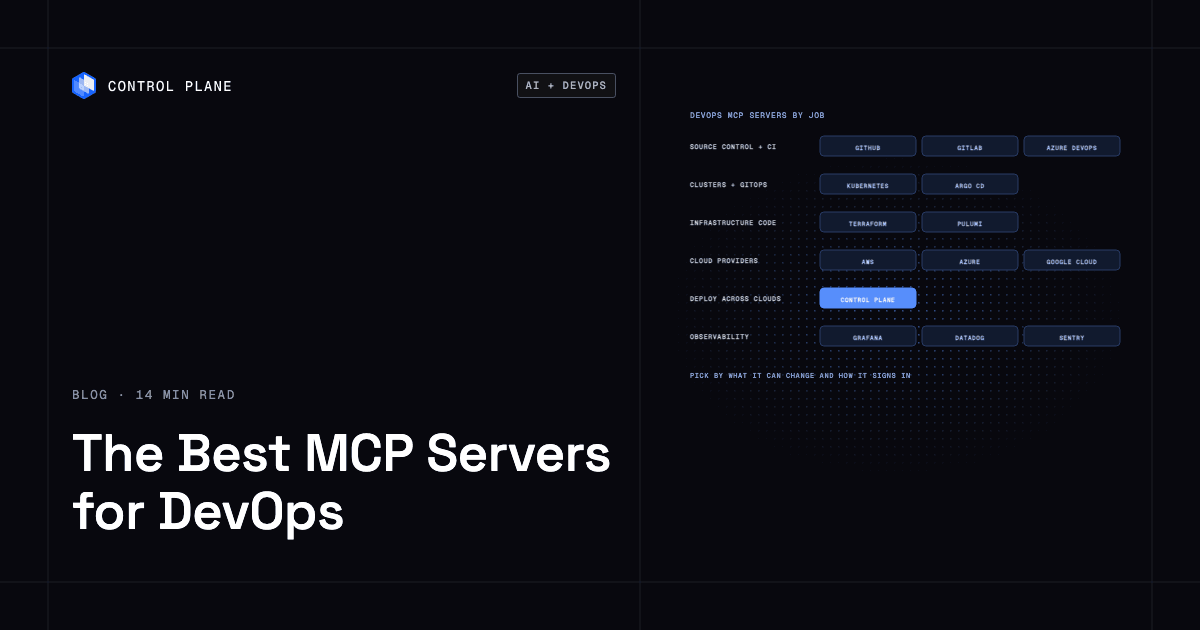
The best MCP servers for DevOps are the official servers for the systems you already run: GitHub or GitLab for source control and CI, your cloud provider’s server for infrastructure, Kubernetes or Argo CD for clusters, Terraform or Pulumi for infrastructure as code, and Grafana, Datadog, or Sentry for observability. Pick servers by what they are allowed to change and how they authenticate, because a server that can deploy is production access.
Disclosure: Control Plane publishes this guide.
TL;DR
The Model Context Protocol (MCP) gives AI coding assistants structured access to your DevOps tools.
- Servers by job. Use GitHub or GitLab for source control and pull requests, your cloud provider for cloud resources, Kubernetes or Argo CD for clusters, Terraform or Pulumi for infrastructure as code, and Grafana, Datadog, Sentry, or PagerDuty for observability and incidents.
- Local vs. remote. Many official DevOps servers now run as vendor-hosted remote servers over Streamable HTTP (Control Plane, GitHub, GitLab, Azure DevOps, Google Cloud, Cloudflare, Datadog, Sentry, PagerDuty, Pulumi). Cluster and local-tooling servers (Kubernetes, Argo CD, Azure MCP, Grafana, Docker) still mostly run locally.
- Authentication. OAuth 2.1 is the strongest pattern for remote servers. The MCP authorization specification builds on OAuth 2.1 with PKCE required and tokens bound to the specific server. Local stdio servers typically take credentials from the environment: personal access tokens, cloud CLI profiles, or API keys. Short-lived, narrowly scoped credentials reduce blast radius.
- What each can change. Nearly every server can write once its credential allows it, including the observability servers. The differences are in read-only modes, destructive-action gates, and toolset selection.
- Permission tiers. Start read-only, expand to non-production writes, gate production deploys through your existing pipeline, and require confirmation for destructive actions.
- Where Control Plane fits. The Control Plane MCP server is a hosted remote server with OAuth 2.1 and toolset profiles that deploys and operates workloads on Control Plane, on one cloud or several.
What are the best MCP servers for DevOps?
An MCP server is a lightweight adapter that exposes a tool’s API as a set of structured tools an AI assistant can call. With one, your assistant can read a failing CI log, query Kubernetes pod status, or trigger a Terraform plan without you copying and pasting between windows.
DevOps MCP servers compared
These servers differ in whether the server can change production, how it authenticates, and what guardrails it ships with.
| Server | DevOps job | Runs as | How it authenticates | Can it change production | Built-in guardrails | Maintained by |
|---|---|---|---|---|---|---|
| Control Plane MCP server | Deploy, diagnose, roll back, and observe workloads on one cloud or several | Hosted remote | OAuth 2.1 with PKCE, per-org consent | Yes, depending on the toolset profile | Toolset profiles (readonly, core, mk8s, full) fixed for the connection; explicit yes before deleting or replacing; secret values stay out of the chat | Control Plane |
| GitHub MCP Server | Repositories, pull requests, issues, Actions | Hosted remote or local | OAuth or personal access token | Yes | Read-only mode, toolsets, tool exclusion, lockdown mode | GitHub |
| GitLab MCP server | Issues, merge requests, pipelines | Remote endpoint on your GitLab instance | OAuth 2.0 (dynamic client registration) or a fine-grained personal access token with MCP permission | Yes | Per-user permission checks, rate limits | GitLab |
| Azure DevOps MCP Server | Repos, pipelines, work items, wiki, test plans | Hosted remote or local | Microsoft Entra ID (remote); personal access token or Entra ID (local) | Yes | Read-only header, toolsets, per-tool allowlist | Microsoft |
| Kubernetes MCP Server | Cluster inspection and management, Helm | Local or self-hosted HTTP | Kubeconfig or in-cluster service account; OIDC in HTTP mode | Yes | Read-only and disable-destructive modes, denied resources, confirmation rules; RBAC is the real control | containers open-source project |
| Argo CD MCP server | GitOps sync and application management | Local or self-hosted HTTP | Argo CD API token | Yes | Read-only mode | argoproj-labs open-source project |
| HashiCorp Terraform MCP Server | Registry docs, HCP Terraform and Terraform Enterprise workspaces and runs | Local or self-hosted HTTP | HCP Terraform or Terraform Enterprise token | Yes, through HCP Terraform or Terraform Enterprise | Apply, destroy, and delete tools stay off unless explicitly enabled; toolsets | HashiCorp |
| Pulumi MCP server | Stacks, resource search, policy, schemas | Hosted remote | Pulumi access token | Not directly; it does not run updates | Token permissions | Pulumi |
| AWS MCP Server and awslabs servers | Any AWS API, plus per-service servers such as EKS | AWS-hosted remote (preview); awslabs servers run locally | IAM credentials | Yes | IAM policies, CloudTrail logging, read-only and mutation-consent options on the AWS API server, EKS writes off by default | AWS |
| Azure MCP Server | Azure resource management | Local by default; self-hostable remote | Azure credential chain (Azure CLI, managed identity, and others) | Yes, within RBAC | Read-only mode, namespace filtering | Microsoft |
| Google Cloud remote MCP servers | Cloud Run, GKE, Compute Engine, BigQuery, Cloud SQL, Logging | Hosted remote | OAuth 2.0, application default credentials, or service accounts | Yes, within IAM | IAM, including conditions that block read-write tools; Model Armor scanning | |
| Cloudflare MCP servers | Cloudflare API | Hosted remote | OAuth with user-selected permissions, or API token | Yes | OAuth scopes and token permissions | Cloudflare |
| Docker MCP Toolkit and Gateway | Catalog and gateway that runs other MCP servers in containers | Local (Docker Desktop) | Per-server OAuth; Docker-managed secrets | Depends on the servers you enable | Signed images, CPU and memory limits, no host filesystem access by default | Docker |
| Grafana MCP server | Dashboards, queries, alerting, incidents | Local or self-hosted HTTP | Grafana service account token | Yes (dashboards, incidents, annotations) | Disable-write flag, per-category disabling, RBAC | Grafana Labs |
| Datadog MCP server | Metrics, logs, APM, monitors, dashboards | Hosted remote | OAuth 2.0, or API and application keys | Yes (for example, creating monitors) | Org setting that hides write tools, per-call permission checks, toolsets | Datadog |
| Sentry MCP server | Errors, issues, traces | Hosted remote or local | OAuth (remote); auth token (local) | Yes (for example, updating issues) | Skills selection | Sentry |
| PagerDuty MCP server | Incidents, schedules, on-call | Hosted remote | OAuth or API key | Yes (manage tools) | Browse and manage tools are separate | PagerDuty |
Three patterns stand out from this data.
Hosted remote servers with OAuth keep static API keys out of config files. Control Plane, GitHub, GitLab, Azure DevOps (through Entra ID), Google Cloud, Cloudflare, Datadog, Sentry, and PagerDuty offer remote servers that sign in with OAuth, so no personal access token has to sit in a dotfile.
The servers that can change production differ most in guardrails. Almost every server in the table can write if its credential allows it. The useful differences are server-side limits: read-only modes on GitHub, Azure DevOps, Kubernetes, Argo CD, Azure, and Grafana; the Kubernetes server’s disable-destructive mode; Terraform’s switch that keeps apply and destroy tools off until you enable them; Docker’s container isolation; and Control Plane’s toolset profiles.
Vendor-maintained servers track API changes. The Kubernetes and Argo CD servers are open-source community projects rather than products of a single vendor, though both are actively developed. The other servers in the table are maintained by the company whose product they expose, so they change when that product’s API changes.
Which MCP server should you use for each DevOps job?
No single MCP server covers the full DevOps lifecycle. The practical approach is to start with the server for the job that consumes the most context-switching time, then add servers as your team’s confidence grows.
| Job | Start with | Add when |
|---|---|---|
| Source control and pull requests | GitHub MCP Server or GitLab MCP server | You want the assistant to draft PRs, review code, or search across repos |
| CI pipeline failures | GitHub MCP Server (for Actions) or Azure DevOps MCP Server | You want the assistant to read build logs and suggest fixes without leaving the editor |
| Infrastructure as code | HashiCorp Terraform MCP Server or Pulumi MCP server | You want the assistant to look up provider and module docs, inspect stacks and workspaces, or (with Terraform) trigger runs |
| Kubernetes troubleshooting | Kubernetes MCP Server | You want the assistant to inspect pods, events, and logs across clusters |
| GitOps sync and drift | Argo CD MCP server | You want the assistant to check sync status, detect drift, or trigger syncs; for background, compare Argo CD and Flux for GitOps across environments and clusters |
| Deploying and operating apps across clouds | Control Plane MCP server | You need to deploy, scale, roll back, or diagnose workloads that run across AWS, GCP, Azure, OCI, or your own infrastructure from one definition |
| Metrics, logs, and traces | Grafana MCP server or Datadog MCP server | You want the assistant to query dashboards, pull metrics, or correlate logs during an investigation |
| Error triage | Sentry MCP server | You want the assistant to surface recent errors, stack traces, and affected users |
| Incident response and on-call | PagerDuty MCP server | You want the assistant to list active incidents and check on-call schedules; acknowledging pages needs PagerDuty’s write tools |
How do I connect an AI coding assistant to my cloud infrastructure via MCP for automatic deployment?
Connecting an AI coding assistant to your infrastructure through MCP is a configuration task. These steps apply to any MCP-capable client, including Claude Code, Cursor, VS Code, and ChatGPT (ChatGPT supports remote servers only).
1. Pick the server for where the app runs. If you deploy to AWS, start with the AWS MCP servers. If you deploy through Control Plane across multiple clouds, use the Control Plane MCP server. If you manage Kubernetes clusters directly, use the Kubernetes MCP Server.
2. Choose local or remote transport. Local servers usually use stdio and run as a subprocess of your client. Remote servers use Streamable HTTP (the older HTTP with SSE transport is deprecated) and run as a hosted service. A remote server entry in your client configuration looks like a server name with a URL field pointing to the server’s HTTP endpoint, for example https://mcp.cpln.io/mcp for Control Plane or a *.googleapis.com endpoint for Google Cloud.
3. Authenticate with OAuth or a scoped, short-lived credential. For remote servers that support OAuth, the client will open a browser consent flow. For local servers, configure a personal access token or cloud CLI profile with the minimum permissions needed. Avoid long-lived admin tokens.
4. Start on a read-only profile. Servers with a read-only mode or profile (GitHub, Azure DevOps, Kubernetes, Argo CD, Azure, Grafana, Datadog, the AWS API server, and Control Plane) let you restrict the assistant to investigation-only tools.
5. Let the assistant deploy only to non-production or through your existing pipeline. Before granting production write access, test in staging. Use your CI pipeline as the deployment gate: the assistant prepares the change, the pipeline applies it. Standardized CI runners and pipelines make this gate repeatable.
6. Require confirmation for destructive and production actions. Some servers support confirmation gates: the Kubernetes server’s confirmation rules, the AWS API server’s mutation consent, and Control Plane’s explicit yes before deleting or replacing resources. Whatever the server offers, keep client-side approval on for write tools: Claude Code prompts per tool call unless you allowlist it, and Cursor and VS Code should have auto-run turned off for production-connected servers.
7. Log every tool call. Every MCP tool invocation should appear in an audit trail. On Control Plane, the org’s audit trail records each change the assistant makes. For local servers, capture calls with client hooks or OpenTelemetry export, and treat the target system’s own audit log (AWS CloudTrail, which also records AWS MCP Server calls, the Kubernetes audit log, the GitHub audit log) as the record of truth.
Permission tiers for AI coding assistants
A graduated permission model keeps production safe while still letting the assistant do useful work.
| Tier | What the assistant may do | Credentials | Example servers or modes |
|---|---|---|---|
| Read and diagnose | Query metrics, logs, events, errors, dashboards, and cluster state | Read-only tokens and read-only IAM roles | Grafana (write tools disabled), Datadog (write tools hidden), GitHub (read-only mode), the AWS API server (read-only option), Control Plane (readonly profile) |
| Write to non-production | Create or update resources in dev/staging environments | Scoped tokens or IAM roles limited to non-production accounts or namespaces | Terraform (operations enabled on a staging workspace), Kubernetes (dev namespace kubeconfig), the AWS API server (non-production account) |
| Deploy through a gated pipeline | Trigger a deployment that runs through CI with existing approvals | CI trigger token with environment protection rules or required reviewers | GitHub MCP Server (workflow dispatch), Azure DevOps MCP Server (pipelines), Argo CD (sync to staging) |
| Operate production with confirmation | Deploy, scale, roll back, or delete production resources with explicit human approval per action | Production-scoped OAuth or IAM role with MFA, explicit confirmation per action | Control Plane (core or full toolset), Terraform (run approval in HCP Terraform), Argo CD (sync to production) |
Register each environment as its own server entry with its own credential (for example, k8s-staging and k8s-prod) so a staging session cannot reach production.
What are the security risks of DevOps MCP servers?
MCP servers introduce a new category of access to your infrastructure.
Prompt injection through logs and issue text. When an assistant reads a CI log, a GitHub issue body, or a Sentry error message, it processes text that an attacker could have influenced. A malicious string in a log line could instruct the assistant to call a tool it should not call. Mitigations include limiting the tools available (toolset selection), requiring confirmation for state-changing calls, and treating assistant output as untrusted input to any downstream system.
Over-broad tokens. A personal access token with full repo and admin scope, handed to a local MCP server, gives the assistant the same access as the human who created it. If that token leaks through a dotfile, a crash dump, or a compromised extension, the blast radius is the entire token scope. Use short-lived tokens, scoped to the minimum permissions, and prefer OAuth flows that do not store tokens in plaintext.
Servers that run arbitrary shell commands. Some MCP servers or tool definitions allow executing shell commands on the host. This helps local development but is dangerous if the assistant is processing untrusted input. Avoid exposing shell-execution tools in any environment connected to production credentials.
Tool poisoning and untrusted servers. A server’s tool descriptions go straight into the model’s context, so a malicious or compromised server can hide instructions there or change its tool definitions after you approve it. Install only vendor-maintained or audited servers, pin exact versions instead of always pulling the latest release, run local servers in a container with only the filesystem and network access they need, and avoid connecting a server that reads untrusted content (issues, logs) in the same session as one that can write or send data out.
Secrets passing through chat. If an MCP server returns a secret value (an API key, a database password) as a tool result, that value is sent to the model provider and may be stored in conversation history, logs, or the client’s local storage. Well-designed servers return secret metadata without the value.
Tool-count limits in clients. Some MCP clients have limits on how many tools they can load from all connected servers. Past a client’s cap, extra tools are excluded or deferred, and even below it every tool definition consumes context and lowers tool-selection accuracy. Check your client’s documentation for tool limits and use toolset selection to load only the tools you need.
How AI agents provision cloud infrastructure safely covers these controls in depth.
How Control Plane fits
Control Plane is the unbreakable platform for running production workloads. It runs serverless, standard, stateful, and cron workloads natively on AWS, GCP, Azure, and Oracle Cloud Infrastructure (OCI), VM workloads on locations joined through Control Plane’s Managed Kubernetes, and workloads on Kubernetes clusters you already run or your own machines, including on premises, active-active across regions and clouds. Control Plane is PCI DSS Level 1, SOC 2 Type II, HIPAA, and GDPR compliant.
The Control Plane MCP server is a hosted remote MCP server at mcp.cpln.io/mcp over Streamable HTTP, listed in the official MCP Registry as io.cpln/control-plane. Authentication is OAuth 2.1 with PKCE and per-org consent: on the consent screen you choose which Control Plane orgs the assistant may use, the token is scoped to those orgs, and it is enforced server-side on every call, together with your own permissions.
Toolset profiles are chosen with the toolsets query parameter. The readonly profile is for investigation only: metrics, logs, traces, workload events, diagnosis, the audit trail, and Terraform export. It advertises no tool that creates, updates, deletes, or executes a command. The core profile (the default) adds deploying an app, adding a database, creating or rotating a secret without its value passing through the chat, diagnosing, restarting, rolling back, image builds, custom domains, the template catalog, metrics, traces, the audit trail, and Terraform export. The mk8s profile adds creating and updating Control Plane Managed Kubernetes clusters. The full profile exposes the full administrative surface.
Destructive actions such as deleting resources, shrinking or deleting volumes, replacing workloads, and applying to production require explicit confirmation.
A workload deployed through the Control Plane MCP server runs in every location of its Control Plane Global Virtual Cloud (GVC), a named set of locations that can span AWS, GCP, Azure, OCI, and Kubernetes clusters or machines you already run, from one workload definition. The CLI, console, Terraform and Pulumi providers, and the Control Plane MCP server all work through the same Control Plane API. Control Plane handles Day 2 operations for you, including autoscaling, built-in observability, and security.
The server works with MCP clients including Claude Code, Claude Desktop, Claude on the web, ChatGPT, Codex, Cursor, and VS Code. The Control Plane AI Plugin for Claude Code, Codex, and Antigravity CLI configures the MCP server and adds skills, agents, and guardrails.
Control Plane complements your source-control, CI, and observability MCP servers and handles the deployment and operations layer. WebMCP in the Control Plane console brings the same tools into the browser.
FAQ
Common questions about choosing, connecting, and securing DevOps MCP servers.
What are the best MCP servers for DevOps?
The best MCP servers are the official servers for the tools you already use: your source-control server, your cloud provider, a cluster or GitOps server, an IaC server, and your observability and incident systems; use Control Plane for deploying and operating workloads on one cloud or several. Pick servers based on what they can change and how they authenticate, and start with read-only access.
How do I connect an AI coding assistant to my cloud infrastructure via MCP for automatic deployment?
Add the MCP server for your deployment target to your AI client’s configuration (local stdio or remote Streamable HTTP), authenticate with OAuth or a scoped short-lived credential, begin with a read-only profile, test in staging, then expand to CI-gated deployment with confirmation for destructive actions.
What is an MCP server in DevOps?
An MCP server adapts a DevOps tool’s API into structured tools an AI assistant can call over the Model Context Protocol and returns structured results the assistant can reason about.
Is it safe to let an AI assistant deploy to production through MCP?
Yes, with controls: use a graduated permission model, gate production deploys through CI with human approval, require confirmation for destructive actions, prefer servers with server-side toolset profiles, and use short-lived scoped credentials.
Should I run MCP servers locally or use hosted remote servers?
Hosted remote servers with OAuth authentication are generally safer because they avoid static API keys in local config files; local servers give you more control over network access and are simpler to set up for tools that use local CLI credentials. For production-connected servers, prefer remote servers with OAuth when available.
Which MCP server works with Kubernetes?
The open-source Kubernetes MCP Server connects with kubeconfig or an in-cluster service account and offers read-only and disable-destructive modes, and Argo CD’s MCP server handles GitOps sync and application management. Control Plane manages workloads on Control Plane’s Managed Kubernetes (MK8s) and on Kubernetes clusters you already operate. Kubernetes management tools by use case compares the options.
Can one MCP server deploy across multiple clouds?
Yes. Most cloud-provider MCP servers are scoped to a single cloud, but Control Plane can deploy a workload that runs across AWS, GCP, Azure, OCI, and your Kubernetes clusters or machines from one workload definition.
Which AI coding assistants support MCP servers?
Many AI assistants and IDE integrations support MCP; check your client’s documentation for supported transport modes (stdio for local servers, Streamable HTTP for remote servers). The Control Plane MCP server works with Claude Code, ChatGPT, Codex, Cursor, VS Code, and other clients.
How do MCP server toolset profiles reduce risk?
Toolset profiles control which tools a server advertises to the assistant, and a read-only profile hides create/update/delete tools so the assistant cannot call them. This narrows what the assistant can attempt, but it does not replace credential scoping, so pair a read-only profile with a least-privilege token.
Talk to the Control Plane team or sign up free to connect your AI coding assistant to Control Plane.