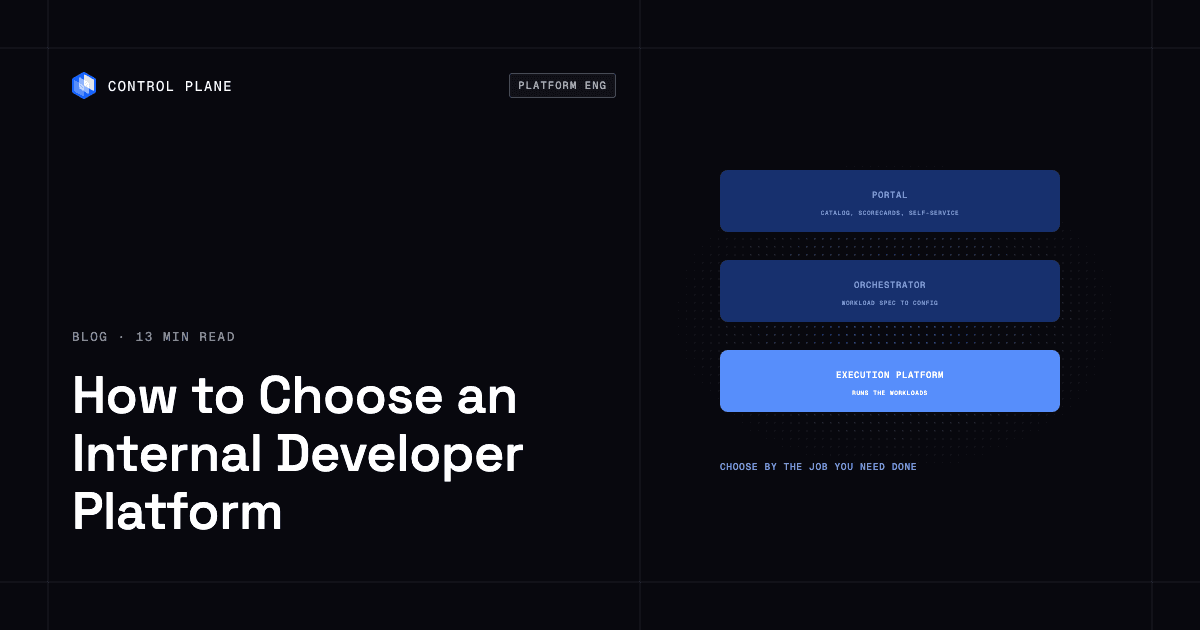
Choose an internal developer platform by the job you need it to do. A developer portal gives engineers a catalog and self-service front end over the tools you already run, a platform orchestrator generates environment-specific configuration from a workload spec and provisions resources through your existing infrastructure as code, and an execution platform runs the workloads themselves. Teams without a dedicated platform team can start with an execution platform and add a portal as the service count grows. Control Plane is an execution platform that runs workloads active-active across clouds and regions, with Day 2 operations handled.
Disclosure: Control Plane publishes this guide.
TL;DR
- Developer portals (Backstage, Port, Cortex, OpsLevel) organize services, ownership, and self-service actions. They do not run workloads, and they provision only by triggering your existing pipelines and infrastructure as code.
- Platform orchestrators (Humanitec with the Score specification, and open-source Kratix) turn a workload definition into environment-specific configuration and provision resources through your tools.
- Execution platforms (Control Plane, plus PaaS-style platforms in our roundup of internal developer platforms) deploy, scale, and operate the workloads.
- How to choose. Start with the layer that solves your biggest bottleneck, then add layers as new bottlenecks appear.
- Build vs buy. Backstage is free to license and costly to run. Commercial portals and hosted Backstage reduce that work. None of them replaces what runs underneath.
- Control Plane runs workloads active-active across regions and clouds on AWS, GCP, and Azure, with a 99.999% availability SLA for workloads running at least two replicas in at least two locations.
What is the difference between an internal developer portal and a platform orchestrator?
A developer portal is the interface developers use to find services, see ownership, and trigger self-service actions. A platform orchestrator is the engine behind it that turns a workload spec into environment-specific configuration and provisions resources through your infrastructure as code. The portal provisions nothing on its own, and the orchestrator is not built to be the developer’s catalog and front end. A third type, the execution platform, runs the workloads themselves.
Developer portal
A developer portal provides a searchable software catalog, ownership records, compliance scorecards, golden-path templates, and self-service actions that trigger workflows in external tools. Developers use it to find services, see who owns what, check standards, and start common tasks such as creating a repository or requesting an environment.
Backstage is an open-source portal framework that Spotify says thousands of companies have adopted. Originally built at Spotify and now a CNCF incubating project, its core includes a software catalog, software templates, TechDocs, and search, and it has a large open-source plugin ecosystem; scorecards come from plugins such as Tech Insights or Spotify’s Soundcheck. Commercial portals such as Port, Cortex, and OpsLevel offer managed catalogs, scorecards, and self-service actions.
Platform orchestrator
A platform orchestrator sits between the portal and the infrastructure. When a developer declares what a workload needs, such as a database, a queue, and three environments, the orchestrator turns that specification into environment-specific configuration and provisions the resources through your existing infrastructure as code and Kubernetes clusters. It enforces policies, detects drift, and handles environment promotion.
Humanitec’s Platform Orchestrator is a commercial example, and open-source options include Kratix and KusionStack. The Score specification, a CNCF sandbox project, describes workload requirements in a platform-agnostic way that tools can consume. internaldeveloperplatform.org, maintained by Humanitec, documents this model in more depth.
Execution platform
An execution platform runs the workloads and handles the runtime operations required to keep them running in production: deployment, scaling, networking, secrets, observability, and resilience. Teams deploy code, and the platform operates it. On managed compute, this removes the need to operate Kubernetes clusters.
Combining the layers
Many organizations combine a portal with an orchestrator or an execution platform. The portal provides the catalog and self-service interface, and the orchestrator or execution platform does the provisioning and runtime work behind it. Developers get one interface, and infrastructure operations stay automated and governed.
Can you compare different internal developer platforms available in the market?
The market splits into five types: open-source portals, commercial portals, orchestrators, execution platforms, and building blocks. They differ in what they do and in how much of the stack your team still operates.
| Type | Examples | What it does | What you still run | Best fit |
|---|---|---|---|---|
| Open-source portal framework | Backstage | Extensible service catalog, software templates, TechDocs, and a plugin ecosystem (scorecards come from plugins) | The portal itself, its plugins, catalog data accuracy, and your entire deployment and runtime stack | Organizations with a funded platform team that wants full control over the developer experience |
| Commercial portals | Port, Cortex, OpsLevel | Managed catalog, scorecards, self-service workflows, and integrations, typically with faster setup than Backstage | Your deployment pipelines, infrastructure provisioning, and runtime | Teams that want portal capabilities without engineers dedicated to portal maintenance |
| Platform orchestrators | Humanitec, Kratix | Turn workload specs into environment-specific configuration, provision resources through your IaC and clusters, enforce policies, and detect drift | Kubernetes clusters, cloud accounts, CI/CD, and the runtime operations of your workloads | Platform teams managing many environments with inconsistent configuration or long provisioning queues |
| Execution platforms | Control Plane, and PaaS-style platforms | Deploy, scale, and operate workloads, including networking, secrets, observability, and failover | Your CI pipeline, source control, application code and its on-call, data layer design, and external services your workloads depend on | Teams that want to ship production software without operating clusters; resilience and multi-cloud support vary widely across PaaS-style platforms |
| Building blocks | Argo CD, Flux, Terraform, OpenTofu, Pulumi, Crossplane | GitOps delivery, infrastructure as code, and Kubernetes-native provisioning of cloud infrastructure | The glue between tools, upgrades, monitoring, scaling, networking, and on-call | Platform teams building a custom platform from open-source components |
For vendors in the execution platform category, see our roundup of internal developer platforms. For GitOps tools, see Argo CD vs Flux.
What are the best internal developer platform tools?
The best tool depends on which layer you need.
- Developer portals: Backstage (open source, CNCF), Port, Cortex, OpsLevel, and hosted Backstage such as Roadie and Spotify Portal for Backstage.
- Platform orchestrators: Humanitec, with the Score workload specification, and the open-source Kratix and KusionStack.
- Execution platforms: Control Plane runs workloads active-active across AWS, GCP, Azure, and your own clusters. PaaS-style platforms are covered in our roundup.
- Building blocks: Argo CD and Flux for GitOps; Terraform, OpenTofu, and Pulumi for infrastructure as code; and Crossplane for Kubernetes-native provisioning.
How do I choose the right internal developer platform for my team?
Choose by your biggest bottleneck. If developers cannot find services or owners, start with a portal. If provisioning environments takes days, start with an orchestrator. If your team spends more time operating infrastructure than writing application code, start with an execution platform.
| Situation | Start with | Why |
|---|---|---|
| No platform team, small to mid-size engineering organization | Execution platform | It handles runtime operations so the team ships production workloads without building and maintaining a platform layer. See platform engineering without a platform team. |
| A platform team that already runs Kubernetes, CI/CD, and Terraform | Platform orchestrator or portal | The runtime is covered. An orchestrator standardizes provisioning, and a portal organizes the catalog and self-service. |
| Many services and unclear ownership | Developer portal | A catalog, ownership records, and scorecards bring visibility before you change how services deploy. |
| Many environments and inconsistent configuration | Platform orchestrator | Environment-specific configuration generated from one workload spec reduces drift and manual tickets. |
| Strict compliance and audit requirements | Execution platform with built-in governance, plus a portal for standards tracking | An execution platform that embeds policy enforcement, audit trails, and compliance certifications reduces the runtime surface your security team must review. A portal’s scorecards can track standards on top of it. |
| Applications that must stay up through region or provider failures | Multi-cloud execution platform | Running workloads active-active across regions and clouds is difficult and expensive to build from individual tools. |
Layers combine as the organization grows. A 30-person team that starts with an execution platform may add a portal when discoverability becomes a bottleneck, and a 200-person organization with a mature platform team may run all three. Solve the most painful problem first and add layers when a new bottleneck appears.
Should we build an internal developer platform on Backstage or buy one?
Build on Backstage if you have a funded platform team that needs deep customization of the developer experience. Buy a commercial portal or hosted Backstage (Roadie, Spotify Portal for Backstage) if you want a portal without dedicating engineers to maintaining it. Either way, you still need an orchestrator or execution platform underneath.
Backstage has no license fee, but running it takes ongoing engineering work. Backstage is a framework your team builds into a product. The portal needs hosting, authentication, a database, and monitoring. Every plugin must be evaluated, integrated, upgraded, and sometimes forked, and catalog data must be kept accurate through ingestion pipelines or enforced registration. Your engineers carry on-call for the portal.
Commercial portals (Port, Cortex, OpsLevel) and hosted Backstage absorb much of that work with managed infrastructure, pre-built integrations, and support. The trade-off is less customization and a recurring subscription. Hosted Backstage stays compatible with most open-source Backstage plugins.
Hidden costs of building on Backstage
- Engineers dedicated to portal development and maintenance, usually a standing team.
- Plugin compatibility testing on every Backstage upgrade.
- Catalog accuracy: stale entries erode trust and adoption.
- Custom integrations with CI/CD, cloud providers, and observability.
- On-call for the portal itself.
- Internal documentation and onboarding for the portal’s own features.
- Internal promotion to drive voluntary adoption.
Portals with stale catalogs and no adoption plan tend to lose users after launch.
What should a 50-person engineering team use instead of building an internal developer platform?
Use existing products for each layer and build only the parts unique to your company. At 50 engineers, a homegrown platform competes with product work for the same people.
| Layer | What to avoid building | What to use instead |
|---|---|---|
| Running and operating services | Custom deploy scripts and a self-run Kubernetes cluster | Control Plane, which handles deployment and Day 2 operations, including autoscaling and active-active failover, with no Kubernetes cluster to operate on Control Plane-managed locations |
| Portal and service catalog | A self-hosted Backstage instance | A commercial portal such as Port or Cortex, or hosted Backstage such as Roadie, added once service ownership becomes a problem |
| Infrastructure provisioning | Home-grown wrappers around Terraform | Terraform or OpenTofu with a workflow tool such as Spacelift, or Terraform with HCP Terraform |
| Delivery | Custom rollout tooling | GitHub Actions or GitLab CI, with Argo CD if you run Kubernetes |
| Golden paths | A bespoke scaffolding service | Template repositories and shared CI workflows |
Building on Kubernetes instead. The best alternative is an execution platform that already provides what a homegrown platform would add on top of Kubernetes: deployment, scaling, routing, secrets, observability, and failover. Control Plane runs workloads with those built in, and teams that need direct Kubernetes access can run Control Plane’s Managed Kubernetes or connect clusters they already run through Control Plane’s Bring Your Own Kubernetes, on the same platform. A portal can sit in front for the catalog.
What to evaluate in an internal developer platform
Ask each vendor, or your internal build team, these twelve questions and request the listed evidence.
| Criterion | What to ask | Evidence to request |
|---|---|---|
| Developer self-service and golden paths | Can a developer deploy a new service end to end without filing a ticket? | Live demo of a new service from template to running in production |
| Deployment and rollback | How are deployments triggered, and how fast can a bad deploy be rolled back? | A rollback in a staging or production environment |
| Environments and previews | Can developers create isolated preview environments on demand? | Create and tear down a preview environment during the evaluation |
| Infrastructure provisioning | How are databases, queues, and cloud resources provisioned, and are stateful workloads and persistent volumes supported? | The provisioning flow for a managed database |
| Security and access control | How are permissions scoped, and is network traffic encrypted? | The access control model, network policies, and encryption in transit |
| Audit | Is every action recorded, and can audit logs be exported to your SIEM? | An audit log for one user’s actions over a recent period |
| Observability | Are logs, metrics, and traces available without extra tooling? | Built-in dashboards and alerting for a running workload |
| Resilience across zones, regions, and providers | What happens when a region goes down? | A simulated region outage showing traffic shifting automatically |
| Cost visibility and commercial terms | Can you see cost per workload, team, or environment, and what are the pricing model and contract terms? | A cost breakdown by workload and the pricing and contract documents |
| Integration with existing tools | Does the platform work with your CI/CD, IaC, and observability tools? | Integration with at least two tools you already use |
| Exit and portability | What happens if you leave, and are workload definitions portable? | Export format, and confirmation that workloads use standard container images |
| Operational load on your team | How many engineers does the platform require to operate? | Reference customers of similar size and their staffing model |
Six-step proof-of-concept plan
- Pick one real service. Choose one representative of your stack, ideally with a database dependency and at least two environments. Write pass/fail criteria and set a fixed timebox before you start.
- Deploy it end to end. Go from source code to a running production-like environment, timing the process and noting every manual step.
- Test self-service. Have a developer who was not involved in setup deploy a change, create a preview environment, and roll back a bad release.
- Simulate a failure. Simulate a zone or region outage, for example by removing a location from the deployment or blocking traffic to it, and measure recovery time and whether traffic reroutes automatically.
- Review security and audit. Inspect access controls, network policies, and audit logs against your compliance requirements.
- Measure operational load. Record the hours your team spent on platform work versus application work, and extrapolate to your full service count.
How Control Plane fits
Control Plane is the unbreakable platform for running production workloads. It runs serverless, standard, stateful, and cron workloads natively on AWS, GCP, and Azure, VM workloads on locations joined through Control Plane’s Managed Kubernetes, and workloads on Kubernetes clusters you already run or your own machines, including on premises, active-active across regions and clouds.
Control Plane handles Day 2 operations, including autoscaling, built-in observability, and security. On Control Plane-managed locations there is no Kubernetes cluster to operate.
A workload deployed to Control Plane’s Global Virtual Cloud (GVC), a named set of locations across one or more clouds where each workload runs, runs active-active in every location of that GVC from one definition. Control Plane’s built-in global endpoint routes each request to the nearest healthy location. Failover across regions and providers is built into the platform, so your team does not build or maintain it; for stateful workloads, plan how data replicates between locations.
Guardrails are built in. A deny-by-default internal firewall with mTLS between services limits each workload to what it is allowed to reach. Fine-grained policies grant users, groups, service accounts, and workload identities specific permissions on each resource. Users sign in through SAML, Google, GitHub, or Microsoft single sign-on, and every action on Control Plane is recorded in a tamper-proof audit trail. Control Plane is PCI DSS Level 1, SOC 2 Type II, HIPAA, and GDPR compliant.
Control Plane’s Universal Cloud Identity gives workloads access to 600+ AWS, GCP, and Azure services with no long-lived cloud keys in your code. The CLI, console, Terraform and Pulumi providers, and the Control Plane MCP server all work through the same Control Plane API, so Control Plane complements the infrastructure as code and GitOps tools you already run, and a portal such as Backstage or Port can sit in front of it.
You pay for the CPU and memory a workload reserves, with no contracts or minimums. Customers typically cut compute costs 30 to 50 percent compared with running directly on AWS, GCP, or Azure. The 99.999% availability SLA applies to workloads running at least two replicas in at least two locations.
For teams deciding whether they need a platform team at all, see developer self-service with guardrails and production-grade infrastructure without a platform team. For alternatives to managing Kubernetes directly, see the best Kubernetes alternatives.
FAQ
Short answers for teams evaluating internal developer platforms.
Is Backstage an internal developer platform?
Backstage is a developer portal framework, one layer of an internal developer platform. It provides a software catalog, templates, TechDocs, and a plugin architecture, but it does not provision infrastructure or run workloads, so most organizations pair it with an orchestrator or execution platform.
Do I need a platform team to run an internal developer platform?
Not necessarily. An execution platform such as Control Plane reduces or removes the need for a full platform team to operate the runtime, especially in smaller engineering organizations. A commercial portal reduces portal maintenance but does not run your infrastructure. See platform engineering without a platform team.
Can a portal and a platform be used together?
Yes. The portal provides the catalog and self-service interface, and the execution platform runs the workloads behind it. The portal calls the platform’s API to deploy and manage services while showing developers ownership, documentation, and operational status in one place.
What should a 50-person engineering team use instead of building an internal developer platform?
An execution platform such as Control Plane that handles deployment and operations, Terraform or OpenTofu with a workflow tool such as Spacelift for provisioning, and a commercial portal such as Port or Cortex once service discoverability becomes a problem. Building a custom platform from scratch at this size usually consumes more engineering capacity than it saves.
What is the best alternative to building an internal developer platform on Kubernetes?
Control Plane. It provides deployment, autoscaling, built-in observability, and active-active failover across regions and clouds, so a team does not build those layers on Kubernetes itself. Teams that need direct Kubernetes access can use Control Plane’s Managed Kubernetes or connect their own clusters. Pair it with a portal such as Port or hosted Backstage if you need a service catalog.
What are the best internal developer platform tools?
For portals, Backstage, Port, Cortex, and OpsLevel; for orchestrators, Humanitec, Kratix, and KusionStack; for execution platforms, Control Plane and PaaS-style platforms; and Argo CD, Flux, Terraform, OpenTofu, Pulumi, and Crossplane as building blocks. See our full roundup.
What is the difference between a platform orchestrator and an execution platform?
A platform orchestrator generates configuration and provisions resources through your existing infrastructure as code and Kubernetes clusters, and your team still operates those clusters and the runtime. An execution platform runs the workloads and manages the runtime itself, including deployment, scaling, networking, and failover.
What is the difference between an internal developer portal and an internal developer platform?
A portal is the developer-facing interface: catalog, ownership, scorecards, and self-service actions. An internal developer platform is the whole set of tools and services that let developers build, deploy, and run software on their own, and it may include a portal, an orchestrator, an execution platform, and building blocks.
How do I evaluate an internal developer platform before committing?
Run a timeboxed proof of concept with one real service and written pass/fail criteria. Deploy it end to end, test self-service with a developer who was not involved in setup, simulate a failure, review security and audit controls, and measure the hours spent on platform work.
Does Control Plane replace Kubernetes?
It can. On Control Plane-managed locations there is no Kubernetes cluster to operate, so teams that want to stop managing clusters can move workloads there. Teams that want to keep existing clusters can add them as locations in a Control Plane Global Virtual Cloud and deploy workloads to them through the same Control Plane API used for managed locations.
To see how an execution platform handles your workloads across clouds and regions, talk to the Control Plane team or sign up free.